
Xtool D7 Manuale utente

Shenzhen Xtooltech Intelligent Co., LTD
D7 Smart Diagnosis System
User Manual

I
Please read this user manual carefully before using the D7
Smart Diagnosis System. When reading the manual, please
pay attention to the words “Note” or “Caution”, and read them
carefully for appropriate operation.
TRADEMARKS
is a registered trademark of Shenzhen Xtooltech
Intelligent CO., LTD.
In countries where the trademarks, service marks, domain
names, logos and the name of the company are not registered,
XTOOL claims that it still reserves the ownership of the
unregistered trademarks, service marks, domain names, logos
and the company name. All other marks for the other products
and the company’s name mentioned in the manual still belong
to the original registered company.
You may not use the trademarks, service marks, domain
names, logo and company name of XTOOL or other companies
mentioned without written permission from the trademark holder.
XTOOL reserves the right to the final interpretation of this
manual content.

II
COPYRIGHT
Without the written consent of Shenzhen Xtooltech Intelligent
Co., Ltd., any company or individual shall not copy or backup
this operation manual in any form (electronic, mechanical,
photocopying, recording or other forms).
DECLARATION
This manual is designed for the usage of the D7 Smart
Diagnosis System and provides operating instructions and
product descriptions for users of the D7 Smart Diagnostic
system.
No part of this manual can be reproduced, stored in a retrieval
system or transmitted, in any form or by any means (electronic,
mechanical, photocopying, recording, or otherwise), without the
prior written permission of XTOOL.
Use the device only as described in this manual. XTOOL is not
responsible for any consequences of violating the laws and
regulations caused by using the product or its data information
XTOOL shall not be liable for any incidental or consequential
damages or for any economic consequential damages arising

III
from the accidents of individual users and the third parties,
misuse or abuse of the device, unauthorized change or repair
of the device, or the failure made by the user not to use the
product according to the manual.
All information, specifications and illustrations in this manual
are based on the latest configurations and functions available at
the time of printing. XTOOL reserves the right to make changes
at any time without notice.
OPERATION INSTRUCTIONS
For safe operation, please follow the instructions below:
Keep the device away from heat or fumes when you use it.
If the vehicle battery contains acid, please keep your hands
and skin or fire sources away from the battery during
testing.
The exhaust gas of the vehicle contains harmful chemicals,
please ensure adequate ventilation.
Do not touch the cooling system components or exhaust
manifolds when the engine is running due to the high
temperatures reached.

IV
Make sure the car is securely parked, Neutral is selected
or the selector is at P or N position to prevent the vehicle
from moving when the engine starts.
Make sure the (DLC) diagnostic link connector is
functioning properly before starting the test to avoid
damage to the Diagnostic Computer.
Do not switch off the power or unplug the connectors
during testing, otherwise, you may damage the ECU and/or
the Diagnostic Computer.
CAUTIONS!
Avoid shaking or dismantling the unit as it may damage the
internal components.
Do not use hard or sharp objects to touch the LCD screen;
Do not use excessive force;
Do not expose the screen to strong sunlight for a long
period.
Please keep it away from water, moisture, high
temperature or very low temperature.
If necessary, calibrate the screen before testing to ensure
the accuracy of LCD performance.
Keep the main unit away from strong magnetic fields.

V
AFTERSALES-SERVICES
E-Mail: aftersales-services@xtooltech.com
Tel: +86 755 21670995 or +86 755 86267858 (China)
Official Website: www.xtooltech.com

i
CONTENT
TRADEMARKS..............................................................................I
COPYRIGHT................................................................................. II
DECLARATION............................................................................ II
OPERATION INSTRUCTIONS................................................. III
CAUTIONS!................................................................................. IV
AFTERSALES-SERVICES........................................................ V
CONTENT.......................................................................................I
1 GENERAL INTRODUCTION.................................................. 1
Tablet.............................................................................................. 2
Front View of Tablet.............................................................................. 2
Back View of Tablet.............................................................................. 3
Host Ports...............................................................................................4
Technical Specifications..............................................................5
Package Kit....................................................................................6
Main Unit.................................................................................................6
Other Accessories................................................................................. 6
2 GETTING STARTED................................................................ 7
Activation........................................................................................7

ii
Main Interface............................................................................. 10
Operation system................................................................................ 10
Diagnosis system entrance................................................................12
Function Buttons................................................................................. 13
Navigation Buttons.............................................................................. 14
Notification Bar.................................................................................... 15
Factory Reset..............................................................................17
3 UPDATE................................................................................... 19
4 DIAGNOSIS............................................................................. 21
Vehicle Connection.................................................................... 21
Diagnosis..................................................................................... 22
Vehicle Selection.................................................................................23
Basic functions.....................................................................................25
5 SPECIAL FUNCTIONS..........................................................33
Oil Reset...................................................................................... 34
EPB...............................................................................................35
SAS...............................................................................................36
DPF...............................................................................................37
BMS MATCH...............................................................................38
Throttle......................................................................................... 39
TPMS Reset................................................................................ 39
ABS Bleeding.............................................................................. 40

iii
Injector Coding............................................................................41
Gearbox Match........................................................................... 42
Suspension..................................................................................42
Windows Initialization................................................................ 43
Seat Match...................................................................................43
Headlight Adjustment.................................................................43
IMMO Service............................................................................. 44
Gear Learning............................................................................. 45
6 SETTINGS................................................................................47
Language..................................................................................... 47
Units..............................................................................................49
My Workshop Info...................................................................... 50
VCI Information...........................................................................51
About............................................................................................ 52
7 REPORT...................................................................................53
Report...........................................................................................54
Replay.......................................................................................... 57
File Manager............................................................................... 57
8 REMOTE ASSISTANCE........................................................58
9 FAQ........................................................................................... 60
Q1: Failed to generate diagnosis report.................................60

iv
Q2: How to print diagnosis report............................................ 62
Q3: Failed to extract files.......................................................... 62
Q4: Mailbox supported.............................................................. 63
Q5: How to make an appointment for remote support.........63
Q6: How to generate and upload diagnostic log files...........63
Q7: How to switch language.....................................................64
Q8: Failed to diagnose vehicle.................................................64
Q9: Failed to activate or register..............................................65
Q10: Failed to turn on when charging.....................................65
Q11: Failed to open the diagnosis app...................................65
Altri manuali per D7
2
Indice
Altri manuali Xtool Apparecchiature diagnostiche

Xtool
Xtool PS80 Manuale utente

Xtool
Xtool D9 Smart Manuale utente

Xtool
Xtool X100 PAD Manuale utente

Xtool
Xtool PS70PRO Manuale utente

Xtool
Xtool PS70PRO Manuale utente

Xtool
Xtool PS70PRO Manuale utente

Xtool
Xtool D7 Manuale utente

Xtool
Xtool H6 EB Manuale utente

Xtool
Xtool H6EB Manuale utente

Xtool
Xtool D7 Manuale utente
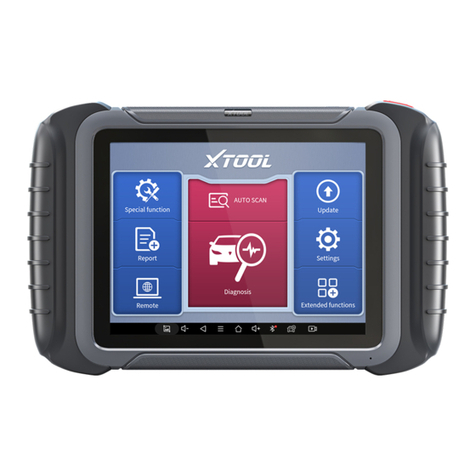
Xtool
Xtool D8 Manuale utente

Xtool
Xtool H6PRO Manuale utente
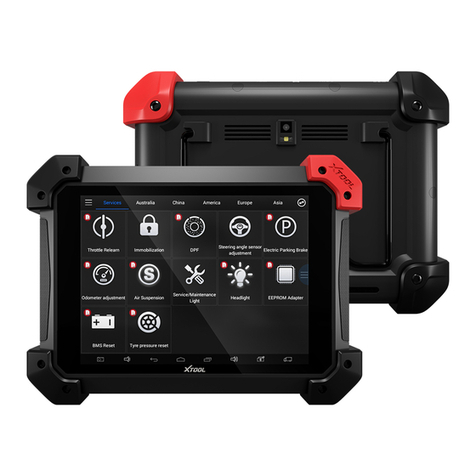
Xtool
Xtool PS90 Manuale utente

Xtool
Xtool IP616 Manuale utente

Xtool
Xtool H6E Manuale utente

Xtool
Xtool D9 Pro Manuale utente

Xtool
Xtool D8 BT Manuale utente

Xtool
Xtool IP819 Manuale utente

Xtool
Xtool Anyscan A30D Manuale utente

Xtool
Xtool N9EV Manuale utente


