
Yeastar Technology TG Series Manuale utente
Configuring the Yeastar
TG200 Device for
TopView® Voice Notification
Updated July 8, 2021
View the latest version of this document:
If this document is available through your TopView installation or was previously downloaded you can
view the latest version here.
Recent updates:
•July 8, 2021
oBlacklist information and firewall rule to allow local IPs
oUpdated recommended codecs
•June 21, 2021
oRedundancy information added for single TG device or multiple TG devices
•June 17, 2021
oFirst release of document

Contents
What is the Yeastar TG Series?.....................................................................................................................4
Yeastar TG200 User manual......................................................................................................................4
TG 200/400/800/1600 ..............................................................................................................................4
Get the 4G/LTE device ..............................................................................................................................5
SIM Card........................................................................................................................................................5
Initial connection ..........................................................................................................................................6
Using this document .....................................................................................................................................7
Icons..........................................................................................................................................................7
Warning: Apply button .............................................................................................................................7
Change the IP address of the TG200.............................................................................................................8
Add firewall rule for TopView machine ........................................................................................................9
Date and Time.............................................................................................................................................11
Firmware.....................................................................................................................................................12
Insert SIM card into slot 1...........................................................................................................................13
Enable VoLTE (optional)..........................................................................................................................13
Make sure that Trunk1 SIM is enabled for outgoing calls ......................................................................13
Mobile Trunk(s) for cellular ........................................................................................................................14
Multiple SIM cards..................................................................................................................................14
Account/VOIP Trunk ...................................................................................................................................15
Route (IP to Mobile)....................................................................................................................................16
Make a test call from TopView ...................................................................................................................17
REBOOT.......................................................................................................................................................17
Yeastar TG200 Redundancy........................................................................................................................18
Single device redundancy .......................................................................................................................18
Multiple device redundancy ...................................................................................................................19
Technical topics –TG Series........................................................................................................................21
Unable to connect after previous successful connection.......................................................................21
Increase the call volume .........................................................................................................................21
Call Connected state...............................................................................................................................22
Automatic, periodic reboots ...................................................................................................................22
Manual reboot of one SIM/cellular radio...............................................................................................22
DTMF detection ......................................................................................................................................23

Cellular signal......................................................................................................................................23
DTMF mode.........................................................................................................................................23
Turn off keypress sounds –Mobile device .........................................................................................23
Turn on/off VoLTE on mobile phone ..................................................................................................23
Try a specific VOIP Codec....................................................................................................................24
Yearstar DMTF resources....................................................................................................................24

What is the Yeastar TG Series?
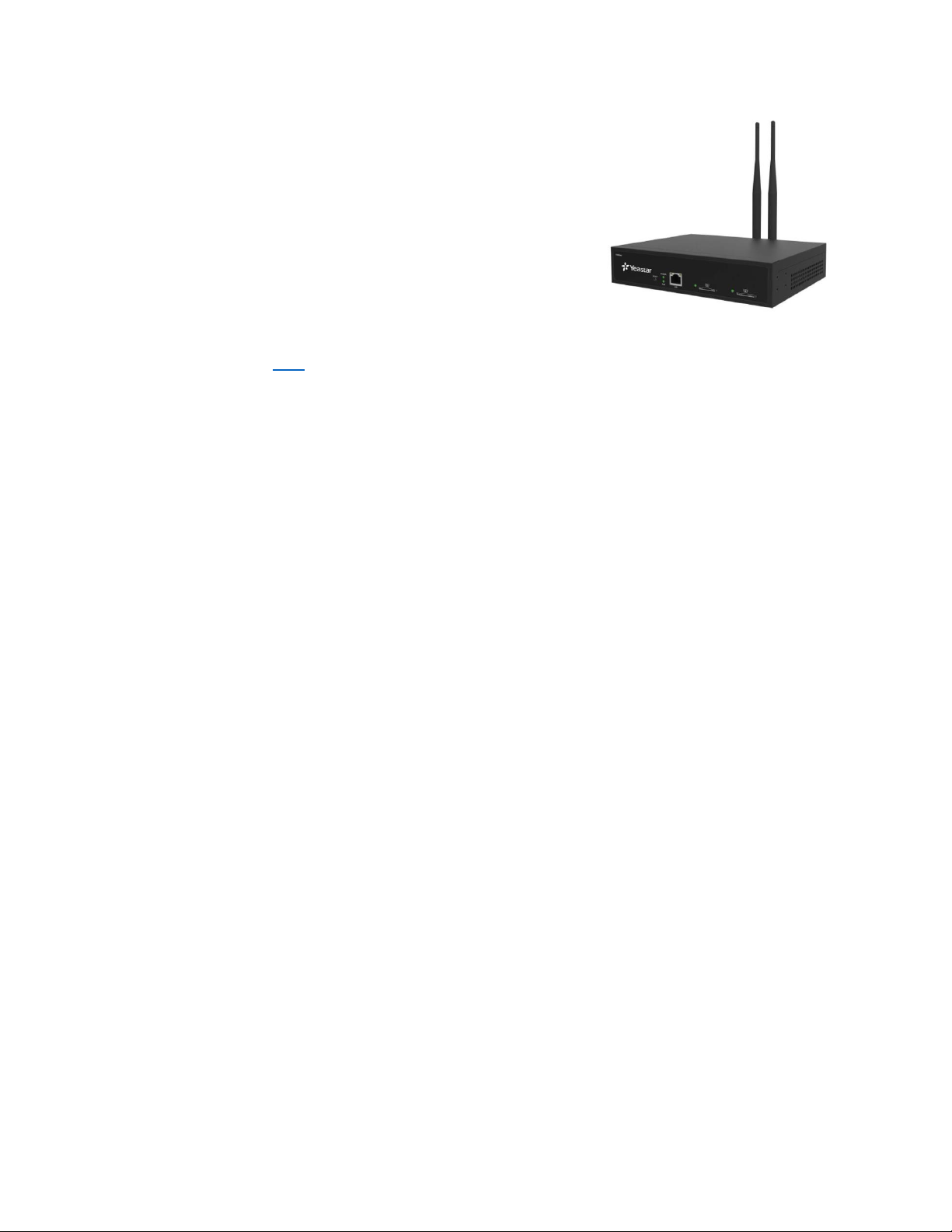
The Yearstar TG Series is a VOIP GSM Gateway capable of making cellular phone calls and
sending/receiving SMS/text messages. The device includes a VOIP/SIP Server to allow VOIP/SIP clients
(like TopView) to make phone calls over a cellular network.
The TG device has one or more cellular radios, each one tied to a SIM card slot on the device. Once an
active GSM SIM card is inserted into a SIM card slot, the user can configure the device to allow TopView
users to make phone calls from TopView over a cellular network.
We are currently working on implementing the Yeastar SMS API which will allow TopView to also use this
device for sending/receiving SMS/text messages. This will be available in a future release of TopView.
Yeastar TG200 User manual
https://www.yeastar.com/download/Yeastar_TG_Series_User_Manual_en.pdf
TG 200/400/800/1600
The TG series devices can support from 2 to 16 SIM cards. The features of the devices are the same. This
document refers to the TG200 device which is the one used for testing.
We do not recommend and have not tested the TG100 device because it does not support 4G LTE.

Get the 4G/LTE device
The TG200 device has a few models. Older models may not work with the latest 4G LTE carriers.
There is a module/radio in the device that will tell you what is supported (2G/3G/4G) but unfortunately
this information is only available through a terminal session to the device (Yeastar support can assist).
The 4G/LTE device is officially model “TG200L” and the description should state that it supports
3G/4G/LTE. If the description does not say “supports LTE” then you should assume that it does not.
Where to buy (last updated June 2021)
•Streakwave
Yeastar TG400L TG-Series 4G-LTE Gateway 4 Channels (streakwave.com)
oContact: Steve Turner | Business Development Manager –Voice and Video Solutions
steve.turner@streakwave.com
TF: 888.604.5234 |P: 408.213.7308
•Neobits
https://www.neobits.com/yeastar_tg200l_yeastar_tg200l_tg_series_4g_lte_p14654652.html
•VOIP Supply
https://www.voipsupply.com
oContact: Mary Cheney
mcheney@voipsupply.com
(+1) 716-531-4329
Yeastar Sales Manager for NA
•Ivy Peng | Sales Account Manager
Xiamen Yeastar Information Technology Co., Ltd.
Website: www.yeastar.com
Email: ivy@yeastar.com Skype ID: +86 18030244635
Tel:+1 972-725-7999 US Support: 972-914-4899
SIM Card
This is a GSM device and requires a GSM SIM card with cellular calling enabled on the cellular account. In
the United States this includes AT&T and T-Mobile plus resellers of AT&T and T-Mobile.
We’ve successful used SIMs from both AT&T and T-Mobile resellers but we recommend using a SIM
from the primary GSM carriers.

Initial connection
The default IP address of the TG200 is 192.169.5.150.
If you connect your computer/laptop ethernet cable to the device, you should be able to connect to the
device if you configure your network adapter IP address as 192.169.5.100 /255.255.255.0
•Power up the TG200 device
•Connect a network cable from laptop/computer directly to the TG200
•Device IP is 192.169.5.150
oSet laptop to 192.168.5.100, 255.255.255.0
oCMD: ping 192.168.5.150 (success)
•Log in with user=admin, pw=password
Using this document
Icons
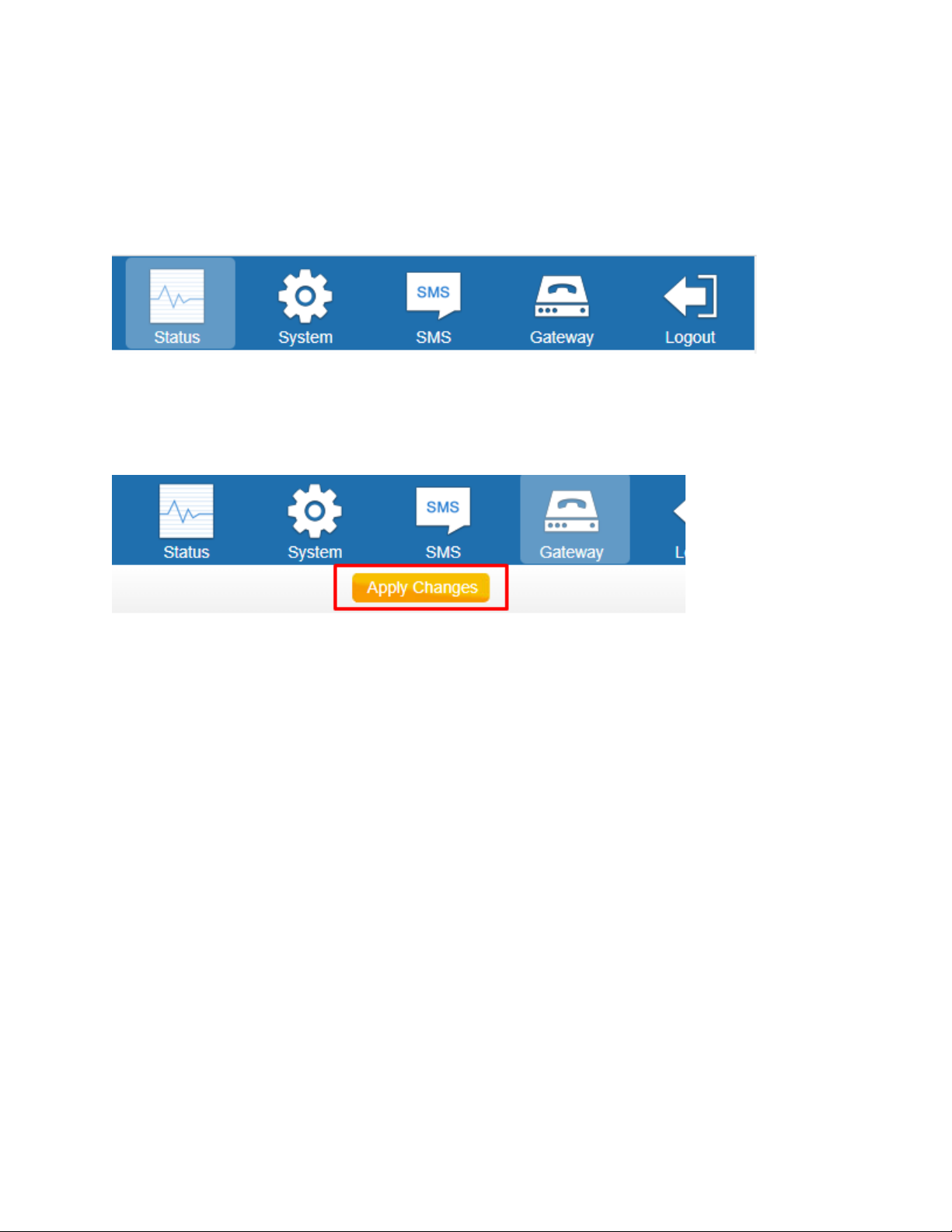
This manual refers to locations in the Web UI as
X > Y > Z
where X is the name of one of the icons in the upper right of the Web UI
Warning: Apply button
As you make changes in the Web UI you will frequently see a [Save] button. This saves your settings but
does not apply these changes to the device until you click [Apply settings] at the top of the web page.
Remember to look for the Apply Changes button after settings are saved.

Change the IP address of the TG200
•Our test network is 192.168.1.X with Gateway/DNS as 192.168.1.1
oWe set the IP address of the TG 200 to 192.168.1.238
•System > Network Preferences > Network settings
oLeave as “Static IP Address”
oEnter your static IP address for the device
oEnter gateway and DNS Server for your network
•Save (Device prompts to reboot)
•Plug the TG200 into your company switch/LAN
•Put your computer back on the company LAN
•You should be able to log into the device using the static IP address assigned

Add firewall rule for TopView machine
The TopView machine may frequently connect to the TG200 device. The TG200 firewall may add the
TopView machine to a blacklist due to these connection attempts. Therefore, you should add a firewall
rule to always allow connections from TopView.
System > Security Center > Firewall Rules
If you suspect that the TopView machine has been blacklisted see “Unable to connect after previous
successful connection”
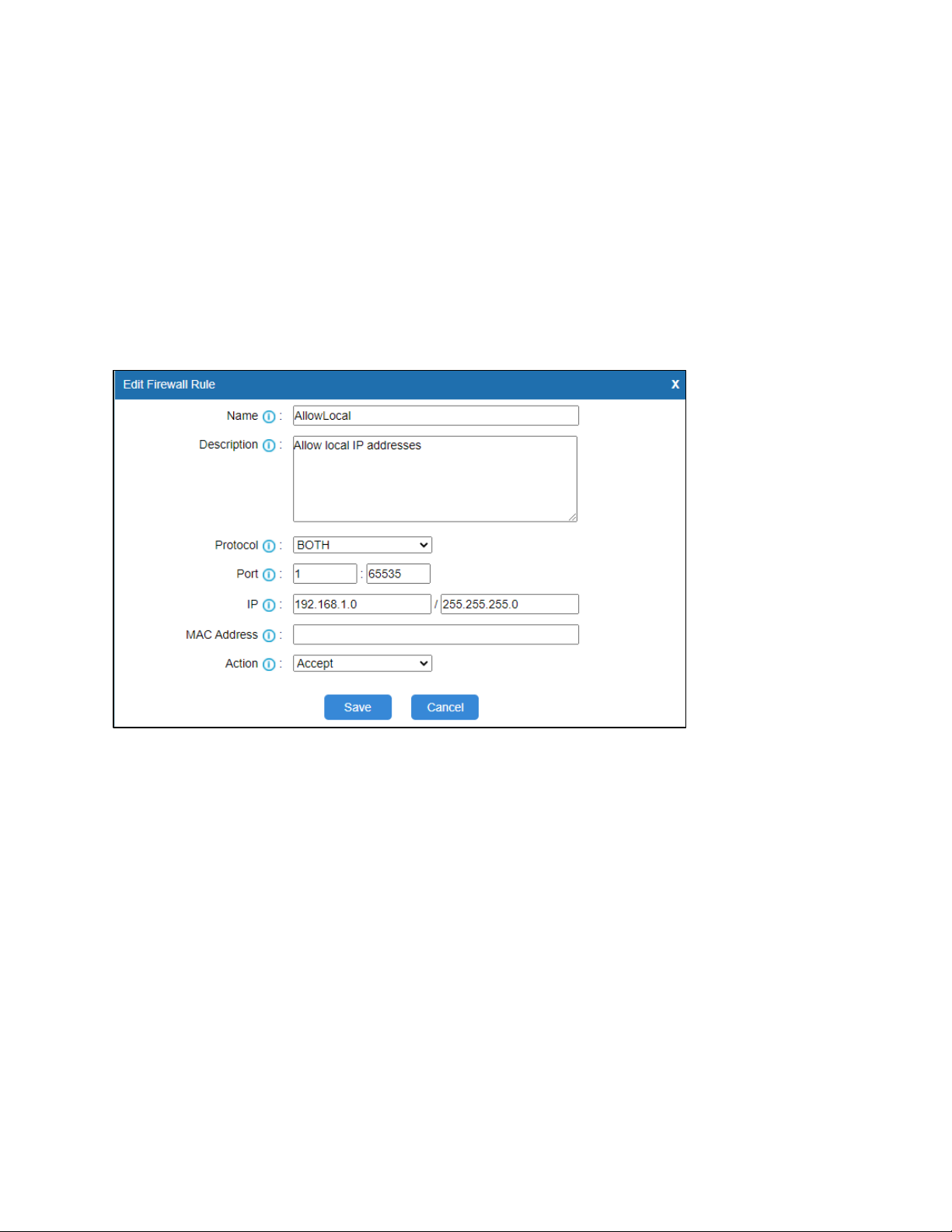
Click [Add Rule] to add a new rule
•Enter a Name and Description
•Protocol: BOTH
•Port: 1 : 65535
•IP: allow access from all local IPs : A.B.C.0 / 255.255.255.0
oExample: our TG200 IP address is 192.168.1.238 so we entered
192.168.1.0 / 255.255.255.0
•MAC Address: this field is optional, leave empty
•Action: Accept
•Save
Altri manuali per TG Series
1
Questo manuale è adatto per i seguenti modelli
4
Indice
Altri manuali Yeastar Technology Sistema telefonico


