Acer PalmPro 7763PS Manuale utente

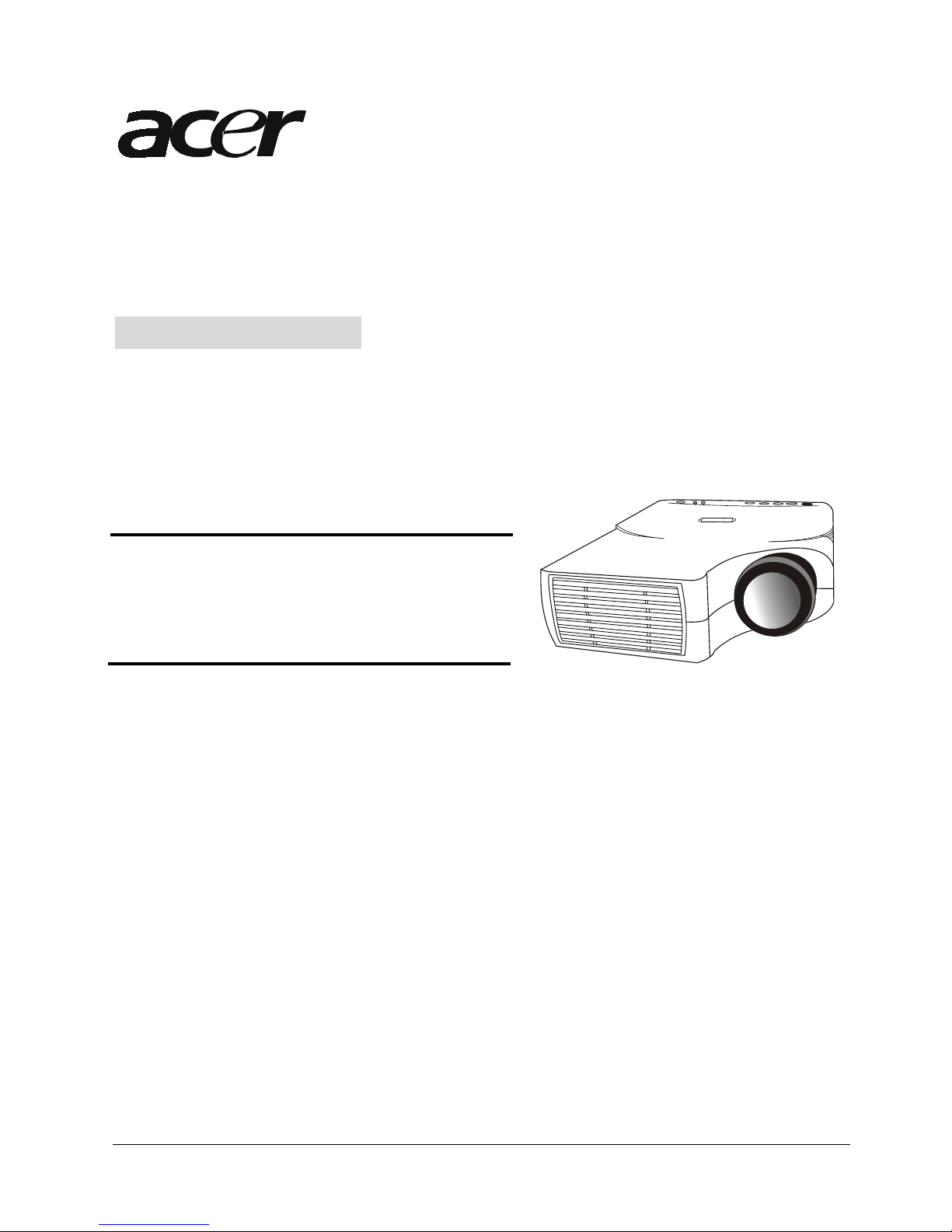
Digital Multimedia Projector
PalmPro 7763PS
OPERATING GUIDE
Thank you very much for purchasing this Acer DLP™ Technology Projector.
Please read this operating guide to ensure correct use of the device. After reading this
manual, keep it for future reference.
Outline
Model name
This DLP™ Technology Projector can display
various computer signals and NTSC/PAL/SECAM
video signals.
Features
(1) High brightness
(2) High resolution
(3) Compact size, light weight for portability
(4) RGB output terminal
(5) RS232 Communication
(6) Mouse emulation
(7) Complies with VESA DDC1/2B specifications
English I

Copyright
Copyright © 2001 by Acer Communications & Multimedia Inc.. All rights reserved. No
part of this publication may be reproduced, transmitted, transcribed, stored in a
retrieval system or translated into any language or computer language, in any form
or by any means, electronic, mechanical, magnetic, optical, chemical, manual or
otherwise, without the prior written permission of this company.
Disclaimer
Acer Communications & Multimedia Inc. makes no representations or warranties,
either expressed or implied, with respect to the contents hereof and specifically
disclaims any warranties, merchantability or fitness for any particular purpose.
Further, Acer Communications & Multimedia Inc. reserves the right to revise this
publication and to make changes from time to time in the contents hereof without
obligation of this company to notify any person of such revision or changes.
Fill this in!!
For the convenience of service, record the following
information in the space below. The serial number is
on the back of the product.
Monitor Information
Product
Name: 7763PS
Serial
Number:
Date of
Purchase:
Dealer Information
Dealer:
Telephone
Number:
Address:
Caution
TO PREVENT SHOCK, DO NOT OPEN THE CABINET. NO USER –SERVICEABLE PARTS INSIDE. REFER
SERVICING TO QUALIFIED PLUS SERVICE PERSONNEL. AND PLEASE READ ALL OF THESE
INSTRUCTIONS BEFORE YOU OPERATE YOUR PROJECTOR. SAVE THESE INSTRUCTIONS FOR
FUTURE REFERENCE .
Safety Instructions
1. Read all of these instructions before you operate your projector and save for
future reference.
2. The lamp becomes extremely hot during operation. Allow the projector to cool
for approximately 45 minutes prior to removing the lamp assembly for
replacement. Do not operate lamps beyond the rated lamp life. Excessive
operation of lamps beyond rated life could cause them to explode in rare
occasions.
3. Power is still available when the projector is in the standby mode. Never
replace lamp assembly or any electronic components unless the projector is
unplugged.
4. Do not attempt to service this product yourself, as opening or removing covers
may damage the components inside and will void your warranty.
English II

5. Do not place this product on an unstable cart, stand, or table. The product may
fall, causing serious damage to the product.
6. The Standard Remote Control contains a low-power laser that acts as a pointing
device during presentations. The light beam may cause injury if pointed
directly into a person’s eyes.
7. This product is capable of displaying inverted images for ceiling mount
configurations. Please use suitable equipment for mounting the unit and make
sure it is securely installed.
8. Openings in front or at two sides are for ventilation. They must not be blocked
or covered.
9. For ventilation reasons, the fan continues to operate for about 2 minutes after
the projector has been powered off. Please do not unplug the power cord until
the fan stops.
10. Do not look straight at the projector lens during operation. The intense light
beam may injure your eyes.
English III

Table of Contents
Introduction ..................................................................... 1
Projector Features .......................................................... 1
Description .................................................................. 2
A FRONT (figure) ......................................................... 2
B REAR (figure) .......................................................... 2
C BOTTOM (figure) ........................................................ 3
Installation ................................................................. 3
A. Positioning ........................................................ 3
B. Adjustable Feet ................................................... 4
Moving the Projector ......................................................... 4
Accessories .................................................................. 5
Connection ....................................................................... 7
A Connecting the Projector to Computer/Notebook ...................... 7
Operation ........................................................................ 8
Turn On/Off Procedure ........................................................ 8
A Power on ............................................................... 8
B Standby ................................................................ 8
External Control ............................................................. 8
A Control Pad ....................................................... 8
B Remote Control ................................................... 10
Usage and Replacement of Lamp ............................................... 12
A Lamp/temperature Status LED Indicator ................................. 12
B Replacing the Lamp .................................................... 14
OSD ......................................................................... 16
Main OSD Menu ............................................................... 16
A Display Page ..................................................... 17
B Image Page ....................................................... 19
C Control Page ...................................................... 20
D Source Page ....................................................... 21
Other Correspondent Remote Functions and Messages ........................... 22
Maintenance and Troubleshooting ................................................. 23
A Lamp Replacement .................................................. 23
B Cleaning the Lens ................................................. 23
C Troubleshooting .................................................... 23
Specifications .................................................................. 25
A Optical ........................................................... 25
B Electrical ........................................................ 25
C Mechanical ......................................................... 25
D Preset Display Resolution Table .................................... 26
Appendix ........................................................................ 27
AV Connection Port .......................................................... 27
AV Control Pad .............................................................. 27
A Connecting the Box ................................................ 28
English IV

English 1
A
B
C
D
E
F
Introduction
1
Projector Features
Image Resolution
Fully compatible with true SVGA(63PS) and supports XGA using advanced
intelligent compression technology. The advanced intelligent
compression technology enables it to present clear compression
SVGA/XGA images without line omission.
Brightness
Provides superior brightness of 800 ANSI lumens using TI’s Digital
Micromirror Device (DMD) and our own optical design, with a geometric
effect that increases light usage efficiency. By increasing the light
usage efficiency we can better reproduce the three basic colors (RGB)
required for color reproduction on a single DMD.
Portability
This projector has a sophisticated shape, like that of an attaché
case, with a retractable carrying handle that is extremely compact
and lightweight. It helps you make powerful presentations wherever
you go with its 5-pound weight and B5 size.
Keystone
The projection position is already set to the height of the line of
vision; there is no keystone effect. Even when projecting above or
under the height of the line of vision, image distortion (if any) can
be adjusted using the keystone correction function.
Multilanguage
The OSD (On Screen Display: information screens and menus) in 7
languages (English, Deutsch, Français, Italiano, Español, Swedish and
Dutch) provides you with additional information to help you make
corrections with OSD operation in your native languages.
Auto Detect System
This projector can detect display signals from PCs with frequently
used timing and do the optimization simultaneously. It does not
require complicated adjustments in order to project picture images
from PCs.

G
H
A
Ceiling Mount and Rear Screen Projection
The projector is equipped with a full mirror scan conversion function
(vertical/horizontal mirror), which allows the image to be reversed
for ceiling mounting as well as for rear projection applications.
AV box
An AV box is optional, and users can attach one or two to the
projector. Additionally, our AV box video standard is compatible with
NTSC U.S. and Canada standard
PAL Western Europe standard
SECAM France and Eastern
Europe standard
NTSC4.43 Middle East standard
If users want to watch CATV, AV box will serve the need.
Description
FRONT (figure)
Figure 1 Front view of 7763PS
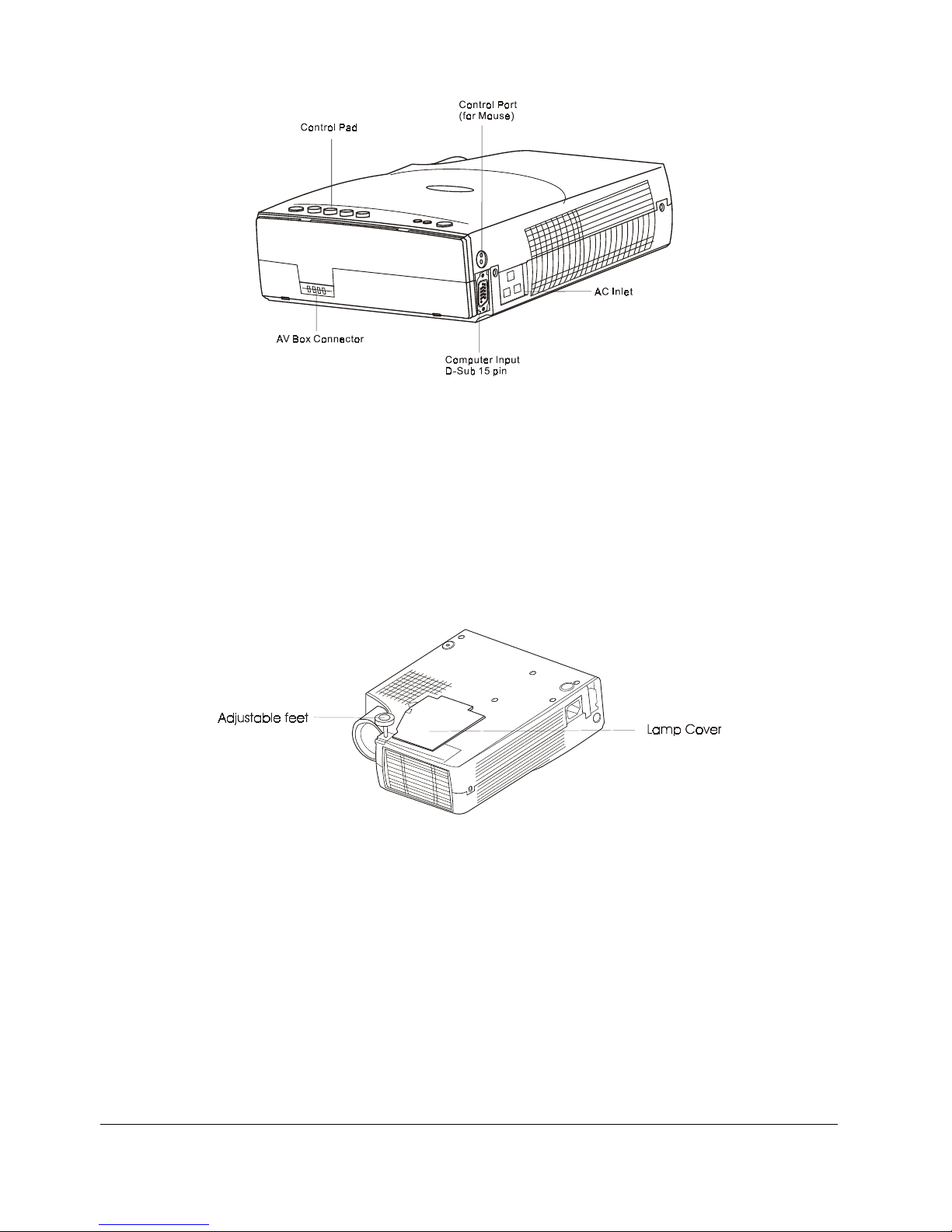
B REAR (figure)
English 2

Figure 2 Rear view of 7763PS
C BOTTOM (figure)
Figure 3 Bottom view of 7763PS
Installation
A.
•
•
•
Positioning
This projector is basically designed to project on a flat
projection surface.
This projector can be focused from 1.5m–10m.
Refer to the figure below to adjust the screen size.
English 3

47" 62" 77.2" 92.4" 107.5" 122.7" 137.9" 153" 183.4" 213.7" 244.1" 274.4" 304.8"
Screen
Size
Distance
1.5 2 2.5 3 3.5 4 4.5 5 6 7 8 9 10
Figure 4 Positioning of 7763PS
B.Adjustable Feet
Picture tilt and projection angle can be adjusted by twisting
Adjustable Feet. Projection angle can be adjusted 2°to 8.5°degrees
by rotating Adjustable Feet.
Figure 5 Adjustable feet
Moving the Projector
Use the carrying handle when moving the projector.
Replace the lens cover and rotate the feet fully clockwise (to
shorten the feet) when moving the projector to prevent damage to the
projector.
Caution
The carry bag (supplied) is intended to protect the projector from dust and
scratches on the surface of the cabinet. It is not designed to protect the
projector from external shock.
Do not transport the projector in an unsuitable transport case by using a courier
or transport service. This may cause damage to the projector.
English 4

Figure 6 Moving the projector
Accessories
Please check and make sure your box contains everything listed below.
If any pieces are missing, contact your dealer.
Please save the original box and packing materials in case you ever
need to ship the unit.
English 5

15pin D-sub connector
PS/2 Mouse adapter
Batteries
Manual
User's manual
Projection
Lens
Remote Control
+
Figure 7 Accessories of 7763PS
English 6
Altri manuali per PalmPro 7763PS
1
Indice
Altri manuali Acer Proiettore

Acer
Acer PL7610T Series Manuale utente

Acer
Acer K520/H112/PH-X01 Series Manuale utente

Acer
Acer X1278H Series Manuale utente

Acer
Acer H5360 Series Manuale utente

Acer
Acer PD116P Manuale utente

Acer
Acer U5200 Series Manuale utente

Acer
Acer X1260 Serie Manuale utente

Acer
Acer P1557i Series Manuale utente

Acer
Acer L811 Manuale utente

Acer
Acer X1160P Manuale utente

Acer
Acer V7850 Manuale utente

Acer
Acer PF-801 Series Manuale utente

Acer
Acer X1130P Series Manuale utente

Acer
Acer H6820M Manuale utente

Acer
Acer PD125 Manuale utente

Acer
Acer X1160P Istruzioni per l’uso

Acer
Acer PL111 Manuale utente

Acer
Acer S1383WHne Manuale utente

Acer
Acer PD725P Manuale utente

Acer
Acer PD525 Series Manuale utente