ACTiSYS ACT-IR3200M Manuale utente

48511 Warm Sprints Blvd., Suite 206 Fremont CA 94539
Tel: (510) 490-8024 Fax: (510) 623-7268
Website: http://www.actisys.com E-mail: [email protected]
ACT-IR3200M & ACT-IR3200SW
FIR/MIR/SIR Tester
User’s Manual
Copyright 2004-2005 ACTiSYS Corporation
All Rights Reserved
Version 1.2
July 12th, 2005

ACT-IR3200SW User’s Manual
The Wireless Connectivity Expert
TABLE OF CONTENT
1) INSTALLATION FOR ACT-IR3200SW SOFTWARE.......................................4
2) UN-INSTALLATION FOR ACT-IR3200SW SOFTWARE ................................7
3) APPLICATION GUIDE ...................................................................................10
4) MENUS...........................................................................................................10
A) CONFIGURATION.................................................................................12
I) COMMUNICATION SETTINGS ......................................................12
II) CHECK DEVICE ............................................................................12
III) SOUND..........................................................................................12
IV) TEST CYCLE................................................................................12
V) CONFIGURING CUSTOM TEST ...................................................13
B) TESTING ...............................................................................................16
I) IR DETECT TEST............................................................................16
II) BASIC TEST ..................................................................................16
III) CUSTOM TEST.............................................................................17
C) ABOUT ..................................................................................................18
D) QUIT ......................................................................................................18
5) TEST SCRIPT AND PARAMETERS..............................................................19
6) THE MEANING OF TEST RESULTS AND ERROR CODES.........................20
7) PHYSICAL LAYER TEST ..............................................................................20
8) IRLAP TEST...................................................................................................20
9) BER TEST......................................................................................................21
A) PRESCRIPTION: ...................................................................................21
B) TEST ITEMS:.........................................................................................22
C) DESCRIPTION OF TEST ITEMS: .........................................................22
I) Validate all supported speeds and the maximum frame size of test frame.... 22
II) Initial BER Test..................................................................................................... 22
III) Fine BER Test...................................................................................................... 22
10) WARRANTY INFORMATION.......................................................................23
11) CONTACT INFORMATION..........................................................................24
Copyright 2004-2005 ACTiSYS Corp. Page 2 of 24 July 12th, 2005
Version 1.2

ACT-IR3200SW User’s Manual
The Wireless Connectivity Expert
REVISION HISTORY
Revision History
Revision Date Comment
Rev 0.1 01/20/2005 Preliminary Design Specification for Internal Review
Version 1.0 02/01/2005 Version 1.0 Released
Version 1.1 04/01/2005 Modification in GUI
Version 1.2 07/12/2005 Modification in Communication Part (GUI)
Negotiation Parameter and Hint Byte (Win 98)
ACTiSYS reserves the right to make changes without further notice to any
products herein to improve reliability, function or design. ACTiSYS does not
assume any liability arising out of the application or use of any product or circuit
described herein
Copyright 2004-2005 ACTiSYS Corp. Page 3 of 24 July 12th, 2005
Version 1.2

ACT-IR3200SW User’s Manual
The Wireless Connectivity Expert
1) INSTALLATION FOR ACT-IR3200SW SOFTWARE
Following is the installation instruction for ACTiSYS-IR3200SW under Windows 2000
Note: This program supports Windows 98/Me/2000/XP. If previous version of the
software is already installed in the target machine, please uninstall before proceeding.
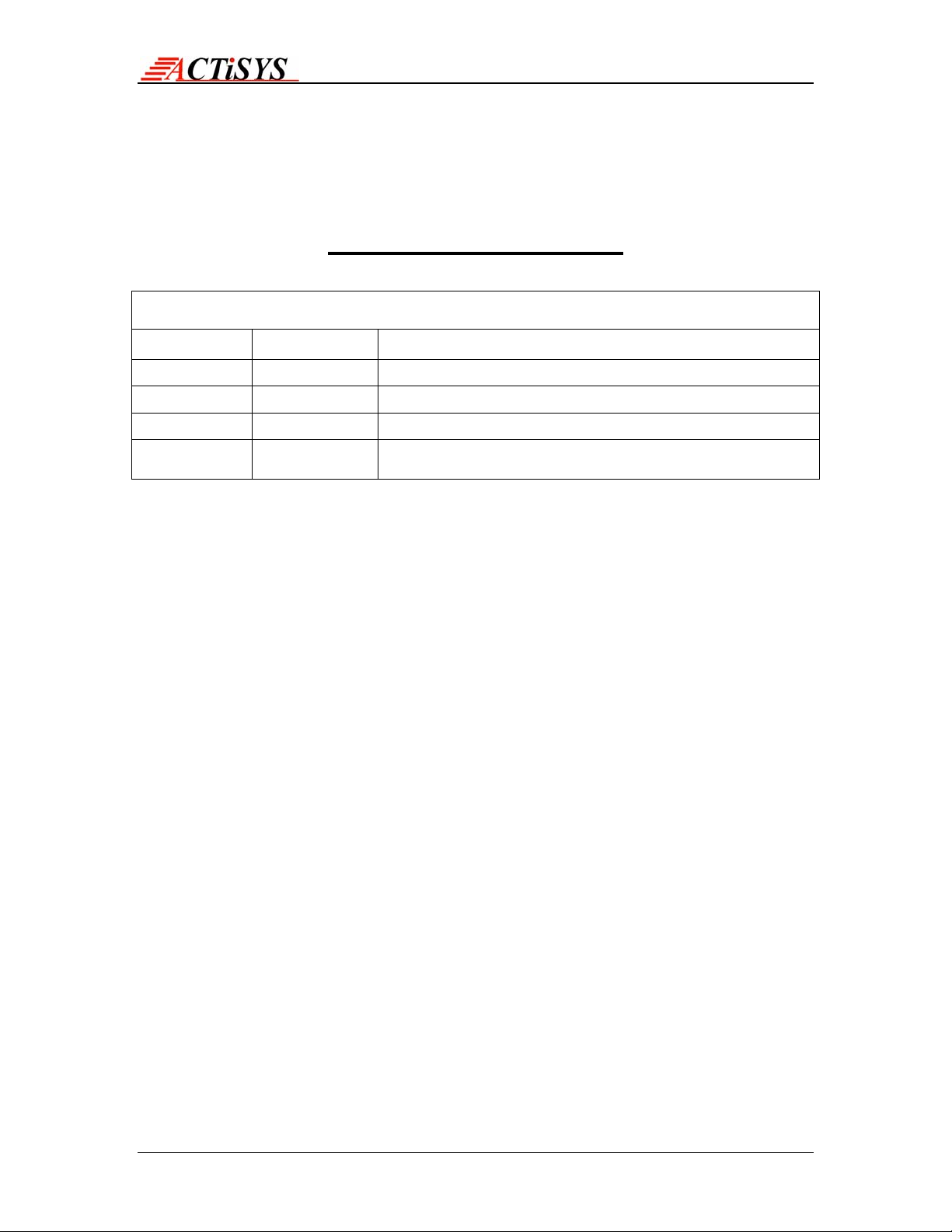
1. Click on ACT-IR3200SWSetup-v1.2-050712.exe to execute setup wizard
Click Next to continue
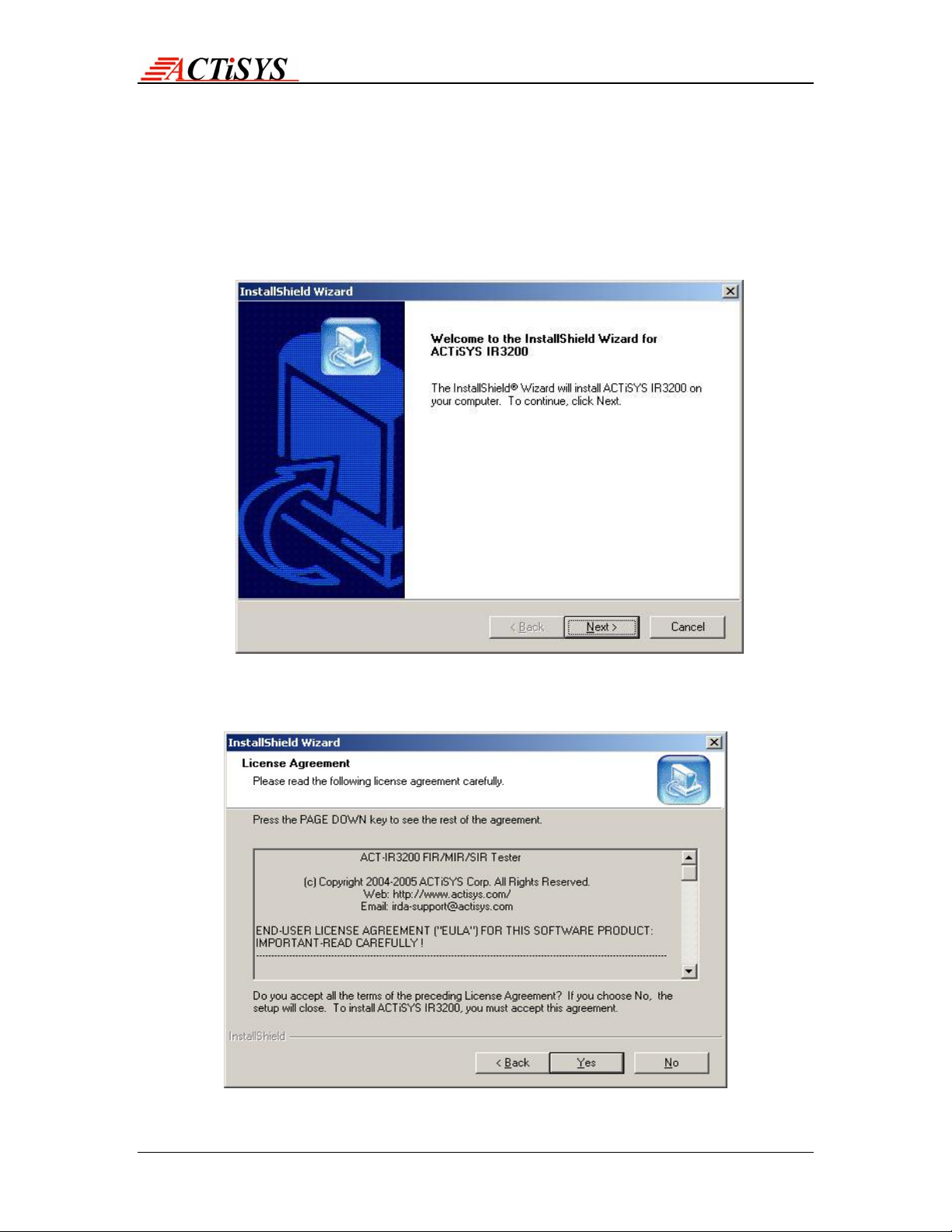
2. Read the End User License Agreement and Press “Yes” to Continue
Copyright 2004-2005 ACTiSYS Corp. Page 4 of 24 July 12th, 2005
Version 1.2

ACT-IR3200SW User’s Manual
The Wireless Connectivity Expert
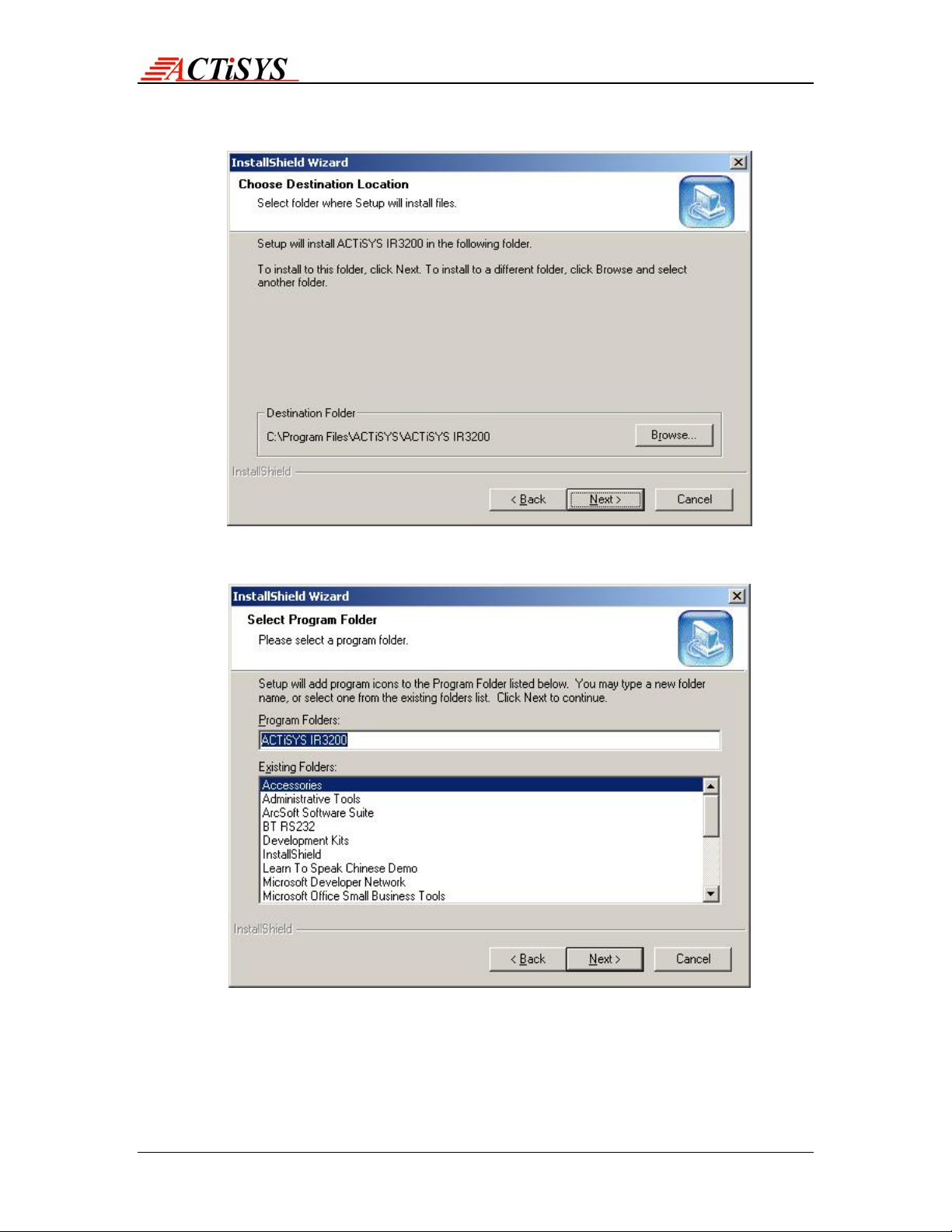
3. Press the Browse button, if you wan the change the location. Press Next button
to continue
4. Change the Program folder if required, Press Next to proceed
Copyright 2004-2005 ACTiSYS Corp. Page 5 of 24 July 12th, 2005
Version 1.2

ACT-IR3200SW User’s Manual
The Wireless Connectivity Expert
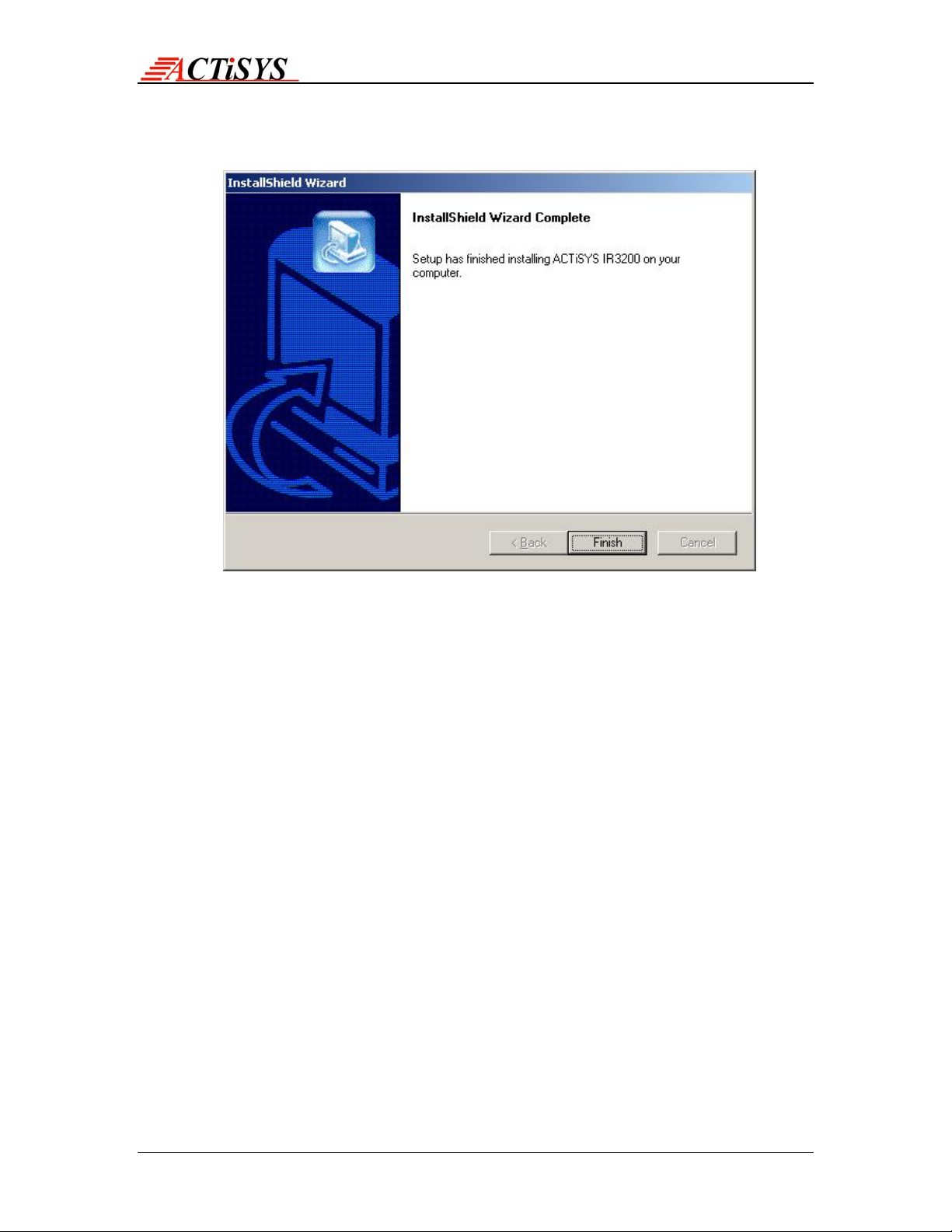
5. Then, setup wizard will install the application and finally confirms by the following
screen
Copyright 2004-2005 ACTiSYS Corp. Page 6 of 24 July 12th, 2005
Version 1.2

ACT-IR3200SW User’s Manual
The Wireless Connectivity Expert
2) UN-INSTALLATION FOR ACT-IR3200SW SOFTWARE
Following is the un-installation instruction for ACT-IR3200SW software under Windows
2000
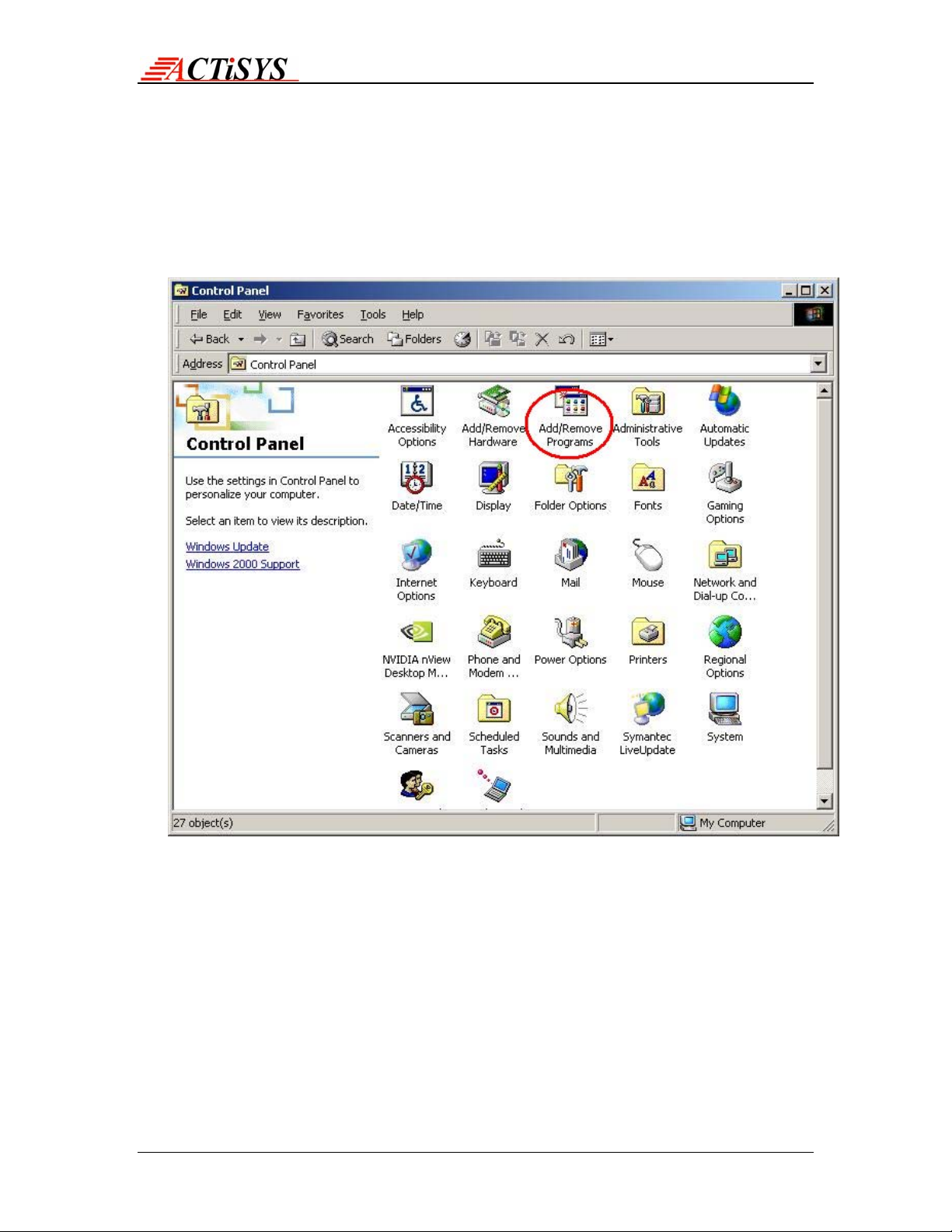
1. Open the Control Panel and select Add/Remove Programs.
Copyright 2004-2005 ACTiSYS Corp. Page 7 of 24 July 12th, 2005
Version 1.2

ACT-IR3200SW User’s Manual
The Wireless Connectivity Expert
2. Select ACTiSYS –IR3200SW and press Change/Remove
3. Select Remove Option and pres s Next to continue un-installation
Copyright 2004-2005 ACTiSYS Corp. Page 8 of 24 July 12th, 2005
Version 1.2

ACT-IR3200SW User’s Manual
The Wireless Connectivity Expert
4. Un-install wizard get confirmation and automatically remove ACT-IR3200SW and
all its components
Copyright 2004-2005 ACTiSYS Corp. Page 9 of 24 July 12th, 2005
Version 1.2

ACT-IR3200SW User’s Manual
The Wireless Connectivity Expert
3) APPLICATION GUIDE
After successfully completing the installation, now press the shortcut link in the program
menu.
4) MENUS
Configuration
Communication Setting
Check Device
Sound
Test Cycle
Configuring Test Cycle
Testing
IR Detect
Basic Test
Custom Test
About
Quit
Copyright 2004-2005 ACTiSYS Corp. Page 10 of 24 July 12th, 2005
Version 1.2
Altri manuali per ACT-IR3200M
1
Questo manuale è adatto per i seguenti modelli
1
Indice
Altri manuali ACTiSYS Apparecchiature di prova
Manuali Apparecchiature di prova popolari di altre marche

SMART
SMART KANAAD SBT XTREME 3G Series Manuale utente

Agilent Technologies
Agilent Technologies BERT Serial Manuale utente

Agilent Technologies
Agilent Technologies N3280A Manuale utente

Vernier
Vernier Go Direct Voltage Manuale utente

Lifeloc
Lifeloc R.A.D.A.R. Manuale utente

Fluke
Fluke T5-600 Istruzioni per l'uso e l'installazione