
Aironet AP4810B Manuale utente
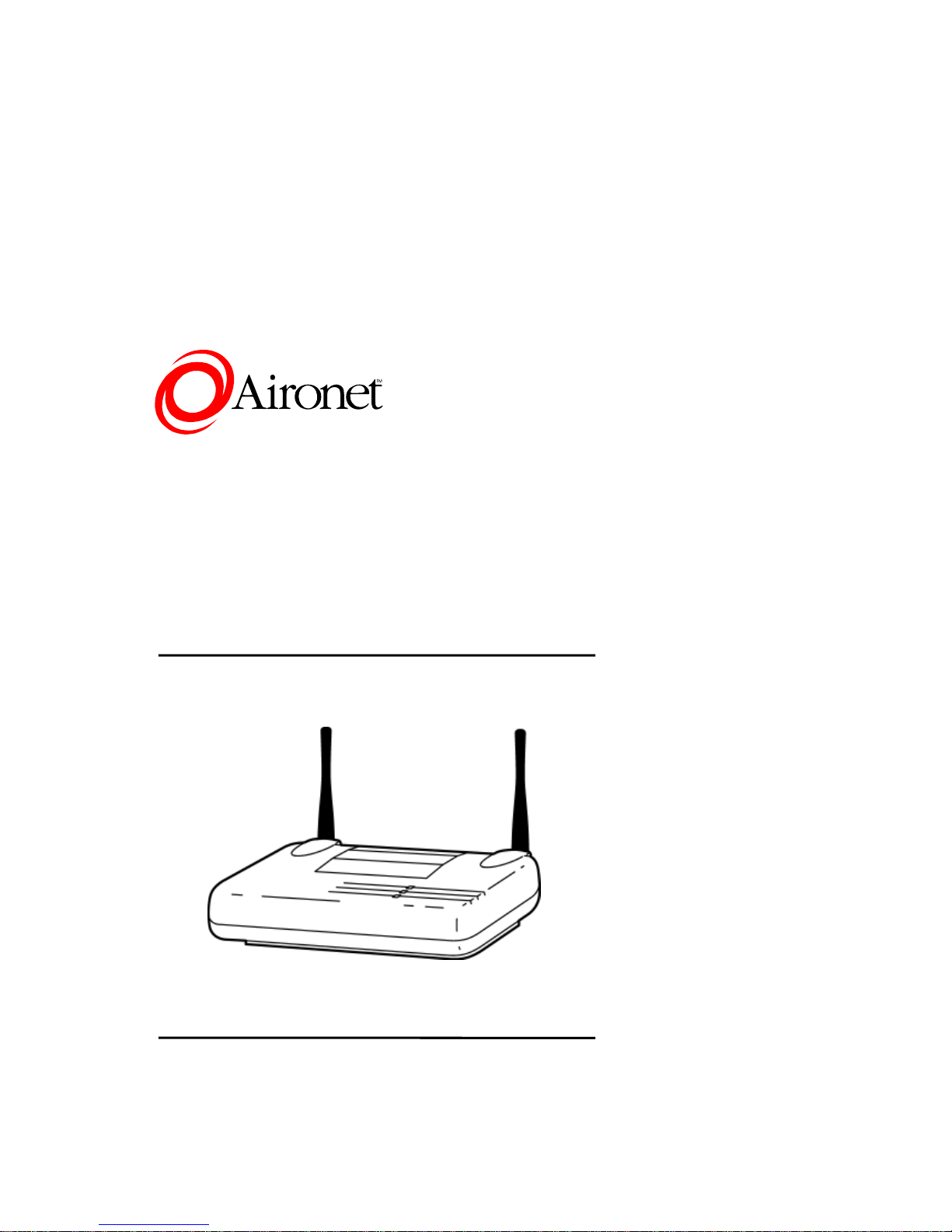
4800B Series Access Point
Quick-Start Guide
Models supported by this Guide:
AP4810B, AP4820B, AP4821B, AP4822B,
AP4823B
DOC-710-005311-A0
Aironet Wireless Communications, Inc. •3875 Embassy Parkway
Akron, Ohio 44333-8357
www.aironet.com

Aironet Wireless Communications, Inc.
No part of this document may be reproduced or transmitted in any
means, electronic or mechanical, without the written permission of
Aironet. Information in this document is subject to change without
notice. Aironet makes no representation or warranties with
respect to the contents of this manual and specifically disclaims
any express or implied warranties of merchantability or fitness for
any particular purpose.
1999 Aironet Wireless Communications, Inc.
All rights reserved.
AP4810B, AP4820B, AP4821B, AP4822B, AP4823B,
PC4800A, PC4820A, PCI4800A, PCI4820A, 4800B
Series, and Aironetare trademarks of Aironet Wireless
Communications, Inc.
Other trademarks and trade names may be used in this document
to refer to either the entities claiming the marks and names or
their products. Aironet disclaims any proprietary interest in
trademarks and trade names other than its own.
Printed in USA.
DOC-710-005311-A0
Aironet 4800B Series Access Point
Quick-Start Guide
1
Introduction: Aironet 4800B Series
Access Point
Overview
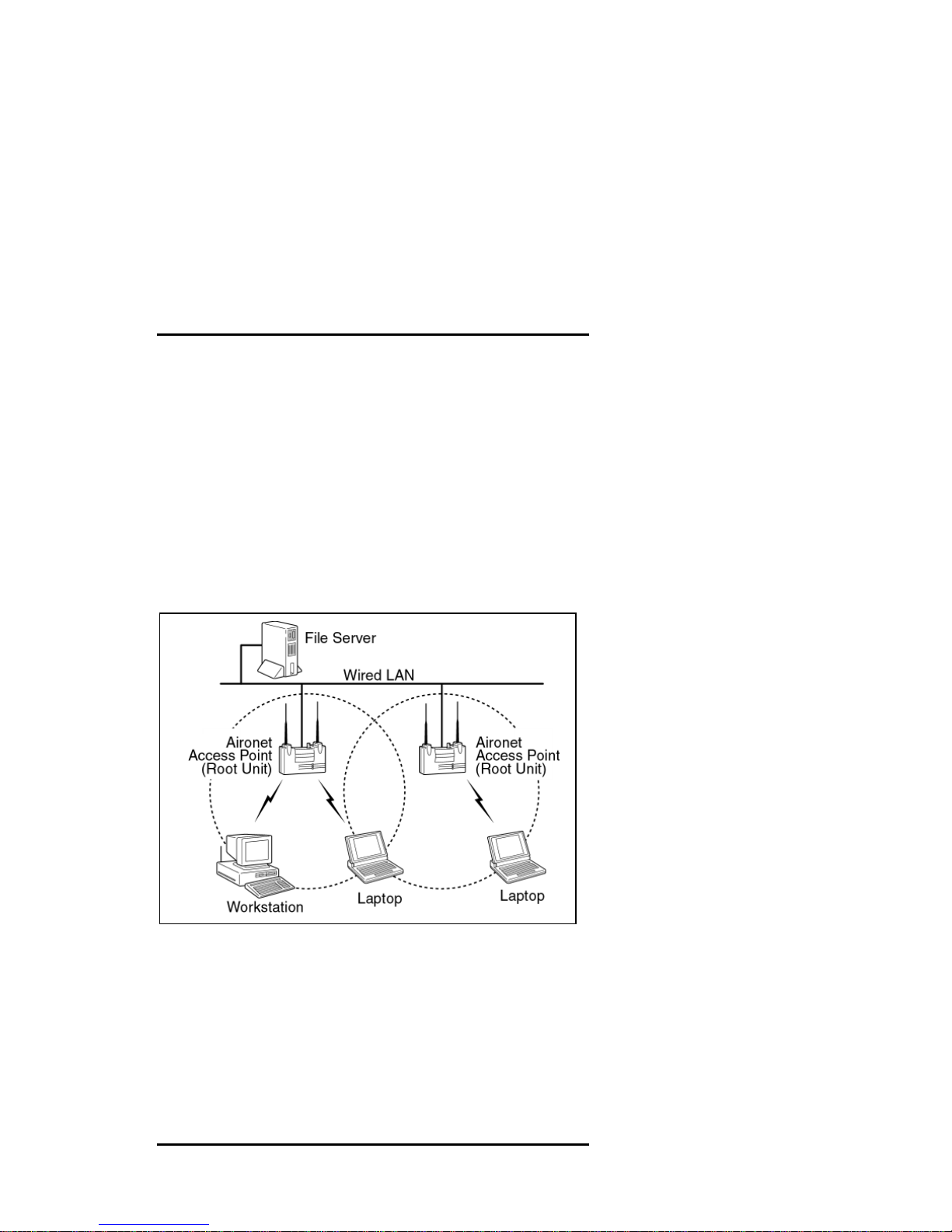
The Aironet 4800B Series Access Point connects to your
Ethernet network and acts as a wireless connection point for
network users. Workstations equipped with a wireless LAN
adapter can connect to the network without being tethered to a
network cable.

Aironet 4800B Series Access Point
Quick-Start Guide
2
Before you begin Installation
Before setting up your Access Point, ask your network system
administrator for the following information:
•An IP (Internet Protocol) address for the Access
Point. Each station or device on your network must have
a unique IP address. The IP address should resemble this
example: 10.0.0.1
•The MAC address from the label on the bottom of the
Access Point. The MAC address should resemble this
example: 0040961234BC
Note: You should configure the Access Point before mounting it
on a pole or a ceiling. Some configuration steps, such as
communicating with the AP through a serial cable, may be
difficult if the AP is inaccessible.
Installation Requirements
Before you begin installation, make sure that you have the
following items:
•The Aironet 4800B Series Access Point
•The Access Point power supply
•The Aironet 4800 Series CD
If any of these items are missing from the Aironet 4800B Series
Access Point package, contact your Access Point supplier.
You will also need:
•A computer that is connected to the same network as the
Access Point
•A nine-pin serial cable (if you use a DHCP server)
Aironet 4800B Series Access Point
Quick-Start Guide
3
Installing the Aironet 4800B Series
Access Point
Follow the instructions below to install the Aironet 4800B Series
Access Point. To take advantage of more of the 4800B Series
Access Point’s features, follow the instructions in the User
Guide.
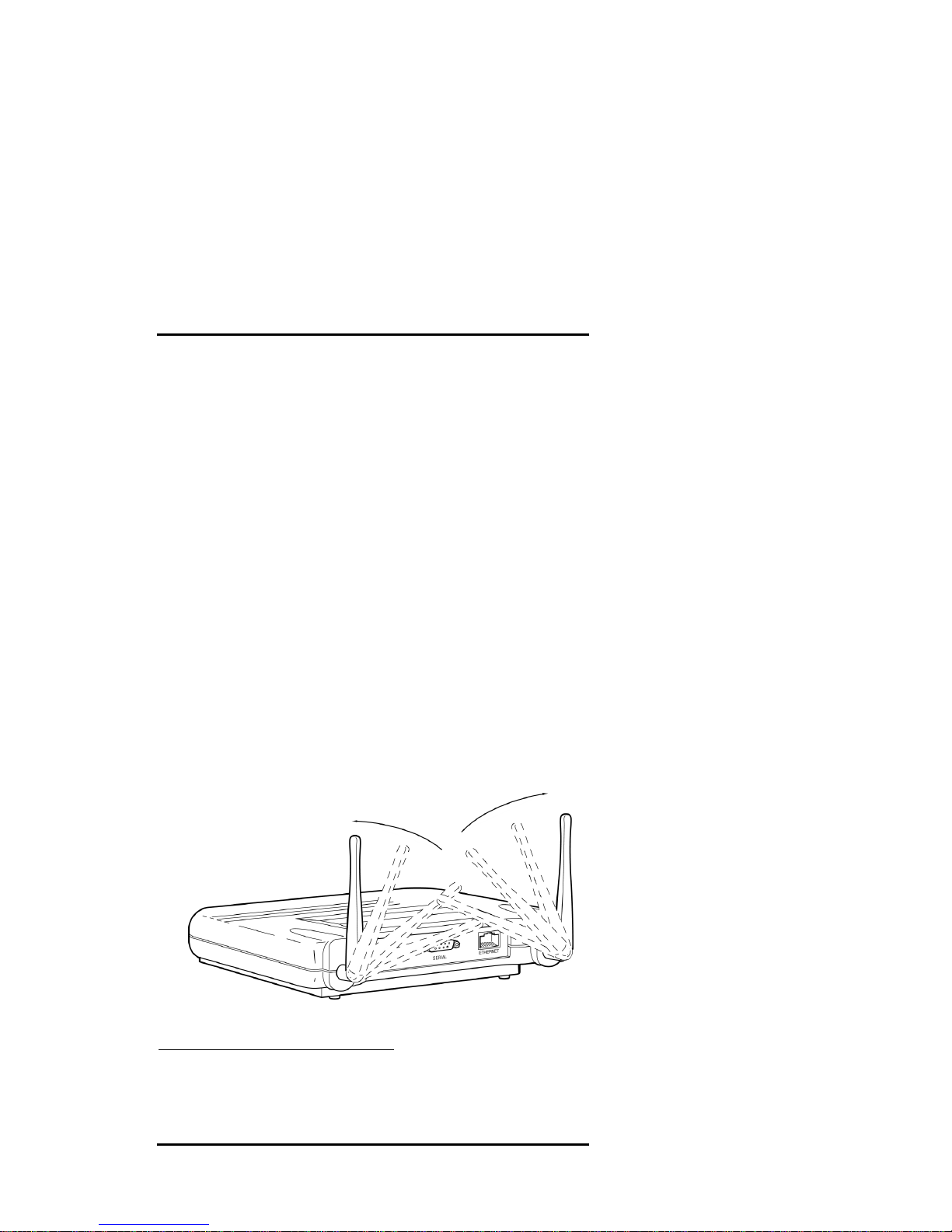
1. Adjust the antennas.*
For maximum range, make sure the antennas on your Access
Point point straight up or straight down, no matter where
your Access Point is mounted.
If you keep your Access Point on a table or a desk, turn the
antennas so they point straight up. If you mount your Access
Point on a wall or a pole, turn the antennas so they are
vertical, even though the Access Point is on its side. If you
mount your Access Point on the ceiling, turn the antennas so
they point straight down.
*The AP4810B has one antenna. The AP4822B and AP4823B
have reverse TNC connectors so you can attach a wide range of
antennas.
Aironet 4800B Series Access Point
Quick-Start Guide
4
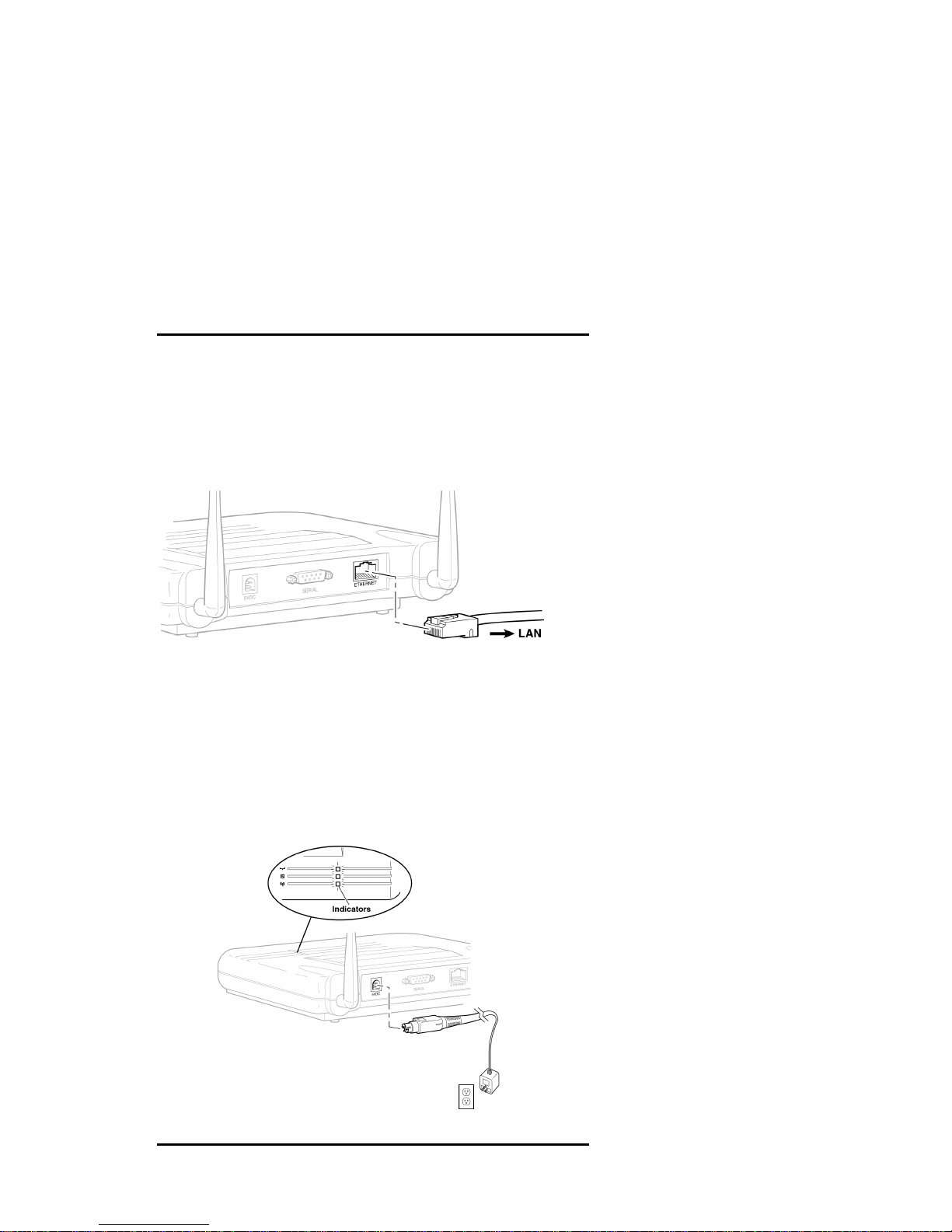
2. Connect the Ethernet cable from your wired LAN to your
Access Point.
Make sure the AP is not powered up when you connect your
network cable.
3. Connect the power pack.
Plug the Power Pack into a wall outlet or a power strip, and
plug the connector into the power receptacle on the back of
the AP.
Aironet 4800B Series Access Point
Quick-Start Guide
5
All three indicators on top of the access point will slowly blink
amber, red, and then green in sequence. During normal operation,
the indicators will blink green. If the indicators display a solid
color without blinking, see the Top Panel Indicator Descriptions
in the User Guide.
Note: If you are not using a DHCP server, skip to step 9.
4. If you have a DHCP server, the server automatically assigns
an IP address to the Access Point when you connect it to
your network. To use the Access Point’s browser-based
management system, you need to find out the assigned IP
address.
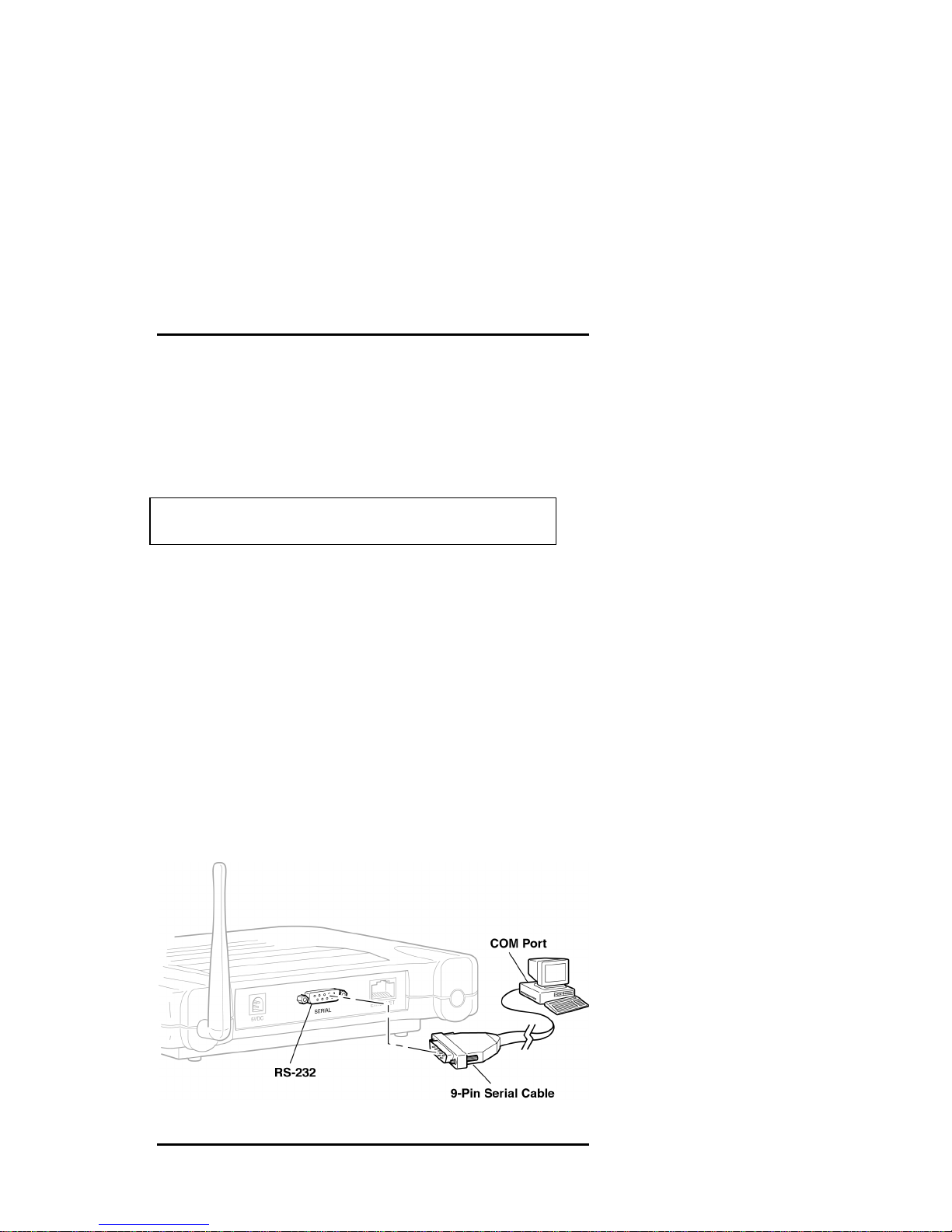
Use a 9-pin serial cable to connect the COM 1 or 2 port on
your computer to the RS-232 on the back of the access point.
After you find the assigned IP address, you can remove this
cable. You might need the cable again if you need to update
the AP’s configuration in the future.
Aironet 4800B Series Access Point
Quick-Start Guide
6
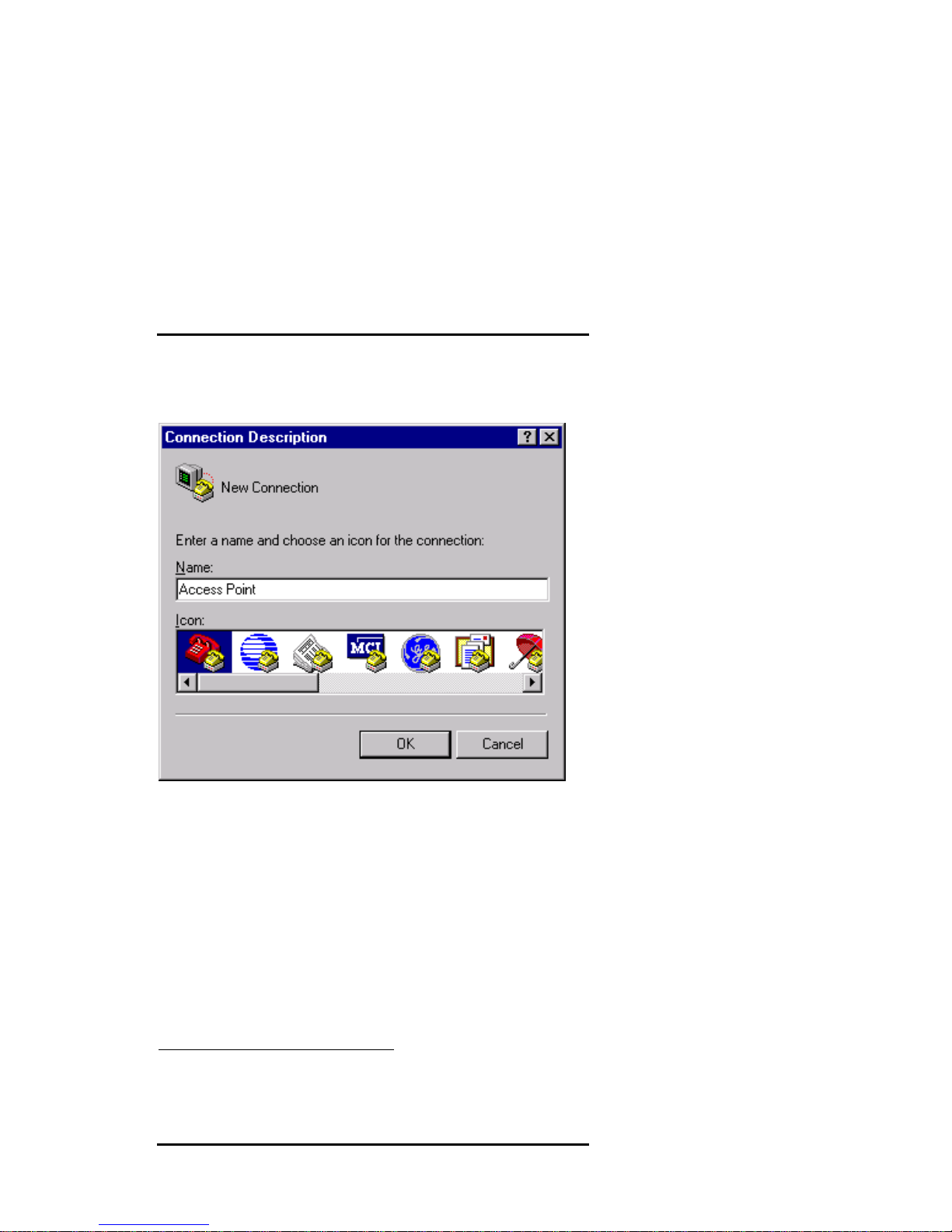
5. Open the HyperTerminal program*on the workstation
attached to the Access Point. This window appears:
Type a name for the connection and click OK.
*These instructions describe HyperTerminal, but you can use any
terminal-emulation program to communicate with the Access
Point.
Aironet 4800B Series Access Point
Quick-Start Guide
7
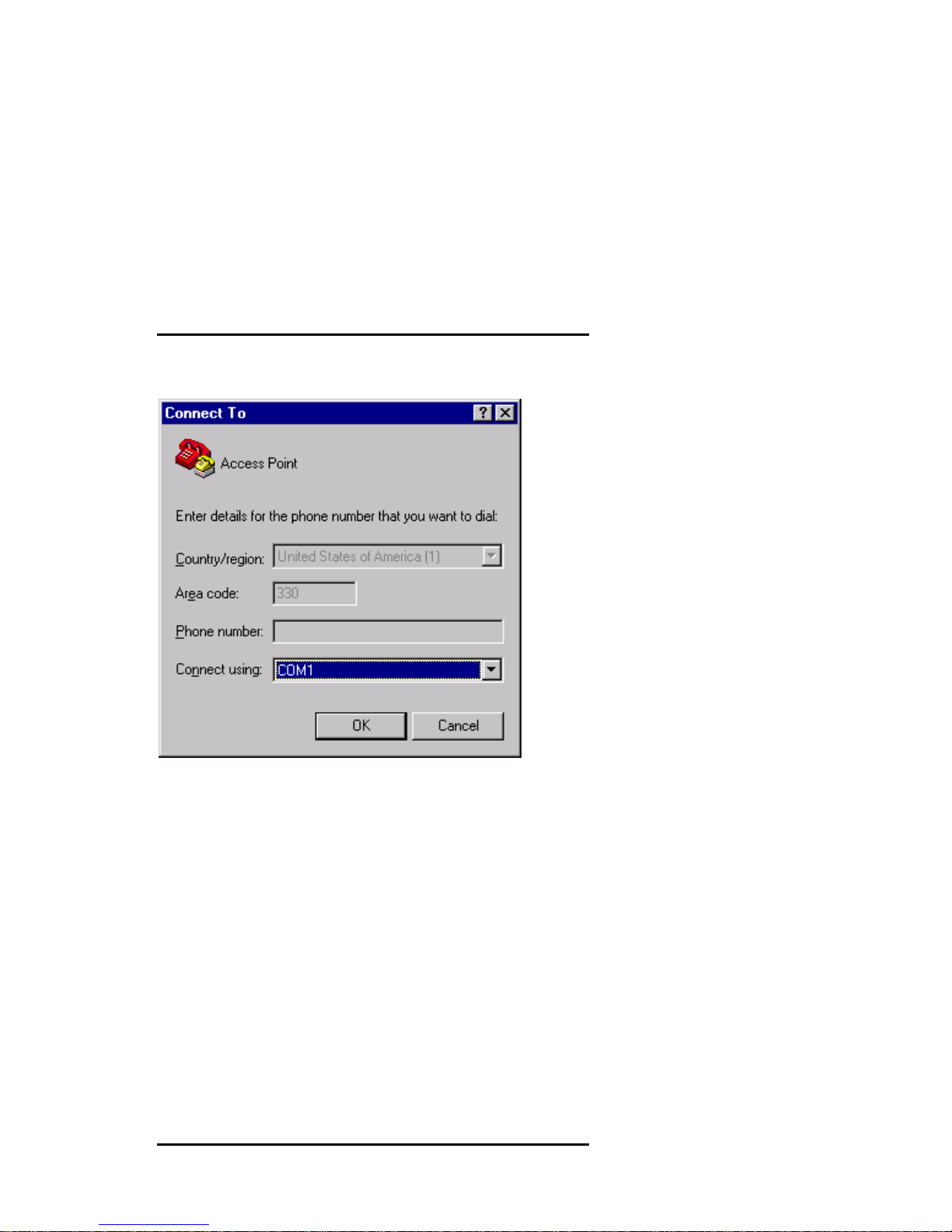
6. The Connect To window appears:
Choose the port on your computer to which the serial cable is
connected. Click OK.
Aironet 4800B Series Access Point
Quick-Start Guide
8
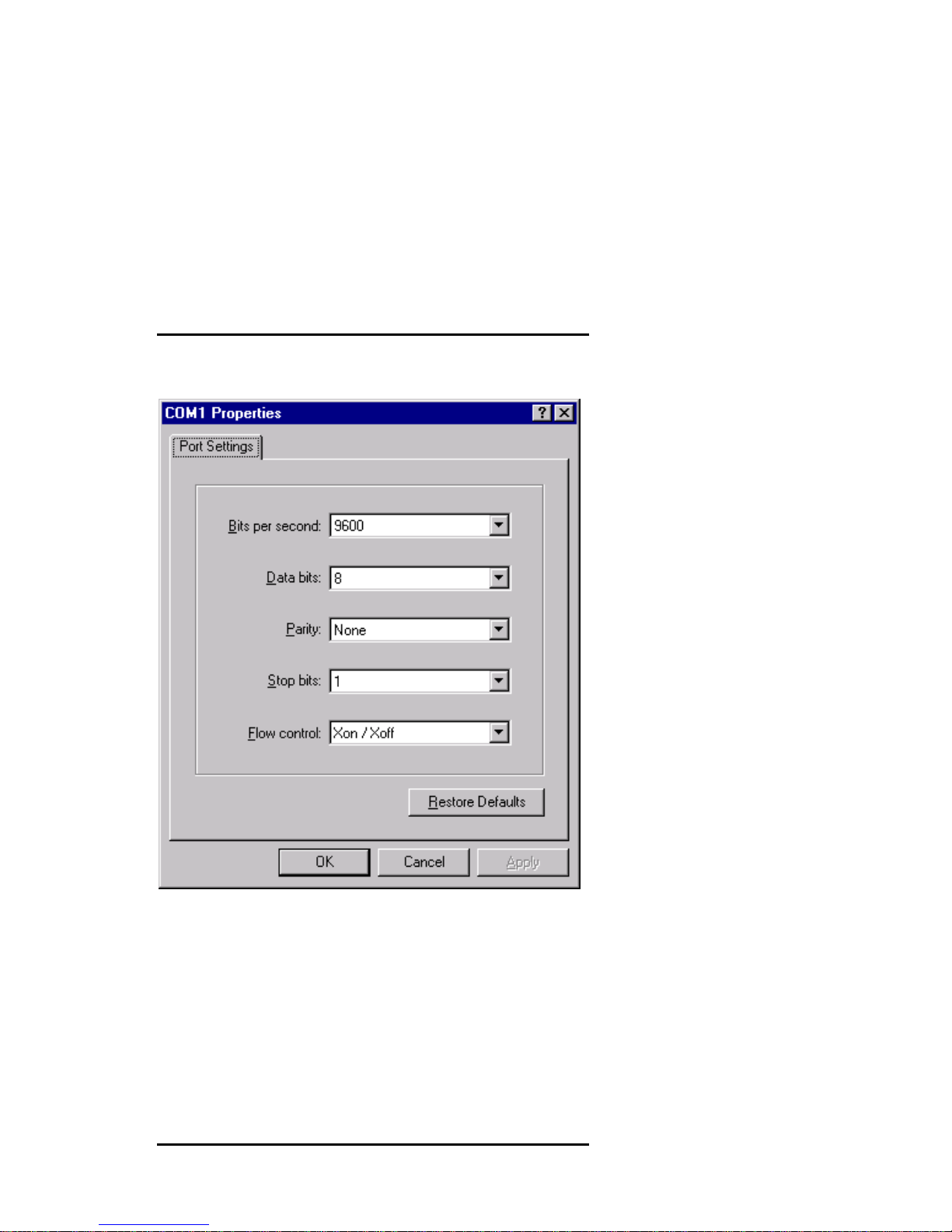
7. The port settings window appears:
Set Bits per second (baud rate) to 9600, Data bits to 8, Parity to
None, Stop bits to 1, and Flow control to Xon/Xoff. Click OK.
Questo manuale è adatto per i seguenti modelli
4
Indice
Altri manuali Aironet Punto di accesso wireless

Aironet
Aironet Arlan 630 Manuale utente

Aironet
Aironet AP1200-E Manuale utente

Aironet
Aironet AP4500-E Manuale del prodotto

Aironet
Aironet AP4500 Manuale utente

Aironet
Aironet 2000 series Manuale utente

Aironet
Aironet AP4800B series Manuale utente

Aironet
Aironet AP3500-E Manuale utente

Aironet
Aironet UC3500 Manuale del prodotto

Aironet
Aironet 3500 Series Manuale utente


