Altai Technologies Ltd. All rights reserved
Setup Requirements and Preparation
•A computer with Web Browser: Google Chrome, Mozilla Firefox, or Microsoft
Internet Explorer 8 (or above)
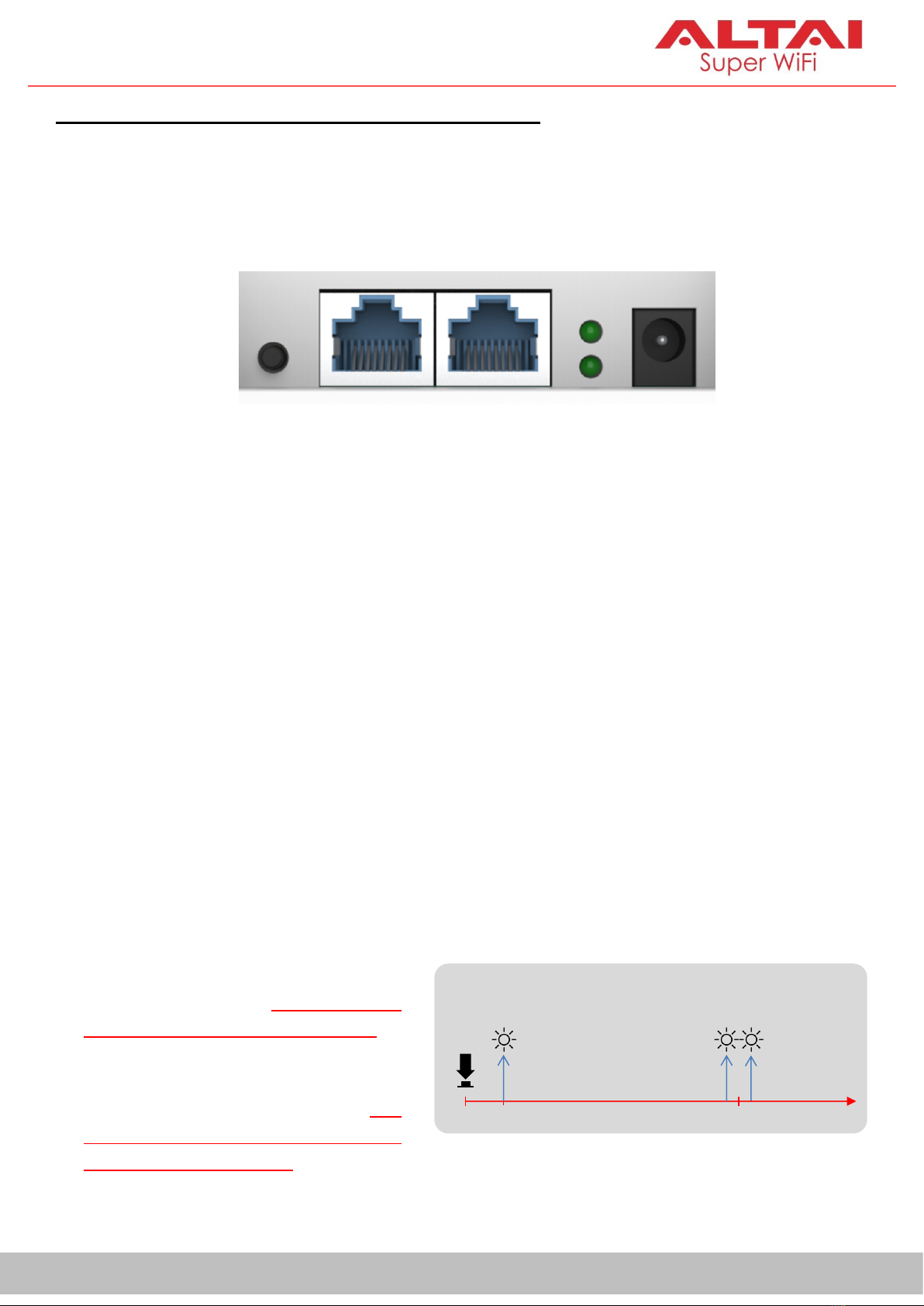
•Two Cat 5e/6 Ethernet cables
•
•AltaiCare account (Optional) for cloud AP management and user service
Power Options and Cable Connection Instructions
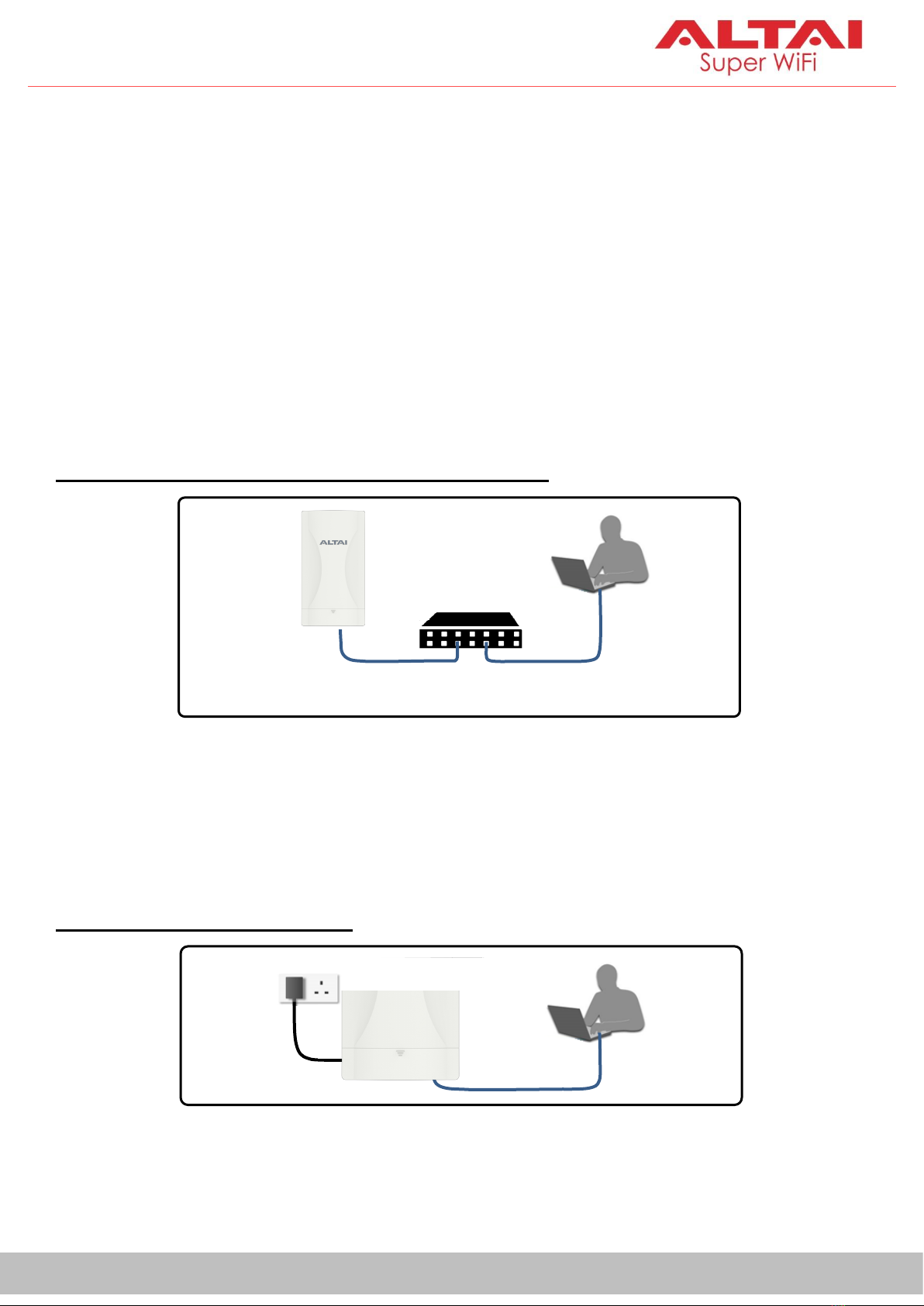
2. Connect a computer to the switch.
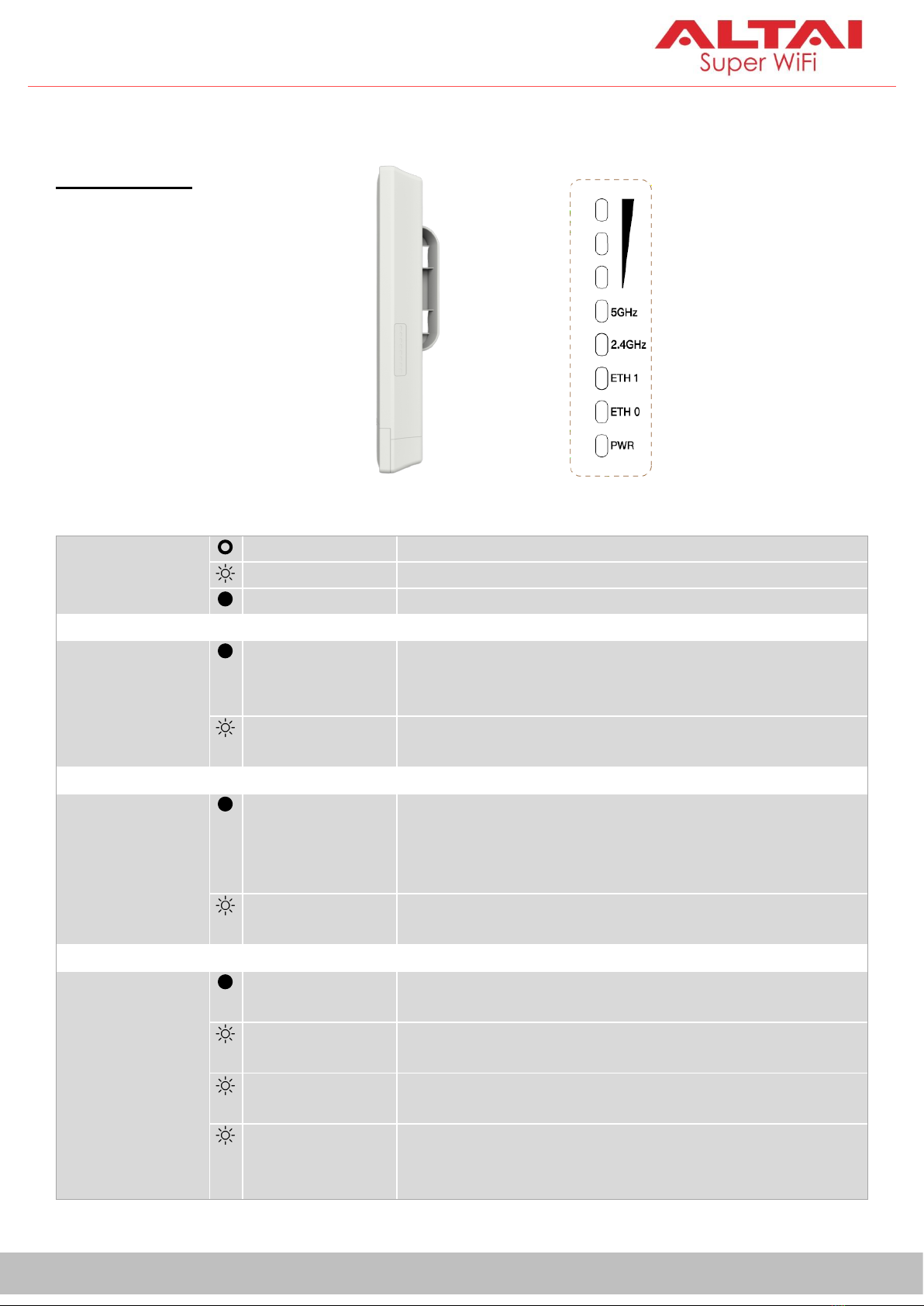
3. Make sure the LED indicator turns into a solid light for AP configuration.
Option 2: DC Power Adapter
3. Make sure the LED indicator turns into a solid light for AP configuration.
Compliant802.3af
C260 AP
802.3af-compliant PoE switch
with an Ethernet cable.
Option 1: 802.3af-compliant PoE switch
1. Connect the C260 Ethernet port to an 802.3af-compliant PoE switch
1. Connect the power adapter to the C260, then plug it into an AC outlet.
2. Connect a computer to the C260 with an Ethernet cable.