
Asus P835 Manuale utente

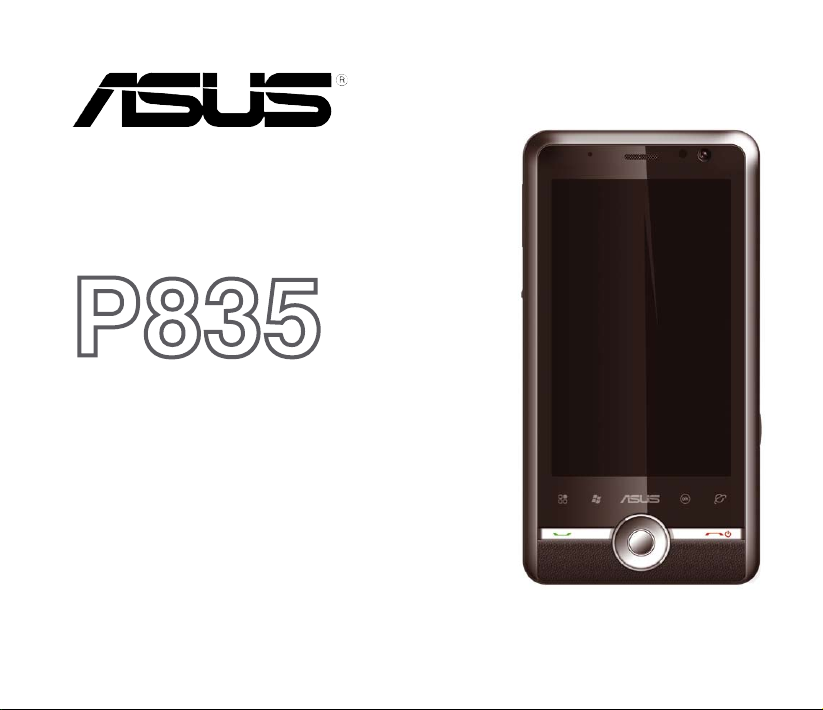
P835
Quick Start Guide

2
E4396
First Edition
December 2008
Copyright © 2008 ASUSTek Computers, Inc. All Rights Reserved.
No part of this manual, including the products and software described in it, may be reproduced, transmitted,
transcribed, stored in a retrieval system, or translated into any language in any form or by any means, except
documentation kept by the purchaser for backup purposes, without the express written permission of ASUS Telecom
(“ASUS”).
Product warranty or service will not be extended if: (1) the product is repaired, modied or altered, unless such repair,
modication of alteration is authorized in writing by ASUS; or (2) the serial number of the product is defaced or missing.
ASUS PROVIDES THIS MANUAL “AS IS” WITHOUT WARRANTY OF ANY KIND, EITHER EXPRESS OR IMPLIED,
INCLUDING BUT NOT LIMITED TO THE IMPLIED WARRANTIES OR CONDITIONS OF MERCHANTABILITY
OR FITNESS FOR A PARTICULAR PURPOSE. IN NO EVENT SHALL ASUS, ITS DIRECTORS, OFFICERS,
EMPLOYEES OR AGENTS BE LIABLE FOR ANY INDIRECT, SPECIAL, INCIDENTAL, OR CONSEQUENTIAL
DAMAGES (INCLUDING DAMAGES FOR LOSS OF PROFITS, LOSS OF BUSINESS, LOSS OF USE OR DATA,
INTERRUPTION OF BUSINESS AND THE LIKE), EVEN IF ASUS HAS BEEN ADVISED OF THE POSSIBILITY OF
SUCH DAMAGES ARISING FROM ANY DEFECT OR ERROR IN THIS MANUAL OR PRODUCT.
SPECIFICATIONS AND INFORMATION CONTAINED IN THIS MANUAL ARE FURNISHED FOR INFORMATIONAL
USE ONLY, AND ARE SUBJECT TO CHANGE AT ANY TIME WITHOUT NOTICE, AND SHOULD NOT BE
CONSTRUED AS A COMMITMENT BY ASUS. ASUS ASSUMES NO RESPONSIBILITY OR LIABILITY FOR ANY
ERRORS OR INACCURACIES THAT MAY APPEAR IN THIS MANUAL, INCLUDING THE PRODUCTS AND
SOFTWARE DESCRIBED IN IT.
Products and corporate names appearing in this manual may or may not be registered trademarks or copyrights of
their respective companies, and are used only for identication or explanation and to the owners’ benet, without intent
to infringe.

3
Table of Contents
Safety information ................................................................................. 6
Mobile phone etiquette........................................................................ 12
Welcome!.............................................................................................. 13
Getting to know your device............................................................... 14
Installing the SIM card and battery .................................................... 18
Turning your device ON ...................................................................... 21
Calibrating your device....................................................................... 22
Using the stylus................................................................................... 22
Locking your device............................................................................ 22
Using the Trackball.............................................................................. 23
Using the Input Panel.......................................................................... 23
The Home screen................................................................................. 24
AnyTime Launcher .............................................................................. 32
Making calls ......................................................................................... 33

4
Receiving a call.................................................................................... 34
Messaging ............................................................................................ 35
Using Microsoft®ActiveSync.............................................................. 36
Using Bluetooth®................................................................................ 36
Connecting GPRS................................................................................ 37
Using Wi-Fi ........................................................................................... 39
Customizing the Start menu............................................................... 41
Customizing the ASUS Today screen ................................................ 41
Entering your contact information..................................................... 42
Customizing the prole....................................................................... 42
Customizing the ringtone ................................................................... 42
Setting the date, time, and alarm ....................................................... 43
Taking pictures and videos................................................................. 44
EziMusic ............................................................................................... 45
EziPhoto ............................................................................................... 46

6
Safety information
Phone care
Do not attempt to open the phone casing. There are no user serviceable parts inside and you might
damage sensitive electronic circuits and components. Unauthorized disassembly will void the warranty.
Do not leave your phone exposed to strong sunlight or excessive heat for a prolonged period. This may
damage it.
Do not handle your phone with wet hands or expose it to moisture or liquids of any kind. Continuous
changes from a cold to a warm environment may lead to condensation inside the phone, resulting in
corrosion and possible damage.
If you pack your phone in your suitcase during travel, beware of damage. Cramming a suitcase may crack
the LCD display. Remember to switch off your wireless connections during air travel.
As with all other radio devices, touching the built-in antenna area during telephone conversation may
impair the quality and lead to shorter standby time due to increased power consumption.
The battery
Your phone is equipped with a high performance Li-Ion battery. Observe the maintenance guidelines for a
longer battery life.
• Avoid charging in extremely high or low temperature. The battery has its optimum performance in an
ambient temperature of +5 °C to +50 °C.
• Do not store the battery near a re or heat source.
• Use only the battery approved by the manufacturer.
• Never replace the battery with a non-approved battery.
• Never soak the battery in water or any other liquid.
• Never try to open the battery as it contains substances that might be harmful if swallowed or allowed
to come into contact with unprotected skin.

7
• Never short-circuit the battery, as it may overheat and cause a re. Keep it away from jewellery and
other metal objects.
• Never dispose of the battery in re. It could explode and release harmful substances into the
environment.
• Never dispose of the battery with your regular household waste. Take it to a hazardous material
collection point.
• Do not touch the battery terminals.
The charger
• Avoid using the phone while charging.
• Use only the charger supplied with your phone.
• Never pull the charger cord to release it from the mains – pull the charger itself.
WARNING! There is a risk of explosion if the battery is replaced by an incorrect type.
Memory card
• Do not remove or insert a memory card or turn off the handset while data on the card is being read.
• Do not touch the metal terminals with your hands or metal objects.
• Do not bend the memory card or subject it to violent impacts. Keep it away from water and high
temperatures.
• Keep all memory cards out of the reach of small children.
• Do not short circuit the contact points or expose it to liquids or moisture. When not in use, keep it in
an antistatic container.
• Do not use force when inserting or handling the card, and do not expose it to excessive heat or strong
magnetic elds.

8
Cleaning and storing
• Your phone should always be handled with care and protected from dirt, dust and dampness. To
avoid scratches, never place your phone face down.
• If cleaning is necessary, switch the phone off and wipe carefully with a soft, slightly damp (not
wet) cloth. Use a cotton swab to clean the camera lens. Allow the phone to dry completely before
switching it on. Never use solvents for cleaning.
• If you are not going to use your phone for some time, fully charge the battery and store the phone in
a dry place away from direct sunlight. Your phone should be switched off during storage. Recharge
every 6 to 12 months.
• Never expose your phone to heat or strong sunlight.
• Never expose your phone to moisture or liquids of any kind.
• Do not paint your phone or otherwise block the keypad, microphone or earpiece function.
• Do not place stickers that may block the keypad or disturb other functions such as microphone,
earpiece, or camera lens.
WARNING! Failure to follow these instructions may lead to serious personal injury and possible property damage.
Driving safely
Never use handheld phones while driving. It is an offence, that while driving, to hold a phone or cradle it in
your neck at any point, during the setup, making or taking of a phone call, text message or any other data
related mobile communication. Use of fully installed car kits are still permitted, as are the use of alternate
handsfree accessories.
In the interest of safety, we would recommend the use of a cradle while using any form of handsfree
accessory.
While driving, we recommend that you use voicemail wherever possible, and that you listen to your
messages when you are not in the car. If you must make a handsfree call when driving, keep it brief.
Do not place objects, including both installed or portable wireless equipment, in the area over the airbag

9
or in the airbag deployment area. An airbag inates with great force. If the airbag inates, serious injury
could result.
Electronic devices
Most modern electronic equipment is shielded from RF energy.
However, certain electronic equipment may not be shielded against the RF signals from your device.
Pacemakers
The Health Industry Manufacturers’ Association recommends that a minimum separation of six (6”) inches
be maintained between a phone and a pacemaker to avoid potential interference with the pacemaker.
These recommendations are consistent with the independent research by and recommendations of
Wireless Technology Research.
If you have a pacemaker:
• Always keep your phone more than six inches (15cm) from your pacemaker when turned on.
• Do not carry your phone in your breast pocket.
• Use the ear opposite the pacemaker to minimize the potential for interference
• If you have any reason to suspect that interference is taking place, turn your phone off immediately.
Hearing aids
Some digital phones may interfere with some hearing aids. In the event of such interference, call ASUS
Customer Service to discuss alternatives.
Other medical devices
If you use any other personal medical device, consult the manufacturer of your device to determine if it is
adequately shielded from external RF energy. Your physician may be able to assist you in obtaining this
information.

10
Turn your phone off in healthcare facilities when any regulations posted in these areas instruct you to do
so.
Hospitals or healthcare facilities may be using equipment that could be sensitive to external RF energy.
Vehicles
RF signals may affect improperly installed or inadequately shielded electronic systems in motor vehicles.
Check with the manufacturer or its representative regarding your vehicle. You should also consult the
manufacturer of any equipment added to your vehicle.
Posted facilities
Turn your phone off where posted notices so require.
Magnetic media
Magnetic elds generated by mobile devices may damage data on magnetic storage media, such as
credit cards, computer discs or tapes. Do not place your phone next to such media.
You should never expose your phone to strong magnetic elds as this may cause temporary malfunction.
Other Safety Guidelines
Aircraft
Regulations prohibit using your phone while in the air. Switch off your phone before boarding an aircraft
or turn off the wireless connections.
Blasting areas
To avoid interfering with blasting operations, turn your phone off when in a ‘blasting area’ or in areas
posted: “Turn off two-way radio.” Obey all signs and instructions.
Altri manuali per P835
1
Indice
Altri manuali Asus Telefono cellulare

Asus
Asus ROG PHONE 7 Manuale utente

Asus
Asus P560 Manuale utente

Asus
Asus P525 Manuale utente

Asus
Asus P535 Manuale utente

Asus
Asus I01WD Manuale utente

Asus
Asus ZC451TG Manuale utente

Asus
Asus ZenFone 5 Manuale utente

Asus
Asus PadFone Station Manuale utente

Asus
Asus E600 Manuale utente

Asus
Asus Zenfone Max Manuale utente

Asus
Asus Zenfone Ares Manuale utente

Asus
Asus ROG PHONE 8 Manuale utente

Asus
Asus J206 Manuale utente

Asus
Asus A600CG Manuale utente

Asus
Asus J208 Manuale utente

Asus
Asus M303 Manuale utente

Asus
Asus Zenfone Max M2 Manuale utente

Asus
Asus X017DA Manuale utente

Asus
Asus Verizon Zenfone V live Manuale utente

Asus
Asus ZENFONE T500 Manuale utente