Pairing of the wireless AURATON RT controller with
the AURATON RT receiver
Deregistering the regulator from the RT receiver
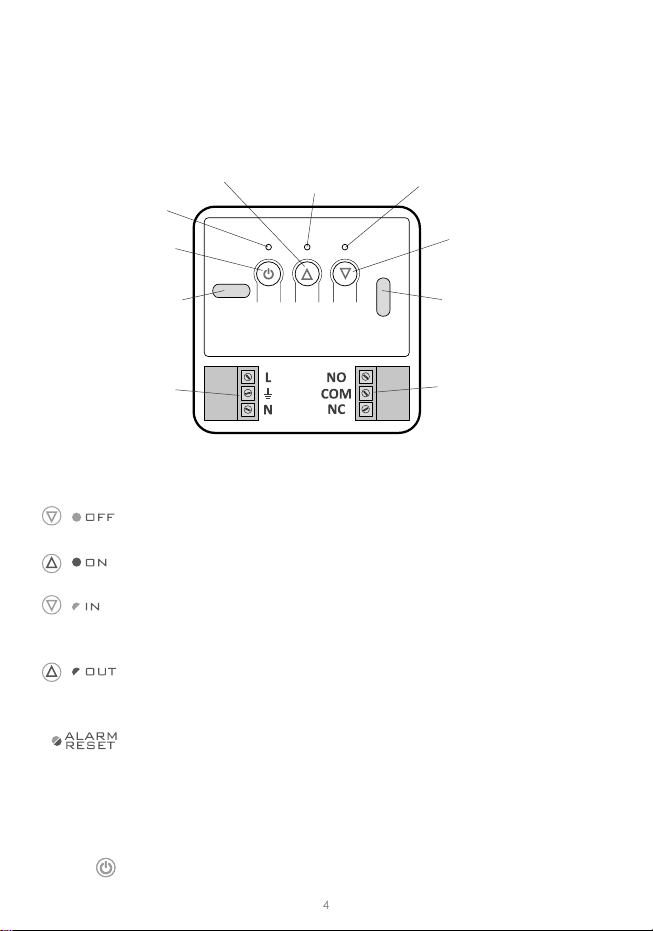
Aer the receiver is connected to the network, the receiver must be switched on by
quickly pressing the power buon ( ). If the device is switched on, the green power
supply diode becomes illuminated and a single sound signal is emied. In order to switch
o the receiver, e.g. outside of the heang season, press the power buon and hold it
for 3 seconds unl a double sound signal is audible and the green power supply diode
is switched o and, consequently, the heang device is switched o.
In the event of an error during the pairing process, repeat steps 1 and 2. Should more
errors occur, deregister all devices by execung the RESET funcon of the RTH receiver
(see “RESET – Deregistering all devices paired with the RT receiver”) and aempt to pair
the device again.
NOTE: One receiver can have only one temperature regulator assigned.
NOTE: The AURATON T1 wireless temperature regulator sold with the AURATON RT
receiver is already paired. Devices sold separately require “pairing”.
1. Pairing of the AURATON T-1 controller with the AURATON RT receiver is iniated by
pressing the right pairing buon (green triangle – ) a single sound signal is emied – on
the AURATON RT receiver and by holding it pressed for at least 3 s unl the LED diode
starts blinking with green light (double sound signal) – then the buon must be released.
The AURATON RT receiver waits for pairing for 120 seconds. Aer that me, it auto-
macally returns back to normal operaon.
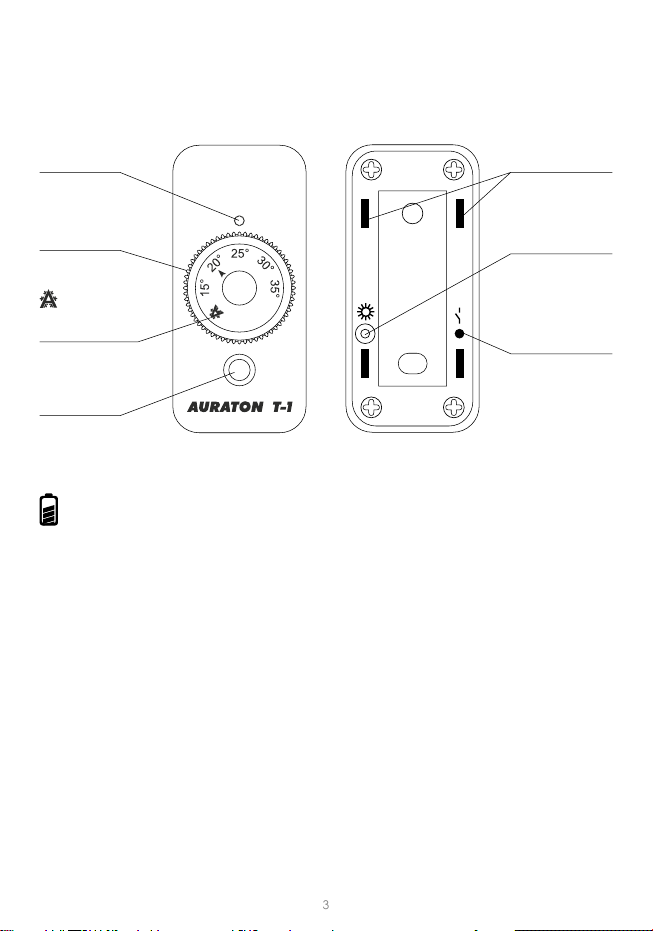
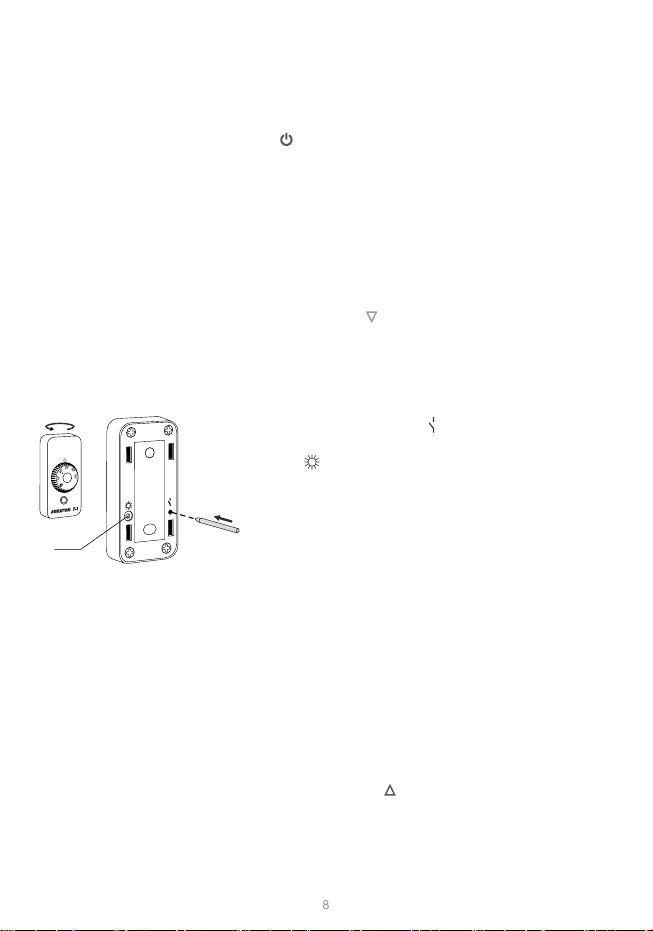
2. Press the pairing buon ( ) placed on the rear side
of housing and hold it for about 2 seconds. When LED
diode ( ) will starts ashing red stop pressing the buon.
3. A properly completed pairing process is signalled by the
LED on the AURATON RT receiver no longer ashing
green and the receiver reverng back to normal
operaon.
1. Deregistering the T-1 regulator from the RTH receiver is iniated by pressing the right
deregistering buon (marked with a red triangle – ) on the RTH receiver and holding
it for at least 2 seconds, unl the LED starts ashing red, and then releasing the buon
The AURATON RTH receiver waits for deregistering for 120 seconds. Aer that me,
it automacally returns back to normal operaon.
LED