
BenQ treVolo U Manuale utente

Bluetooth speaker
User Manual

Copyright
Copyright 2022, BenQ Corporation. All rights reserved. Any part of
this publication should not be reproduced, transmitted, transcribed,
stored in a retrieval system, or translated into any language or
computer language in any form by any means, electronic, mechanical,
magnetic, optical, chemical, manual or any other ways, without the
written consent of BenQ Corporation. All other logos, products or
company names mentioned in this manual are the registered
trademarks or copyrights of their respective companies and are for
references only.
Disclaimer
BenQ Corporation makes no representations or warranties of any
expressed or implied contents, an utter refusal towards providing any
warranties, tradability, or contrary to any particular purpose with
respect to any content contained herein. In addition, BenQ
Corporation reserves the right to revise at any time or change the
contents of this manual without notifying any figure. This manual is
committed to provide customers with the latest and most accurate
information. Therefore, all contents may be revised from time to time
without notification. For the latest version of this manual, please visit
Support.BenQ.com.
Support.BenQ.com

Introduction ....................................................................................1
Function .........................................................................................................1
treVolo U App .............................................................................................1
Package contents .........................................................................................3
Operation ........................................................................................4
Buttons and connection .............................................................................4
Charge device ..............................................................................................6
Power on/off device ....................................................................................8
Pairing device (Bluetooth connection) ...................................................9
Connecting with audio cable ................................................................. 10
Adjusting volume level ............................................................................ 11
Muting the microphone .......................................................................... 11
The three Sound Modes ........................................................................ 12
Safe Volume ............................................................................................... 13
Using the treVolo U App ....................................................................... 15
True Wireless Stereo ............................................................................. 23
Voice control ............................................................................................ 25
Firmware upgrade .................................................................................... 28
Maintenance and care .................................................................30
Troubleshooting ....................................................................................... 30
Cleaning the speaker ............................................................................... 44
Contacting customer service ................................................................ 44
Specification ............................................................................................... 44
10/7/22
1
Introduction
treVolo U uses technology to create the highest quality of the learning
environment.
Thank you for purchasing the treVolo U Bluetooth Speaker. As the
first speaker designed specially for online learning, treVolo U applies
latest technologies to create the highest vocal quality in different
learning environments. It ensures your learning safely, effectively, and
efficiently.
Function
• Three Sound Modes for different listening scenarios
• Up to 12 hours battery life
• Bluetooth and audio cable connection
treVolo U App
In order to use all functions of treVolo U, it is recommended to
download and install the "treVolo U" App on an Android™ (8.0 or
above) or iOS (12.0 or above) device. To download the App, scan the
QR Code below.
App Store download location:
Google Play download location:

2
The official download location for BenQ (for Android devices):
3
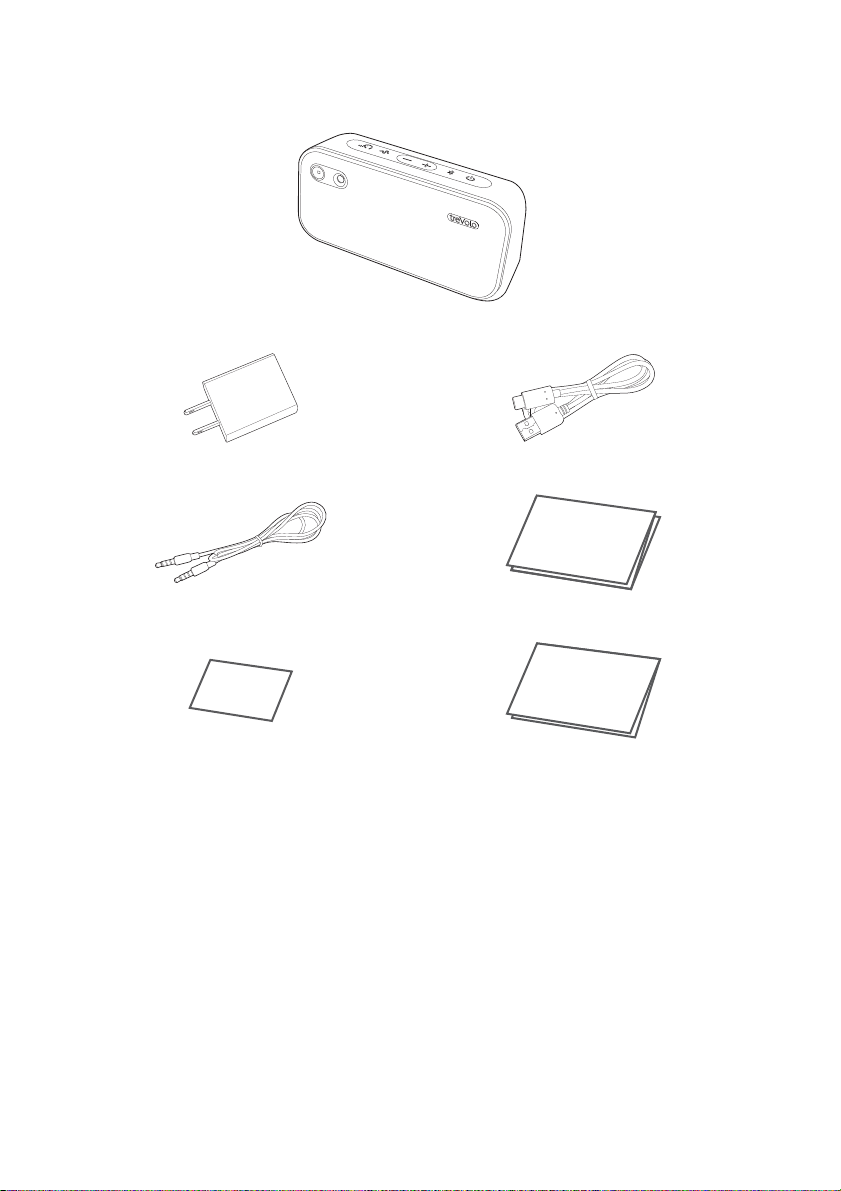
Package contents
Bluetooth speaker
Power adapter USB cable
Audio cable Quick start guide
Warranty card
(Content given vary from region) Regulatory statements
QSG
Warranty
Regulatory
Statements
4
Operation
Buttons and connection
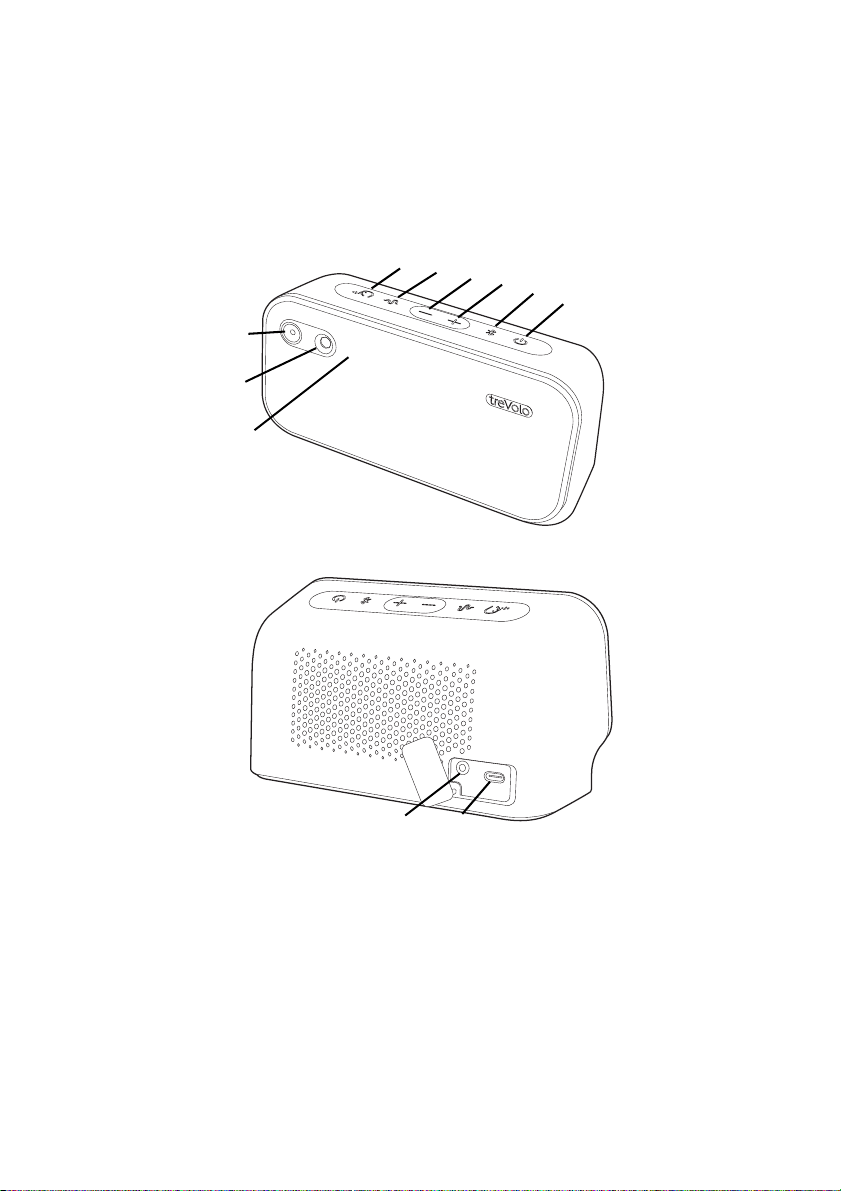
1. Sound Modes button with LED
Press the button to switch to different sound modes. See The
three Sound Modes on page 12.
2. Safe Volume button
Press for 1 second to activate Safe Volume, which adjusts the
overall audio volume level based on the proximity of the person
to the speaker, sound level from surroundings and audio volume
level. See Safe Volume on page 13.
123456
7
8
9
10 11

5
3. Volume down button with microphone LED
• Press the button to volume down.
• For more information on LED lights, see Muting the
microphone on page 11.
4. Volume up button with speaker LED
• Press the button to volume up.
• For more information on LED lights, see Adjusting volume level
on page 11.
5. Bluetooth button with LED
• Press for 2 seconds to activate the Bluetooth pairing mode.
• For more information on LED lights, see Bluetooth LED
indicator on page 9.
6. Power button with LED
• Press for 2 seconds to turn on/off the speaker.
• For more information on LED lights, see Power LED indicator
on page 7.
7. Microphone
8. Distance sensor
Detects the objects within range and adjusts volume when Safe
Volume is activated.
9. Voice control LED
• Indicates the status of the voice control function.
• For more information on LED lights, see Voice control on
page 25.
10. Audio jack
For 3.5mm audio cable connection.
11. USB Type-C port
For speaker charging.
The USB Type-C port is only for charging and firmware update. Other data
transferring or power supply functions are not supported.
6
Charge device
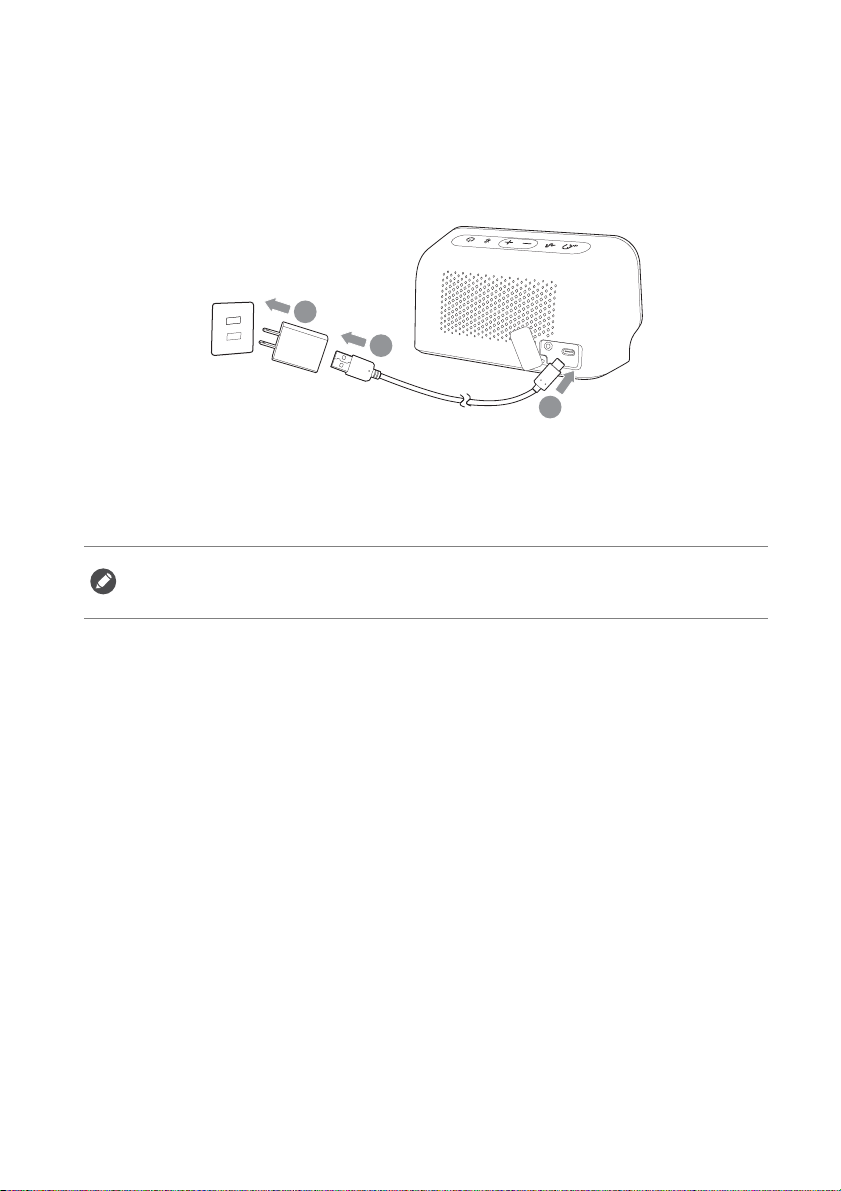
Before using the treVolo U Bluetooth speaker, please charge the
speaker thoroughly with the USB cable and power adapter supplied by
BenQ.
If the speaker is not in use, the battery will take approximately
3 hours to be fully charged. A fully charged battery can last up to
12 hours.
• The speaker will make a notice sound when the batter is below 20%.
• When the battery is completely used up, the speaker will power off
automatically after low battery indicator appears.
2
1
3
7
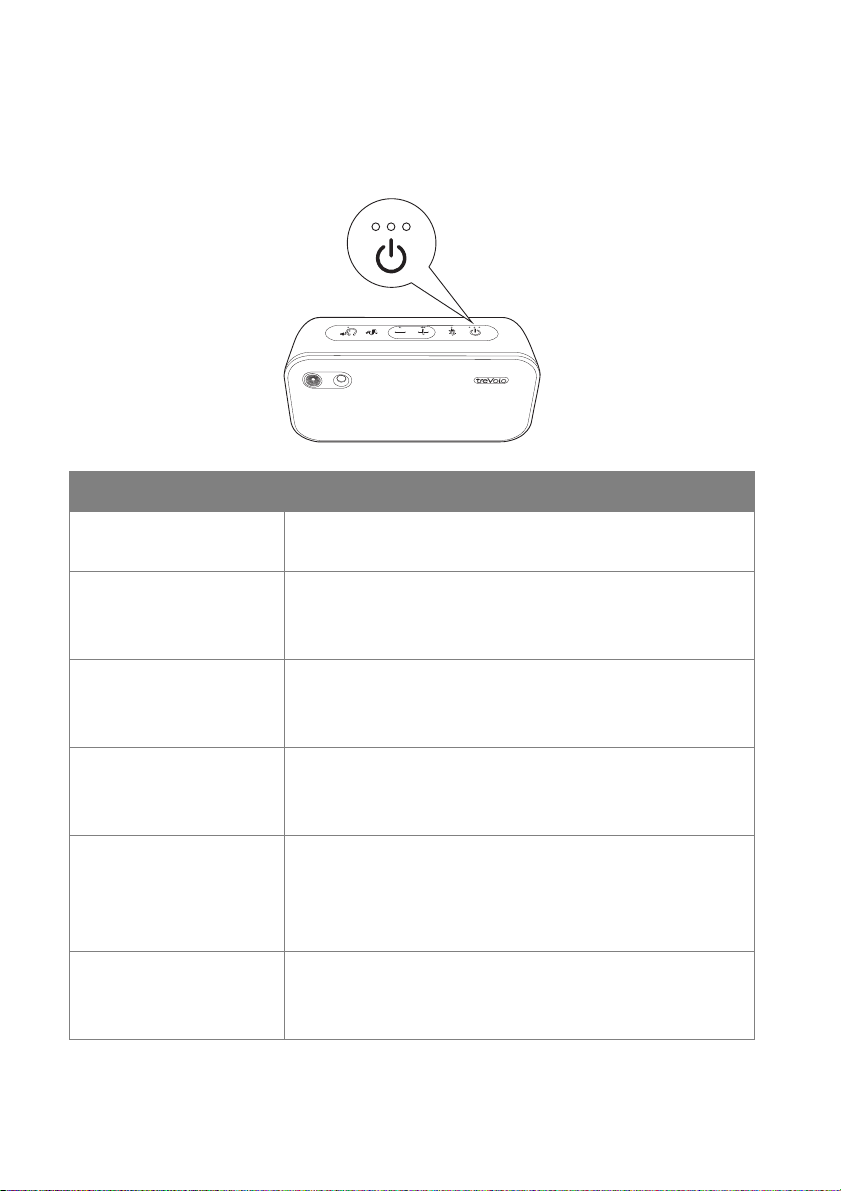
Power LED indicator
Three LEDs above the power button indicate the power level of the
battery.
LED indicator Power status
No LED lights up • Speaker turned off.
• Power adapter unconnected.
Single red LED • Speaker turned off.
• Power adapter connected.
• Battery charging.
Single green LED • Speaker turned off.
• Power adapter connected.
• Battery fully charged.
First white LED • Speaker turned on.
• Battery is 0-33% charged.
• If the battery is charging, the first LED blinks.
Second white LED • Speaker turned on.
• Battery is 34-67% charged.
• If the battery is charging, the second LED
blinks.
Third white LED • Speaker turned on.
• Battery is 68-100% charged.
• If the battery is charging, the third LED blinks.
Altri manuali per treVolo U
1
Indice
Altri manuali BenQ Altoparlanti

BenQ
BenQ treVolo S Manuale utente

BenQ
BenQ treVolo Manuale utente

BenQ
BenQ FP2091 - 20.1" LCD Monitor Manuale utente

BenQ
BenQ treVolo S Manuale utente

BenQ
BenQ treVolo Manuale utente

BenQ
BenQ treVolo U Guida rapida

BenQ
BenQ XL2731 Manuale utente

BenQ
BenQ treVolo A Manuale utente

BenQ
BenQ treVolo Manuale utente


