
BT Converse 2200 Manuale utente

User Guide
BT CONVERSE 2200
9222 Converse 2200 UG [2].indd 1 16/1/09 12:22:45
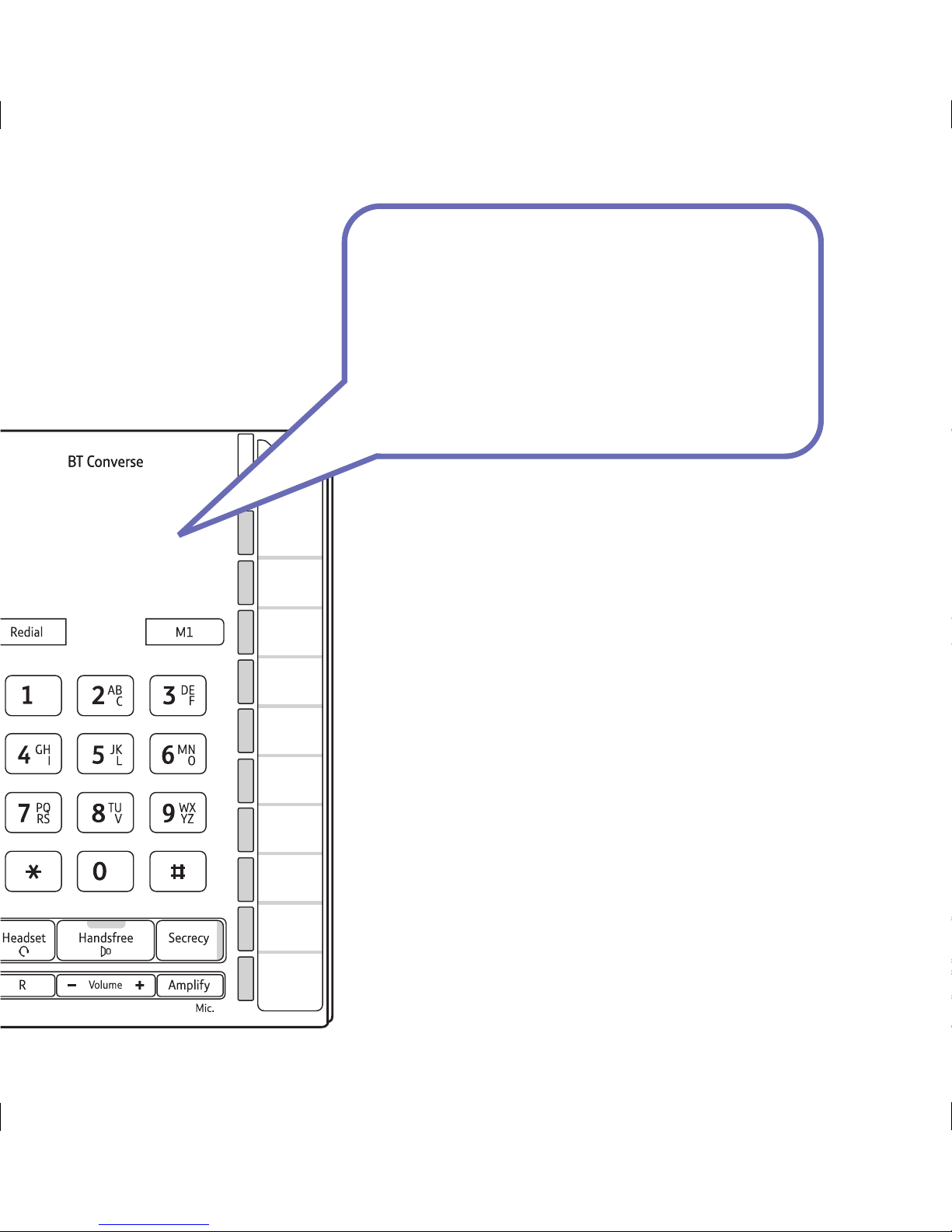
• Eleven one-touch buttons for easy dialling of your most important numbers.
• Headset facility lets you make and receive calls privately while keeping
your hands free.
• Handsfree button lets you make and receive calls over the built-in
loudspeaker and microphone.
• Secrecy feature lets you talk to someone else close by without your
caller hearing.
• Last number redial.
• Providing you are connected to a compatible switchboard, the message
waiting indicator will ash when you receive new messages.*
• Amplier lets you switch the earpiece volume to High.
• Adjustable ringer volume.
Welcome
to your BT Converse 2200
Corded Telephone
* BT 1571 or similar network voicemail users can also use this feature, however the indicator light will not ash.
New voicemail messages will be indicated by a stuttered dial tone when you pick up the handset.
9222 Converse 2200 UG [2].indd 2 16/1/09 12:22:45

If you experience any problems, please visit www.bt.com/producthelp
Got everything?
• BT Converse 2200 telephone
• Handset and cord
(already tted to base)
• Telephone line cord
(already tted to base)
• Desk mounting plinth
• Wall mounting plugs and screws
This User Guide provides you with all the
information you need to get the most from
your BT Converse 2200.
You must rst set up your BT Converse 2200
before you can use it. This doesn’t take long as
it is easy to do.
Just follow the simple instructions on the next
few pages.
Hearing aid friendly
The BT Converse 2200 is tted with an inductive coupler so it is compatible
with hearing aids.
9222 Converse 2200 UG [2].indd 3 16/1/09 12:22:45

If you experience any problems, please visit www.bt.com/producthelp
4
Getting started
Location ..........................................................................5
Setting up .......................................................................5
Getting to know your phone
Buttons and features ........................................................6
Using your phone
Making and ending calls ...................................................7
Make a call using a headset ..............................................7
Receive a call using a headset ...........................................7
Redialling the last number ................................................7
Secrecy ...........................................................................7
Handsfree .......................................................................8
Message waiting ..............................................................8
Message waiting switch....................................................8
Adjusting the ringer volume .............................................9
Adjusting the ringer tone .................................................9
R/Recall button ...............................................................9
Amplify ...........................................................................9
M1 – M11 memory buttons
Store/replace a one touch number ..................................10
Dial a one-touch memory number ..................................11
Storing a pause in a number ...........................................11
Using BT Calling features
118 500 / 118 700 ........................................................12
BT Answer 1571 ............................................................12
Call Divert .....................................................................12
Switch Call Diversion on .................................................12
Switch Call Diversion off .................................................13
Re-instate the pre-set BT Calling Features numbers .........13
Help .............................................................................14
General information
Safety information .........................................................15
Guarantee .....................................................................15
Returning your phone ....................................................15
Technical information .....................................................16
How many telephones can you have? ..............................16
Switchboard compatibility ..............................................16
R&TTE Directive .............................................................16
Product disposal instructions ..........................................16
Wall mounting your phone .............................................17
In this guide
9222 Converse 2200 UG [2].indd 4 16/1/09 12:22:45

If you experience any problems, please visit www.bt.com/producthelp
5
WARNING
Do not place your BT Converse 2200 in the
bathroom or other humid areas.
Other electrical equipment close to your
Converse could have an adverse effect on call
quality. If you experience buzzing during a call
try moving the Converse away from any electrical
equipment that may be nearby.
Location
You need to place your BT Converse 2200 within 3 metres of a telephone socket
so that the cable will reach. Your BT Converse 2200 can be wall mounted,
see ‘Wall mounting your phone’ on page 17.
Setting up
1. Plug the end of the telephone line cord into the telephone wall socket.
2. Check that the Dialling Mode switch on the underside of the base is set to
TB for tone dialling with timed break recall.
3. Fit the desk mounting plinth if required by positioning the plinth over the lugs
and pushing it down into place, as shown by the blue arrows.
Your BT Converse 2200 is now ready for use.
Getting started
Dialling mode
If connecting to a switchboard you may need to
adjust the dialling mode setting to P or T using
the Mode switch on the underside of the base.
If in doubt, please consult your service provider.
IMPORTANT
Only use the handset and line cord supplied or
this product may not work.
9222 Converse 2200 UG [2].indd 5 16/1/09 12:22:45

If you experience any problems, please visit www.bt.com/producthelp
6
Handset park
If the phone is wall-mounted,
you can hang the handset
here if you need to leave the
phone during a call.
M1 one-touch
memory button
Store your most important
one touch number here,
page 10.
Redial
Redials the last number called,
page 7. Use to enter a pause.
Headset socket
(underneath the phone)
Lets you connect a Headset
(not supplied), page 7.
Handsfree button and indicator
Make and receive calls
handsfree. Indicator light is
on when in use, page 8.
Headset button and indicator
Make and receive calls with a
headset. Indicator light is on
when in use.
R (Recall)
For use with a switchboard
and some BT Calling Features,
page 9.
Volume –/+
Adjust earpiece, headset or
speaker volume during a call.
Getting to know your phone
Message waiting indicator
Flashes if you have
Voicemail, page 8.*
Call indicator
Flashes when you have
an incoming call.
One touch memory label
Keep a note of your
numbers.
Dialling mode switch
(underneath the phone)
Lets you set the dialling
mode, page 16.
Message waiting switch
(underneath the phone)
See page 8 for details if
you are connected to a
switchboard.
Ringer switch
(underneath the phone)
Lets you adjust the ringer
tone, page 9.
Ringer volume switch
(underneath the phone)
Lets you adjust the ringer
volume, page 9.
Secrecy button and indicator
During a call, press to stop
your caller hearing you
so you can talk privately
to someone else close by,
page 7. Indicator light is on
when in use.
Amplify
Press to switch the
earpiece/headset volume
to High, page 9.
Buttons and features
M2-M11 on-touch buttons
Store and dial one-touch numbers.
Bottom 5 buttons are pre-programmed
with BT Services numbers, page 10.
* The light will only ash if your BT Converse is connected to a PBX switch or similar.
The light will not ash when used with network services such as BT 1571.
9222 Converse 2200 UG [2].indd 6 16/1/09 12:22:46

If you experience any problems, please visit www.bt.com/producthelp
7
Making and ending calls
1. Lift the handset and dial the number you want.
2. Replace the handset to end the call.
Make a call using a headset
Headsets are not supplied with your BT Converse 2200. However, you can
purchase headsets (with RJ11 jack) by visiting www.shop.bt.com
1. Plug the headset (not supplied) into the socket marked on the underside
of the base.
2. Press and dial the number. When the headset is in use the headset
indicator (on the button) will be lit.
Press to end the call.
Receive a call using a headset
1. When the phone rings and the headset is plugged in, press to answer.
Redialling the last number
The redial number can up to 32 digits long. If the last number dialled was longer
than 32 digits, only the rst 32 digits will be dialled.
1. Lift the handset, or press , then press .
Secrecy
During a call, you can talk to someone nearby without your caller hearing you.
1. Press . The red secrecy light (on the button) comes on and your
caller cannot hear you.
2. Press again to return to your caller.
Using the phone
9222 Converse 2200 UG [2].indd 7 16/1/09 12:22:46

8
If you experience any problems, please visit www.bt.com/producthelp
Using the phone
Handsfree
Make and receive calls without lifting the handset.
Making a handsfree call
1. Press . You will hear the dial tone.
2. Dial the number you want. When your call is answered, speak as normal
(or if you wish to speak to your caller privately, pick up the handset).
3. Press to end the call.
Receiving a call handsfree
1. When the phone rings, press and speak. Press to end the call.
Message waiting
If your BT Converse phone is connected to a switchboard, the message waiting
indicator will ash when you receive new voicemail messages.
BT 1571 or similar network voicemail users can also use this feature, however
the indicator light will not ash. New voicemail messages will be indicated by a
stuttered dial tone when you pick up the handset.
Message waiting switch
If your telephone is connected to a switchboard you may need to change the
message waiting switch setting on the base of the phone. It is pre-set to MW3
which is for an SX2000 switch. MW1 and MW2 positions are for when the
telephone is connected to an ISDX switch. If the switch is moved to MW2 and the
message waiting indicator stays on permanently, use MW1.
9222 Converse 2200 UG [2].indd 8 16/1/09 12:22:46

9
If you experience any problems, please visit www.bt.com/producthelp
Using the phone
After you hang up, the volume will automatically
return to Normal volume.
1. Lift the handset, or press and dial to connect to
your answering service.
If in doubt, please refer to your PBX instructions/manager for the correct
procedure to access this service.
Adjusting the ringer volume
1. Set the Ringer Volume switch on the underside of the phone to 0 (Off), 1 or 2.
Adjusting the ringer tone
1. Set the Ringer switch on the underside of the phone to 1 (Low), 2 (Medium)
or 3 (High).
R (Recall)
The button is used to access a range of switchboard services, for example,
to transfer calls and with some BT Calling Features.
Amplify
1. Press to switch the earpiece/headset volume to High.
9222 Converse 2200 UG [2].indd 9 16/1/09 12:22:46
If you experience any problems, please visit www.bt.com/producthelp
10
Each number can be up to 32 digits long and can
include a pause or #.
If you enter more than 32 digits you will hear an
error beep.
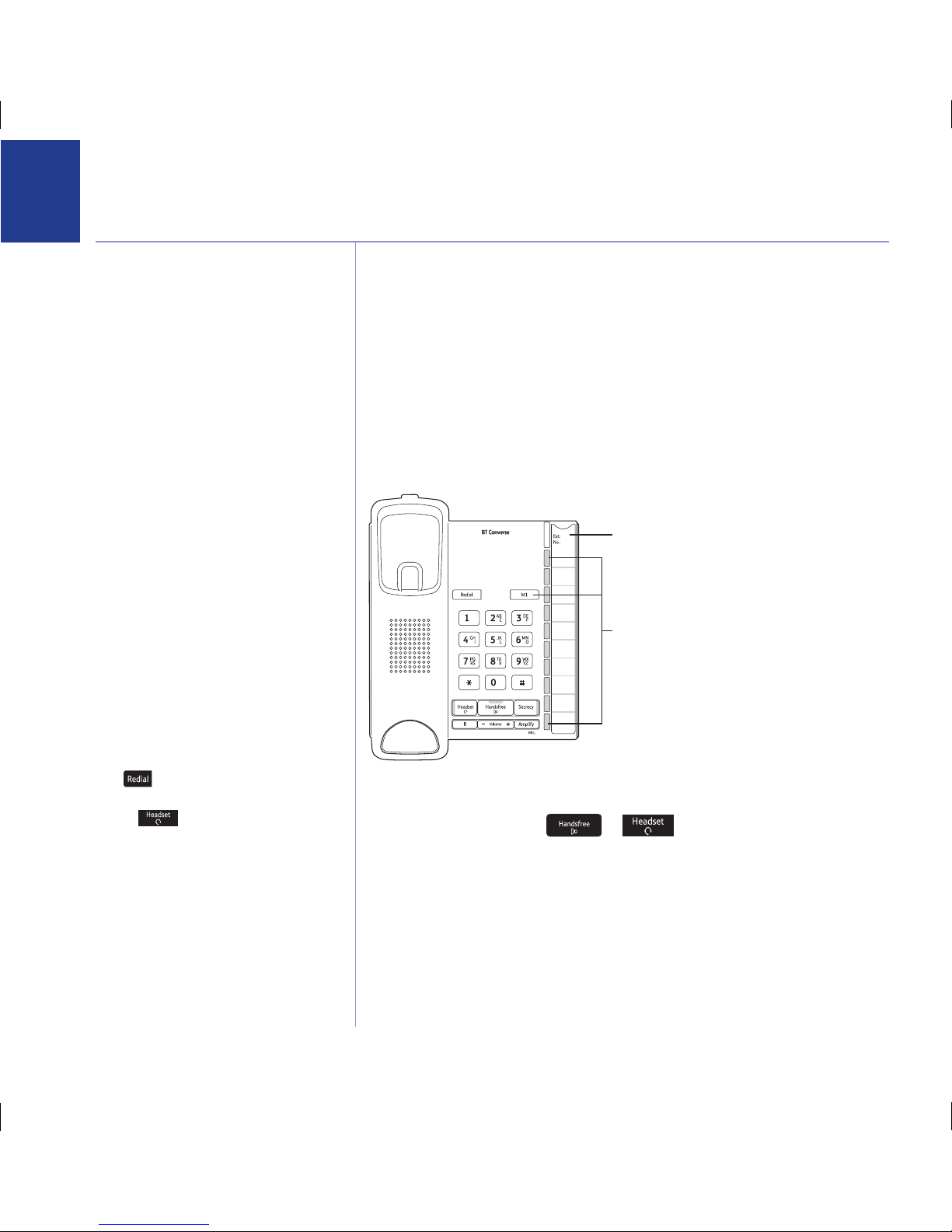
You can store your 11 most frequently used phone numbers on the grey one-touch
memory buttons that are located on the right hand side of the product and dial
them by pressing a single button.
Buttons 7-11 have been pre-programmed with the following BT Services,
however you can overwrite them with your own numbers.
M7 = Residential Directory Enquiries 118 500, M8 = Business Directory Enquiries
118 700, M9 = BT Answer 1571, M10 = Call Divert On, M11 = Call Divert Off.
Store/replace a one touch number
1. Lift the handset or press or .
2. Press and hold the grey one touch button that you want to store a
number under. Release the button when you hear the dial tone stop.
3. Enter the telephone number you want to store, then press the same grey one
touch button to save the number.
4. Slide the memory label out so you can write who’s number you have stored
under each button.
M1 – M11 memory buttons
To enter a pause when storing a number
press .
To cancel while storing, hang up the handset
or press . Any number already stored
will be kept.
One touch memory buttons
One touch memory label
9222 Converse 2200 UG [2].indd 10 16/1/09 12:22:46
Altri manuali per Converse 2200
2
Indice
Altri manuali BT Telefono

BT
BT FREESTYLE 610 Manuale utente

BT
BT Decor 1300 Manuale utente

BT
BT Converse 1300 Manuale utente

BT
BT Converse 300 Manuale utente

BT
BT BT3710 Manuale utente

BT
BT Featureline Manuale utente

BT
BT Decor 2600 Manuale utente

BT
BT CONVERSE 425 Manuale utente

BT
BT Revelation Guida utente

BT
BT CONVERSE 2015 Manuale utente

BT
BT CONVERSE 1400 Manuale utente

BT
BT Diverse 7460 Manuale utente

BT
BT VERVE 3000 EXECUTIVE Manuale utente

BT
BT DIVERSE 7110 Manuale utente

BT
BT CONVERSE 2025 Manuale utente

BT
BT CALYPSO 120 Manuale utente

BT
BT Versatility Scheda tecnica

BT
BT Converse 420 Manuale utente

BT
BT Duet 20 Manuale utente

BT
BT Response 130 Manuale utente


