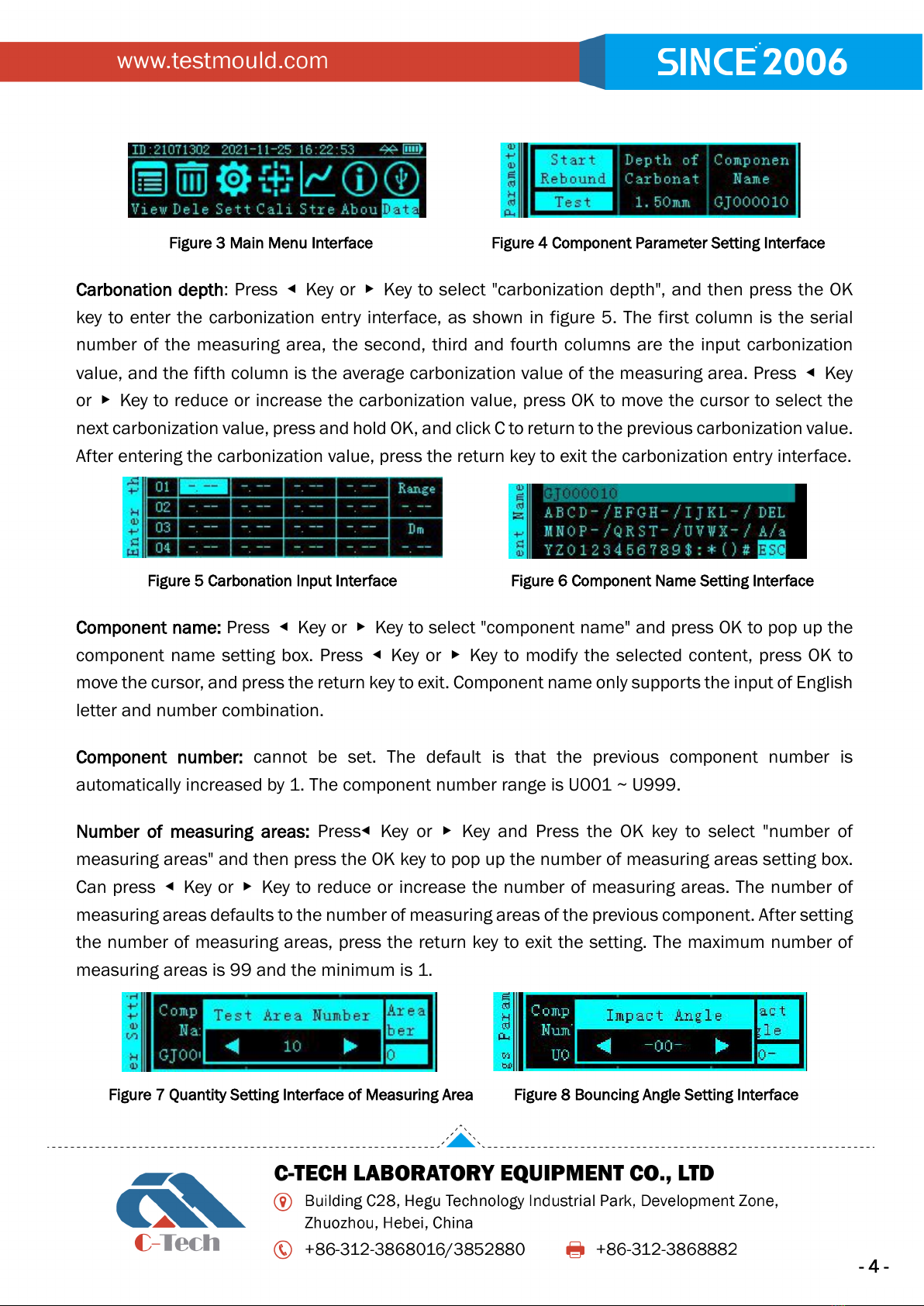
Bouncing angle: Press◀Key or ▶Key to select "bouncing angle" and press the OK key to pop up the
bouncing angle setting box ◀Key or ▶Key to select the flick angle. After setting the bouncing angle,
press the return key to exit the setting.
Measuring surface status: Press ◀Key or ▶Key and Press the OK key to select "measuring surface
status" and then press the OK key to pop up the measuring surface status setting box ◀Key or ▶
Key to select surfaces, sides, and bottoms. After setting the measuring surface state, press the
return key to exit the setting.
Figure 9 Interface for Measuring Surface Status setting Figure 10 Design Level Setting Interface
Design level: Press◀Key or ▶Key to select "design level" and press OK to pop up the design grade
setting box ◀Key or ▶Key to select the design level. The design level range is C05 ~ C90. After
setting the design level, press the return key to exit the setting.
Pumping mode: not settable, determined by the selected strength measurement curve.
Strength measurement curve: Press ◀Key or ▶Key to select "strength measurement curve" and
then press the OK key to enter the strength measurement curve selection interface ◀Key or ▶Key
to select the strength measurement curve, which defaults to the strength measurement curve set by
the previous component. After setting the strength measurement curve, press the return key to exit
the setting.
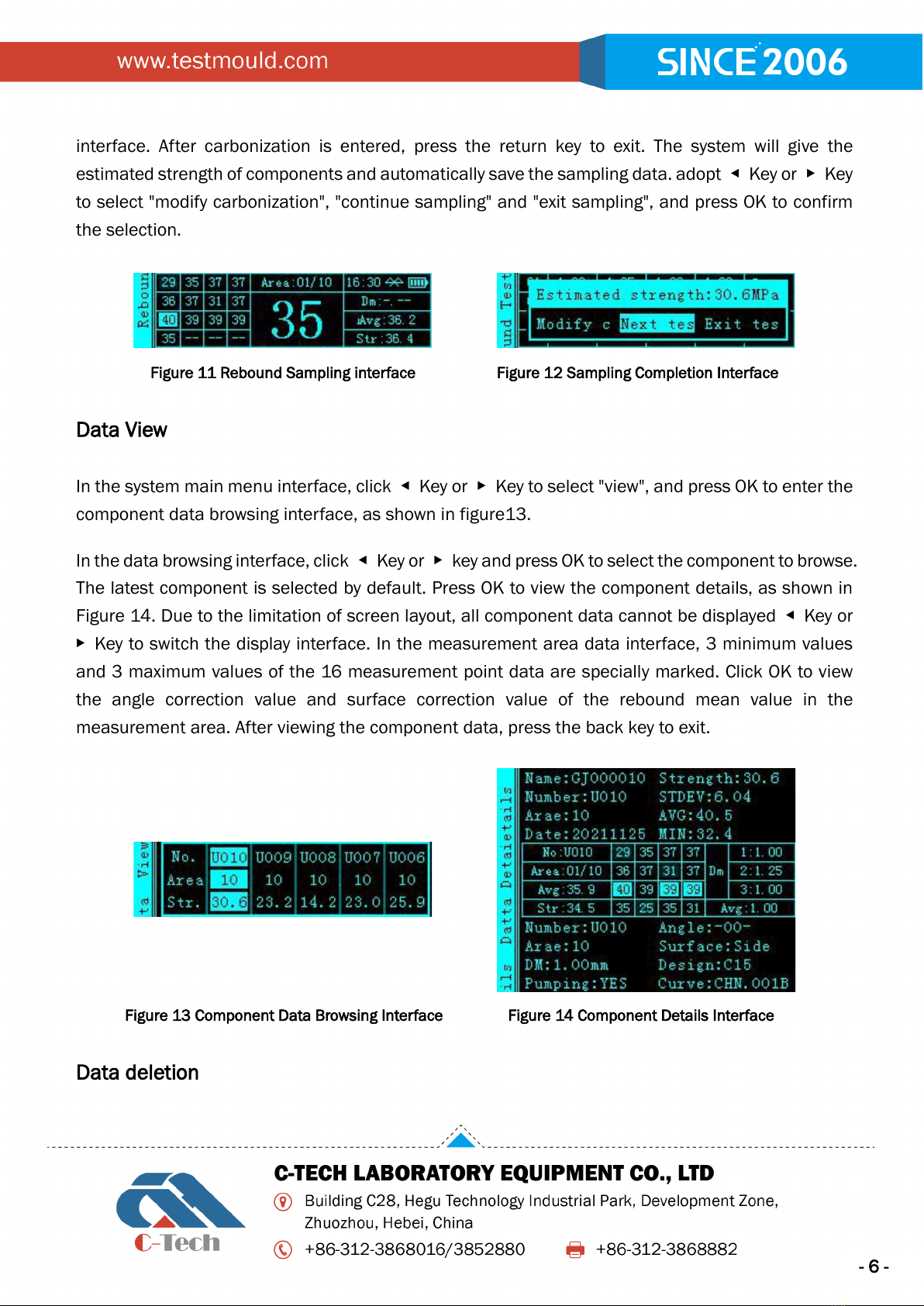
When the above parameters are set or confirmed to be OK, select "rebound sampling", and press OK
to enter the sampling interface, as shown in Figure 11. The rebound values of 16 measuring points
are on the left side of the sampling interface, the large number in the middle is the current rebound
value, the "measuring area: 01 / 10" above represents the number of current measuring areas /
total measuring areas, the system time, Bluetooth icon and battery power icon are on the right, and
the carbonation value, rebound mean value and current measuring area strength value are below.
Press the OK key to view the minimum and maximum values, and press ▶Key to view component
parameters, press ◀key to delete the trailing value, and press the return key to return to the
component parameter setting interface.
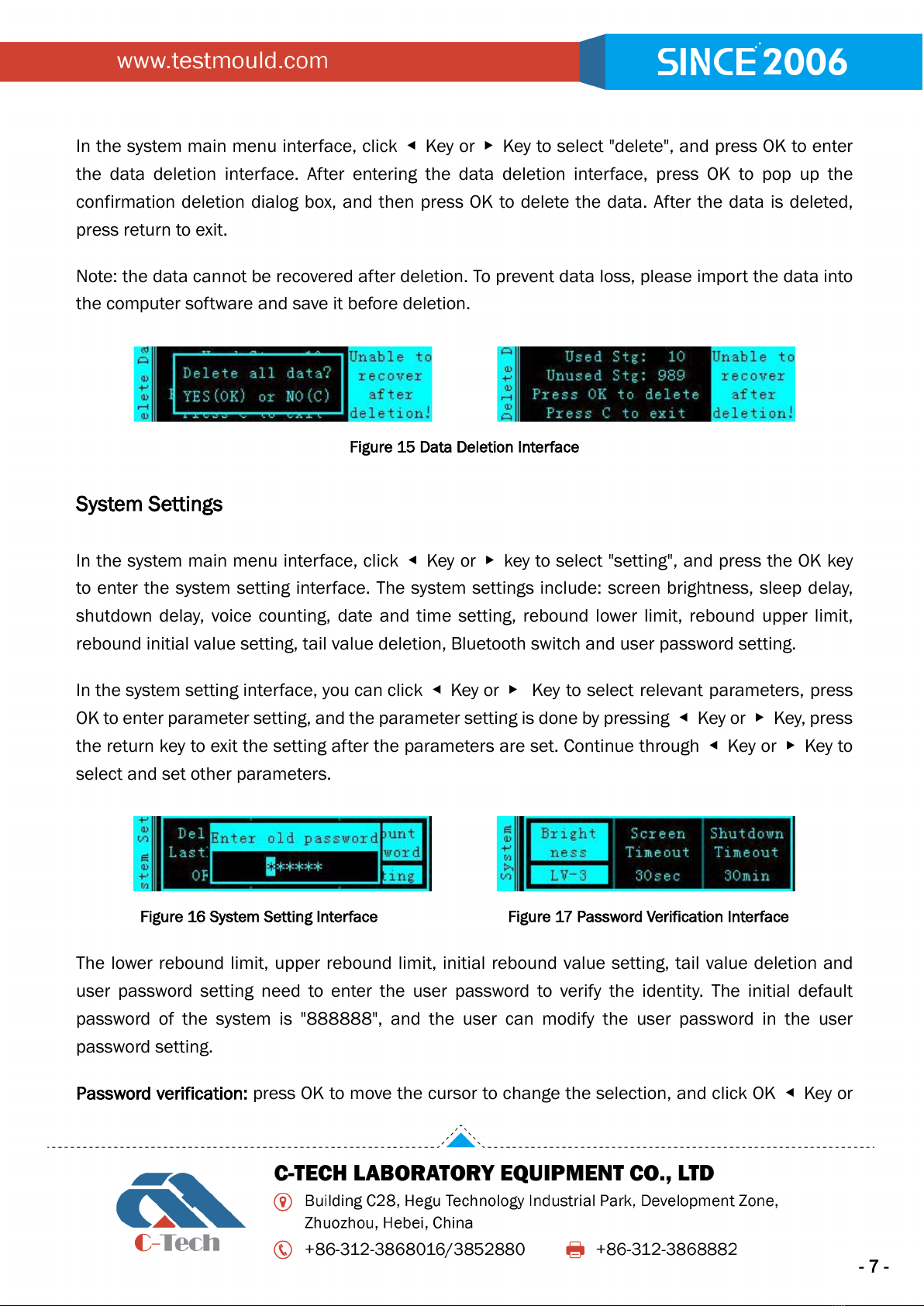
After sampling, if carbonization is not entered, it will automatically jump to the carbonization entry