
Cisco MERAKI Catalyst CW9164 Manuale utente
CW9164 Installation Guide
CW9164 Installation Guide
The Cisco Catalyst Wireless 9164 is a tri-band enterprise-class WiFi 6E cloud-managed access point supporting the 2.4 Hz, 5 Hz, and the newly opened
unlicensed 6 Hz frequency bands. Designed for the ultra-high capacity and highest density, these AP meet the needs of the most demanding and mission-
critical environments. The access point includes a fourth radio dedicated to optimizing the RF environment and securing the airwaves. The AP also has an
additional Bluetooth Low Energy (BLE) capable radio used for location and other IoT applications. In addition, the CW9164 has a USB port.
About this Guide
This guide provides instructions on how to install and configure your CW9164 access points. This guide also provides mounting instructions and limited
troubleshooting procedures. For more wireless installation guides, refer to the wireless installation guides section on our documentation website.
Product Overview
Physical Specifications
CW9164
Interfaces
• 1x 100/1000/2.5 /5 BASE-T Ethernet (RJ45)
• 1x DC power connector (8 mm, center positive)
Power
• Power over Ethernet: 42.5 - 57 V (802.3at and 802.3bt compliant)
• Power consumption: 30W to 50W (802.3at required)
• Power over Ethernet injector (MA-INJ-6) and DC adapter (MA-PWR-50WAC)
Power over Ethernet injector and DC adapter sold separately
Actual power consumption may vary depending on the AP usage
USB will be disabled when powered by 802.3 at/PoE+
1

Environment
• Operating temperature: 32 °F to 122 °F (0 °C to 50 °C)
• Storage and Transportation Temperature: -4 °F to 158 °F (-20 °C to 70 °C)
• Humidity: 10 to 90% non-condensing
Physical Security
• Kensington lock hardpoint
* Screws that can be attached to the security hasp of the universal mounting bracket
• Concealed mount plate with anti-tamper cable bay
Product View and Physical Features
Your CW9164 has the following features:
2

3
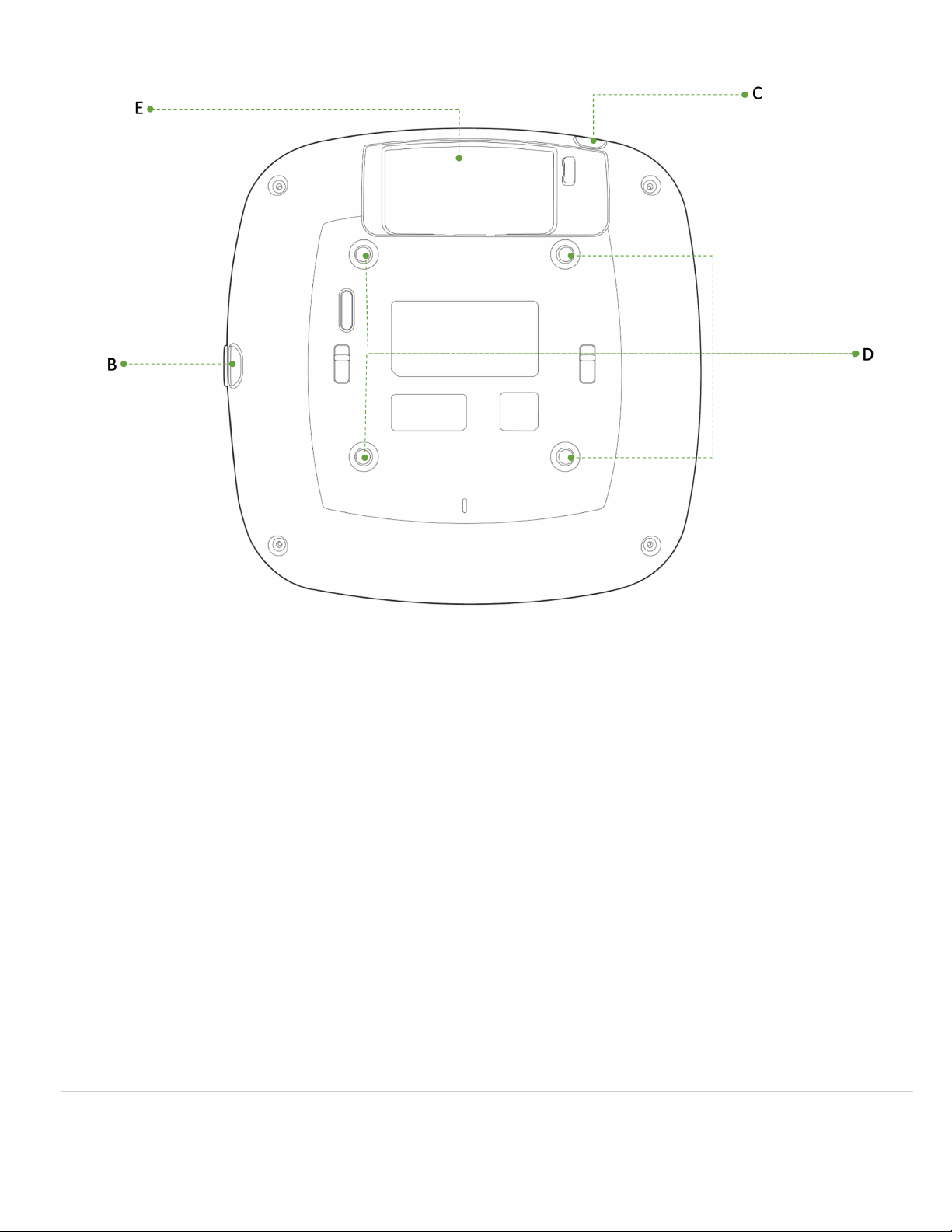
A - LED indicator
B - USB Slot - with protective cover
C - Kensington lock hard point
D - Rubber Feet/universal mounting bracket slide in points
E - Cable access bay
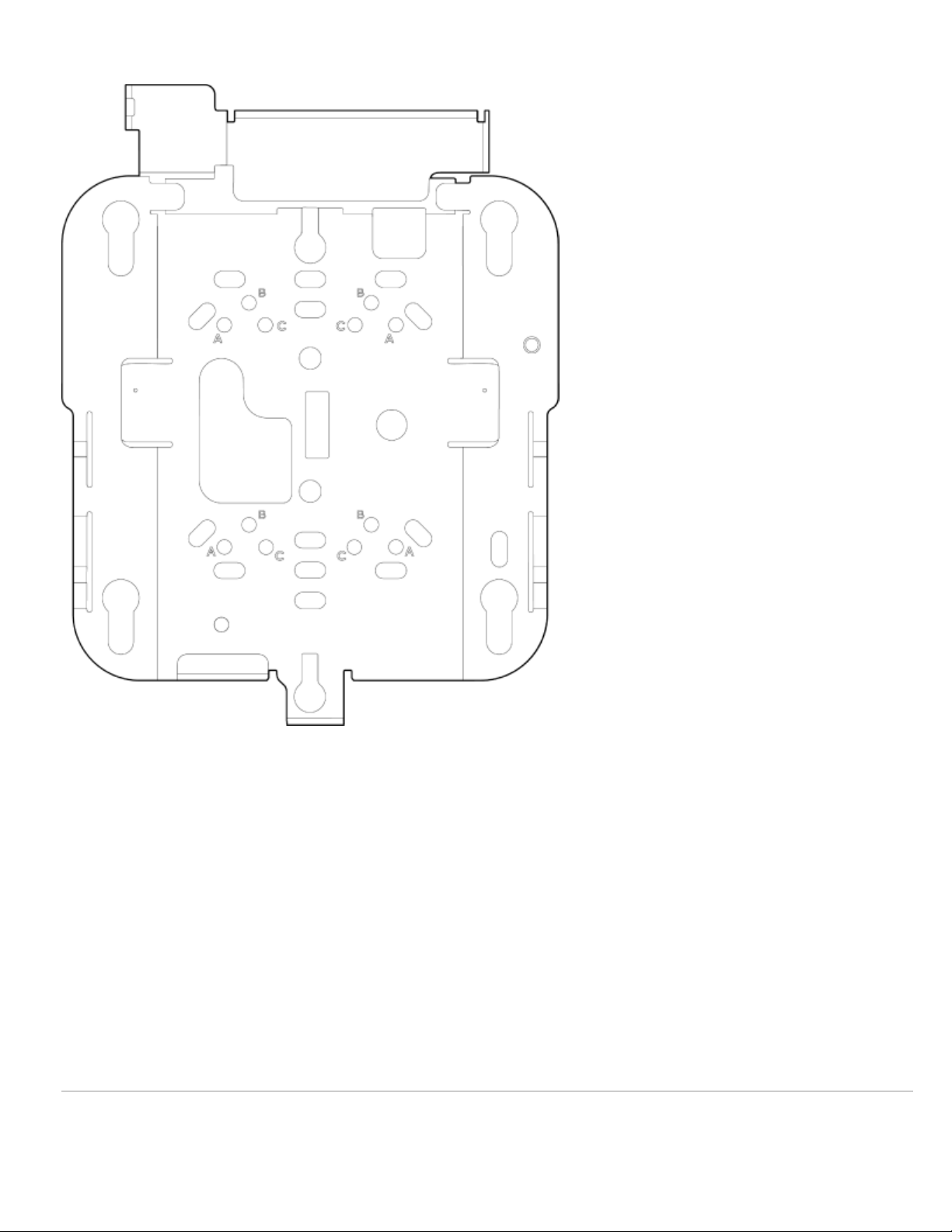
The Meraki AP comes with the default Cisco universal mounting bracket (AIR-AP-BRACKET-2) that has the following features:
4
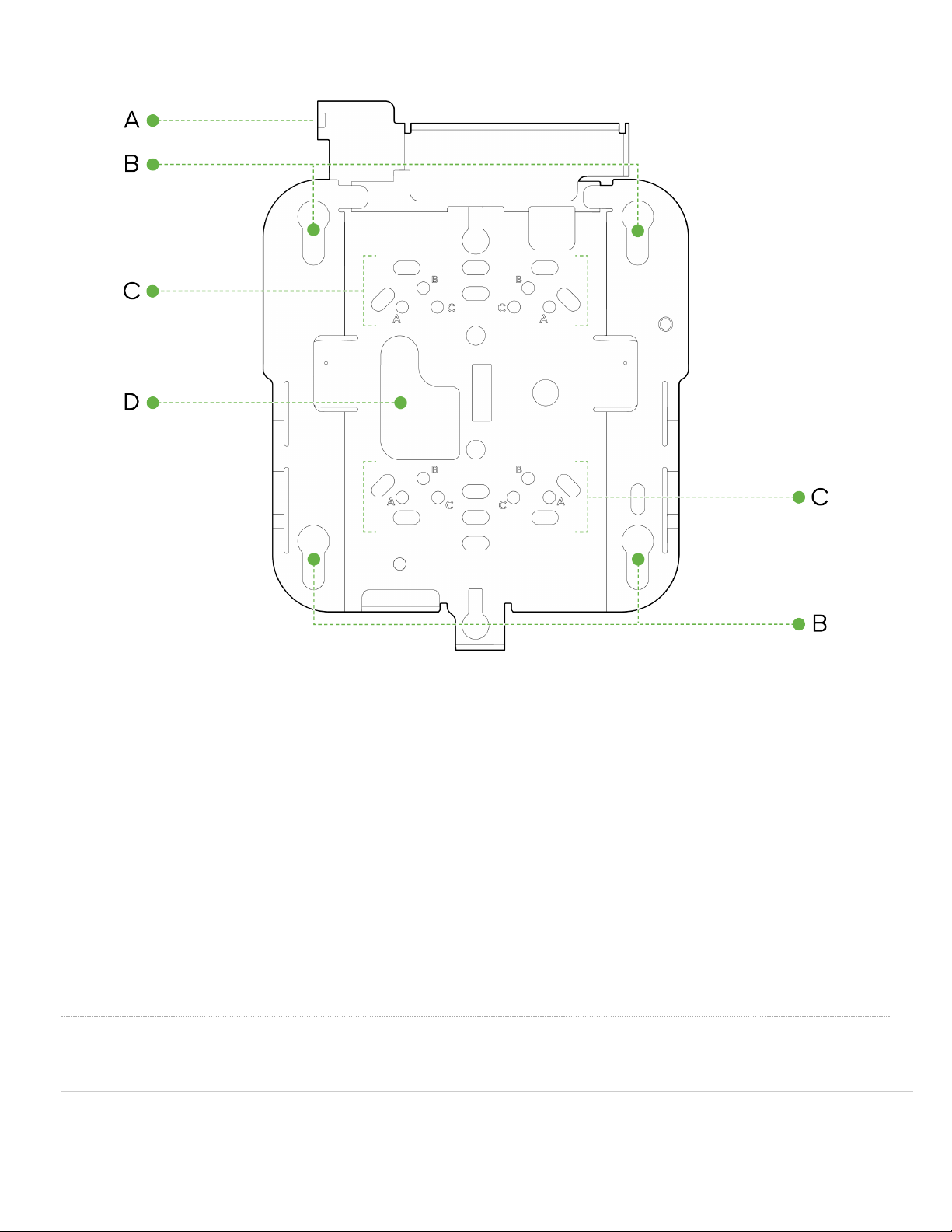
A - Security Hasp
B - Access Point Mounting Keyholes
C- T-rail attachment points
D - Cable access slot
Security Features
These AP feature multiple options for physically securing the access point after installation:
1. Security hasp – The universal mounting bracket has a security hasp and can be used to secure the access point to the universal mounting bracket. Engaging
the security screw prevents accidental dislodging and theft.
2. Kensington lock – The access point contains a hard point that allows it to be secured to any nearby permanent structure using a standard Kensington lock.
Ethernet Ports
The CW9164 features one RJ45 port capable of operating at 100/1000/2.5 /5 BASE-T Ethernet (RJ45).
5

ETH0, PoE
The labeled “ETH0, PoE” accepts 802.3at and 802.3bt power. This port is typically used as the primary uplink to your LAN/WAN.
Warning: The AP will not power up with an 802.3af power source
Extending the LAN
In order to utilize the additional LAN port to extend connectivity, a Port Profile needs to be applied to the AP.
Power Source Options
These AP can be powered by a single M- ig 802.3bt capable UPoE port, allowing for full operation including providing up to 4.5W of power to the USB port. The
AP is capable of operating at its full capacity when powered by a single 802.3at power source, however, the USB port will be disabled. The AP will not power up
when powered by a single 802.3af power source.
The table below indicates the different modes of PoE power input and the expected operation of the AP
Port0 2.4GHz 5GHz 6GHz Scan IoT USB
AT 4x4 4x4 4x4 ON ON OFF
BT 4x4 4x4 4x4 ON ON ON
CW9164 AP can be powered by PoE power in different modes as mentioned above when using a PoE capable switch. They can also be powered by a single
802.3bt capable PoE injector MA-INJ-6 Meraki multi igabit 802.3bt Power over Ethernet Injector. It can also be powered by an AC power adaptor MA-
PWR-50WAC - Meraki AC Adapter for MR Series
Factory Reset Button
If the button is pressed and held for at least five seconds and then released, the AP will reboot and be restored to its original factory settings by deleting all
configuration information stored on the unit.
LED Indicators and Run Dark Mode
Your access point is equipped with a multi-color LED light on the front of the unit to convey information about system functionality and performance:
• Orange - AP is booting (permanent Orange suggests hardware issue)
• Rainbow - AP is initializing/scanning
• Blinking Blue - AP is upgrading
6

• reen - AP in ateway mode with no clients
• Blue - AP in ateway mode with clients
• Blinking Orange - AP can't find uplink
NOTE: NOTE: Blinking reen LED indicates that the device is in site survey mode. Please see the Conducting Site Surveys with MR Access Points for more
details.
The CW9164 access point may be operated in the “Run Dark” mode for additional security and to reduce the visibility of the access point. In this mode, the LED
will not be illuminated. This mode may be enabled through the Meraki Dashboard.
Package Contents
The access point packages contain the following:
CW9164 Cloud-Managed Access Point
7
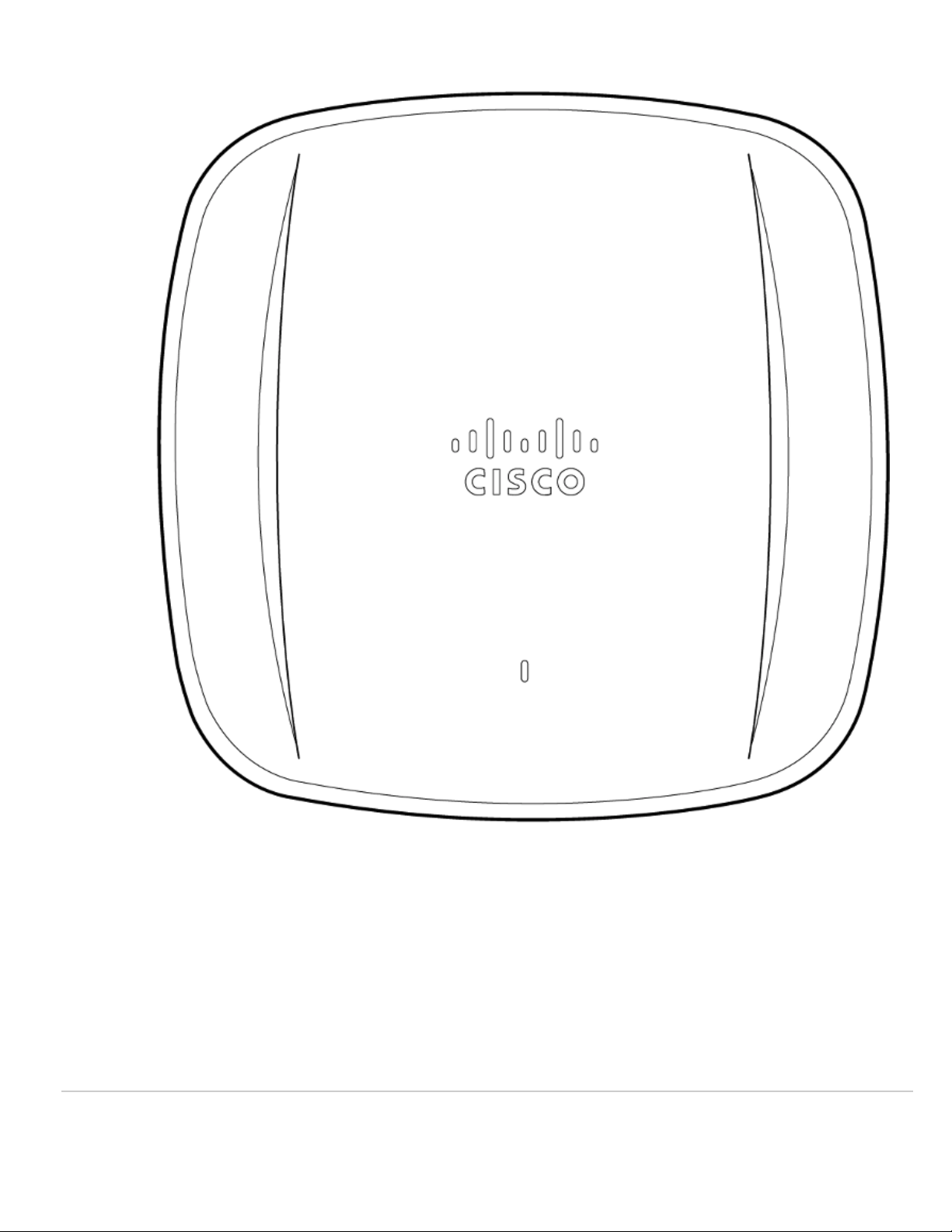
Cisco Universal Mount Bracket - AIR-AP-BRACKET-2
8
T-Rail mount attachment (AIR-AP-T-RAIL-R) and screws (5 Nos - 6-32 x 1/4 included)
9

x5
Safety and Warnings
These operations are to be taken with respect to all local laws. Please take the following into consideration for safe operation:
• Power off the unit before you begin. Read the installation instructions before connecting the system to the power source.
• Before you work on any equipment, be aware of the hazards involved with electrical circuitry and be familiar with standard practices for preventing accidents.
• Read the wall-mounting instructions carefully before beginning installation. Failure to use the correct hardware or to follow the correct procedures could result
in a hazardous situation to people and damage to the system.
• This product relies on the building’s installation for short-circuit (overcurrent) protection. Ensure that the protective device is rated not greater than 15 A, 125
Vac, or 10A, 240 Vac.
• Please only power the device with the provided power cables or standard PoE to ensure regulatory compliance.
10
Indice
Altri manuali Cisco MERAKI Punto di accesso wireless

Cisco MERAKI
Cisco MERAKI MR30H Manuale utente

Cisco MERAKI
Cisco MERAKI MR45 Manuale utente

Cisco MERAKI
Cisco MERAKI MX95 Series Manuale

Cisco MERAKI
Cisco MERAKI MR36 Manuale utente

Cisco MERAKI
Cisco MERAKI MR44-HW Manuale utente

Cisco MERAKI
Cisco MERAKI CW9166I Manuale utente

Cisco MERAKI
Cisco MERAKI MR44 Manuale utente

Cisco MERAKI
Cisco MERAKI MR33 Manuale utente

Cisco MERAKI
Cisco MERAKI MR42 Manuale utente

Cisco MERAKI
Cisco MERAKI MR57 Manuale utente


