
DeLOCK 12625 Manuale utente

USB Keyboard
Product-No:12625
User manual no:12625-a
www.delock.com
User manual
Mode d’emploi
Uživatelská příručka
Manuale utente
Manual de utilizare
Korisnički priručnik
Bedienungsanleitung
Manual del usuario
Instrukcja obsługi
Bruksanvisning
Használati utasítás
Εγχειρίδιο χρήστη

-2-
English
Description
This wired USB keyboard by Delock with dierent multimedia keys, convinces
with its at design and integrated RGB illumination.
Specication
• Connector:1 x USB 2.0 Type-A male
• RGB illumination:1 x on / o button Rigid colour gradient
(green - blue - pink - red) Dimmable in 3 steps
• Layout: German, QWERTZ
• Keys: Multimedia keys F1 - F12
• LED indicator: number lock / capital letters / scroll
• 2 x adjustable stands
• Plug & Play
• Cable length: ca. 1.5 m
• Dimensions (LxWxH): ca. 439.93 x 131.10 x 26.74 mm
• Colour: black
System requirements
• Linux Kernel 3.16 or above
• Windows 7/7-64/8.1/8.1-64/10/10-64
• PC or laptop with a free USB Type-A port
Package content
• Keyboard
• User manual
Safety instructions
• Protect the product against moisture
• Protect the product against direct sunlight

-3-
English
Installation
1. Connect the USB cable of the keyboard to an available USB Type-A port of
your computer.
2. Click on the button to switch the illumination on or o.
3. Click on + or + to set the
brightness level of the illumination.
Support Delock
If you have further questions, please contact our customer support
You can nd current product information on our homepage:
www.delock.com
Final clause
Information and data contained in this manual are subject to change without
notice in advance. Errors and misprints excepted.
Copyright
No part of this user manual may be reproduced, or transmitted for any purpose,
regardless in which way or by any means, electronically or mechanically, without
explicit written approval of Delock.
Edition: 11/2019

-4-
Deutsch
Kurzbeschreibung
Diese kabelgebundene USB Tastatur von Delock mit diversen Multimedia Tasten,
überzeugt durch ihr aches Design sowie der integrierten RGB Beleuchtung.
Spezikation
• Anschluss:1 x USB 2.0 Typ-A Stecker
• RGB Beleuchtung: 1 x Ein- / Austaste Starrer Farbverlauf
(grün - blau - pink - rot) Dimmbar in 3 Stufen
• Layout: Deutsch, QWERTZ
• Tasten: Multimediatasten F1 - F12
• LED Anzeige: Nummern Lock / Großbuchstaben / Rollen
• 2 x höhenverstellbare Klappfüße
• Plug & Play
• Kabellänge: ca. 1,5 m
• Maße (LxBxH): ca. 439,93 x 131,10 x 26,74 mm
• Farbe: schwarz
Systemvoraussetzungen
• Linux Kernel 3.16 oder höher
• Windows 7/7-64/8.1/8.1-64/10/10-64
• PC oder Notebook mit einem freien USB Typ-A Port
Packungsinhalt
• Tastatur
• Bedienungsanleitung
Sicherheitshinweise
• Produkt vor Feuchtigkeit schützen
• Produkt vor direkter Sonneneinstrahlung schützen
-5-
Deutsch
Installation
1. Schließen Sie das USB Kabel der Tastatur an einen freien USB Typ-A Port
Ihres Computers an.
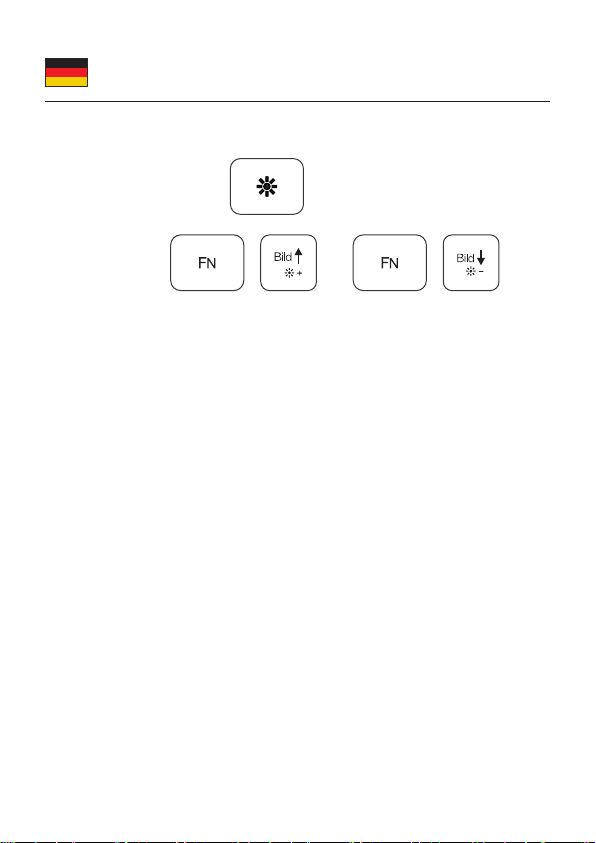
2. Klicken Sie auf die Taste zum Ein- und Ausschalten der
Beleuchtung.
3. Klicken Sie auf + oder + , um die
Beleuchtung heller oder dunkler einzustellen.
Support Delock
Bei weitergehenden Supportanfragen wenden Sie sich bitte an
Aktuelle Produktinformationen und Treiber Downloads nden Sie auch auf
unserer Homepage: www.delock.de
Schlussbestimmung
Die in diesem Handbuch enthaltenen Angaben und Daten können ohne vorherige
Ankündigung geändert werden. Irrtümer und Druckfehler vorbehalten.
Copyright
Ohne ausdrückliche schriftliche Erlaubnis von Delock darf kein Teil dieser
Bedienungsanleitung für irgendwelche Zwecke vervielfältigt oder übertragen
werden, unabhängig davon, auf welche Art und Weise oder mit welchen Mitteln,
elektronisch oder mechanisch, dies geschieht.
Stand: 11/2019

-6-
Français
Spécications techniques
• Connecteur :1 x USB 2.0 Type-A mâle
• Eclairage RGB :1 x touche marche-arrêt Dégradé de couleur rigide
(vert - bleu - rose - rouge) Atténuable en 3 étapes
• Disposition : Allemand, QWERTZ
• Touches : Clés Multimédia F1 - F12
• Indicateur LED : verrouillage de chire / capitales / délement
• 2 x pieds ajustables
• Plug & Play
• Longueur du câble : env. 1,5 m
• Dimensions (LxlxH) : env. 439,93 x 131,10 x 26,74 mm
• Couleur : noir
Conguration système requise
• Linux Kernel 3.16 ou version ultérieure
• Windows 7/7-64/8.1/8.1-64/10/10-64
• PC ou portable avec un port USB Type-A disponible
Contenu de l’emballage
• Clavier
• Mode d’emploi
Instructions de sécurité
• Protéger le produit contre l’humidité
• Protéger le produit contre la lumière directe du soleil
Installation
1. Connectez le câble USB du clavier à un port disponible USB Type-A de votre
ordinateur.
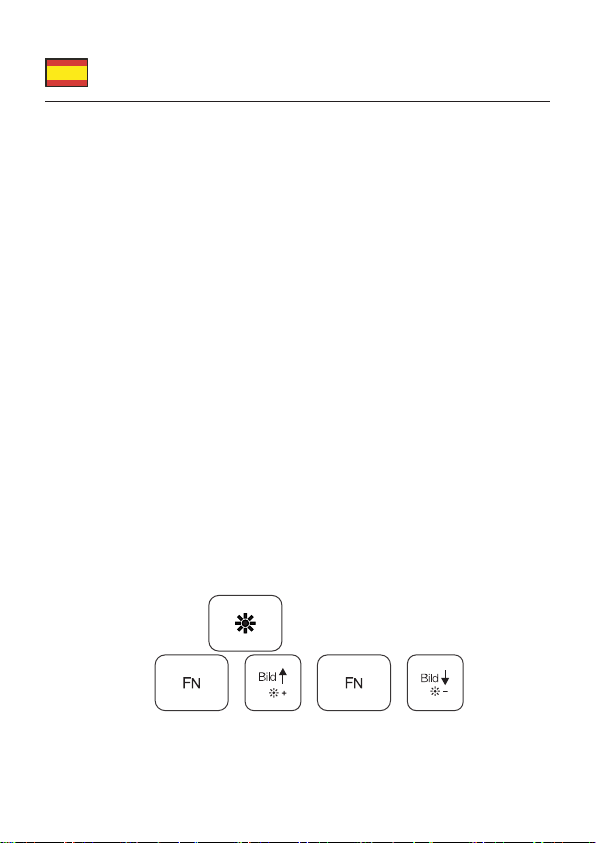
2. Cliquez sur la touche pour allumer ou éteindre l’éclairage.
3. Cliquez sur + ou + pour régler
la luminosité de l’éclairage.
-7-
Español
Especicación técnica
• Conector: 1 x USB 2.0 Tipo-A macho
• Iluminación RGB: 1 x botón de encendido / apagado Gradiente de color rígido
(verde - azul - rosa - rojo) Regulable en 3 pasos
• Diseño: Alemán, QWERTZ
• Teclas: teclas multimedia F1 - F12
• Indicador LED: número de bloqueo / mayúsculas / desplazamiento
• 2 x soportes ajustables
• Conectar y listo
• Longitud del cable: aprox. 1,5 m
• Dimensiones (LAxANxAL): aprox. 439,93 x 131,10 x 26,74 mm
• Color: negro
Requisitos del sistema
• Linux Kernel 3.16 o superior
• Windows 7/7-64/8.1/8.1-64/10/10-64
• PC o equipo portátil con un puerto USB Tipo-A disponible
Contenido del paquete
• Teclado
• Manual del usuario
Instrucciones de seguridad
• Proteja el producto contra el polvo
• Proteja el producto contra la luz solar directa
Instalación
1. Conecte el cable USB del teclado a un puerto USB Tipo-A disponible en su
ordenador.
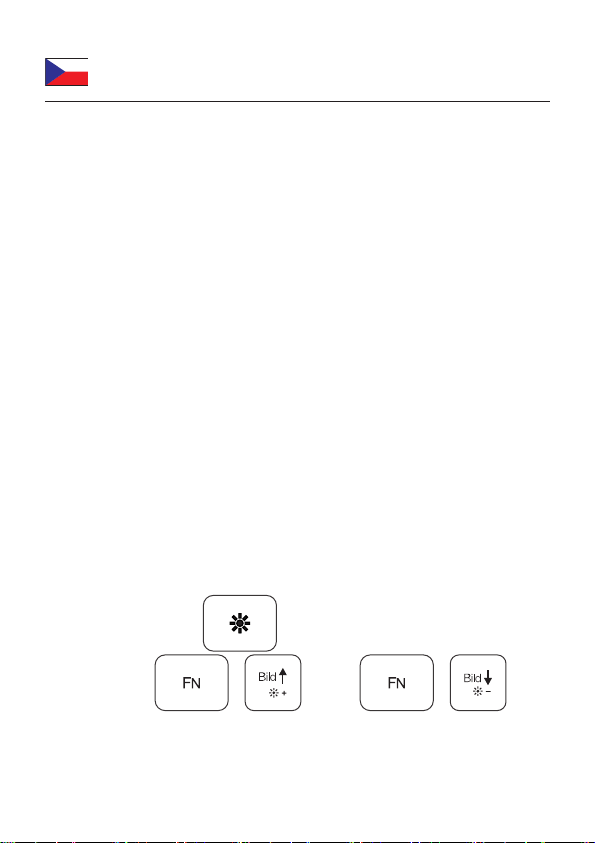
2. Haga clic en el botón para encender o apagar la iluminación.
3. Haga clic en + o + para
establecer el nivel de brillo de la iluminación.
-8-
České
Specikace
• Konektor: 1 x USB 2.0 Typ-A samec
• RGB osvětlení: 1 x tlačítko zapnutí / vypnutí Pevný gradient barev
(zelená - modrá - růžová - červená) Tlumení po třech krocích
• Rozvržení: němčina, QWERTZ
• Klávesy: multimediální klávesy F1 - F12
• Indikátor LED: zamykání kláves / velká písmena / posuv
• 2 x nastavitelné stojany
• Plug & Play
• Délka kabelu: cca. 1,5 m
• Rozměry (DxŠxV): cca. 439,93 x 131,10 x 26,74 mm
• Barva: černá
Systémové požadavky
• Linux Kernel 3.16 nebo vyšší
• Windows 7/7-64/8.1/8.1-64/10/10-64
• PC nebo notebook s volným USB Typ-A portem
Obsah balení
• Klávesnice
• Uživatelská příručka
Bezpečnostní pokyny
• Chraňte produkt před vlhkostí
• Chraňte produkt před přímým slunečním světlem
Instalace
1. Připojte USB kabel klávesnice k dostupnému portu USB Typu-A na svém
počítači.
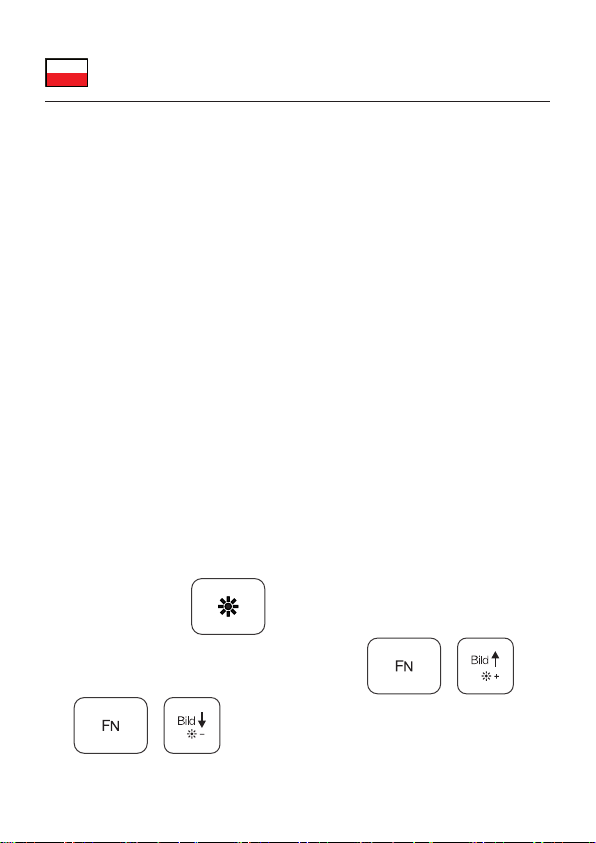
2. Kliknutím na tlačítko můžete zapnout nebo vypnout osvětlení.
3. Kliknutím na + nebo na +
můžete seřizovat jas osvětlení.
-9-
Polsku
Specykacja
• Złącze: 1 x USB 2.0 Typ-A męski
• Oświetlenie RGB: 1 x przycisk włączenia / wyłączenia Silny gradient barw
(zielony - niebieski - różowy - czerwony) Przyciemnianie 3 kroki
• Układ: niemiecki, QWERTZ
• Klawisze: Klawisze Multimediów F1 - F12
• Wskaźnik LED: tryb numeryczny / caps / scroll
• 2 x podstawka
• Plug & Play
• Długość kabla: ok. 1,5 m
• Wymiary (DxSxW): ok. 439,93 x 131,10 x 26,74 mm
• Kolor: czarny
Wymagania systemowe
• Linux Kernel 3.16 lub nowszy
• Windows 7/7-64/8.1/8.1-64/10/10-64
• Komputer osobisty lub laptop z wolnym portem USB Typ-A
Zawartość opakowania
• Klawiatura
• Instrukcja obsługi
Instrukcje bezpieczeństwa
• Produkt należy zabezpieczyć przed wilgocią
• Produkt należy zabezpieczyć przed bezpośrednim światłem słonecznym
Instalacja
1. Podłączyć kabel USB do klawiatury i wolnego portu USB Typ-A komputera.
2. Kliknąć w przycisk aby wyłączyć podświetlenie.
3. Aby zmienić natężenie podświetlenia kliknąć w + lub
+ .

-10-
Italiano
Speciche
• Connettore: 1 x USB 2.0 Tipo-A maschio
• Illuminazione RGB: 1 x pulsante di accensione / spegnimento Gradiente di
colore rigido (verde - blu - rosa - rosso) Dimmerabile in 3 passaggi
• Layout: tedesco, QWERTZ
• Tasti: Tasti multimediali F1 - F12
• Indicatore LED: blocco tastierino numerico / lettere maiuscole / scorrimento
• 2 x supporti regolabili
• Plug & Play
• Lunghezza cavo: ca. 1,5 m
• Dimensioni (LxPxA): ca. 439,93 x 131,10 x 26,74 mm
• Colore: nero
Requisiti di sistema
• Linux Kernel 3.16 o superiore
• Windows 7/7-64/8.1/8.1-64/10/10-64
• PC o laptop con porta USB Tipo-A libera
Contenuto della confezione
• Tastiera
• Manuale utente
Istruzioni per la sicurezza
• Proteggere il prodotto dall'umidità
• Proteggere il prodotto dalla luce solare diretta
Installazione
1. Collegare il cavo USB della tastiera a una porta USB di Tipo-A disponibile
del proprio computer.
2. Fare clic sul pulsante per accendere o spegnere l'illuminazione.
3. Fare clic su + o + per impostare
il livello di luminosità dell'illuminazione.
Indice
Lingue:
Altri manuali DeLOCK Tastiera


