
Duplo DF-755 Manuale utente

Instruction Manual
Provided By
http://www.MyBinding.com
http://www.MyBindingBlog.com
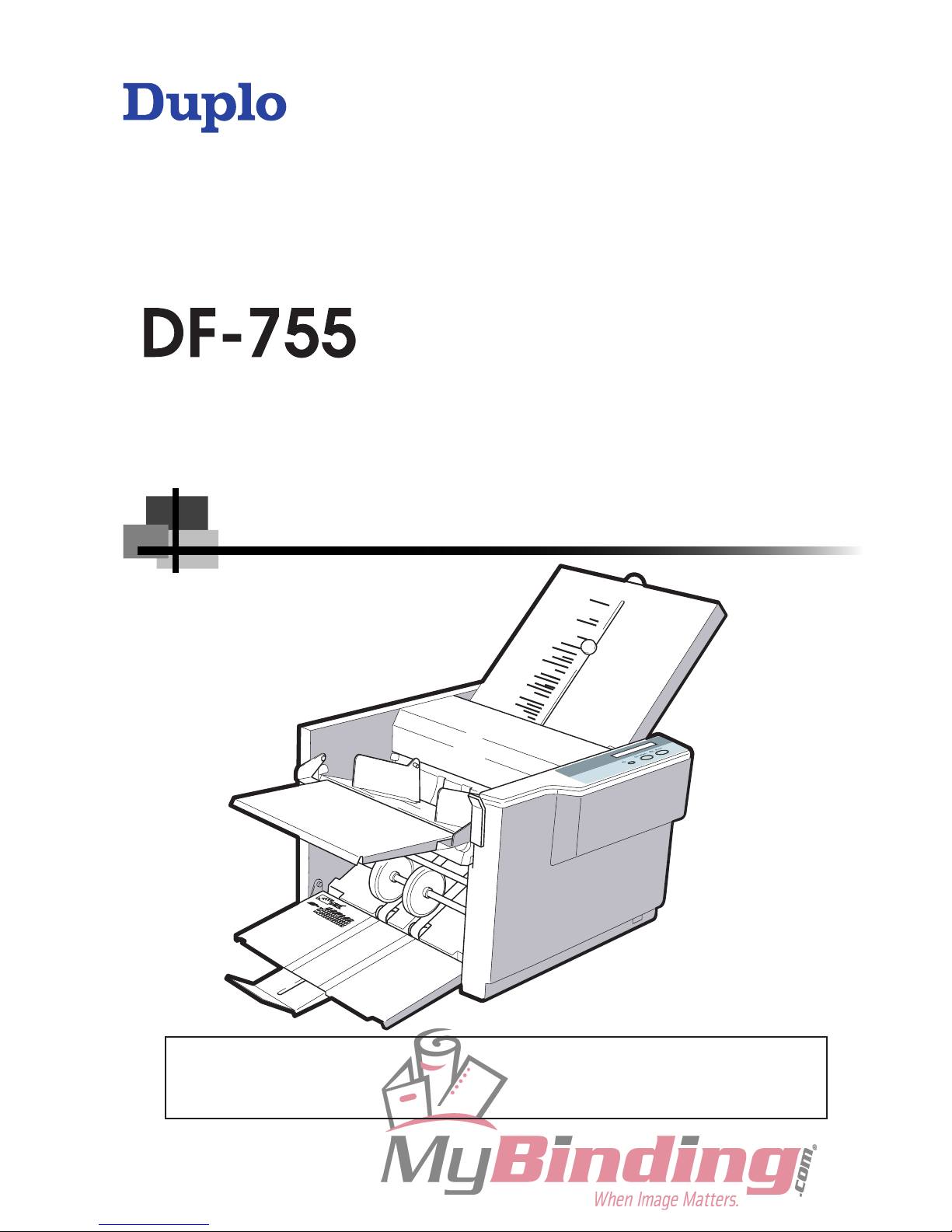
INSTRUCTION MANUAL
Be sure to read this manual prior to use.
Please leave this manual at the site of use for easy reference.
Duplo Folder
[120 V]

“This equipment has been tested and found to comply with the limits for a Class B digital device,
pursuant to Part 15 of the FCC Rules. These limits are designed to provide reasonable protection
against harmful interference in a residential installation. This equipment generates, uses and can
radiate radio frequency energy and, if not installed and used in accordance with the instructions, may
cause harmful interference to radio communications. However, there is no guarantee that interference
will not occur in a particular installation. If this equipment does cause harmful interference to radio
or television reception, which can be determined by turning the equipment off and on, the user is
encouraged to try to correct the interference by one or more of the following measures:
–Reorient or relocate the receiving antenna.
– Increase the separation between the equipment and receiver.
– Connect the equipment into an outlet on a circuit different from that to which the receiver is
connected.
–Consult the dealer or an experienced radio/TV technician for help.“

3
Introduction
Thank you for purchasing a Duplo product.
Be sure to read this manual prior to using the product.
After reading, leave the manual at the site of use for easy reference whenever questions related to the
product arise in the future.
Symbols
In this manual, several symbols are used to indicate important warnings. Please make sure to read
instructions accompanied by these symbols. These symbols have the following
meanings.
Describes instructions which must be followed in use.
Be sure to read the instructions to avoid problems due to incorrect operations.
Indicates supplementary or useful information.
Describes names of related items and supplementary instructions.
Trademark
The product name and company name used in this manual are trademarks or registered trademarks
of the respective companies.

i
Safety Precautions
In this manual, operations and handling of the unit which are hazardous are described using the
following marks to prevent personal injury or property damage to the user and others.
Ignoring this mark could result in the possibility of
serious injury or even death.
Ignoring this mark could result in the possibility of injury
or physical damage.
This mark indicates a “Warning” or “Caution”.
A graphic may be shown inside the mark to describe the warning or caution more specifically.
This mark indicates a forbidden action.
A graphic may be shown inside the mark to describe the forbidden action more specifically.
This mark indicates actions that must be performed.
A graphic may be shown inside the mark to describe the action to be performed more specifically.
Power Supply
● This unit shall be installed near the socket-outlet where the plug on the power supply cord is easily
accessible.
● Make sure the power supply used is always within the following range.
Power supply : 120 V AC, 60 Hz
● When you power other appliances from the same AC outlet, make sure that the combined power
consumption does not exceed the power supply capacity.
Rated current (Rated power) : 0.85 A
● The equipment must be reliably connected to an earthed main socket-outlet.
Use only the power supply voltage specified on the main nameplate.
Using other voltages could result in a fire or an electrical shock.
Make sure that the combined power consumption of the appliances to be
connected does not exceed the capacity rating of the power outlets or plug
receptacles.
Exceeding the capacity rating could cause the power outlets, plug receptacles, or power extension
cords to overheat and catch a fire.

ii
Safety Precautions
Operating Environment
Operate this unit in the following environment.
● where the temperature range is between 41 and 95°F (14 to 122°F in storage)
● where the humidity range is between 20 and 85% RH (10 to 90% RH in storage, however no
condensation)
● which is not subject to direct sunlight
● which is reasonably free from dust
● which is subject to little or no vibration
● which is free from air-borne salt
● where there are no harmful chemicals
● where the unit is not exposed to water
Keep this unit and the power cord away from heaters and heater vents.
Excessive heat could melt the cover or power cord covering, and result in a fire or an electrical shock.
Do not place metal objects or vessels containing liquids on top of the unit.
The entry of any metal object or liquid could result in a fire or an electrical shock.
Do not insert any metal or easily-combustible object inside this unit.
This could result in a fire or an electrical shock.
Do not use flammable sprays inside or near the unit (e.g. when cleaning the
unit).
Such flammable gas may ignite and cause a fire or combustion.
Do not install this unit in a location where there is excessive humidity or where
contact with water is possible.
Poor choice of location could result in deterioration of the insulation, a fire or an electrical shock.
Install this unit on a level, stable stand or floor, with sufficient space around it.
Failure to do so could result in the unit overturning and causing injury.
Disconnect the power plug from the power outlet before attempting to move
this unit.
Failure to do so could result in power cord damage, a fire or an electrical shock.
Always disconnect the power plug from the power outlet when the unit is not
to be used for an extended period.
Failure to do so could result in a fire due to leakage current if the insulation should deteriorate.

iii
Safety Precautions
Maintenance / Other
Do not damage the power cord or power plug.
Do not scratch, alter, bend, twist, pull or place heavy objects on the power cord or power plug.
This could result in damage, a fire or an electrical shock.
Do not touch the power switch with wet hands.
Otherwise electric hazards may occur.
Do not remove the cover or back panel.
This unit contains high-voltage components that could cause an electrical shock.
Do not disassemble, modify or repair this unit.
There is a danger of fire, electrical shock or injury.
Contact your dealer when repairs are necessary.
If any foreign object such as metal or liquid should enter this unit, immediately
turn the unit off at the power switch and disconnect the power plug from the
power outlet.
Failure to do so could result in a fire or an electrical shock.
Contact your dealer immediately.
Before cleaning this unit, turn the unit off at the power switch and disconnect
the power plug from the power outlet.
Accidental operation of the unit during cleaning could result in injury.
Remove any dust that accumulates on the power plug prongs and the surface
of the plug from which the prongs extend.
Accumulated dust could result in a fire.
Always grip the plug when disconnecting the power plug from the power
outlet.
Forcibly pulling on the power cord could cause damage, resulting in a fire or an electrical shock.
Do not touch or insert foreign objects into any rotating part during operation.
This could result in injury.

iv
Safety Precautions
WARNING / CAUTION Labels
"WARNING" and "CAUTION" labels are pasted on the machine to ensure user safety.
Do not remove or change them.
When the labels become dirty or are lost, be sure to contact your dealer for a new one.
When changing a huse, make
sure that the fuse rating is same
as that indicated on this label.

v
Contents
Introduction ................................................3
Safety Precautions .....................................i
Power Supply ...................................................... i
Operating Environment .......................................ii
Maintenance / Other ...........................................iii
WARNING / CAUTION Labels ...........................iv
Chapter 1
BEFORE OPERATION
1. Features .............................................1-2
2. Setting Up the Machine ....................1-3
2-1. Components .......................................... 1-3
2-2. Removing the Press Release Lever ...... 1-3
2-3. Locking the Bearing Support Levers ..... 1-4
2-4. Attaching the Parts ................................ 1-5
3. Names and Functions ......................1-7
4. Describing Control Panel .................1-9
5. Handling Paper ...............................1-10
5-1. Paper Used ......................................... 1-10
5-2. Precautions on Stacking Paper ........... 1-10
6. Emergency Stop .............................1-12
Chapter 2
BASIC OPERATION
1. Standard Folding of Standard
Paper ..................................................2-2
1-1. Standard Paper ..................................... 2-2
1-2. Standard Folding ................................... 2-2
1-3. Operation Procedures ........................... 2-3
Chapter 3
ADVANCED OPERATION
1. Single Folding of Standard Paper ...3-2
1-1. Single Folding Thick Paper ................... 3-2
1-2. Double Folding Thick Paper .................. 3-4
1-3. Double Folding Small Thin Paper ......... 3-7
2. Custom Folding of Standard
Paper ................................................3-10
3. Standard Folding of
Non-Standard Size Paper ...............3-14
4. Cross Folding ..................................3-18
4-1. Cross Folding Standard Size Paper .... 3-18
4-2. Cross Folding Non-Standard Size
Paper ................................................... 3-23
Chapter 4
TROUBLESHOOTING
GUIDE
1. Correcting Folding Misalignment ....4-2
1-1. Correcting Folding Misalignment along
Vertical Length of Paper ........................ 4-2
1-2. Correcting Folding Misalignment along
Sides of Paper ....................................... 4-4
1.3 Correcting Deformed Folding ................ 4-5
2. Removing Jammed Paper ................4-6
2-1. When Paper Has Jammed Near
the Paper Feed Ring ............................. 4-6
2-2. When Paper Has Slipped at the Paper
Feed Section ......................................... 4-6
2-3. When Paper Has Coiled Around the
Rubber Roll ........................................... 4-7
2-4. When Paper Has Jammed at the First
Folding Plate ......................................... 4-8
2-5. When Paper Has Jammed at the
Second Folding Plate ............................ 4-9
2-6. When Paper Has Jammed Near the
Stacker ................................................ 4-10
3. Error Messages ...............................4-11
4. Troubleshooting ..............................4-12
Chapter 5
CLEANING THE UNIT
1. Cleaning Each Section .....................5-2
1-1. Cleaning the Rubber Roll ...................... 5-2
1-2. Cleaning the Paper Feed Rings ............ 5-3
1-3. Cleaning the Paper Separator ............... 5-4
1-4. Cleaning the Paper Sensor ................... 5-4
1-5. Cleaning the Ejection Gate Sensor ....... 5-5
1-6. Cleaning the Paper Ejection Belts
......... 5-5
Chapter 6 APPENDIX
1.
Specification .....................................6-2
Chapter 1
BEFORE OPERATION
Altri manuali per DF-755
1
Indice
Altri manuali Duplo Macchina piegatrice

Duplo
Duplo DF-980 Manuale utente

Duplo
Duplo DBM-70 Manuale utente

Duplo
Duplo DF-920 Manuale utente

Duplo
Duplo DBM-600 Manuale utente

Duplo
Duplo DF-505N Manuale utente

Duplo
Duplo DBM-120 Manuale utente

Duplo
Duplo DF-520 Manuale utente

Duplo
Duplo DF-999 Manuale utente

Duplo
Duplo DF-755 Manuale utente

Duplo
Duplo DF-920 Manuale utente


