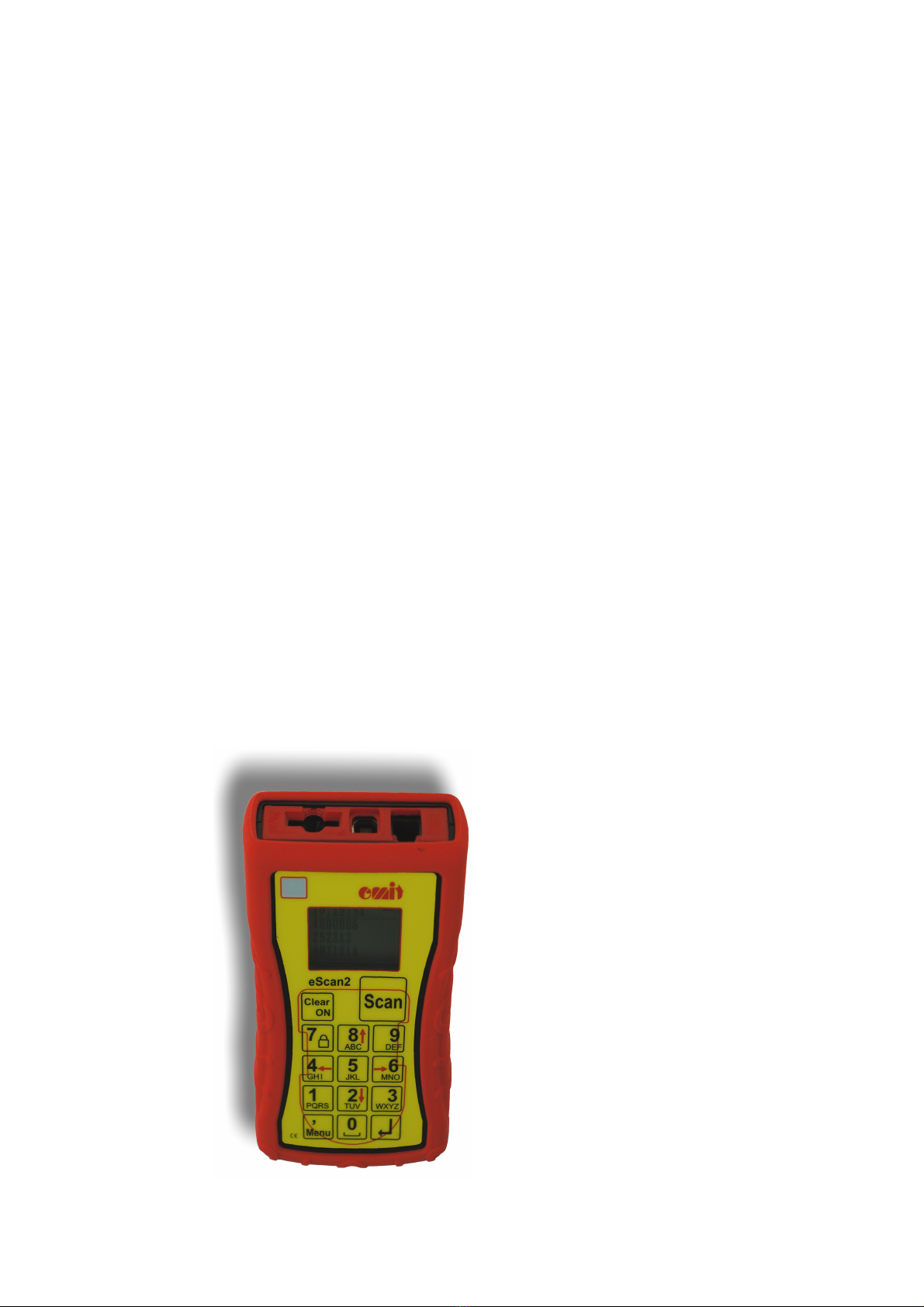
Reading emi ags
To read an emiTag, press the key marked 'Scan' while the eScan2 is held an
inch or two away from the tag. When a tag is successfully read eScan2 will
vibrate and emit a sound, as well as showing the tag number on the second top
line of the display (the line below the running time). If the printer is
connected, it will produce a printout, which looks like this:
Normal printout emiTags
Printout Explanation
Tag: 4161048 Tag nu ber
Version: 01.12 Tag's version nu ber
Date: 05.02.2021 Ti e: 12:49:50 Date and ti e for printout
e iTag II Type of e iTag
0 00:00:00 00:00:00 0 Start
1 00:01:37 00:01:37 116 Control no.1, split ti e fro
start to first control, used
ti e, control code for the
first control
2 00:03:33 00:05:10 133 Control no.2, split ti e fro
first to second control, used
ti e, control code for the
second control
3 00:08:29 00:13:39 146 Control no.3, split ti e fro
second to third control, used
ti e, control code for the
third control
…
8 00:01:24 00:50:05 90 Finish, ti e fro last control
to finish, finish ti e,
control code for the finish
control
Total ti e: 00:50:05
Reading e-cards
To read an e-card, place it on top of the eScan2, inside the field that is
marked with a thin red line. Upon successfullly reading, the eScan2 will vibrate
and emit a sound, as well as showing the e-card number on the second top line
of the display (the line below the running time). If the printer is
connected, it will produce a printout, which looks like this:
Normal printout e-cards
Utskrift Forklaring
Tag: 503806 Tag nu ber
Date: 05.02.2021 Ti e: 12:49:50 Date and ti e for printout
Production: Week 12 Year 17 Production week and year
E it EPT V6.00 Type of e-card
0 00:00:00 00:00:00 0 Start
01 00:01:37 00:01:37 116 Control no.1, split ti e fro
start to first control, used
ti e, control code for the
first control
02 00:03:33 00:05:10 133 Control no.2, split ti e fro
first to second control, used
ti e, control code for the
second control
03 00:08:29 00:13:39 146 Control no.3, split ti e fro
second to third control, used
ti e, control code for the
third control
… Up to 48 controls