
Fine Vu CR-300HD Manuale utente
1
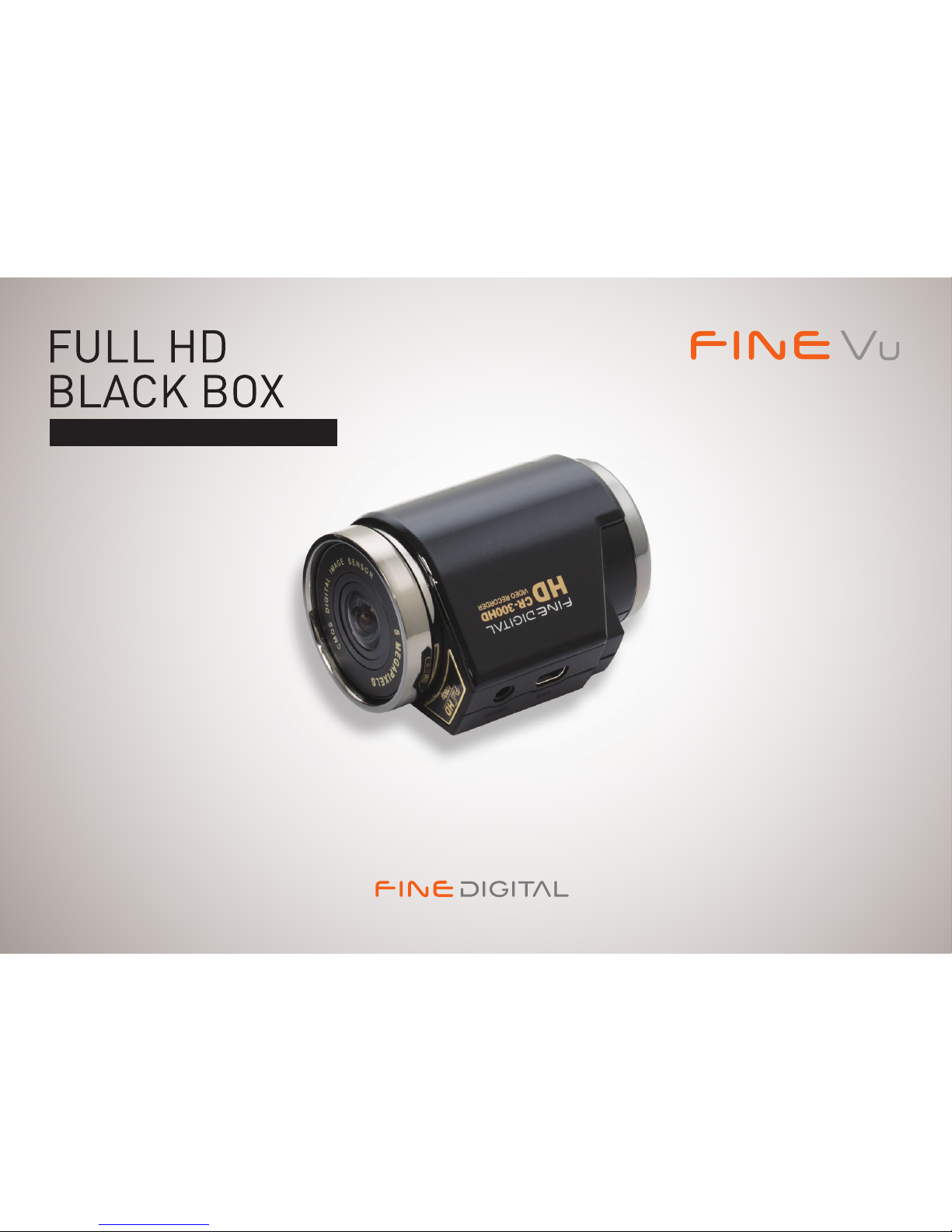
CR-300HD User Manual
Vehicle HD Video Recorder

2
Thank you for choosing the Finevu Car black box.
Before using the product, please read this manual carefully.
Finedigital has an on-going policy of upgrading its products and it may be possible that information in this document is not up-to-date.
Please visit the Finevu website (www.nevu.com) for current updates and the latest information.
Copyright and Trademark
No part of this document can be copied or reproduced in any form without written consent from Finedigital. Finevu is a trademark of
Finedigital Inc. and may not be used without the express permission of Finedigital. All trade names and trademarks are the properties
of their respective companies.
Certications
This product has been tested and found to comply with the limits for a Class A digital device pursuant to Part 15 of the FCC Rules. These
limits are designed to provide reasonable protection against harmful interference when the equipment is operated in a commercial
environment. This product generates, uses, and can radiate radio frequency energy and, if not installed and used in accordance with the
instruction manual, may cause harmful interference with radio communications.
Copyright © 2011, All Rights Reserved. UM-CR300HD-EN100

3
Safety and
Precautions
Warnings................................................... 4
Caution...................................................... 5
Notes.......................................................... 5
Features .................................................... 6
Components
and names
Components ........................................... 7
Accessories .............................................. 8
Names........................................................ 9
Installation
Finding an installation location.....10
Inserting the micro SD card
...............10
Installation ............................................11
Using the
product
Recording videos and taking
pictures ..................................................12
Viewing videos and pictures..........17
Settings
Memory management .....................21
Memory map .......................................22
Connecting the black box to PC ...23
Setup program....................................24
Advanced settings .............................25
Recording and
alarms
Recording..............................................26
Status alarms........................................27
Management Firmware upgrade..............................28
Cleaning and storage........................29
Troubleshooting ...................................................................30
Specications ...................................................................32
Contents

4
WARNING Breaching the following precautions may result
in serious personal injury or even death.
Power
xDo not use a damaged or modied power cable. Doing so
may cause explosion or re, and may result in personal injury
or damage to the vehicle.
xOnly use this product within the rated voltage. Failing to
do so may cause explosion or re, and result in personal
injury or damage to the vehicle.
xDo not connect the power cable arbitrarily. Doing so may
result in re or product failure.
Installation
xDo not use this product in a place where there is a danger
of exposure to high humidity or ammable liquids or
gases. Doing so may result in explosion or re.
xDo not leave the black box in a place with a high
temperature, such as in the closed vehicle or in direct
sunlight. Doing so may result in re or product failure.
xEnsure that you install the product in a position where
it won't obstruct your view. Doing so could cause a car
accident.
xPlug the USB and video cables in properly. Failure to do so
may result in re or product failure.
Use
xDo not allow the product to come into contact with
ammable and explosive liquids or gases. Doing so may
result in explosion or re.
xDo not allow metal or ammable substances to get into
the memory card slot or cord outlet of your black box. This
may result in electric shock or re.
xDo not operate the product with wet hands. This may
result in electric shock.
xDo not leave the product or its accessories within reach
of children, since they may swallow small components.
Doing so may result in serious personal injury or death.
xDo not cover the black box with a cloth or a blanket while
in use. Continuous heating may cause re or product
failure.
xDo not operate the black box while driving. It could cause
a car accident.
Safety and Precautions

CR-300HD User Manual
5
Installation
xDo not connect the uninterrupted power supply
arbitrarily. It may result in vehicular or product failure.
Make sure to consult an expert for installation.
Use
xDo not apply excessive force to the black box and the lens.
Doing so may result in product failure.
xDo not use an awl or a sharp object when using the black
box. Doing so may result in product failure.
xDo not spray water or wax directly onto this product.
Doing so may result in electric shock or product failure.
xWhen you use the black box for an extended period of
time, the internal heat it generates may cause your skin to
burn at the contact area if touched.
xDo not disassemble or modify this product arbitrarily.
Doing so may cause breakage of the product or data loss.
Consult the A/S center for inspection and repair of the
product.
Management
xDo not leave the product or its accessories within reach
of a pet. Foreign objects could get into the inside of the
product, and cause an explosion or product failure.
xDisconnect the power cable if you are not using the
product for an extended period of time. Failure to do so
may result in re or product failure.
xDo not move the product while the cigar jack cord or
cables are plugged in. This may result in re or electric
shock.
Notes
xThe specications and user manual of this product
are subject to change without notice to improve its
performance.
CAUTION Breaching the following precautions may
result in personal injury or property damage.

6
Features
Clear video quality
x16:9 widescreen and full HD video recording
xHD still image capture
x5 megapixels digital CMOS image sensor
xHigh resolution, 112° horizontal wide angle camera lens
xAdjust the brightness of the video in 3 levels at night
Various recording modes
xNormal recording while driving
xShock recording while driving
xShock recording while parking
xMotion detection recording while parking
xRecording with the built-in/external battery
xEmergency recording
xTaking pictures
Recording while parking
xDetection feature to prevent the vehicle battery from
discharging
Voice recording and audio output
xVivid audio recording with a high sensitivity microphone
xClear sound output with a speaker
Built-in battery
xEven when the ignition is turned o, the built-in battery
enables the black box to record video (max. 4 mins)
xThe built-in battery supplies power to the RTC (Real
Time Clock): You can set the system time with the setup
program after connecting the black box to the PC.
Video display for adjusting the recording angle
xUse this feature when adjusting the recording angle after
initial installation.
Easy installation
xAlways recording in the correct direction by automatically
changing the image orientation no matter where it is
installed
xEasy removal of the black box from the mount
Quick and easy connection to the PC
xDirect connection with the black box via the USB port
xAuto recognition of USB storage devices
xSetup program provided (for Windows only)
xPlay video with a normal video player
Expand memory
xYou can easily expand the memory using an external
memory card (16 GB/ 32 GB micro SD)
Memory management
xYou can allocate memory space for each recording mode.

7
Components
ÚThe components of this product are subject to change without notice in order to improve its performance.
2 pieces of double-sided tape
for the installation of the mount
CR-300HD
Video output cable
(2m, 4-pole to RCA)
USB cable (1.2 m)
Mount
5 clips for arranging cables
Cigarette jack cord (4 m)
USB SD card reader
(optional)
micro SD card adapter
micro SD card
Components and names

Features
8
Accessories
Note
All accessories are available from the store where you purchased the product.
USB SD card reader Video output cable
4-pole to 4-pole Power adapter Polarizing lter External USB
battery pack
CR-300HD User Manual
9
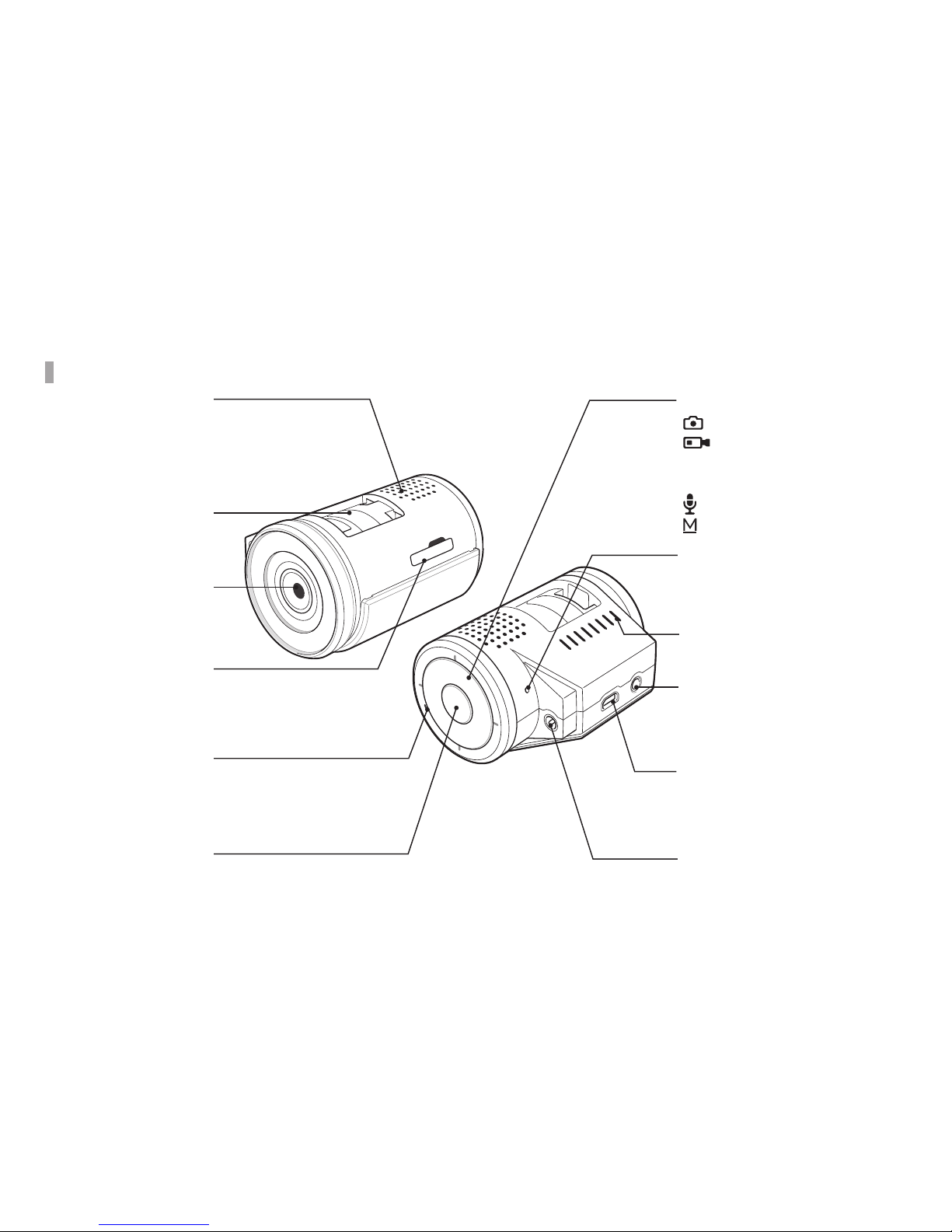
Names
Power button
Press this button when using
the built-in battery.
Speaker
Alerts you to the operating
status of the product with
alarms and voice.
Mount connection area
Slot the mounting bracket into
the mount connection area.
Camera lens
Take a picture or record video.
Memory card slot
Insert the Micro SD card.
Microphone
A built-in microphone records
sounds.
Power jack (DC 12 V)
Insert the power cable (cigarette
jack cord).
USB port
Lets you change the settings when
it is connected to a PC, and is used
when you play recorded video or
when you move it to a storage device.
External output port
View video in real-time. (Used for
adjusting the recording angle after
installation of the product)
Ventilation hole
Dissipates heat generated by the
product.
Reset button
Reboot the product by pressing this
button when it stops functioning
(when the LED does not ash).
Function buttons
: Takes pictures
: Short press: access
emergency recording, Long
press: access Playback mode
: Voice recording ON/OFF
: Switches to Parking mode

10
Installation
Finding an installation location
xIt is recommended to install the product on the front
windshield, to the left or right of the rearview mirror.
xYou can also install it on the dashboard.
xYou can also install it on the rear windshield.
Inserting Micro SD card
Note
Insert the Micro SD card with the golden contact area facing upwards.
Note
Install the product in a position where it won't obstruct the driver's
view.
Indice
Altri manuali Fine Vu Telecamera da cruscotto


