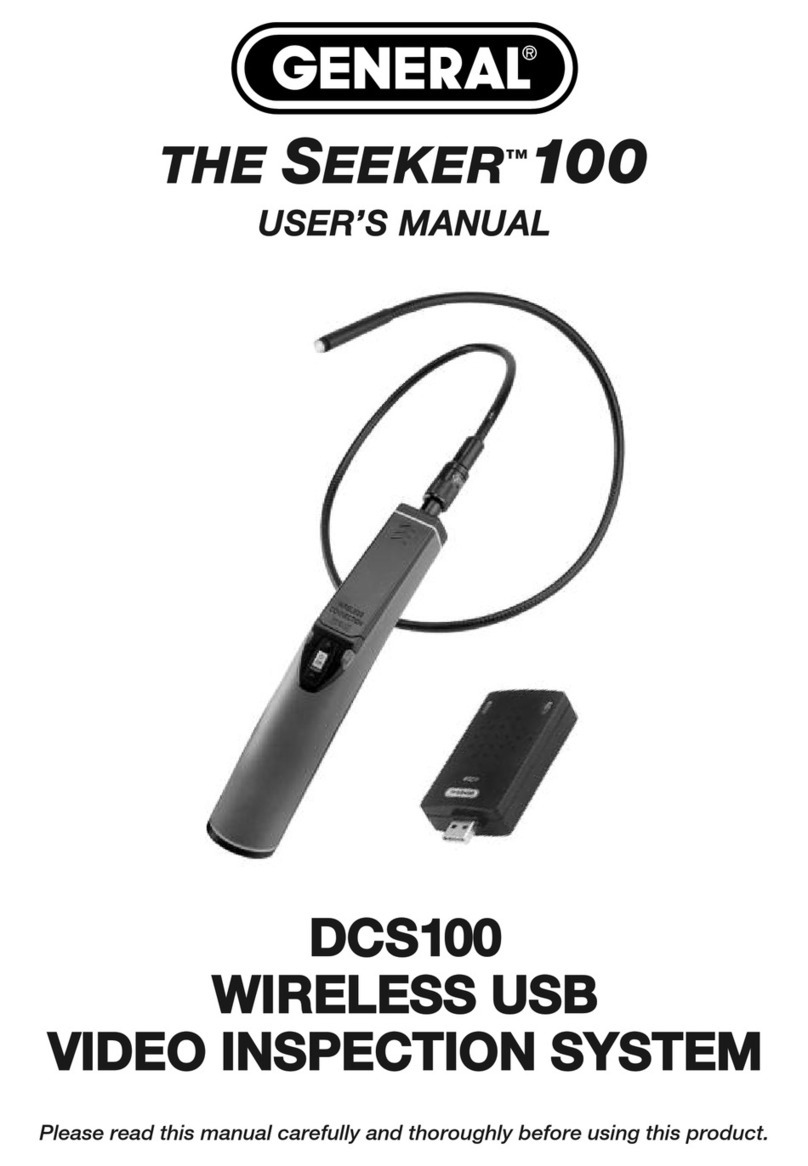
General DCS660A Manuale utente

TABLE OF CONTENTS
Introduction . . . . . . . . . . . . . . . . . . . . . . . . . . . . . . . . . . . . . . . 3 –4
Key Features . . . . . . . . . . . . . . . . . . . . . . . . . . . . . . . . . . . . . . . . . 4
Safety Instructions . . . . . . . . . . . . . . . . . . . . . . . . . . . . . . . . . . . . . 5
hat’s in the Case . . . . . . . . . . . . . . . . . . . . . . . . . . . . . . . . . . . . . 5
Product Overview. . . . . . . . . . . . . . . . . . . . . . . . . . . . . . . . . . . 6 –7
Setup Instructions . . . . . . . . . . . . . . . . . . . . . . . . . . . . . . . . . 8 – 11
Install Batteries . . . . . . . . . . . . . . . . . . . . . . . . . . . . . . . . . 8 –9
Attach Probe . . . . . . . . . . . . . . . . . . . . . . . . . . . . . . . . . . . . . . 9
Attach Video Cable (Optional) . . . . . . . . . . . . . . . . . . . . . . . . 10
Installing Accessories . . . . . . . . . . . . . . . . . . . . . . . . . . 10 – 11
Operating Instructions . . . . . . . . . . . . . . . . . . . . . . . . . . . . . 11 – 16
Viewing Real-Time Video. . . . . . . . . . . . . . . . . . . . . . . . 11 – 12
Recording and Viewing Videos and Pictures . . . . . . . . . 12 – 15
Taking Pictures and Recording Videos . . . . . . . . . . 12 – 13
Viewing and Deleting Saved Videos and Pictures . . 14 – 15
Using the Setting Submenu. . . . . . . . . . . . . . . . . . . . . . . . . . 16
Specifications. . . . . . . . . . . . . . . . . . . . . . . . . . . . . . . . . . . . . . . . 17
Operating & Maintenance Tips . . . . . . . . . . . . . . . . . . . . . . . . . . . 17
Optional Probes . . . . . . . . . . . . . . . . . . . . . . . . . . . . . . . . . . . . . . 18
arranty Information . . . . . . . . . . . . . . . . . . . . . . . . . . . . . . 18 – 19
Return for Repair Policy . . . . . . . . . . . . . . . . . . . . . . . . . . . . . . . . 19

INTRODUCTION
Thank you for purchasing eneral Tools & Instruments’ ( eneral's) DCS660A or DCS665
Wet/Dry Recording Video Inspection System. Please read this user’s manual carefully and
thoroughly before using the instrument.
The DCS660A and DCS665 are two of only four video inspection systems on the market with
an IP67 waterproof grip and monitor as well as an IP67 waterproof camera-tipped probe. The
other two systems are eneral's DCS600A and DCS605, non-recording (real-time) versions of
the DCS660A and DCS665.
The only differences between the DCS660A and DCS665 are the diameter and depth of field of
their probes. The DCS660A comes with an 8mm diameter, 1m (3.3 ft.) long, far-focus probe
with a depth of field of 2.4 in. to 10 ft. (60mm to 3m). The DCS665 comes with a 5.5mm
diameter, 1m (3.3 ft.) long, close-focus probe with a depth of field of 1.2 to 2.4 in. (30 to
60mm). The remainder of this manual refers to either system as "the Recording Wet/Dry
Scope" or simply “the scope”.
The Wet/Dry Scope’s water tightness makes the system ideal for plumbing-related tasks like
inspecting water or sewer lines carrying running water. The system also can be used to
inspect parts of boats, ships or bridges just below the surface. Because the entire unit is
impervious to water you can use it freely around water without worrying about accidentally
“dunking” the grip and monitor. No other camera scope with an integral monitor—other than
the DCS600A or DCS605—is completely watertight.
Operated in real-time video mode, the Recording Wet/Dry Scope uses only three control
buttons to execute five functions (powering on/off, 1 to 4X zoom, increasing and decreasing
brightness, and inverting the field of view), making it very easy to learn to use. Video within the
probe’s field of view is displayed on a large, crystal-clear 3.5 in. (89mm) diagonal color LCD.
Alternatively, video can be viewed on an NTSC- or PAL-format television by plugging an
included A/V cable into a jack on the side of the scope’s monitor.
The scope’s recording capabilities make it possible to document—with high-resolution videos
and images—what the probe “sees.” Pressing the front-panel button stores either a
still image or an AVI video (depending on how you configure the button) of the probe's field of
view on a 4 B MicroSD memory card supplied with the system. The same button is used to
view (play back) recorded images and videos on the unit’s LCD. Alternatively, recorded images
and videos can be viewed on a larger screen by ejecting the SD card and plugging it into a
laptop or desktop PC, or by connecting the scope to a PC via the included USB cable.
The scope’s recording functions are controlled by a familiar menu-driven interface. Behind the
front-panel MENU button is a hierarchical control structure that lets you:
• Set the current date and time
• Set the video frame rate to 20, 25 or 30 frames per second (fps)
• Format the MicroSD card
• Choose NTSC or PAL compatibility for video sent to a TV monitor
• Choose English, erman, Spanish, French or Dutch as the language of on-screen menus
and prompts 3

The Recording Wet/Dry Scope and its accessories are packaged in a hard plastic protective
case along with this user’s manual. The unit is powered by four “AA” batteries, which are not
included.
KEY FEATURE
• Makes it possible to inspect water and sewer lines carrying running water. Other
“waterproof” inspection systems lack watertight grips and monitors
• Allows a diver or snorkeler to view inspection video under water in real time. Ideal for
marine search and rescue operations
• For plumbers and boat owners, eliminates concerns about accidentally dropping or
dunking grip or monitor in water
• rip, probe and monitor are guaranteed leakproof to depth of 1m; all three components
will also resist leaks at depths up to 2m for short periods (1 hour, max)
• Includes 8mm (0.31 in.) or 5.5mm (0.22 in.) diameter, 3.3 ft. (1m) long camera-tipped
probe with adjustable LED lighting; longer, articulating and special-purpose optional
probes are available (see p. 18).
• Waterproof probe is flexible-obedient, meaning it retains its shape
• 3.5 in. (89mm) color LCD makes videos and images large and crystal-clear
• Video shown on LCD can be inverted 180° and/or zoomed up to 4X
• Video Out jack for connection to NTSC or PAL television
• Records high-resolution videos and still images with date and time stamps on MicroSD
memory card
• Recorded media can be played back on monitor, or uploaded to a PC via MicroSD card
or USB cable for viewing on a larger screen
• Selectable video frame rate
• 30-minute Auto Power Off (APO) function extends batteries' life
• Delete files individually or in bulk
• Choice of five menu languages
• Custom hard plastic carrying case
• Includes three probe tip accessories (45° mirror, pickup hook and magnetic pickup),
4 B MicroSD card, and USB and video cables
• One-year warranty
• Powered by four “AA”batteries (not included)
4

5
AFETY IN TRUCTION
• Do not use the Wet/Dry Scope to inspect environments known or suspected to contain
exposed electrical wiring.
• Do not use it in the presence of flammable or explosive gases.
• Read and understand all of the instructions in this manual before using the system.
• Stay alert, watch what you are doing, and use common sense. A moment of distraction
can result in serious personal injury.
• Do not over-reach. Keep proper footing and balance at all times, especially where water is
underfoot.
• Always use protective eyewear. A dust mask, non-skid safety shoes, a hard hat or hearing
protection may also be appropriate for certain inspection environments and tasks.
• Do not use the system to perform medical inspections.
WHAT’ IN THE CA E
The Recording Wet/Dry Scope and its accessories come in a custom molded plastic case. The
scope itself has two main components: a pistol grip permanently connected to an LCD monitor,
and a 1m long, 8mm or 5.5mm diameter flexible-obedient camera-tipped probe. Also in the
case is a large Ziploc plastic bag containing:
• Three probe tip accessories (a 45° mirror, a pickup hook and a magnetic pickup) in their
own small Ziploc bag
• A 4 B MicroSD memory card
• A USB cable with a mini B-type plug at one end and an A-type (full-size) plug at
the other
• A composite video cable with a black mini-plug on one end and a yellow RCA plug on
the other
• This user’s manual and a QuickStart uide

1
18
17
16
14
13
15
12
11
10
9
8
7
6
2
3
4
5
®
PRODUCT OVERVIEW
Fig. 1 shows the labels and positions of the controls and connectors on the front panel, top,
bottom and right side of the Recording Wet/Dry Scope. Familiarize yourself with the controls’
functions before moving on to the Setup Instructions.
6
1. Camera head
2. 1m long, 8mm or 5.5mm diameter flexible-obedient
probe
3. Analog video out jack
4. MicroSD card slot
5. Mini USB jack
6. Battery compartment cover screw
7. Battery compartment cover
8. Battery compartment
9. (Power on/off) button
10. multi-function button. Function depends on
operating mode (see table on facing page).
11. multi-function button. Function depends on
operating mode (see table on facing page).
12. multi-function button. Function depends on
operating mode (see table on facing page).
13. MENU multi-function button. Function depends on
operating mode (see table on facing page).
14. 3.5 in. diagonal color LCD
15. Low battery LED (flashes red when batteries’ charge
is low)
16. Power on LED (steady green)
17. Triangular hanger hook
18. Probe connector
ACCE ORIE IN THE CA E
19 or 19A. 45° mirror
20 or 20A. Pickup hook
21 or 21A. Magnetic pickup
22. A/V cable
23. USB cable
24. 4 B MicroSD card
Fig. 1. The Recording
Wet/Dry cope’s
controls, connectors
and accessories
19 2021 22
23
24
FACEPLATE
19A
21A
20A

The Recording Wet/Dry cope’s multi-function controls
7
Real-Time
Viewing
mode
Enters Main
Menu mode
Pressed briefly,
reduces brightness
of camera lighting
LEDs.
Pressed and held,
zooms field of view
from 1X to 4X in 1X
steps and then
returns to 1X
oes up one
hierarchical menu
level. At highest
level, exits
Playback mode
and enters
Real-Time Viewing
mode
Pressed briefly,
increases
brightness of
camera lighting
LEDs. Pressed
and held, inverts
field of view (only
on LCD; function
not available with
A/V cable
inserted)
Takes a picture
or starts/stops
recording a video
clip (depending on
icon displayed at
upper left of LCD)
Playback
mode
Selects next-
oldest photo or
video
Pressed briefly,
pauses/resumes
video playback.
Pressed and held,
offers option to
delete selected
photo or video file,
or all saved photo
and video files
Menu
modes
oes up one
hierarchical menu
level. At highest
level, exits
Playback mode
and enters
Real-Time Viewing
mode
Selects next-
newest photo or
video
Selects highlighted
menu item.
In Time/Date
submenu, saves
value of flashing
field and begins
flashing field to its
right
Highlights one
menu item higher
on list.
In Time/Date
submenu,
increments value
of flashing field.
Highlights one
menu item lower
on list.
In Time/Date
submenu,
decrements value
of flashing field
MENU
button button button button

ETUP IN TRUCTION
INSTALL BATTERIES
The scope’s battery compartment is accessible from the bottom of the pistol grip
(Fig.1, Callout 8).
To open the battery compartment,
1. Use a Phillips-head screwdriver to turn the screw securing the compartment’s cover
(Fig. 1, Callout 6) counterclockwise until the head of the screw pops up, flush with the
surface. It is not necessary to remove the screw.
2. Turn the cover slightly counterclockwise (about 2°) to release it from the grip
(see figure below). Set the cover (still holding the screw) aside.
3. Extract the battery magazine from the grip by pulling on the tab at its end (see left
figure below).
4. Load four “AA” batteries into the magazine, using the polarity markings within it as a
guide (see right figure below).
5. Push the loaded magazine back into the grip (it fits only one way).
6. Retrieve the battery compartment cover and position it 2° left of center, relative to the
bottom of the grip.
7. Pressing on the cover, twist it 2° clockwise until it “catches” the grip housing.
8. Turn the Phillips-head screw clockwise until it is tight, with its head below the surface.
8

Notes:
1. Make sure your hands are completely dry before opening the battery compartment.
2. Take extra care to properly secure the cover of the battery compartment after installing
batteries. The battery compartment is one of three places where water could enter the
scope, potentially causing irreversible damage. The other two places are the connection
between the camera-tipped probe and the grip, and the waterproof door protecting the
Video out and USB jacks and MicroSD card slot. The remainder of this section explains
the proper procedures for maintaining water tightness at these points.
ATTACH PROBE
The probe must be attached to the grip or the LCD will show a blank screen.
To attach the probe,
1. Slide the metal collar of the grip’s coupling back until it touches the rubber boot on the
grip’s housing.
2. Line up the alignment key on the probe connector with the flat on the coupling (see
photo below).
3. Push the two ends together until they mate.
4. Tighten the connection by turning the collar in the direction opposite that indicated by
the REMOVE arrow on the collar. Double-check the tightness of the connection; if it is
not tight, water may enter the system later and ruin it.
To detach the probe, perform the attachment procedure in reverse. To loosen the connection
between the two components, turn the collar in the direction indicated by the REMOVE arrow.
9
Flat on
grip coupling
Alignment key on
probe connector
Rubber boot Metal collar

ATTACH VIDEO CABLE (OPTIONAL)
If you wish to view real-time video captured
by the scope’s probe on an NTSC- or
PAL-format television, insert the mini-plug
end of the supplied video cable into the
Video jack on the right side of the monitor
(Fig. 1, Callout 3). Plug the yellow RCA
connector at the other end of the cable
into the television’s “Video In” jack.
However, be aware that using the video
cable exposes the scope’s monitor to water
damage because doing so requires leaving
the waterproof door on the right side of the
grip open. With the video cable attached,
you can still use the probe to perform underwater inspections. But if you accidentally “dunk”
the unit, it will be permanently damaged. Such “accidental damage” is specifically NOT
covered by the Recording Wet/Dry Scope’s limited warranty (see p. 18).
To access the Video jack, open the waterproof door covering it (see top photo above) by using
your thumb to push the spring-loaded latch on the door up. Without removing your thumb, use
it to slide the door to the right. Once you see the metal of the door’s hinge at left, use your
index finger to flip the door open and expose the Video jack (see lower photo above), mini-USB
jack and MicroSD card slot.
When you are done using the video cable to view inspection video on a TV monitor, remember
to swing the door shut. The door is only secure and waterproof when you hear its spring-
loaded latch click.
INSTALLING ACCESSORIES
The DCS660A and DCS665 each come with three accessories (see left photos on next page) in
a Ziploc bag that attach to the camera-tipped end of the probe. Each accessory has a specific
purpose:
• The 45° mirror lets the probe see around corners.
• The pickup hook lets you retrieve otherwise inaccessible items seen by the probe—
for example, a wedding ring accidentally dropped down a sink drain.
• The magnetic hook lets you retrieve lost or dropped metal objects—nuts and bolts,
for example—located by the probe.
To attach an accessory to the DC 660A probe,
1. Hold its metal stem with your thumb and index finger.
2. Slide the accessory—plastic clasp first—past the camera head at the probe tip until
the clasp is centered on the segment that begins 1/4 in. from the end of the probe.
3. Squeeze the clasp until you hear a click (see top right photos on next page), indicating
that the two halves have joined.
10
Push latch up
Video jack
Mini-U B
jack Micro D
card slot
lide door
to the
right
Questo manuale è adatto per i seguenti modelli
1
Indice
Altri manuali General Strumento analitico

General
General DCS500 Manuale utente

General
General TS03 Manuale utente

General
General DCS200 Manuale utente

General
General Seeker 400 Series Manuale utente

General
General DCS2000 Manuale utente

General
General DPS16 Manuale utente

General
General SeaScope 600 Manuale utente

General
General GLDM25 Manuale utente

General
General LDM1 Manuale utente

General
General The Seeker DCS050 Manuale utente