
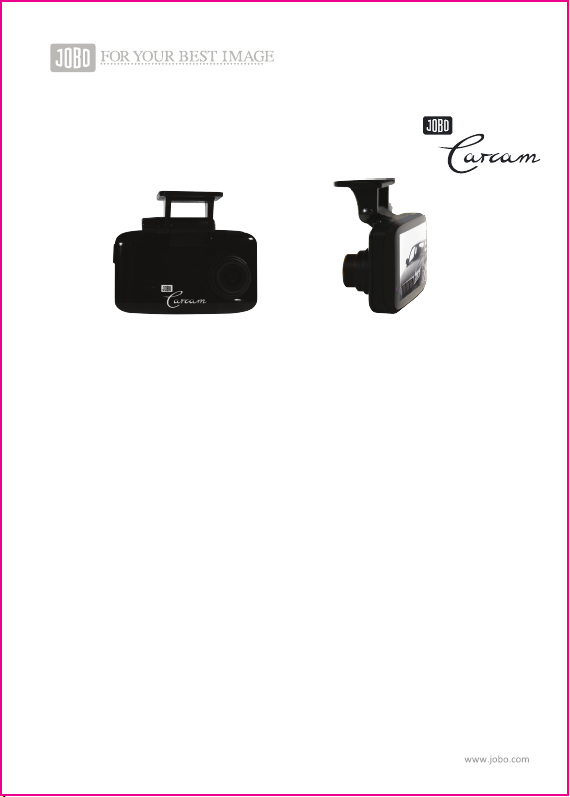
JOBO CARcam Manuale utente

Instrucon Manual

- 01 -
Instrucon Manual......................................................................................................02
Manuel d'ulisaon....................................................................................................08
Manuale di istruzioni..................................................................................................14
Bedienungsanleitung .................................................................................................20
Manual Instrucciones..................................................................................................26
Gebruiksaanwijzing ....................................................................................................32
- 02 -
Instrucon Manual
Congratualons to buying this sophiscated product! The JOBO CARcam encorporates modern
technology and user-friendly design to enhance safety in traffic and enjoyment of driving. The JOBO
CARcam records movies in HD-Quality with 720 P.
When the CARcam is connected with the 12V Cigaree lighter it automacally starts recording when
the engine is powered on and stops recording when the motor is turned off. Cars with permanent
power supply in the cigaree lighter require to detach the cable to turn off recording.
The Camera allows to make loop-recording. You can set the camera to take 2, 5, 10 minutes video
clips. As soon as the (oponal) micro-SD card is full, the oldest video sequence is automacally
over-wrien.
The built-in Gravity-Sensor detects shock and protects video files against being over-wrien.
(Black-Box Funcon).
The video quality of 720 P in H.264 codec allows for a most economical use of memory capacity whilst
offering enough details to read a license plate from approximately 8 to 10 yards distance.
JOBO is a 90 years old photo company and we wish you relaxed and safe driving with the JOBO
Carcam.

- 03 -
• HD-Video (720P)
• Opmum data compression in H.264 format
• Loop recording for endless operaon if connected by car charger (5-10-15 min.)
• Auto START: Camera automacally starts recording when car engine is ignited!
• moon detector: video recording automacally starts in case of moon within viewing angle of
camera lens (120° viewing angle)
• G-sensor (Off/high/middle/low): locks latest recording loop against over-wring in case of abrupt stop
(e.g. in case of accident/black box):
• 2.5” Colour-LCDisplay
• 180° flip funcon
• menu sengs: contrast, white-ballance, sharpness, effects: vivid, monochrome, negave, sepia, art
• Photo resoluon: 1.3 MP
• Compable with micro SD-card up to 32GB
• HD-connector
• Operang Temperature: 0-45°
• color: black
1 AV-Out port
2 charging port 5V (for car charger)
3 POWER key
4 RECORD / OK key
5 MENU key
6 MODE key
7 DOWN
8 UP
9 RESET hole
10-11-12 STATUS indicaon:
blue = working.
blue (on/off): recording in progress
red: charging
13 Display
14 Speaker holes
15 Microphone
16 Lens
17 Slot for micro-SD card
18 HD-Out
Technical Informaon
1234
56
8
79
10
11
12 1 3 14 1 5 16
17
18

- 04 -
• JOBO Car Cam HD 720
• Sucon Mount for windshield
• 3M glue pad for mount on windshield
• car charger
Scope of delivery
Please make all adjustments while NOT driving. We recommend to make adjustments with car engine
powered off – and NEVER when driving.
Safety Instrucons
This camera is designed for in-car operaon Please keep it free from dirt and water. Do not expose to
extreme temperatures or rapid temperature change. In spite of the robust design this camera is a
high-tech-product. Please handle with care.
Product Care
Before first operaon please connect the camera with power from the car charger. For operaon it is
mandatory to insert an (oponal) micro SD card in to the CARcam (17).
Depending on the camera seng the camera will instantly start video recording. If you wish to stop
recording – please press the R/OK Key (4) to end recording.
The camera is opmized for taking videos. In case of need the camera can be set to photo mode (6) to
allow sll image recording with 1.3 MP quality.
Inial Operaon
Please press the MENU key (6), to open the menu oons.
With the DOWN key (7) and UP key (8) you can easily navigate through the menu opons. Please
press the OK-key (4) to confirm a menu opon.
VIDEO sengs: (Video camera symbol)

1. Date / Time:
Before inial operaon we recommend you to set correct me and date. The me and date set here
can be recorded in the video and shown in play-back (see point 11 below).
Main Sengs (symbol of a wrench)
- 05 -
The most important sengs are described under 1, 4, 5, 7 below:
1. Resoluon:
You can choose 720 P resoluon with 25 or 30 fps. This is the opmum choice. To economise memory
space you can also choose the lower resoluon of 480P. The maximum resoluon of 1080 is an
interpolated size with only 15 fps and can lead to blurred images. We recommend to always use the
720 P seng.
2. Exposure:
Here you can set the camera to over expose with 1/3 or 2/3 aperture in case of strong facing light or
underexpose correspondingly depending on the lighng condions. Usually the default seng of +0/0
will lead to good results.
3. White Balance:
By default this is set to “auto”. Depending on very sunny, or cloudy weather or operaon in-door the
camera can be manually set to the corresponding environment.
4. Cyclic record (loop recording):
This important seng allows the camera to make loop recordings. You can set the camera to make 2,
5, or 10 minute video clips. Whenever the (oponal) micro SD card is full, the oldest recording loop
will be over-wrien. Loop recording can also be switched off.
In the normal On Screen Display (OSD) the loop recording is symbolized by a pictogram. The chosen
video sequence length is also indicated underneath the pictogram.
5. moon detecon:
If this feature is acvated, the camera will instantly start recording when turned on as soon as a
movement is detected within the viewing angle of the CARcam. Aer 10 seconds without moon
within viewing angle the camera recording is switched off again. As soon as a new movement is
detected the recording automacally restarts.
This allows for use of surveillance purposes as long as the camera baery is fully charged or as long as
the camera is connected to the car power supply.
When the moon detector is acvated the pictogram of a runner is shown in the OSD.
6. recording:
The sound recording can be acvated or deacvated. If sound recording is acvated the pictogram of
a microphone is shown in the OSD.
7. regular OFF-screen
This funcon allows you to acvate auto-power off of the display aer 2, 5, or 10 minutes of making
no camera sengs. If this seng is acvate the camera will not power off. Only the display will be
blank while the camera will sll be operang. We recommend to keep this funcon deacvated.

2.Auto Power off:
With this seng you can acvate complete auto-power off of the camera aer 2, 5, or 10 minutes of
making no camera sengs. If this seng is acvate the camera will completely power off. We do not
recommend you to acvate this opon.
3. Beep Sound:
The beep sound during menu operaon can be acvated or deacvated.
4. language:
You can choose any of the following languages: English, German, French, Spanish, Italienisch,
Portuguese, Chinese, Japanese, and Russian.
5. TV-Mode:
You can choose between the European PAL-Standard or the American NTSC seng.
6.Hz / Frequency:
Here you can choose between the European 50 Hz or the American USA 60 Hz video frequency.
Depending on this seng the camera will make recordings eiher with25 or with 30 frames per second
(fps).
7. Format:
This feature allows you to (re-)format the micro-SD card inserted into the camera. We do recommend
you to reformat any new micro-SD card. Please make sure to use micro-SD cards of Class 4 standard or
higher.
8. Default Seng:
This funcon allows you to reset the camera to factory sengs. All manual menu sengs will get lost
when the camera is reset to factory sengs.
9. Image Flip:
In case the camera is mounted up-side down this feature allows you to record in flip-mode so that
play-back will be shown up-side up.
10. Date Stamp:
This feature was developed specifically for dash cams. If acvated the video will record the date and
me of the recording and show it as a me-stamp during play-back. This allows for automac date
and me documentaon as long as date and me have been correctly set before making recordings
(see above point 1).
11. Version:
This menu point shows the currently installed firm ware version.
12. G-Sensor (Gravity Sensor):
This is a very important feature, developed for dash cameras.
The built-in Gravity sensor senses any impact and will protect the corresponding video file against
being over-wrien. This will avoid important recordings from being lost (“Black-Box-Funcon”). We
recommend to acvate this funcon, especially when making cyclic recordings (loop recordings). If the
G-Sensor is acvated this is indicated by a pictogram of a car with illustrated vibraon.
- 06 -

- 07 -
As menoned at the start this camera is opmized for video recording. The photo funcon allows for
similar menu sengs as the video funcon. Due to the opmizaon on video performance the photo
resoluon is limited to the nave sensor size of 1.3 MP. If a resoluon of 3 MP or 5 MP is chosen this
is an interpolated resoluon only and will not significantly enhance the actual photo resoluon.
JOBO Internaonal GmbH, Kölner Str. 58a, D-51645 Gummersbach.
www.jobo.com
Technical Changes can be made at any me without prior noce - 2013 / 04
Photofeatures:

- 08 -
Manuel d'ulisaon
Nous vous félicitons d'avoir fais l'acquision de cee JOBO CARcam de pointe!
Ce produit combine les technologies numériques les plus modernes pour améliorer la sécurité en
situaon de trafic rouer. La CARcam HD 720 enregistre des films en qualité HD pendant les trajets en
voiture.
Lorsque la CARcam HD 720 est connectée à l'allume-cigare 12V, la caméra filme automaquement
pendant le trajet et s'arrête lorsque l'allumage s'éteint ou lorsque le câble de recharge est reré de
l'allume-cigare, dans le cas des véhicules où celui-ci fonconne également à l'arrêt.
La caméra dispose d'un mode de prise en boucle infinie (Loop-Recordings) et prend dans ce cas des
vidéos de 2, 5 ou 10 minutes. Dès que la micro carte SD (en opon - compable jusqu'à 32GB) est
pleine, la séquence vidéo la plus ancienne est écrasée et remplacée.
Un capteur de gravité permet de prendre en compte les secousses et empêche l'écrasement
accidentel des films en foncon du réglage de sensibilité. Cela évite que des séquences vidéos
importantes (par exemple en cas de choc) soient effacées en mode boucle infinie. (foncon BOITE
NOIRE).
Le JOBO CARcam HD 720 a été conçue pour enregistrer les mouvements de circulaon avec aussi peu
d'effort que possible ou pour servir de «boîte noire» en cas d'accident.
La résoluon HD de 720P permet une ulisaon opmale de l'espace de stockage et fournit
suffisamment de détails pour permere à l'ulisateur de lire une plaque d'immatriculaon jusqu'à 8
-10 mètres de distance.
La société allemande JOBO travaille depuis 90 ans dans le domaine de la photo et vous souhaite
beaucoup de plaisir avec la CARCAM HD 720 de JOBO ainsi qu'une agréable conduite, en toute
sécurité!

- 09 -
• Spécialement développé pour une ulisaon en voiture
• Vidéo en résoluon HD (720p)
• Compression opmale des données au format H.264
• Fonconnement longue durée possible avec le chargeur pour voiture (allume-cigare)
• JOBO smart START: La caméra commence à filmer lorsque la clé de contact est tournée!
• Détecteur de mouvement: Si cee foncon est acvée,l'enregistrement démarre dès qu'un objet
traverse le champ visuel de la caméra. Si aucun changement ne se produit dans le cadre pendant 10
secondes, alors l'enregistrement s'arrête.
• Capteur de gravité (Off / haut / moyen / bas): protège les fichiers vidéos de l'écrasement en cas de
choc abrupt (par exemple dans le cas d'un accidentboîte noire)
• 2.7 "(6.8 cm) écran couleur LC
• Différents réglages de prise de vue en connu (boucle / boucle l'enregistrement)
• Rotaon de l'enregistrement à 180 °
• Paramètres généraux: contraste, balance des blancs, neeté, effets: monochrome, négaf, sépia
• Résoluon photo: 1,3 MP
• Compable avec la carte micro SD jusqu'à 32 Go
• Température de fonconnement: 0-45 °
• Température de stockage: 0 - 60 °
• Couleur: noir
1 Sore AV
2 Sore d'alimentaon 5V (raccord
pour le chargeur de la voiture)
3 Interrupteur
4 Enregistrer / OK
5 Bouton MENU
6 Touche MODE
7 Bouton GAUCHE / BAS
8 Touche DROITE / HAUT
9 Bouton RESET
10-11-12 voyants de STATUT:
Bleu = enclenché
Bleu clignotant (on / off):
enregistrement vidéo en cours.
Rouge: Charge en cours
13 Affichage
14 Haut-parleur
15 Microphone
16 Objecf
17 Emplacement pour carte microSD
18 Sore HD
Données techniques
1234
56
8
79
10
11
12 1 3 14 1 5 16
17
18
Altri manuali per CARcam
2
Indice
Lingue:
Altri manuali JOBO Telecamera da cruscotto


