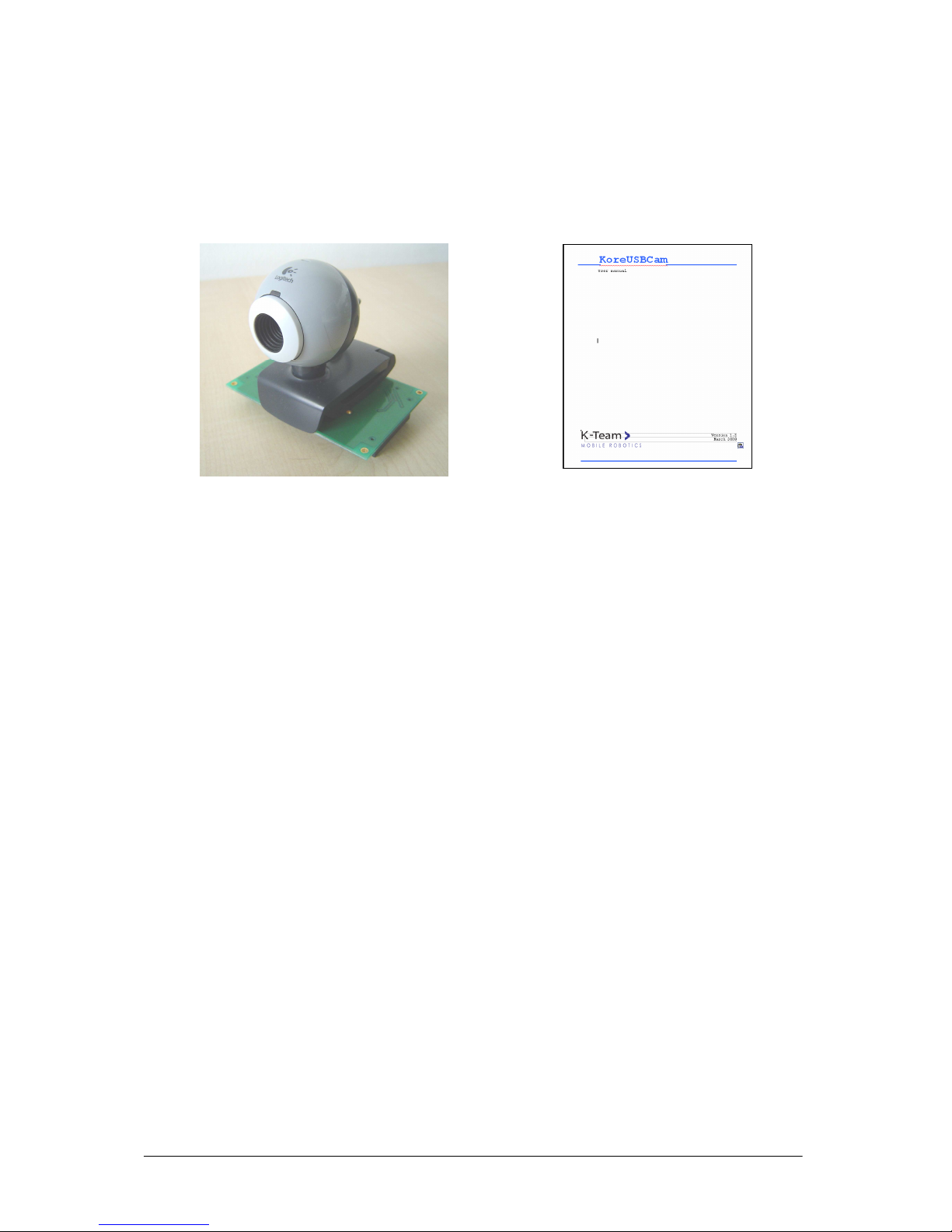
K-Team KoreUSBCam Manuale utente

Kor
KorKor
Kore
ee
eUS
USUS
USBCam
BCamBCam
BCam
User manual
Version 1.2
April 2009

KoreUSBCam User Manual rev 1.2 2

KoreUSBCam User Manual rev 1.2 3
Documentation Author
Julien Tharin
K-Team S.A.
Rue Galilee 9, Y-Parc
1400 Yverdon-les-Bains
Switzerland
Email: [email protected]
Url: www.k-team.com
Documentation version
Version Date Author Description
1.0 02.12.2008 J. Tharin First draft
1.1 05.03.2009 J. Tharin Added support of new camera QuickCam e2500,
corrected wcggrabber command
1.2 08.04.2009 J. Tharin Added description of new camera
Trademark Acknowledgements:
IBM PC: International Business Machines Corp.
Macintosh: Apple Corp.
SUN Sparc-Station: SUN Microsystems Corp.
LabVIEW: National Instruments Corp.
Matlab: MathWorks Corp.
Webots: Cyberbotics
Khepera: K-Team and LAMI
Logitech: Logitech Int. SA
LEGAL NOTICE:
•The contents of this manual are subject to change without notice
•All efforts have been made to ensure the accuracy of the content of this manual.
However, should any error be detected, please inform K-Team.
•The above notwithstanding, K-Team can assume no responsibility for any error in this
manual.

KoreUSBCam User Manual rev 1.2 4
TABLE OF CONTENTS
1
INTRODUCTION.................................................................................................5
1.1. H
OW TO USE THIS HANDBOOK
.....................................................................................5
1.2. S
AFETY PRECAUTIONS
.................................................................................................6
1.3. R
ECYCLING
.................................................................................................................6
2
UNPACKING AND INSPECTION.....................................................................7
2.1. P
ACKAGE
C
ONTENTS
...................................................................................................7
2.2. S
PECIFICATIONS
..........................................................................................................7
2.3. R
EQUIRED HARDWARE AND SOFTWARE
.......................................................................8
A
) R
EQUIRED HARDWARE
:...............................................................................................8
B
) R
EQUIRED SOFTWARE
: ................................................................................................8
3
USAGE .................................................................................................................9
3.1. A
SSEMBLY
..................................................................................................................9
3.2. P
OWER
-
UP
.................................................................................................................10
3.3. I
MAGES ACQUISITION
................................................................................................10
3.4. V
IDEO STREAMING
....................................................................................................10
A
)
KTGRAB
.....................................................................................................................10
B
) C
AMSOURCE
/
W
EB
C
AM
A
PPLET
...............................................................................11
3.5. P
ROGRAMMING
.........................................................................................................12
4
ANNEXES............................................................................................................14
4.1. U
SING A
W
IRELESS COMPACT FLASH CARD
...............................................................14
4.2. C
ONNECTING TO THE
K
OREBOT WITH NETWORK OVER USB CABLE
...........................16
4.3. T
RANSFERRING FILES USING SCP
(
SSH
)......................................................................16
5
WARRANTY.......................................................................................................17

KoreUSBCam User Manual rev 1.2 5
1 INTRODUCTION
Thank you for buying the KoreUSBCam module. With this module, you will be able to
grab pictures and stream/process video images.
1.1. How to use this handbook
This handbook introduces the KoreUSBCam and its various operating modes. For a quick
start, jump to chapter 3: Usage.
If this handbook does not answer one of the problems you are confronted with, please
consult the K-Team web site (www.k-team.com) and, especially the Forum and the FAQs.
•Unpacking and Inspection: KoreUSBCam package description and first start-up
•Usage: KoreUSBCam usage descriptions.
•Annexes: Detailed descriptions of several helpful tools and commands
are explained.

KoreUSBCam User Manual rev 1.2 6
1.2. Safety precautions
Here are some recommendations on how to correctly use the KoreUSBCam:
•Keep the module away from wet area. Contact with water could cause malfunction
and/or breakdown.
•Store your module in a stable position. This will avoid the risks of falls, which
could break it or cause damage to a person.
•Do not attach any connectors while the module is powered on. To avoid any
damage, make all connections when the module power is off.
•Never leave the KoreUSBCam powered when it is unused. When you have
finished working with KoreUSBCam, turn it off. It will save the battery life.
1.3. Recycling
Think about the end of life of your product! Parts of the module can be recycled and it is
important to do so. By recycling you can help to create a cleaner and safer environment for
generations to come. For those reasons please take care to the recycling of your product at the
end of its life cycle, for instance sending back the product to the manufacturer or to your local
dealer.
Thanks for your contribution to a cleaner environment!

KoreUSBCam User Manual rev 1.2 7
2 UNPACKING AND INSPECTION
2.1. Package Contents
1.
KoreUSBCam module
2. User manual
Figure 2.1: Contents of the KoreUSBCam Pack
Your package should contain the following items:
1. KoreUSBCam module
2. this present document
2.2. Specifications
The principal specifications of the KoreUSBCam module are listed below:
•
images capture : 160 x 120 up to 640 x 480 pixels
•
video acquisition : 160 x 120 up to 640 x 480 pixels, 5-15 fps,
depending of video size and compression
•
module size : 85 x 72 x 76 (width x length x height mm)
•
module mass : 80 g.
•
connector : 2 female ERNI 50 pins connectors, compatible with
other K-Team Kore modules
•power : 5V, from ERNI connector
•video/image cable : USB2, from ERNI connector
•software drivers : gspca, videodev, v4l (video for linux) modules
•image software : wcggrabber, vgrabber
•video software : ktgrab, camsource

KoreUSBCam User Manual rev 1.2 8
2.3. Required hardware and software
The required hardware and software to use the module is described below.
a) Required hardware:
To use the KoreUSBCam module, you must have any of these components:
•
KorebotLE with software kernel 2.6
*
•
KheperaIII + KorebotLE with software kernel 2.6
*
* You can check the Kernel version with the command “uname –r
”
. The kernel and
toolchain 2.6 for the Korebot is available at:
http://ftp.k-team.com/korebot/toolchain-2.6-betaV0.1/
b) Required software:
On the KoreBotLE, the driver for the camera is installed by default when delivered
with kernel 2.6. It is located on your KoreBotLE at the following path:
/lib/modules/YOUR_KERNEL_VERSION/kernel/drivers/usb/media/gspca.ko
where YOUR_KERNEL_VERSION may be 2.6.23-kb1, 2.6.25-7-kb1 or above.
Depending on the KoreUSBCam module version you may have to update the driver:
•KoreUSBCam board with the QuickCam Chat camera (White/Blue colour):
→The driver is already included on the KorebotLE.
•KoreUSBCam board with the new camera QuickCam E2500 camera (Black/Grey
colour):
→A update of the current driver must be done.
The procedure is explained below:
•
download the driver at the following site:
http://ftp.k-team.com/korebot/koreusbcam/driver/gspca-kb2-YOUR_KERNEL_VERSION.ko.gz
•
transfer the file to the KorebotLE (with Minicom or ssh, see Annexes:
ssh)
•
extract it with the command:
gunzip gspca-kb2-YOUR_KERNEL_VERSION.ko.gz
•
overwrite the previous driver module:
mv gspca.ko /lib/modules/YOUR_KERNEL_VERSION
/kernel/drivers/usb/media/
•
update module dependencies
depmod -a
•
reboot your Korebot
reboot

KoreUSBCam User Manual rev 1.2 9
3 Usage
3.1. Assembly
This sub-chapter explains how to connect the KoreUSBCam module, depending on your
configuration:
•Plug the KoreUSBCam module onto the KorebotLE as depicted below (figure 3.1):
KoreUSBCam
+ KoreBotLE
KoreUSBCam
+ Khepera III/ KoreBotLE
Figure
3.1:
KoreUSBCam
+ KoreBotLE/ KheperaIII
assembly

KoreUSBCam User Manual rev 1.2 10
3.2. Power-up
•
Power up the Korebot (or Khepera 3).
During the boot of the Korebot, the camera is detected and its gspca
module driver is automatically loaded.
Below a part of the boot sequence is depicted (fig. 3.2):
Figure 3.2: part of the boot sequence with detected camera
3.3. Images acquisition
•
Grab an image with the following command:
wcggrabber --size=max --palette=RGB24 -R BGR -a -t 5 -n 0>output.ppm
This takes an image named
output.ppm in the current folder.
You can view the program options with
wcggrabber -h
You can transfer the image by
Minicom
or
scp
(see Annexes 4.3).
3.4. Video streaming
This part describes two streaming applications you can use to display the camera video on
a remote computer.
a) ktgrab
ktgrab is a video server running on the Korebot. You can access it with the Java applet
KTGrab. The instructions are explained below:
1.
Get the ktgrab from http://ftp.k-team.com/korebot/koreusbcam/application/, file
ktgrab_libfg-0.3.1-kb1.tar.bz2
[ 13.110000] Linux video capture interface: v2.00
[ 13.130000] korebot_pcmcia_configure_socket(): Reset off sock 0
[ 13.150000] Korebot CF Init
[ 13.150000] korebot_init: skt->irq=78
[ 13.170000] korebot_pcmcia_configure_socket(): Reset off sock 1
[ 13.310000] korebot_pcmcia_configure_socket(): Reset off sock 0
[ 13.420000] /home/jtharin/projects/kernel2.6/development/gspcav1-20071224-kb2/gspca_core.c: USB GSPCA camera
found.(ZC3XX)
[ 13.510000] /home/jtharin/projects/kernel2.6/development/gspcav1-20071224-kb2/gspca_core.c: [spca5xx_probe:4314] Camera type
JPEG
[ 13.540000] /home/jtharin/projects/kernel2.6/development/gspcav1-20071224-kb2/Vimicro/zc3xx.h: [zc3xx_config:588] Sensor
MC501CB
[ 13.590000] drivers/usb/otg/otg_linux.c: otg_hcd_endpoint_disable stub
[ 13.620000] drivers/usb/otg/otg_linux.c: otg_hcd_endpoint_disable stub
[ 13.650000] /home/jtharin/projects/kernel2.6/development/gspcav1-20071224-kb2/gspca_core.c: [spca5xx_getcapability:1262] maxw
640 maxh 480 minw 160 minh 0
[ 13.680000] usbcore: registered new interface driver gspca
[ 13.680000] /home/jtharin/projects/kernel2.6/development/gspcav1-20071224-
kb2/gspca_core.c: gspca driver 01.00.20 registered
Indice
Altri manuali K-Team Unità di controllo
Manuali Unità di controllo popolari di altre marche

Festo
Festo Compact Performance CP-FB6-E Manuale elenco delle parti

Elo TouchSystems
Elo TouchSystems DMS-SA19P-EXTME Manuale utente

JS Automation
JS Automation MPC3034A Manuale utente

JAUDT
JAUDT SW GII 6406 Series Guida rapida

Spektrum
Spektrum Air Module System Manuale utente

BOC Edwards
BOC Edwards Q Series Manuale utente