KIP TASKalfa 2420w Manuale utente

Version A1
PrintNET Client

PrintNET Client
No part of this publication may be copied, reproduced or distributed in any form without express written permission.
2011.

PrintNET Client
Contents
PrintNET - Introduction ................................................................................................................................................... 5
Supported Web Browsers.............................................................................................................................................. 6
Internet Explore 6.x – 8.x Settings................................................................................................................................. 6
Installing PrintNET - Flash Upload.................................................................................................................................. 7
Main Screen .................................................................................................................................................................... 9
Key Functions ................................................................................................................................................................ 11
User Login ................................................................................................................................................................ 11
Administration ........................................................................................................................................................ 11
Printer Configuration............................................................................................................................................. 11
IPS Mailbox Management ................................................................................................................................... 11
Printer Queue Management............................................................................................................................... 12
Historical Queue .................................................................................................................................................... 12
Information/Help ................................................................................................................................................... 12
Creating a Print Set for Submittal .............................................................................................................................. 13
New Job .................................................................................................................................................................. 13
Add Files .................................................................................................................................................................. 13
Image Viewing – Monochrome Systems ................................................................................................................. 14
Image Viewing - Color Systems ................................................................................................................................ 15
Select specific pages from Multipage Files (.PDF/.DWF)...................................................................................... 16
Job Defaults .................................................................................................................................................................. 17
Printing Properties......................................................................................................................................................... 18
Individual Parameters.................................................................................................................................................. 19
Job Management........................................................................................................................................................ 20
Recall Last Job ....................................................................................................................................................... 20
Save Job ................................................................................................................................................................. 20
Load Job ................................................................................................................................................................. 20
HPGL / HP-RTL Pen Settings and Image Adjustment ............................................................................................. 21
Modify Pens ............................................................................................................................................................ 21
Use Colors................................................................................................................................................................ 21
Force Pens............................................................................................................................................................... 22
Line Width Compensation ................................................................................................................................... 22

PrintNET Client
Vector Line Dither Pattern ................................................................................................................................... 22
HP-RTL Photo Mode............................................................................................................................................... 22
HP-RTL Photo Mode Dither ................................................................................................................................... 22
HP-RTL Raster Density ............................................................................................................................................ 22
Clip to Image Size.................................................................................................................................................. 22
Line Merge .............................................................................................................................................................. 23
Use Round End Capping ..................................................................................................................................... 23
Border ...................................................................................................................................................................... 23
Fold Parameter Selection ........................................................................................................................................... 23
Digital Image Stamp Selection.................................................................................................................................. 23
Modify Stamp ......................................................................................................................................................... 24
Stamp Schemes..................................................................................................................................................... 24
Stamp Schemes - Color Systems ....................................................................................................................... 25
Font Color................................................................................................................................................................ 25
Stamp Settings ....................................................................................................................................................... 26
Units .......................................................................................................................................................................... 26
Text ........................................................................................................................................................................... 26
Graphic (Monochrome Printers Only) ............................................................................................................... 26
Merge Type – Monochrome Systems ................................................................................................................ 27
Screening – Monochrome Systems.................................................................................................................... 27
Modify Output Size....................................................................................................................................................... 27
Force Size ................................................................................................................................................................ 27
Enlarge / Reduce ......................................................................................................................................................... 28
Job Accounting – Unified Accounting .................................................................................................................... 29
Requester ................................................................................................................................................................ 29
Description.............................................................................................................................................................. 29
Distribution .............................................................................................................................................................. 29
Submit ............................................................................................................................................................................. 30
Multiple Printers ............................................................................................................................................................ 30
Job Accounting – Unified Accounting .................................................................................................................... 31
Unified Accounting ............................................................................................................................................... 31
Users/Requesters.................................................................................................................................................... 31
Job Number............................................................................................................................................................ 31
Description.............................................................................................................................................................. 32

PrintNET Client
Prompt Setup for Accounting Data................................................................................................................... 32
Printers ............................................................................................................................................................................ 32
Email Settings ................................................................................................................................................................ 33
SMTP Configuration ............................................................................................................................................... 33
Job Ticket E-mail........................................................................................................................................................... 33
Printer Status Message................................................................................................................................................. 34
Monthly Meter Report ................................................................................................................................................. 34
Service Interval ............................................................................................................................................................. 35
Web App Printing – Configuration............................................................................................................................ 36
Direct Cloud Printing.................................................................................................................................................... 38
Direct Print............................................................................................................................................................... 38
Direct Cloud Printing - Mailbox Queue ............................................................................................................. 39
Color File-to-Print .......................................................................................................................................................... 40
General Tab............................................................................................................................................................ 41
Color Tab................................................................................................................................................................. 41
Misc Tab .................................................................................................................................................................. 42
RIP Preview.............................................................................................................................................................. 42
Paneling Tab........................................................................................................................................................... 44
Print Queue Tab ................................................................................................................................................ 44
Retrieving from IPS Mailboxes using PrintNet................................................................................................... 45
Retrieving from IPS Mailboxes using Request .................................................................................................. 45
Cloud Scanning............................................................................................................................................................ 47
Steps for Cloud Scanning .................................................................................................................................... 47
Scan to Print............................................................................................................................................................ 47
Scanning to Mailbox Queue ............................................................................................................................... 48
Printer Configuration.................................................................................................................................................... 49
Basic Configuration............................................................................................................................................... 49
Wire Cleaning......................................................................................................................................................... 50
Advanced Configuration .................................................................................................................................... 50
Upload Fonts .......................................................................................................................................................... 52
Folder Configuration............................................................................................................................................. 53
IPS Mailboxes................................................................................................................................................................. 54
IPS Mailboxes .......................................................................................................................................................... 54
Select All.................................................................................................................................................................. 55

PrintNET Client
Unselect All ............................................................................................................................................................. 55
Add Files to Current Job....................................................................................................................................... 55
Download ............................................................................................................................................................... 55
Download As .ZIP ................................................................................................................................................... 55
Empty Mailbox ....................................................................................................................................................... 55
Add a Mailbox ....................................................................................................................................................... 55
Adding SMB Mailboxes......................................................................................................................................... 56
Adding FTP Mailbox Location ............................................................................................................................. 56
Delete a mailbox................................................................................................................................................... 57
Printer Queue Management ..................................................................................................................................... 57
Edit Job.................................................................................................................................................................... 58
Historical Queue ........................................................................................................................................................... 59
Edit Job.................................................................................................................................................................... 59
Information / Help ........................................................................................................................................................ 60

PrintNET Client
- 5 -
PrintNET - Introduction
PrintNET is a web-based printing submission utility compatible with all web browsers. Users may select
and send single or multiple files to all systems connected to the local network. The printing and control
functions within PrintNET are included with the purchase of the system network
printing key code.
PrintNET is a browser independent upload module that allows users to select up to 2GB of print image
data to create a print job.
Features:
xA cross-platform solution to submit print jobs with total web browser independency.
xFlash Upload is a new tool that simplifies uploading of images to build a job set.
xPrint full job sets from anywhere with unlimited number of files.
xBrowser independent viewing and image adjustment.

PrintNET Client
- 6 -
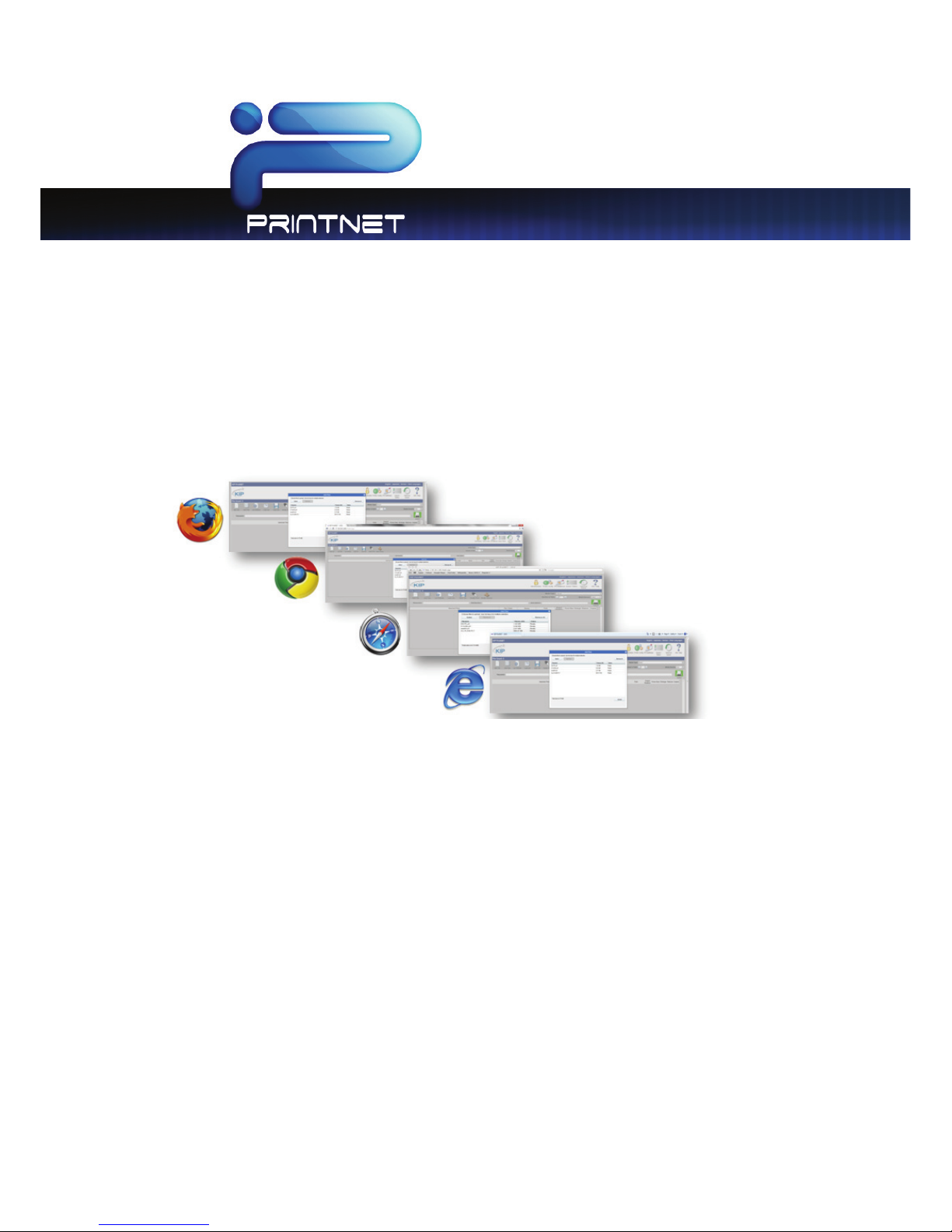
Supported Web Browsers
On Microsoft Windows platform - Internet Explorer 6.0-8.x, Mozilla Firefox 2.0-3.x, Google Chrome,
Apple Safari, & Opera.
Linux/UNIX/MAC OSX –Mozilla Firefox 2.0-3.x, Apple Safari, Opera
Note: for all uploads there is a 2 gig maximum upload per session.
Internet Explore 6.x – 8.x Settings
To enhance PrintNET performance in Internet Explorer, it is necessary to adjust internet options using the
procedure below:
1. Close Internet Explorer
2. Click on Start and browse to Control Panel within Windows
3. Find Internet Options and double-click to open
4. On the General tab, find Settings within the ‘Browsing History’ dialog
5. Enable ‘Every time I visit the webpage’
6. Click ‘OK’, click ‘OK’

PrintNET Client
- 7 -
Installing PrintNET - Flash Upload
NOTE: All systems are preloaded with a version of PrintNET. This update includes the “Flash” based up loader to
enhance the user experience. You will use the current version of PrintNET to load the update to the system.
Installing the PrintNET - Flash Upload is as simple as “pushing” the update package to the printer (IPS). Your
system should be installed, powered on and connected to your LAN with an IPS address pre-assigned.
1. Download the PrintNET Flash Upload from the App Store.
2. Extract the upload from the .zip file to your local drive ( the ZIP file includes the User Guide and the
update )
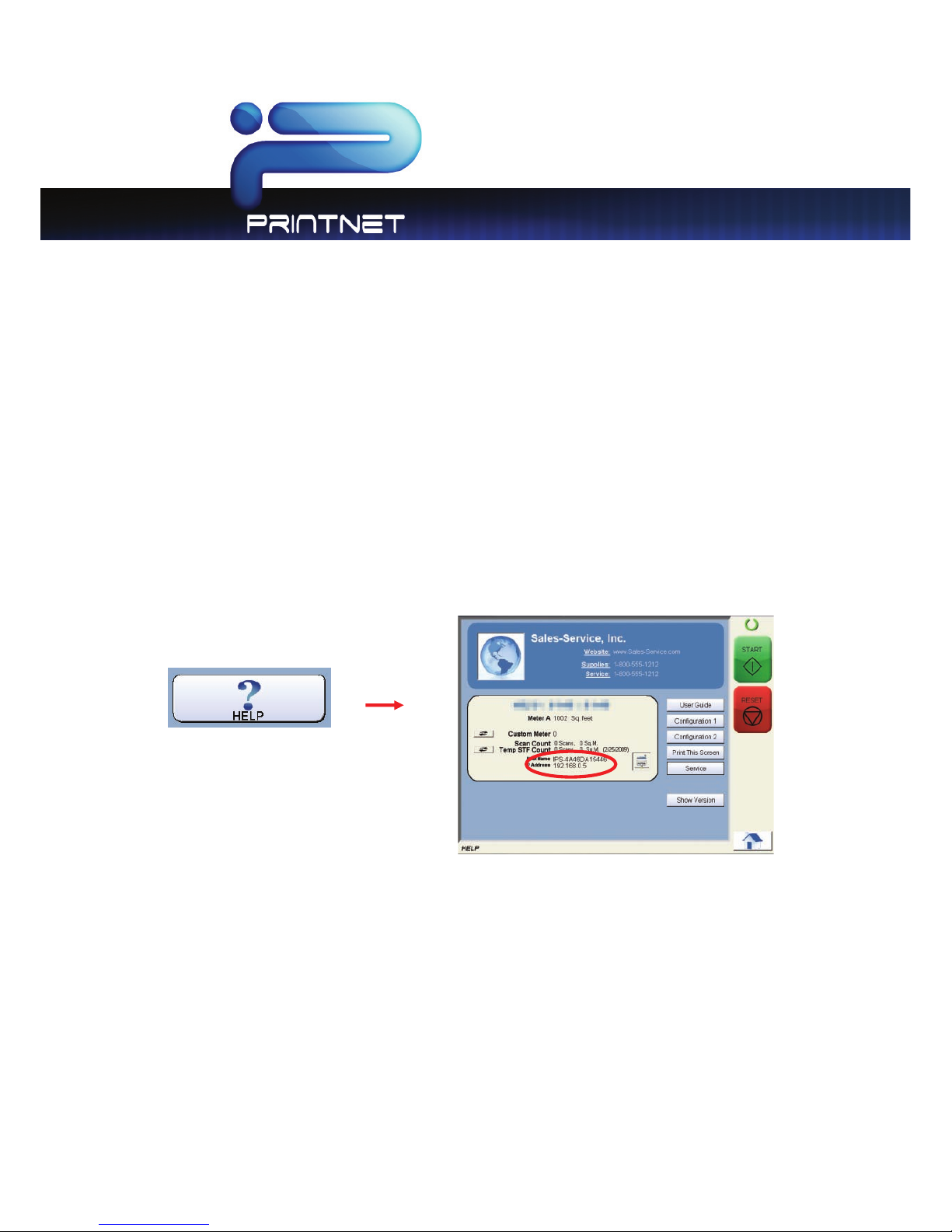
3. Locate the IP address of the system by selecting the “?” button on the main screen of the system touch
panel.

PrintNET Client
- 8 -
4. Models are web browser enabled. From your web browser on your desktop, simply enter the IP address
of the printer to launch PrintNET. And then click on the “Printer Config” page.
5. Enter the “admin” user name and password. (contact your local administrator for credentials for the
system or reference the system’s user guide)
6. Scroll down the web page until “Upload” is located. Click on “Upload Patch”
7. Browse for the file that was extracted in step #2.
8. Select “Save”. This will transfer the Web App software to the system.
9. At the printer the touch screen will display a message “Please wait Updating IPS” and the system will
restart. (this can take up to ten minutes)
10. Once the printer has restarted, Web App is ready for final configuration as noted in the following pages.
Altri manuali per TASKalfa 2420w
4
Questo manuale è adatto per i seguenti modelli
2
Indice
Altri manuali KIP Software
Manuali Software popolari di altre marche

PS Audio
PS Audio PowerPlay Manuale del proprietario

Brady
Brady LOCKOUT PRO 3.0 Manuale di servizio

Avaya
Avaya Interaction Center Manuale utente

Texas Instruments
Texas Instruments TI-83 Plus Silver Edition Manuale

Novell
Novell GROUPWISE 8 - INTERNET AGENT Manuale utente

Oracle
Oracle Application 9i Manuale utente

Acer
Acer RDM Manuale utente

Canon
Canon Vixia HF21 Manuale utente

Canon
Canon ZR950 Manuale utente

Samsung
Samsung Auto Backup Manuale utente

Polycom
Polycom Vortex EF2201 Istruzioni per l'installazione e il funzionamento

Brocade Communications Systems
Brocade Communications Systems Brocade 8/12c Manuale utente