
Mark 3002866 Manuale utente

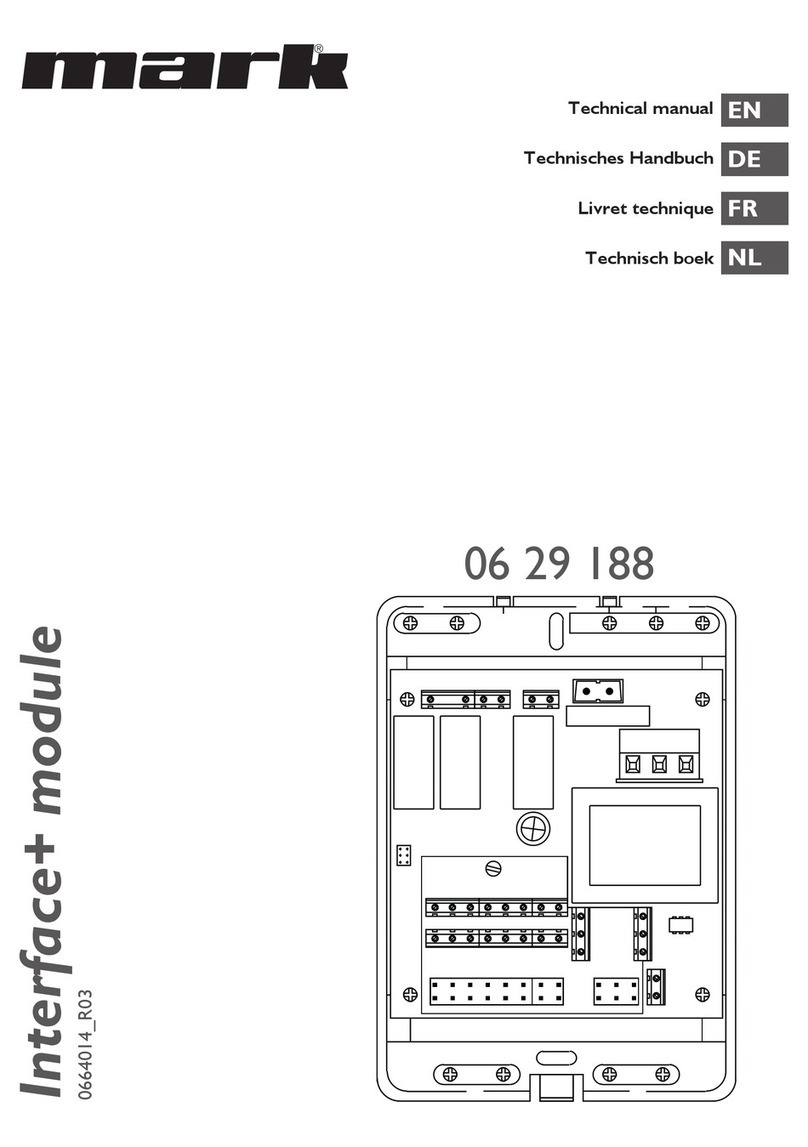
Interface+ module
0664014_R11
30 02 866
Technisches Handbuch
Technical manual
Technisches Handbuch
Livret technique
Technisch boek
DE
EN
FR
NL

2

3
Read this document before
installing the appliance
Warning
Incorrect installation, adjustment, alteration, repair or maintenance work may lead to material
damage or injury. All work must be carried out by certied, qualied professionals. If the
appliance is not positioned in accordance with the instructions, the warranty shall be rendered
void. This appliance is not intended for use by children or persons with a physical, sensory or
mental handicap, or who lack the required experience or expertise, unless they are supervised or
have been instructed in the use of the appliance by somebody who is responsible for their safety.
Children must be supervised to ensure that they do not play with the appliance.
If the manual refers to an image or table, a number will be shown between square brackets, for
example [3].The number refers to images and tables at the back of the manual with the stated
number.
1.0 General
1.1 All rights reserved
The manufacturer has a policy of continuous product improvement and reserves the right to make
changes to the specications without prior notice. The technical details are considered correct but
do not form the basis for a contract or warranty. All orders are accepted subject to the standard
terms and conditions of sale and delivery (which will be sent to you at your request).
1.2 General warnings
Installation must comply with the relevant local and/or national regulations. You must therefore
have the Interface+ module installed by a professional and qualied installer in accordance with
all applicable national and international regulations. Faulty installation, adjustment, alteration,
maintenance activity or repair shall render the warranty void.
Preferably place the Interface+ near the appliance, but not in the appliance cabinet of the appliance
or on the discharge side of the appliance. The Interface+ can get too hot in these places, causing it to
malfunction.
EN

4
1.3 Product description and application
The Interface+ module can be applied in the following combinations:
1.3.1 0 – 10VDC burner capacity control
Connection: one G(S+) per Interface+.
With an external controller, the burner capacity is controlled with a 0 - 10Vdc signal.
Functions:
• Burner capacity control: Signal 0-10Vdc, control 0 - 9 Vdc < 0.9V burner off, > 1,5V burner
start.
• Contact continuous ventilation
• Reset
• Operation notication (potential free contact)*
• Malfunction (potential free contact)*
• Reading current data using Modbus
See connection diagram 4.1 for the specic connections for this application.
* For both potential free exits only 1 voltage may be used: 230V or 24V.
1.3.2 Burner capacity control with Modbus
Connection: one G(S)+ per Interface+.
With an external controller, the burner capacity is controlled with Modbus.
Functions:
• Burner capacity control (0-10Vdc displayed 0-1000, control 0-900)
• Continuous ventilation
• Reset with contact on Interface+ (not with Modbus)
• Reading current data using Modbus
See connection diagram 4.2 for the specic connections for this application.
Explanation of specic Modbus holding registers for this application:
Holding register Access Description Range
121 R Actual burner capacity 0-900
122 R + W Burner capacity Control 0-900
133* R + W CH mode 7 .. 8
204 R + W External override 0 = no override
1 = override active
205** R + W Fan Override 0 = off
1 = continuous system fan
* In this application CH mode must be set to 8
** Continous fan is only possible in case the external override is active (204 = 1).
In this case holding registers 100 - 133 are applicable.

5
EN
1.3.3 Reading G(S)+ units and modifying or overruling settings Optititherm+
Connection: maximum 8 G(S)+ units, Optitherm+ and Interface+
The current status of the devices can be read using Modbus. In addition, the setpoints of the
Optitherm+ can be changed and the clock program can be overruled. Reset of the units is possible
with the Optitherm+. Optionally, the actual room temperature can be determined with a digital
sensor, on the basis of which it is controlled. The Optitherm+ can then be placed in an additional
room (see for sensor selection the Optitherm+ manual).
See connection diagram 4.3 for the specic connections for this application.
Explanation of specic Modbus holding registers for this application:
Holding register Access Description Range
201* R + W Heating mode override 0= clock program Optitherm+
active
1= off
2= Continuous frost
3= Continuous night
4= Continuous Eco
5= Continuous day
202 R + W Ventilation mode 0 = off
1 = continuous system fan
220 R + W Day Setpoint temperature [°C] (factor 100)
221 R + W Eco Setpoint temperature [°C] (factor 100)
222 R + W Night Setpoint temperature [°C] (factor 100)
223 R + W Frost [°C] (factor 100)
133** R + W CH mode 7 .. 8
* In case after an override (1-5) you want to return to the clock program of the Optitherm+,
0 must be written. Modifying this is not possible in the Optitherm+ menu.
** In this application CH mode must be set to 7 (default setting)
*** Holding registers 122, 204 and 205 do not operate in this application.
1.3.4 Control with contacts (only for GSX units))
Connection: maximum 8 GSX units and Interface+
With an Interface+, one or more GSX units, with a maximum of 8, can be controlled from, for
example, a building management system. All contacts are in this case potential free. The connected
GSX units are controlled simultaneously by means of the following signals: heating, ventilation and/
or reset. When an air heater is malfunctioning or in operation, a notication is given by means of a
potential free contact. The actual status of the units can be read using Modbus.
See connection diagram 4.4 for the specic connections for this application.

6
2.0 Technicalspecications
• Type description : Interface+ module
• Type of thermostat : Module for communication with, for example,
a building management system
• Article code : 30 02 866
• Connection : Interface+ module g air heater Bus system
(2 wires)
Interface+ module g external connections eg.
building management system 230V or 24V (for both
potential free exits only 1 voltage may be used: 230V or 24V)
Interface+ module g external controller 0-10V
Interface+ module g 0-10V external connection eg.
building management system: Modbus
• Wiring : Interface+ module g air heater
Shielded bus cable, see §3.0
• Dimensions : 109 x 154 x 49mm (lxwxh)
• Weight : 498 grams
• Degree of protection : IP20
• Ambient temperature : 0-40°C
3.0 Wiring
For the wiring between the Interface+ module and an air heater a shielded bus cable must be used.
For the maximum lenght and the proper diameter see table [1].
Pay attention!
Ground the shielding of the cable on the air heater.
The bus cable must be chosen according to the country specic implementation, the values in the
technical specications must be maintained.
Suitable bus cables:
Cable type Application EIB-specication
YCYM Fixed installation Dry, humid, wet areas. In the
open sky (no direct sunlight).
Build-up, installation, in pipes.
J-Y(st)Y Fixed installation Only indoors.
Build-up, in pipes.
JH(st)H Halogen-free cables,
remote installation.
A-2Y(L)2Y
A-2YF(L)2Y
Telephone earth wire,
Installation in the outskirts.

7
EN
4.0 Connection possibilities and functions
4.1 Connection 0-10 VDC burner capacity control for G(S)+
Interface+ module
A - Power supply 1~230V + N + PE / 50Hz
B - Connecting air heater with 2-wired bus cable.
Potential free entries
C - Ventilation
E - Shorted connection
F - Reset
Potential free exits
G - Malfunction (NO) 230V or 24V*
H - Operation (NO) 230V or 24V*
Analog input
D - Burner capacity input 0-10 VDC
Communication
I - RS 485 Modbus
* Only 1 voltage may be used: 230V or 24V.
** The switch must always be switched to the right.
H
G
F
E
C
D
I
A
B
17
20
L
N
PE
27
28
26
25
12
11
8
7
6
5
4
3
9
10
15
16
3
4
25 26 27 28 29 30
LNPE
1357 911 13 15
24681012 14 16
17
18
19
20
21
22
24
23
-
+
A-
B+
S4(ON)
S4(ON)**

4.2 Connection burner capacity with Modbus for G(S)+
Interface+ module
A - Power supply 1~230V + N + PE / 50Hz
B - Connecting air heater with 2-wired bus cable.
Potential free entries
F - Reset
Potential free exits
G - Malfunction (NO) 230V or 24V*
H - Operation (NO) 230V or 24V*
Communication
I - RS 485 Modbus
* Only 1 voltage may be used: 230V or 24V.
** The switch must always be switched to the right.
8
H
G
FA
B
17
20
L
N
PE
27
28
26
25
12
11
8
7
6
5
4
33
4
25 26 27 28 29 30
LNPE
1357 911 13 15
24681012 14 16
17
18
19
20
21
22
24
23
I
9
10
15
16
A-
B+
S4(ON)
S4(ON)**

9
EN
4.3 Connection reading and modifying Optitherm+ with Modbus for G(S)+/GSX
Interface+ module
A - Power supply 1~230V + N + PE / 50Hz
B - Connecting air heater with 2-wired bus cable.
For connecting more than 1 air heaters see gures [2] [3]
Communication
I - RS 485 Modbus
* Only 1 voltage may be used: 230V or 24V.
** The switch must always be switched to the right.
Note: It may happen that both contacts, malfunction and operation, are present simultaneously.
A
B
17
20
L
N
PE
27
28
26
25
12
11
8
7
6
5
4
33
4
25 26 27 28 29 30
LNPE
1357 911 13 15
24681012 14 16
17
18
19
20
21
22
24
23
I
9
10
15
16
A-
B+ 0629 185
OptiTherm+
06 29 185
S4(ON)
S4(ON)**

10
5.0 General Modbus information [8]
Conguration
Protocol Modbus RTU
Default slave adress 01 *
Baud rate 9600 bps
Data length 8
Parity None
Stop bits 1
Physical layer RS485 (two wire + GND advised)
* Factory setting, other value on request.
5.1 Release for writing
Writing of parameters with different value is limited to 10.000 times. These parameters are called in
the Modbus list “LW”. All setpoints are intended to change occasionally.
Parameters can be changed with an average of 2 changes per day, to ensure 15 years life time of the
device. Not to be used for dynamic temperature control.
To write in the Holding register, a “1” should be written in Holding register 99 in advance. A
Modbus command must be written within 60 seconds. Holding register 99 will be set to “0” again
automatically.
If there is set an undened bit, Holding register 99 will also been reset.
5.2 Wait time between Modbus Write commands
A Modbus write takes some time to complete. Until it is completed no other Modbus write is
accepted. A write is ignored when it is sent before the previous one has completed. No response is
returned in that case.
The processing time for the write enable bit (Holding register 99) is 1 second. For all other holding
registers, the processing time is 15 seconds.
Example: two Modbus holding registers must be updated: these are 220 and 221
• Write to holding register 99. Set write enable to 1.
• Wait one second
• Write to holding register 220
• Wait for 15 seconds
• Write to holding register 99. Set write enable to 1.
• Wait for 1 second
• Write to holding register 221
Note: the 15 seconds processing time is the time the Interface+ needs. The total processing time
before the register update is effected in, for example the Optitherm+, can become up to 180
seconds.
5.3 Reading holding registers
The holding registers are divided into groups:
Group 1 Holding registers 100 – 199
Group 2 Holding registers 200 – 299
Group 3 Holding registers 300 – 399
Questo manuale è adatto per i seguenti modelli
1
Indice
Lingue:
Altri manuali Mark Unità di controllo



Manuali Unità di controllo popolari di altre marche

Festo
Festo Compact Performance CP-FB6-E Manuale elenco delle parti

Elo TouchSystems
Elo TouchSystems DMS-SA19P-EXTME Manuale utente

JS Automation
JS Automation MPC3034A Manuale utente

JAUDT
JAUDT SW GII 6406 Series Guida rapida

Spektrum
Spektrum Air Module System Manuale utente

BOC Edwards
BOC Edwards Q Series Manuale utente


