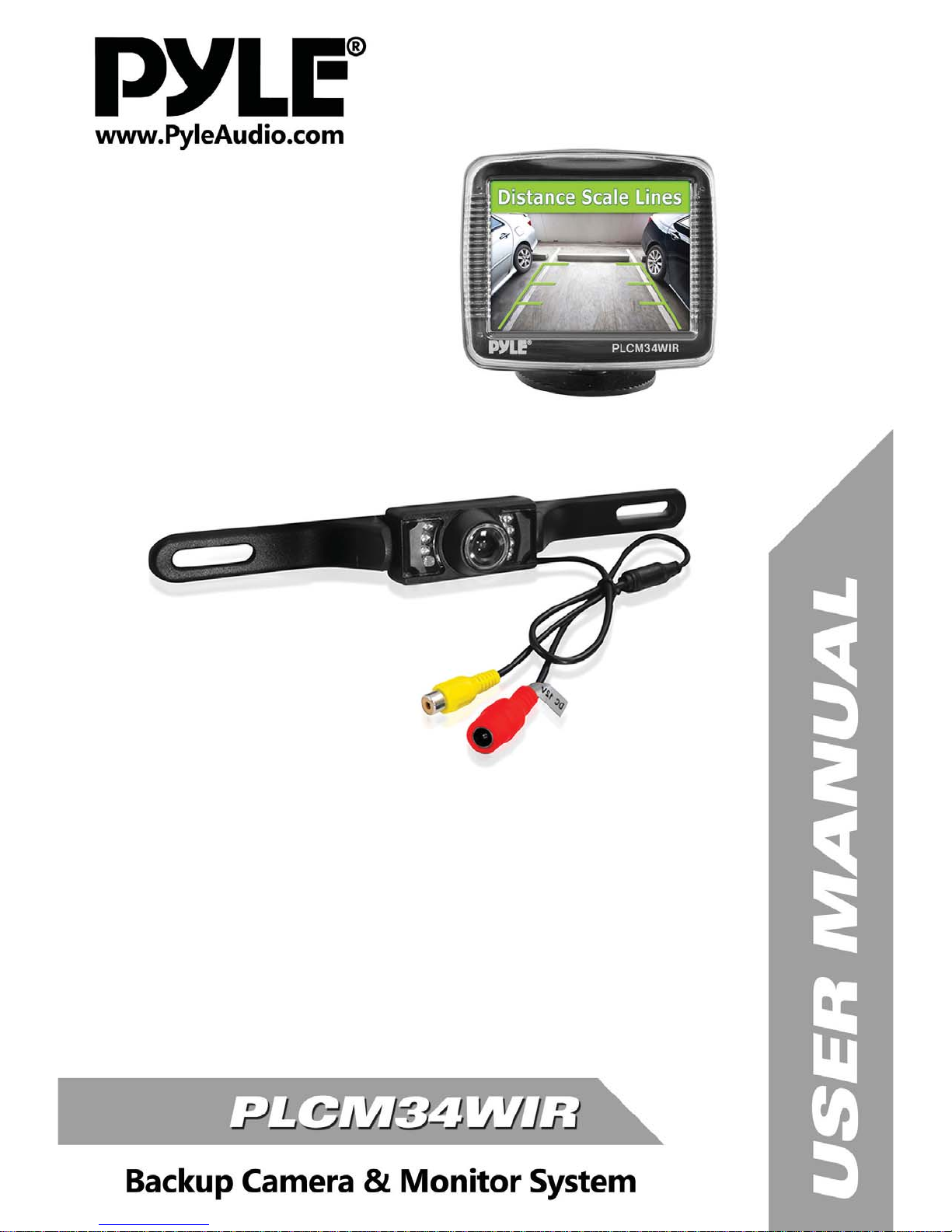
Pyle PLCM34WIR Manuale utente


WARNING:Failuretoreadandfollowthesewarningsandinstructionsmayresultinseriousinjury,includingdamaged
property,sopleasepaycloseattentionandexhibittheutmostcare.
• The Digital Backup Camera is designed as an aid to the driver in detecting potentially hazardous driving conditions,
obstructions,andlargestationaryobjects.You,thedriver,mustalsoremembertodrivesafelyandproperly.Useofthe
DigitalBackupCameraisnotasubstituteforsafe,properandlegaldrivingpractices.
•Neverbackupwhilelookingonlyatyourconnectedmonitordisplayscreen.Youshouldalwayscheckbehindandaround
thevehiclewhenbackingupjustasyouwouldifthevehicledidnothavetheDigitalBackupCamera.Alwaysmakesure
yourdrivingareaisclear.Alwaysbackupslowlyandwithcaution.
•NeverdependontheBackupCameraentirelywhenbackingup.Theimageonthemonitordisplayscreenmaybeslightly
different from actual and realtime conditions. Objects viewed in the rear view monitor differ from actual distances
becauseawideanglelensisused.Sousethecameraasanaidandalwaysfollowintendeddrivingpracticestoproperly
judgedistancesfromobjects.
•TheBackupCamera'sassistedlowluxlightingperformancefeatureisalsoanaidtoadriver.Alwaysuseyourowneyes
toconfirmthevehicle’ssurroundings,asthedisplayedimagemaybenotwelllitornotentirelyvisible.Alwaysproceed
withcautionandperformdoublechecksbeforeproceeding.
• The area displayed by the Backup Camera is limited. It does not display objects that are close to or just below the
bumper,underneaththevehicle,orobjectsoutofthecamera’sview.Thecamera'sviewcanchangeaccordingtoyour
vehicle'sorientationontheroadorchangingroadconditions.
• Be sure to check the camera is properly functioning, is properly positioned and securely mounted, every time you
operateyourvehicle.
•Makesureyourtrunkorhatchoperatescorrectly,asintended,beforeandafterinstallation.
•Proceedwithcautionwhencleaningyourvehiclearoundthecamera.Avoidexcesswaterexposurearoundthecamera
especiallywithsprayingorapowerwasher.
•Pleasemakesuretokeepthecameracleanandunobstructedfromanydebris
•Followalltrafficlawsandmotorvehicleregulations.
•Consultlocallawsandregulationsforanyrestrictionsoninstallationoruse.
•UsingaBackupCameraSystemisnotadequateenoughtocompletelyeliminateavehicle’sblindspot.Alwaysremember
todrivewithcaution,followingalltrafficlaws.
Pleasereadalloftheinstallationinstructionscarefullybeforeinstallingtheproduct.Improperinstallationwillvoid
manufacturer’s warranty. The installation instructions do not apply to all types of vehicles, and are written as
guidelines to assist in installing the system. Please consult an experienced technician if you are not comfortable
installingtheproduct.PriortousingandinstallingtheBackupCameraSystem,pleasereadthesafetyinformation
providedinthisusermanual.Besuretousetheproductasoutlinedinthisusermanual.Altercationormodifications
carriedoutwithoutappropriateauthorizationmayinvalidatetheuser'srighttooperatetheequipment.

SystemInstallationandWiring
Notes:
CameraSysteminstallationondieselvehiclesmayrequireaslightlydifferentwiringinstall.Theseinstallationinstructions
donotapplytoalltypesofvehicles.Theyaremeantonlyasageneralguideduetothelargenumberofvehiclemakesand
models.Consultyourlocalmotorvehiclelawsontheuseofthisproducttobesureitispermitted.
Through installation of this backup camera system, you should be sure as to not degrade, damage or compromise the
safetyofanysystemordeviceonyourvehicle.
Improper installation and wiring of the Vehicle BackUp Camera system may damage the vehicle's electrical system,
includingvitalvehiclecomputerandoperatingsystems.Thatcouldleadtoanaccidentorfire,causingpropertydamage
and/orseriouspersonalinjury.Itishighly recommendedto seekprofessionalinstallation advicefrom a qualifiedauto
electricianor,inthealternative,tohavetheinstallationperformedbyaqualifiedautoelectrician.
PleaseensurethatmonitorissecuredandmountedwhereitwouldNOTobstructanyOEMvehiclesafetyfeatures.
Inaneventofanaccident,manufacturerisnotresponsibleforbodilyinjurycausedbythemonitorbeingaprojectile.
Selectlocationformountingthemonitorindesiredlocation.Ensuremonitorlocationwillnotobstructyourvisionwhile
driving.
Themanufacturerassumesnoliabilityfordamagecausedtoyourvehicleduetoimproperinstallationoruse.
QuickInstallation:
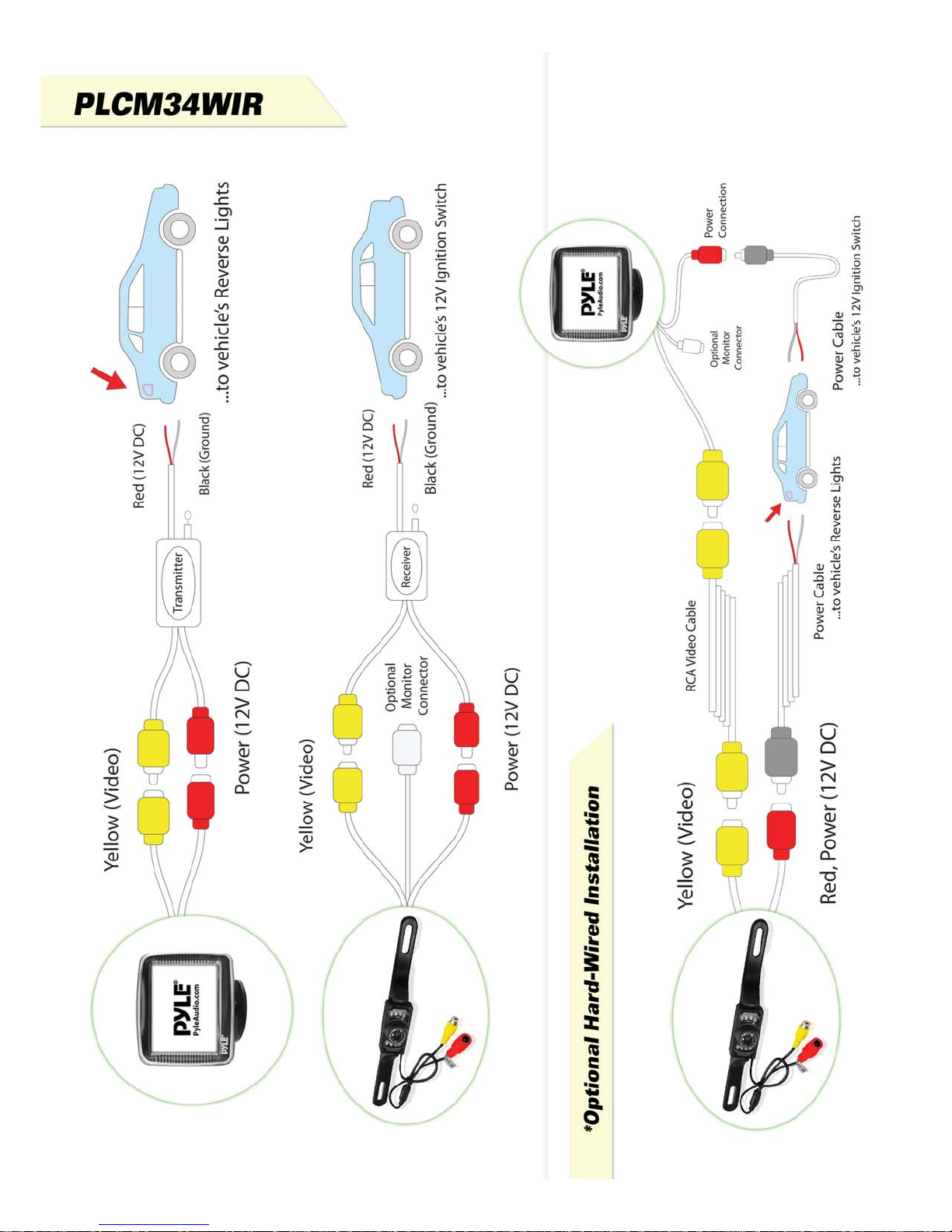
The2.4Gwirelessmodulescomeintwoparts,theyareusedasthe“Transmitter”andthe“Receiver”.Wheninstalling,the
“Transmitter”,shouldbeconnectedtothecamera(thecameraispreferablymountedintherearofthevehicle,justabove
thelicenseplate).Thetransmitterandreceivercomeequippedwithbuiltinpowerwiringcables.Thereceiverconnects
totheincludeddisplaymonitor.Thisreceivesthesignalfromthecameraconnectedtothetransmitter.
Connectthetransmitter'sredpowerwire,oftheDC12Vinputcable,tothepositive12Vreversetaillightintherearof
yourcar.Thenconnecttheblackwire,oftheDC12Vinputcable,andgroundproperly.Thetransmitterthenconnectsto
thecamera,andwillsupplypowertothecameradirectly.
Next,connecttheyellowRCAVideoconnectortotheRCAVideooutputofthetransmitter.Trytorunthisyellowvideo
cablethroughtheleastobtrusiveandnoninterferingroute.Thetransmitterwillautomaticallybroadcastthevideosignal
tothereceiverwirelesslyonceactivated(onceyourvehicleisplacedinreverse).
Then,grabtheotherwirelessmodule(receiver)andusetheredwire,ofitsDC12Vinputcable,toconnectthistoyour
vehicle'sfusepanel(preferablytothepositive12Vignitionswitchvoltage)whichwillonlybepoweredwhenyourvehicle
ison,oractivatedbykey.ThenconnecttheblackwireoftheDC12Vinputandgroundproperly.Thereceivershouldbe
connectedtothemonitor,andwillsupplypowertothemonitordirectly.
Caution:Thisunitisdesignedtooperateona12V/24VDCNEGATIVEGROUNDelectricalsystem.Connectingtoothertypesofelectrical
systemswillcausedamagetoyourvehicle.Pleasecontactthemanufacturerifyouareunawareofthesystemtypeinyourvehicle.

Note:
Thewhitevideoinputconnectoronthemonitordisplayscreenisavailableforconnectinganadditionalmonitordisplay
screen. The wireless receiver automatically retrieves the video signal from the connected wireless transmitter when
activated.Videosources(V1/V2).
InstallationTranscript:
1. Locate the reverse taillight wiring behind your vehicle's reverse light. You may need to remove an interior panel, or
othercover,inordertolocatethewiring.Connectawirelessmoduletothereverselight.
2.Connectthecameratothewirelessmodule,thenmountthecamerainthedesiredlocation.
3.Mountthedisplaymonitor.
4.Connecttheotherwirelessmoduletothedisplaymonitor(installedtothefusepanelofthevehicle)
12Vignitioncontrolline,thislinereceivespower12Vwithkeyonlosespowerwithkeyoff.
CameraConnection(UsingtheWirelessTransmitter):
a.Connectthewirelessmodule'sRedwiretoyourvehicle'sreverselightpositivewire.
b.Connectthewirelessmodule'sBlackwiretoyourvehicle'sreverselightnegativewire.
c.Ensurethewiresaresafelyandsecurelyconnected,withproperisolationappliedtoallconnections.
d.Determine thebest locationto mountthe wirelessmodules,asthey arenotwaterproofandneedasafe andsecure
location.
MonitorConnection(UsingtheWirelessTransmitter):
a.Connecttheotherwirelessmodule'sRedwiretoyourvehicle'sreverselightpositivewire.
b.Connecttheotherwirelessmodule'sBlackwiretoyourvehicle'sreverselightnegativewire.
c.Ensurethewiresaresafelyandsecurelyconnected,withproperisolationappliedtoallconnections.
d.Determine thebest locationto mountthe wirelessmodules,asthey arenotwaterproofandneedasafeandsecure
location.
*Thisrearviewbackup camerasystemalsoincludeswiringcablesthatallowyoutoinstallthesystemviaoptional hard
wiredconnection,withtheincludedpowerwiringcables(Refertoinstallationdiagrams).
Notes:
Determine the best location for the camera (Keep in mind that you must run the cable from the camera to the
transmitter).Youmayneedtodrillasmallholeinthepanelnearyourlicenseplate(Thecameraispreferablymounted
justabovethelicenseplate).
Besurewhenrunningtheconnectioncablestoleaveasmallamountofslacksoyoucanstillmovethecameraaround
thelicenseplate,ifyoudecidetoslightlyadjustthecamera'spositioningatalatertime.
Testthecameraandmonitorsystemonceyouhavecompletedinstallation.Activateyourcarandturnthekeyintothe
accessoryposition.Yourconnectedmonitorwillautomaticallypoweronifproperlyconnectedtoapowersource.Placing
yourvehicleinreverseshouldprovideapicture.

Indice
Altri manuali Pyle Accessori per automobili

Pyle
Pyle PLCM9200 Manuale utente

Pyle
Pyle PLDCP50 Manuale utente

Pyle
Pyle PLCMDVR72 Manuale utente

Pyle
Pyle PLDCP25 Manuale utente

Pyle
Pyle PBT98 Manuale utente

Pyle
Pyle PLCM4235 Manuale utente

Pyle
Pyle PLCAPE24 Manuale utente

Pyle
Pyle PLCMTR26 Manuale utente

Pyle
Pyle PLCM4565 Manuale utente

Pyle
Pyle PLDCP12 Manuale utente

Pyle
Pyle PLCM2720 Manuale utente

Pyle
Pyle PLCMRV8B Black Manuale utente

Pyle
Pyle PBT99 Manuale utente

Pyle
Pyle PLDCP3 Manuale utente

Pyle
Pyle PLCAPE30 Manuale utente

Pyle
Pyle PLCM21 Manuale utente

Pyle
Pyle PIFMDK6 Manuale utente

Pyle
Pyle PLCAPE500 Manuale utente

Pyle
Pyle PLCMDVR 8 Manuale utente

Pyle
Pyle PLCPBT25 Manuale utente