Quick Start Operation – Introduction DAC2302 Operator Manual
1-1
1. Quick Start Operation – Introduction
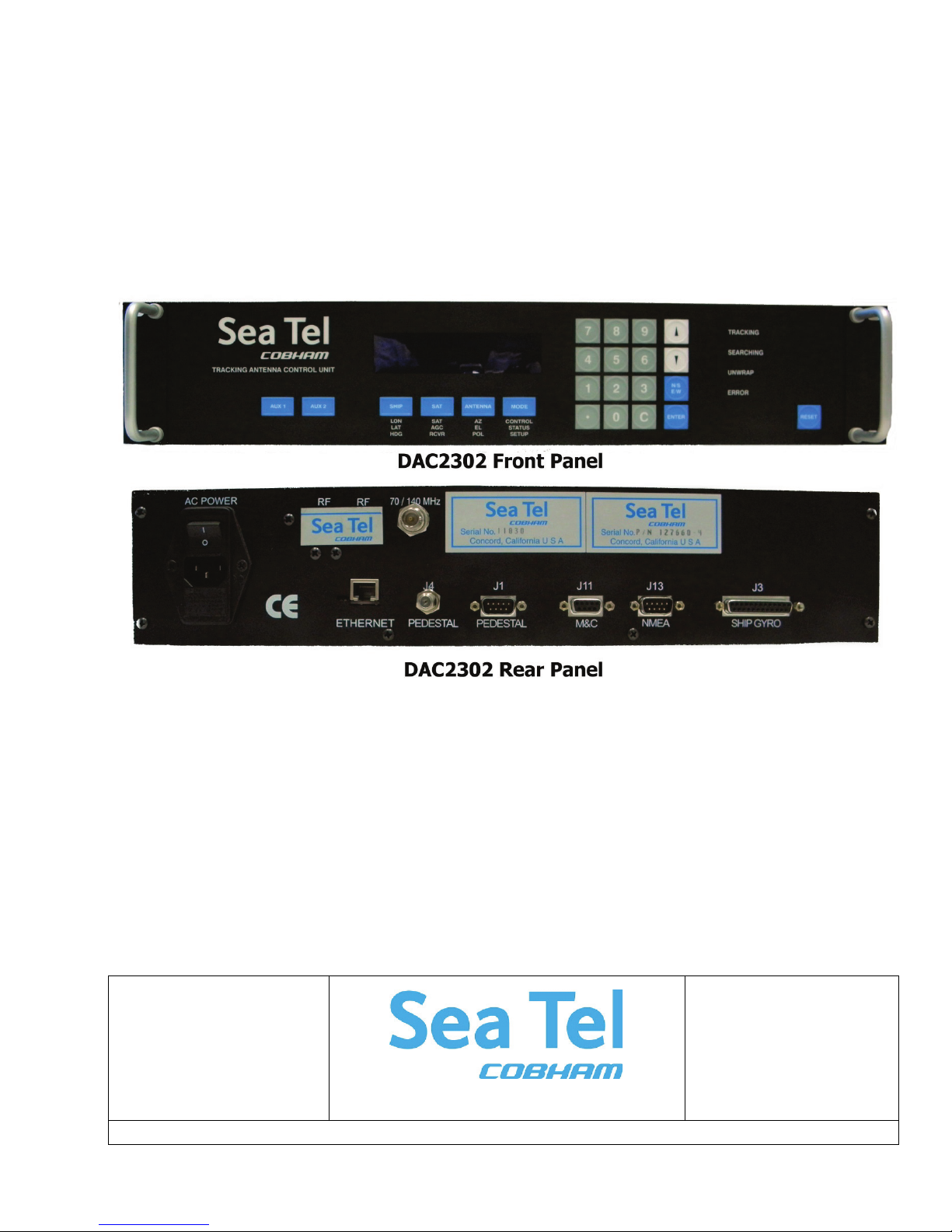
When power is turned ON, the ACU Display will initially show “SEA TEL INC - MASTER” and the ACU software version (ie
DAC-2302 VER 7.xx ). 10 seconds later, the display will switch to “SEA TEL INC - REMOTE” and “INITIALIZING” for
approximately two minutes while the Pedestal Control Unit (PCU) completes initialization of the antenna pedestal and then
reports its Model & Software version.
1.1. Quick Start Operation
If your system has been set up correctly and the ship has not moved since the system was used last. Operation of the
system from a cold start involves the following steps.
1. Turn on the AC power switches for the Antenna Control Unit (ACU) and other Below Decks Equipment..
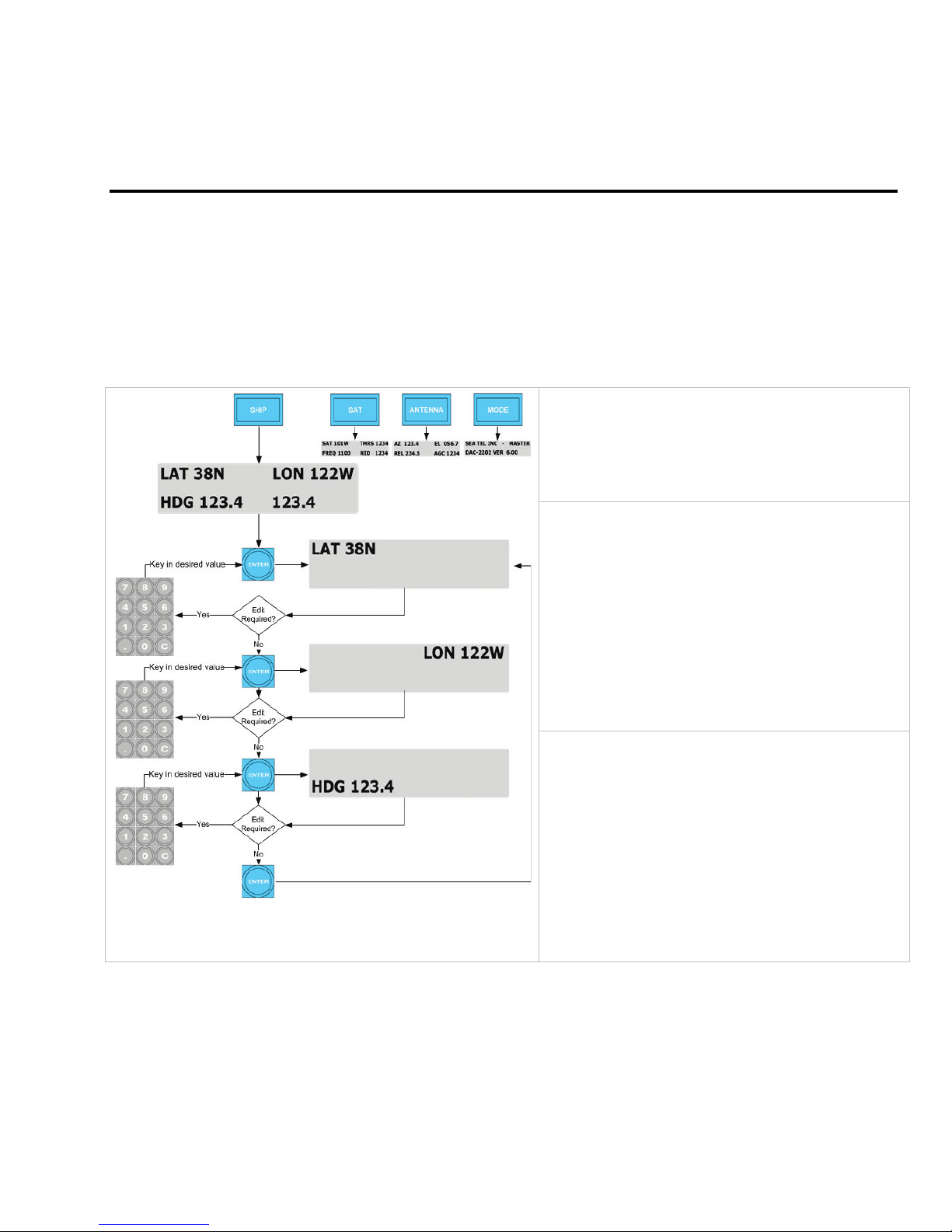
2. Press the SHIP key to display and check the vessels Latitude, Longitude and Heading values. Latitude and
Longitude should still be correct, but may be updated if necessary. Heading, in some cases, will be 000.0 and
you will have to enter the initial value of the ships current heading. Entry of ships heading is not required
when your system is connected to a 1:1 Synchro or NMEA 0183 Heading Gyro Compass output. To correct
the Heading value, press the SHIP key 3 times to select ship's heading (HDG) entry mode. Using the
numeric key pad, enter in the vessel’s current heading position and then ENTER to submit the value. Press
the SHIP key again to return to the full Ship’s display main menu.
3. If setup correctly, the ACU should automatically target the last satellite that was used. If it does not, press
SAT key twice to display the Satellite display sub-menu so you can manually target the satellite. Enter in
the satellite’s longitude position and then press ENTER. If you are targeting a different satellite you will
need to change the tracking parameters and then target the desired satellite, refer to the operation section
for the Satellite menu below.
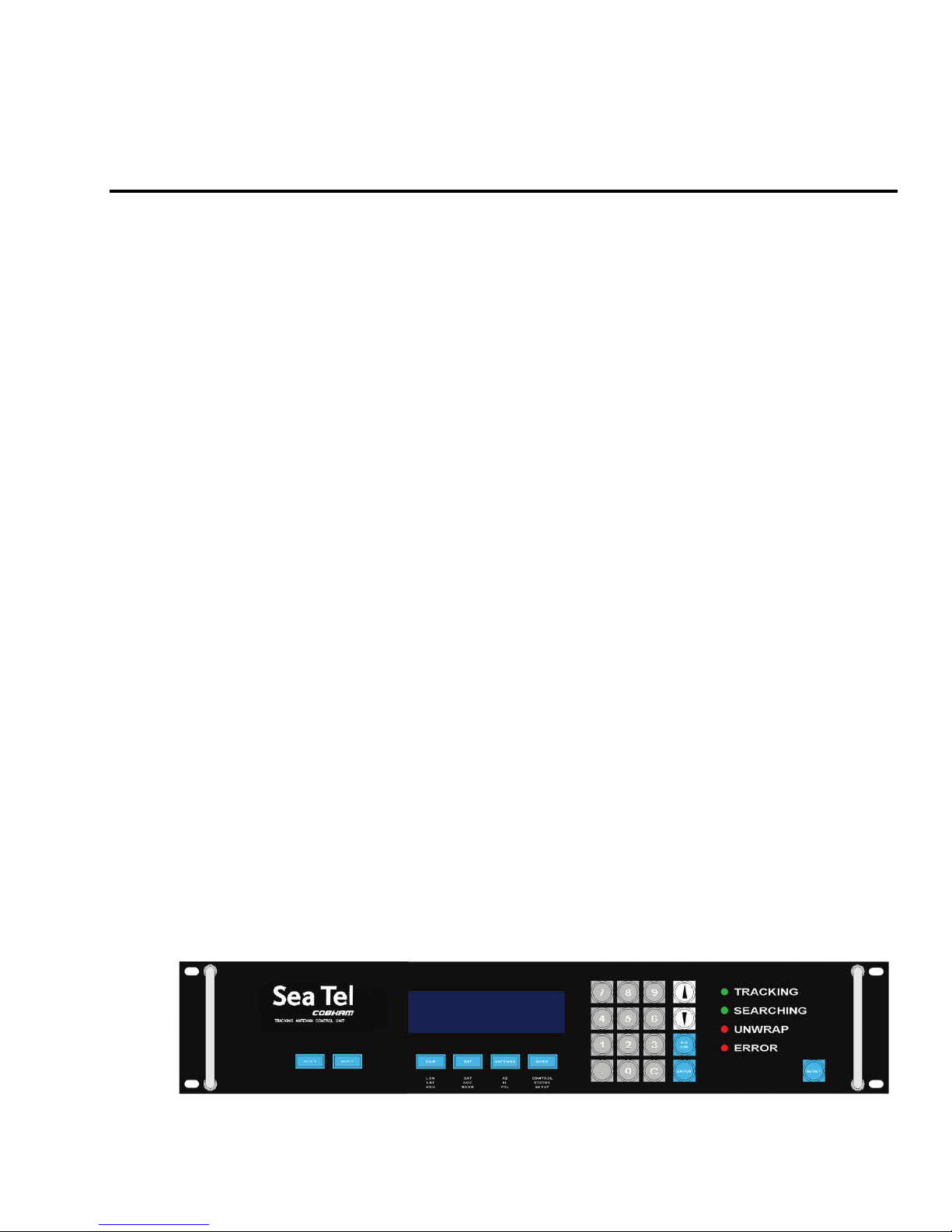
A. If no signal is found: The Tracking LED will flash for a short period of time (per the SEARCH DELAY parameter)
followed by the Search LED coming ON. The ACU will automatically move the antenna in a spiral SEARCH pattern
until the ACU receives a signal (AGC) value that is greater than the threshold value. Tracking will take over (Tracking
LED ON) and automatically peak the antenna position for highest receive signal level from the satellite which has been
acquired.
B. If satellite signal is found AND network lock is achieved: The received signal level (AGC) will be higher
than the threshold value. Tracking will take over (Tracking LED ON) and automatically peak the antenna position for
highest receive signal level from the satellite and the satellite modem will get modem lock/receive sync.When the
ACU has signal above threshold AND modem has network lock the antenna will continue to track the satellite.
B. If satellite signal is found but network lock is NOT achieved: If you’re system has been setup to use the
network lock/satellite ID output from the satellite modem; When signal above threshold is found but the modem does
NOT get network lock (receive sync), the ACU will re-target in an attempt to find the satellite which has signal AND
network lock. This could be due to the antenna targeting the wrong satellite, polarization failure, modem failure (not
getting receive sync) or network failure (not allowing the modem to get receive sync). The ACU will continue to re-
target.
Upon completion of the above, the system will continue to operate automatically indefinitely until;AC power to
the system is interrupted OR The satellite signal is blocked OR The ship sails into an area of insufficient satellite
signal level.
1.2. Front Panel Layout