
Self-Sat SOUNDBAR 24 Manuale utente
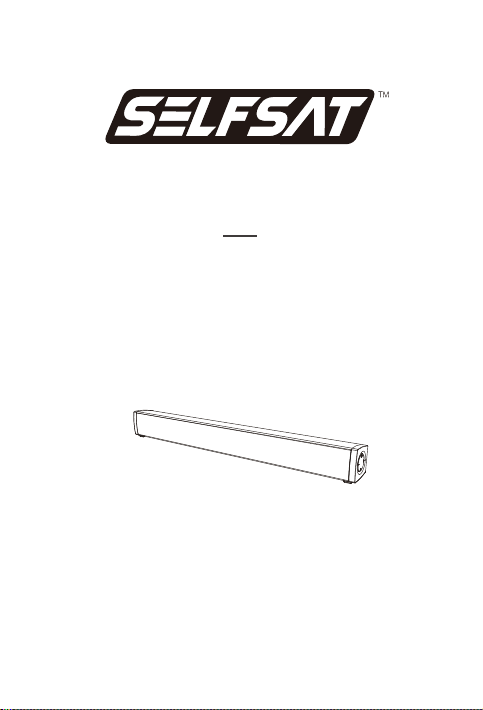
SOUNDBAR 24
Quick Start Guide
2.0 Channel Speaker System
IMPORTANT
Please read this manual carefully before operating the soundbar and keep this manual handy for further reference.

EN
ACCESSORlES
DIAGRAM (BUTTONS, PORTS & INDICATOR)
Thank you for buying this SOUNDBAR 24. This Quick Start Guide contains the most
important information for setting up and using this soundbar to get the best sound
experience. With its width of 54 cm the SOUNDBAR 24 is very suitable for 24" TVs.
Soundbar
AUX audio cable 3,5mm audio cable HDMI Cabel
Remote Control Quick Start Guide Power adapter
Short press to turn on,long press to turn off; short press to switch modes when it is
turned on.
Shortpress volume-1, long press to decrease quickly.
In Bluetooth and USB mode, short press to play or pause.
Short press volume +1, long press to increase quickly.
DC 12 V IN jack to connect the power supply or cigarette lighter cable.
AUX IN: Connect to the compatible devices via the 3,5mm audio cable or AUX
audio cable (provided).
ARC: Connect to the compatible devices via a HDMI cabie(not provided).
USB IN: Connect to the flash drive for playing MP3/WAV/WMA/APE/PLAC files(64GB max).

320.00mm
A. Table Placement
MODE
PLACEMENT
HDMI(ARC)mode
USB media mode
Bluetooth mode
Auxiliary input mode
B.Wall Mounted
Placement:
Place the soundbar on a solid surface.

EN
A. Battery installation (2 x AAA batteries not included)
B. Use remote control
The working range of the remote control is +/-30º in both vertical and horizontal directions.
REMOTE CONTROL
30º
<8meters
30º

EN
Short press for 1s to power on. Hold and press for 3s to power off
Short press the button to switch input modes among Bluetooth.
ARC (HDMI), USB and AUX.
For movies
Short press to turn on/off LED indicator on soundbar
For music
For talk shows, interviews, news, etc. to hear dialongues clearly
For movies and music with strong bass
For playing and wantching games
Remark: For more user-friendliness (especially at night) the LED will automatically be
off if the mode will not be changed for some seconds. To re-trigger press MODE again.
C.How to use the remote control

EN
A. Power Connection
or
3,5 mm
audio cable AUX
audio
cable
HDMI
cable
(ARC
/CEC)
(not included)
AUX
AUDIO OUT HDMI
IN
GOOD BETTER BEST
B. Connect to TV
After connecting the line, use the buttons on the remote control or on the soundbar to
change the input mode.
Note :
1. For best sound experience use the HDMI cable to connect the soundbar and the TV.
Alternatively use the AUX audio cable or the 3,5mm audio cable.
2. After connecting the soundbar and the TV use the buttons on your remote control
or the soundbar.
3. If your TV supports the CEC function you should use this function to automatically
switch on your soundbar and to control the loudness with the remote control of your TV.
4. 32 is the maximum volume of the soundbar.
USING YOUR SOUNDBAR

EN
C. Connect to Other Devices
or
3,5 mm
audio cable
GOOD
AUX
audio
cable
HDMI
cable
(ARC
/CEC)
BETTER BEST
Short press the“MODE”button on the remote control to enter Bluetooth mode.When
entering the paireng mode, starts to flash,Pairing name: SELFSAT Soundbar,
and pairing is successful,the voice prommpt“Connected”
D. Connect to Bluetooth Device
SELFSAT Soundbar

EN
SOUNDBAR 24
Model
Power Supply
Peak Power
Sound Channel
Driver
Functional Jacks
BT Version
Distortion
Product Weight
Product Dimension
30W
2.0
5.0
<0.5%
1.1 kg
Soundbar 540(L)x62(D)x58(H)mm
(45×80mm)×2Driver
HDMI(ARC)×1,USB×1, AUX×1
DC 12V/2.5A
SPECIFICATION:
SAFETY INSTRUCTIONS
1. Avoid dropping
2. Don't disassemble
3. Avoid extreme temperatures
4. Don't use the device outdoors during thur derstorms
5. Use original or certified cables
6. Don't use any corrosive cleaner/ oil to clean
7. The products should not be exposed to dripping or splashing water
EN
Based on legislative decree no. 49 dated 14 March,2014
th
“Execution of Directive 2012/19/EU about electrical and electronic equipment waste
(RAEE)”
Correct disposal of the batteries in this product
(Applicable in countries with separate collection systems)
This marking on battery, manual or packaging indicates that the batteries
in this product should not be disposed of with other household waste at the
end of their working life. Where marked,the chemical symbols Hg,Cd or
Pb indicate that the battery contains mercury,cadmium or lead above the
reference levels in EC Directive 2006/66.If batteries are not properly
disposed of, these substances can cause harm to human health or the
environment.
To protect natural resources and to promote material reuse,please
separate batteries from other types of waste and recycle them through
your local,free battery return system.
This marking indicates that this product should not be disposed with other household
wastes,but it should be disposed separately from other wastes. Therefore,the user
should bring the product with all essential components to recycling centers for
electrical and electronic wastes, or return to retailer before to buy a new product as
equivalent type, in the ratio of 1 to 1, or 1 to 0 for products that have larger side lesser
of 25cm. Correct disposal of your old appliance will help to prevent potential damage
to the environment and to human health and support materials recycling. The
unlawful disposal of the product should involve for user’ administrative sanctions
based on Legislative Decree no. 49 dated 14 March,2014.
th
To prevent possible hearing damage, do not listen at high volume levels for long periods.
Operating Temperature: 5℃-35℃ (41℉-95℉)
Environmental Considerations
Storage Temperature: -15℃-45℃ (5℉-113℉)
Operating Humidity: 20%-75%, non-condensing
Storage Humidity: 10%-90%, non-condensing
CAUTION:
The CE Document of Conformity can be downloaded here:
https://selfsat-service.de/ce-documents

SOUNDBAR 24
KURZANLEITUNG
2.0 Kanal Lautsprecher-System
Hinweis:
Bitte lesen Sie diese Anleitung sorgfältig durch, bevor Sie die Soundbar in Betrieb nehmen, und bewahren
Sie diese Anleitung zum Nachschlagen auf.
Indice
Lingue:


