Wireless Pairing
1. Once T236 has been turned on, it is automatically in WIRELESS mode (the T236 will start to
flash multicolored LED lights to indicate it is ready for Wireless pairing)
2. Enable Bluetooth function on your electronic device.
3. Search Bluetooth signal Spector T236 & pair your device (a short melody will be prompted
to indicate the devices are paired)
Wireless Mode
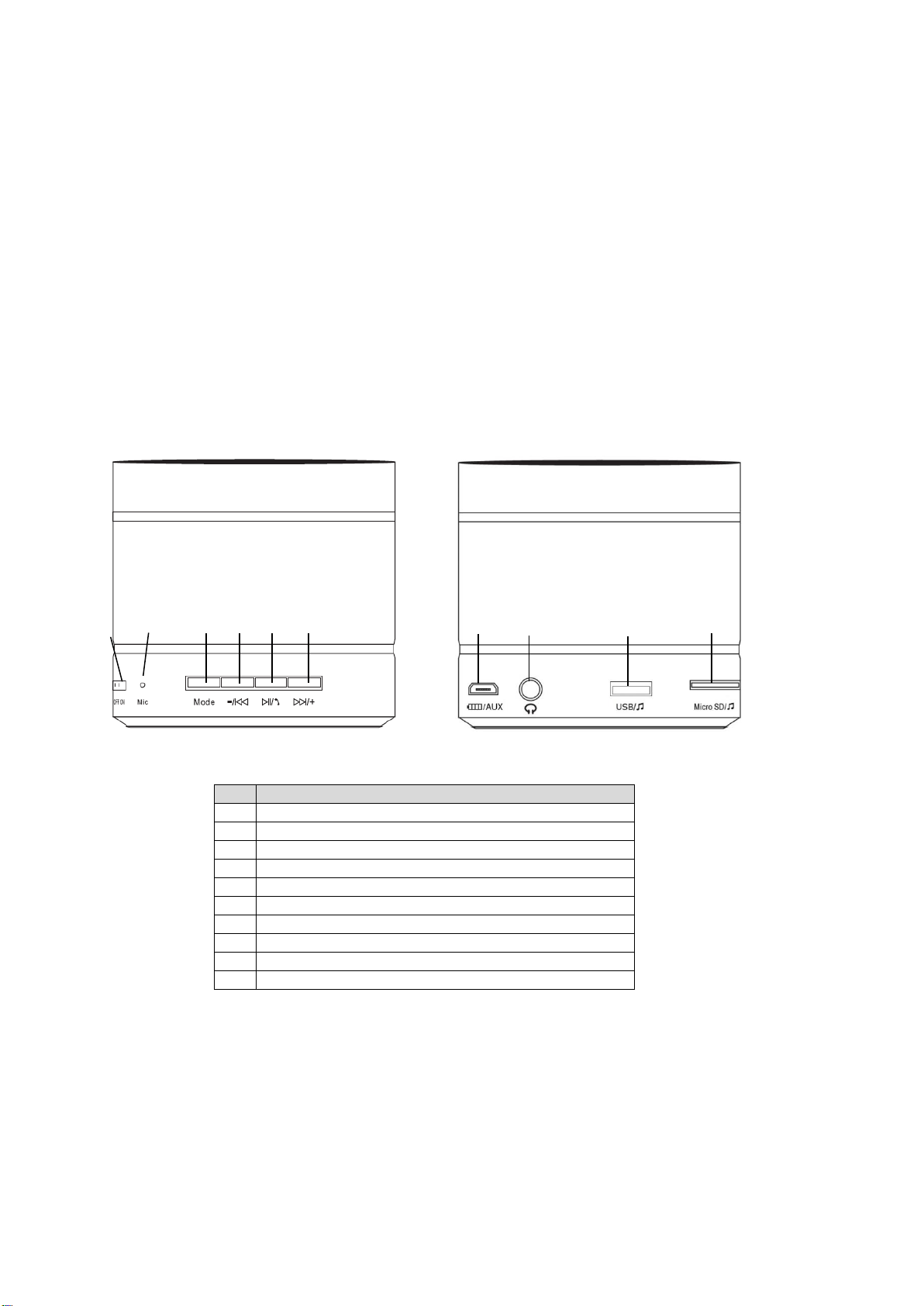
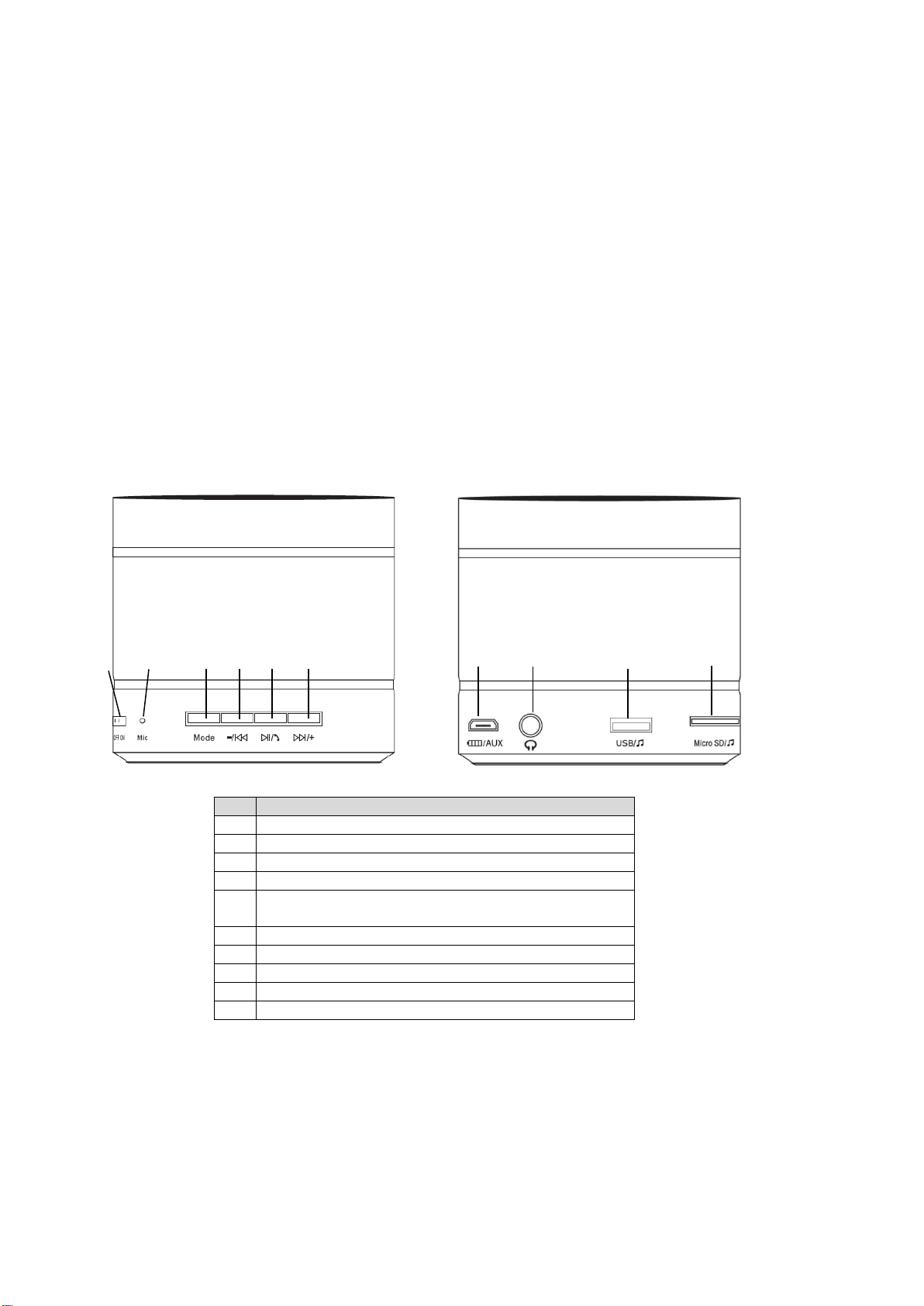
1. Play/Pause/Answer incoming call: press button
2. Reject/End incoming call: press & hold button
3. Redial last caller: double-press button
4. Volume control: press & hold or buttons
5. Skip songs: press or buttons quickly
Aux Mode
1. To activate AUX mode turn speaker ON & press M button twice
2. Connect micro-USB audio cable into the T236 & insert 3.5mm AUX into your audio device
3. Play/pause/volume control can controlled directly on your audio device or the T236
4. Skip songs & answer/end incoming calls must be controlled directly on your audio device
Micro SD Card Mode
1. Micro SD Card: Insert your micro SD card & music will automatically begin playing
2. Play/Pause: press button
3. Volume control: press & hold or buttons
4. Skip songs: press or buttons quickly
5. Press on card to eject
FM Radio Mode
1. To activate FM radio, turn speaker ON & press M button once
2. NOTE: Plug in the micro-USB/USB cable while in FM radio mode. The cable will act as an
antenna & will improve the radio signal.
3. Press & hold button to initiate the scan of all accessible FM radio stations
4. Once initial scan is complete, use or buttons: quick press to scan radio
stations/Hold down for volume control
To Charge the T236
1. Insert micro USB into the T236& connect the USB output to a wall adapter (not included)
2. Red LED indicates the device is charging (Red LED will turn OFF once fully charged)
FCC STATEMENT
This device complies with Part 15 of the FCC Rules. Operation is subject to the following two
conditions:
(1) this device may not cause harmful interference, and
(2) this device must accept any interference received,
including interference that may cause undesired operation.
This equipment has been tested and found to comply with the limits for a Class B digital device,
pursuant to Part 15 of the FCC Rules. These limits are designed to provide reasonable protection
against harmful interference in a residential installation. This equipment generates, uses and can
radiate radio frequency energy and, if not installed and used in accordance with the instructions, may
cause harmful interference to radio communications.