Brief Instruction
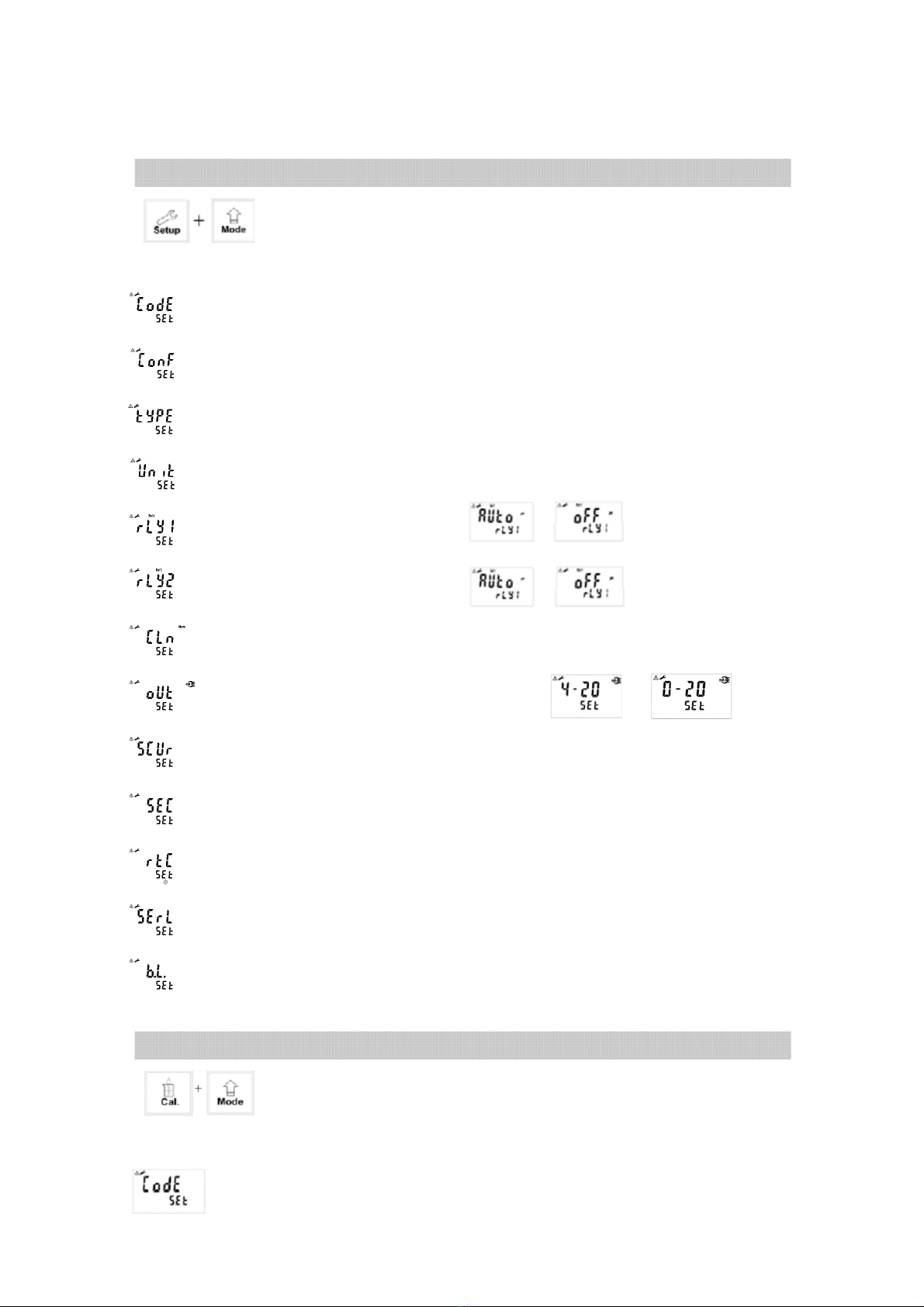
If you like to use security code of settings, the original code is 1111.
Settings of measurement parameters (see chapter 7)
In measurement mode, pressing “Setup"and “Mode"simultaneously
allows you to access Set-up mode.
Settings of Calibration (see chapter 8)
In measurement mode, pressing “Cal."and “Mode"simultaneously
allows you to access Calibration mode.
In the Code function, entering original code or user’s designated code allows you to
reset the code or shut down this function.
If you like to use security code of calibration, the original code is 1111.
In the Type function, please select a model type of sensor.
In the Code function, entering original code or user’s designated code allows you
to reset the code or shut down this function.
In the Configuration function, there is no function.
In the Relay 1 function, please select or to activate it or not.
In the Relay 2 function, please select or to activate it or not.
In the Clean function, please set wash time and stop duration.
In the Out function, please set analog output with or
In the Scrub function, please set sensor lens scrub time interval.
In the Unit function, please select correlated measurement unit.
In the Second function, please set average measurement reading time.
In the Serl function, please set MODBUS’s encoding, check bit, ID code and baud speed.
TC-7100RS onl
In the Back light function, please set brightness of display and sensitivity of
light-source sensor.
In the Real time clock function, please set year, date, and time. (TC-7100RS only)