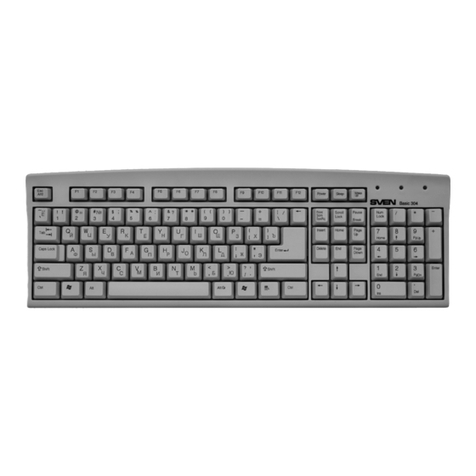
Sven KB-G9600 Manuale utente

www.sven.fi
USER MANUAL
Multimedia
Gaming Keyboard
KB-G9600

ENG
2
Multimedia
Gaming Keyboard
Congratulations on your purchase of the Sven Multimedia Gaming Keyboard!
COPYRIGHT
© SVEN PTE. LTD. Version 2.0 (10.05.2023).
This Manual and information contained in it are copyrighted. All rights reserved.
TRADEMARKS
All trademarks are the property of their legal holders.
NOTICE OF RESPONSIBILITY RESTRICTION
Despite the exerted eorts to make this Manual more exact, some discrepancies may occur.
Theinformation in this Manual is given on “as is” terms. The author and the publisher do notbear
any liability to a person or an organization for loss or damage which has arisen from the infor-
mation contained in this Manual.
CONTENTS
ENG ............................................................................................................................................... 2
1. BUYER RECOMMENDATIONS.................................................................................................. 2
2. APPLICATION ........................................................................................................................... 3
3. PACKAGE CONTENTS............................................................................................................... 3
4. SPECIAL FEATURES................................................................................................................... 3
5. SYSTEM REQUIREMENTS ......................................................................................................... 3
6. INSTALLATION ......................................................................................................................... 3
7. INSTALLATION OF THE SOFTWARE ........................................................................................ 3
8. TROUBLESHOOTING................................................................................................................ 9
9. TECHNICAL SPECIFICATIONS .................................................................................................. 9
RUS.............................................................................................................................................. 10
1. BUYER RECOMMENDATIONS
• Unpack the device carefully. Make sure there are no accessories left in the box. Check up the
device for damage; if the product was damaged during transportation, address the rm which
carried out the delivery; if the product functions incorrectly, address the dealer at once.
• Shipping and transportation equipment is permitted only in the original container.
• Does not require special conditions for realization.
• Dispose of in accordance with regulations for the disposal of household and computer equipment.
• The date of manufacture of the product is indicated on the box.
Technical support is on www.sven..

ENG
3
KB-G9600
User Manual
2. APPLICATION
KB-G9600 keyboard is an input device. It is designed to enter information into the computer, as
well as controll the operation of the computer.
3. PACKAGE CONTENTS
• Keyboard – 1 pc
• User Manual – 1 pc
• Warranty card – 1 pc
4. SPECIAL FEATURES
• Programmable keys
• Ability to record macros
• Suppress phantom clicks
• 7 switchable backlight color
• Keys for multimedia control
• Fixed wrist rest
• Cable in protective sheath
5. SYSTEM REQUIREMENTS
• ОС Windows.
• Free USB port.
6. INSTALLATION
• Connect the keyboard to an available USB port of your PC.
• Installation of keyboard is automatic after its connection to USB port of PC.
7. INSTALLATION OF THE SOFTWARE
Keyboard software is available on the official SVEN website. After downloading and installation,
the software provides setting of backlight operation modes, assignment of function keys and
macro programming.
Key Setting
Configuration files
In this window, you name the
configuration file or select it from
the list of previously saved files,
save the edit file in the specified
folder, extract the file from the
folder and delete unnecessary
files.
Fig. 1.Fig. 2.

ENG
4
Multimedia
Gaming Keyboard
FN combination key
In this window, the keys F1-F12 are assigned a functional value
from the number of functions presented in the list. Features allow
you to control the media player, control the sound, keyboard, and
open various system programs.
List of commands supported for programming function buttons.
Advancing tab using
This tab allows to adjust keyboard backlight and contains the fol-
lowing modes:
•Backlightoff.
In this mode you can switch o the backlight. Also you can switch ON / OFF backlight by key .
•Breathing.
In this mode you can smoothly make backlight brighter or darker. There is cycle colors mode
and single color mode. The speed you can adjust by Frequency option.
•Backlighton.
In this mode keyboard has single color with no breathing. You can adjust the brightness by
Brightness option.
•Response.
This mode turns backlight every time you press a key. The queue and colors quantity can be
set by user.
The duration and brightness of the response you can set using Frequency and Brightness op-
tions. There is an option to set some visual brightness eects and change the settings.
•Neon.
In this mode keyboard changes all 7 colors. The frequency of blinking you can set by Frequency
option.
Fig. 3.Fig. 4.

ENG
5
KB-G9600
User Manual
Fig. 5.
•Ambilight
This mode allows to use vertical backlight with 7 colors. The frequency of color change you can
set by Frequency option.
•Comettail.
In this mode the backlight moves from left to right, from right to left, from center to sides in
dependence on settings. Also you can choose single color or cycled.
•Singlewater.
In this color you can use vertical backlight moving with chosen colors or single color. The dura-
tion and brightness you can set by Frequency and Brightness options. There is also option of
this eect adjustment.
•Flowwater
In this mode the backlight moves vertical and then horisontal, when LEDs switch on and switch o
one by one. The LEDs can shine with dierent colors or single color. The duration and brightness
you can set by Frequency and Brightness options. There is also option of this eect adjustment.
•Flashing
In this mode the backlight ashes changing colors from one to another. You can choose the
colors. The frequency of color changing you can set by Frequency option.
•Monochromaticwave
In this mode the backlight runs like a vertical wave and change colors every 8th wave. The fre-
quency of wave changing you can set by Frequency option.
•Partition
In this mode the backlight shines constantly and divided by segments with dierent colors that
you can choose.
Fig. 6.

ENG
6
Multimedia
Gaming Keyboard
WorkingwiththeMacromenuitem
This menu adjusts the macro.
In this window you can create or delete macros, macro group,
and you can also select a previously created macro (macro
group).
Cyclicity is set by the following settings:
•Looptorelease– macro input is determined by the length of
time the key is pressed;
•Looptore-click – macro input is programmed with the key:
first press – start typing, second press – end macro input;
•Starttheloop – entering the macro is done by pressing a
programmed key.
Fig. 8.
Fig. 7.

ENG
7
KB-G9600
User Manual
Fig. 9.
Fig. 10.
The macro is recorded by Record command.
Creating new macro.
• To create new macro, you must press [+]
key in the macro window. The macro name
is edited in the Macro name box.
• The macro is recorded by the Record
command. There is an alternate sequence
of keystrokes.
• The macro is stopped by the Stop
command.
• All recorded macro values are displayed
in the key list window.
• Macros can be further customized. The
settings window is called by right-clicking.
Editing the keyboard backlight settings is
provided in the window (LED).
The settings are saved by the Apply
command.

ENG
8
Multimedia
Gaming Keyboard
Fig. 13.
Fig. 11.
Purpose of the macro.
At the point Key Setting macro key is
defined from the number of special keys
to handle macros. The settings window is
called by rightclicking.
The Macro menu item opens in the
settings window of this key.The desired
macro is selected in the menu from the
appropriate macro group. After the macro
name is resolved, press button ОК.
The settings are saved by the Apply
command.
Macro is ready.
Fig. 12.

ENG
9
KB-G9600
User Manual
8. TROUBLESHOOTING
Problem Solution
Кeyboard
is not working.
1. Disconnect keyboard from PC and check connector pins for possible
damage. If there is no external damage found and connector pins are OK,
connect keyboard to PC again.
2. We recommend to address the nearest authorized service center.
9. TECHNICAL SPECIFICATIONS
Parameter, measurment unit Value
Q-ty of keyboard keys, pcs 120
Q-ty of keyboard shortcut keys, pcs 16
Keyboard layout Eng/Rus/Ukr
OS compatibility Windows
Interface USB
Extrapolated mean life more than 20,000,000 strokes
Dimensions, mm 487 × 40 × 205
Weight клавиатуры, g 1100
Notes. Technical specications given in this table are supplemental information andcannotgive
occasion to claims. Technical specications are subject to change without notice due toimprove-
ment of SVEN production.

RUS
10
Мультимедийная
игровая клавиатура
Благодарим Вас за покупку мультимедийной игровой клавиатуры ТМ SVEN!
АВТОРСКОЕПРАВО
© SVEN PTE. LTD. Версия 2.0 (10.05.2023).
Данное Руководство и содержащаяся в нем информация защищены авторским правом.
Все права защищены.
ТОРГОВЫЕМАРКИ
Все торговые марки являются собственностью их законных владельцев.
ПРЕДУПРЕЖДЕНИЕОБОГРАНИЧЕНИИОТВЕТСТВЕННОСТИ
Несмотря на приложенные усилия сделать Руководство более точным, возможны некото-
рые несоответствия. Информация данного Руководства предоставлена на условиях «как
есть». Автор и издатель не несут никакой ответственности перед лицом или организаци-
ей за ущерб или повреждения, произошедшие от информации, содержащейся в данном
Руководстве.
СОДЕРЖАНИЕ
ENG ............................................................................................................................................... 2
RUS.............................................................................................................................................. 10
1.РЕКОМЕНДАЦИИПОКУПАТЕЛЮ ....................................................................................... 10
2.НАЗНАЧЕНИЕ ........................................................................................................................ 11
3.КОМПЛЕКТАЦИЯ .................................................................................................................. 11
4.ОСОБЕННОСТИ ..................................................................................................................... 11
5.СИСТЕМНЫЕТРЕБОВАНИЯ ................................................................................................. 11
6.ПОДГОТОВКАКРАБОТЕ...................................................................................................... 11
7.УСТАНОВКАПРОГРАММНОГООБЕСПЕЧЕНИЯ................................................................ 11
8.УСТРАНЕНИЕНЕИСПРАВНОСТЕЙ ...................................................................................... 18
9.ТЕХНИЧЕСКИЕХАРАКТЕРИСТИКИ..................................................................................... 18
1.РЕКОМЕНДАЦИИПОКУПАТЕЛЮ
• Аккуратно распакуйте изделие, проследите за тем, чтобы внутри коробки не остались ка-
кие-либо принадлежности. Проверьте устройство на предмет повреждений. Если изделие
повреждено при транспортировке, обратитесь в фирму, осуществляющую доставку; если
изделие не функционирует, сразу же обратитесь к продавцу.
• Перевозка и транспортировка оборудования допускается только в заводской упаковке.
• Не требует специальных условий для реализации.
• Утилизировать в соответствии с правилами утилизации бытовой и компьютерной техники.
• Дата изготовления продукта указана на коробке.
Техническая поддержка размещена на сайте www.sven.fi.
Здесь же Вы сможете найти обновленную версию данного Руководства.
Altri manuali per KB-G9600
3
Indice
Lingue:
Altri manuali Sven Tastiera

Sven
Sven KB-G9500 Manuale utente

Sven
Sven KB-S300 Manuale utente

Sven
Sven Comfort 3300 Wireless Manuale utente

Sven
Sven EL 7010 Manuale utente

Sven
Sven KB-G9600 Manuale utente

Sven
Sven EL 4005 MH Manuale utente

Sven
Sven KB-C3500W Manuale utente

Sven
Sven KB-S305 Manuale utente

Sven
Sven EL 4003 Manuale utente

Sven
Sven ELEGANCE 5700 Manuale utente

Sven
Sven KB-G8300 Manuale utente

Sven
Sven KB-C3050 Manuale utente

Sven
Sven KB-S302 Manuale utente

Sven
Sven KB-G9300 Manuale utente

Sven
Sven KB-E5000 Manuale utente

Sven
Sven Comfort 7400 EL Manuale utente

Sven
Sven BLONDE Manuale utente

Sven
Sven SLIM OFFICE MEDIA PRO 2600 Manuale utente

Sven
Sven KB-C2200W Manuale utente

Sven
Sven KB-G9450 Manuale utente