
TV Star C101 Manuale utente
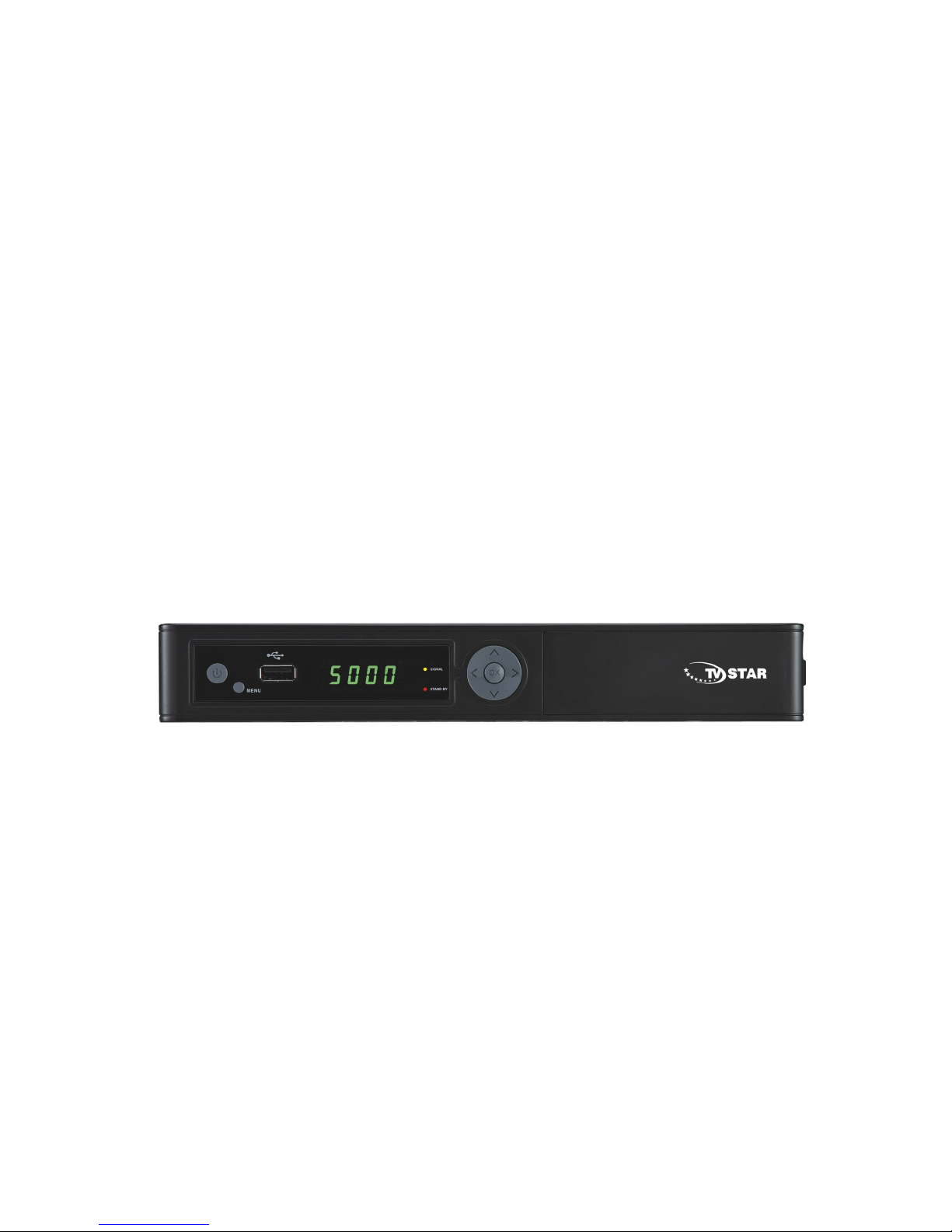
DIGITAL CABLE TV RECEIVER
Set Top Box (STB)
TV STAR C101
USER MANUAL
1

Table of contents
Safety………………………………………………………………………….……4
Ge eral I troductio …………………………………………………………..…6
Fro t Pa el / Rear Pa el…………………………………………………………....8
Remote Co trol U it………………………………………………………….……. 10
S.T.B Co ectio ……………………………………………………………….......13
Digital TV…………………………………………………………………………...16
1. I stallatio ………………………………………………………………………...16
1.1 Ma ual Search………………………………………………………………….…...16
1.2 Auto Search……………………………………………………………. …..17
2. Cha el Ma ager…………………………………………………………………….18
2.1 Cha el Origa izer…. ……………………………………………………….………19
2.2 Cha el Groupi g………. ………………………………………………….………...19
2.3 Delete all cha els………………………………………………………….……..….19
3. Co figuratio …….…………………………………………………………….………..19
4. Factory Default…………………………………………………………………………..22
5. Versio ………..…….……………………………………………………………....22
6.Co ax CAS7………………..………………………………………………………….…22
7. USB……….……………………………………………………………………...23
7.1 Movie…………….………………………………………………………………....24
7.2 Music……………..…………………………………………………………………..24
7.3 Photo…….……………………………………………………………………………24
2

Table of contents
8.0 PVR……….……………………………………………………………………25
8.1 PVR I structio ………………………………………………………………26
9.0 TIMESHIFT…………………………………………….……………………………27
Trouble Shooti g………………………………………………………………….…28
Glossary……………………………………………………………….……………...29
Specificatio ………………………………………………………………………….31
3

Safety Instructions
This STB has bee ma ufactured to satisfy the i ter atio al safety sta dards.
Please read the followi g safety precautio s carefully.
MAIN SUPPLY
:AC 220/240V, 50/60Hz, max 20W.
OVERLOADING
:Do ot overload a wall outlet, exte sio cord or adapter as this may result i fire
or electric shock.
E sure that the power source (socket) is easily accessible.
LI UIDS
:This STB shall ot be exposed to drippi g or splashi g a d that o objects filled
with liquids, such as vases, shall be placed o the STB.
CLEANING
:Disco ect the STB from the mai supply before clea i g. Do ot use a y ki d
of solve ts to clea the STB, o ly use a soft-dry cloth.
VENTILATION
:The slots o top of the STB must be left u covered to allow proper airflow to the
u it.
E sure a mi imum dista ce of 5cm arou d the apparatus for sufficie t
ve tilatio .
E sure that the ve tilatio is ot impeded by coveri g the ve tilatio ope i gs
with items such as ewspapers, table-cloths, curtai s, etc.
Do ot sta d the STB o soft fur ishi gs or carpets.
Do ot expose the STB to direct su light or do ot place it ear a heater.
Do ot stack electro ic equipme ts o top of the STB.
Do ot place aked flame sources, such as lighted ca dles o the apparatus.
ATTACHMENTS
:Do ot use a y u recomme ded attachme ts as these may cause hazard or
damage to the STB.
4

Safety Instructions
CONNECTION TO Cable TV Network
:Disco ect the STB from the mai supply before co ecti g or disco ecti g
the cable from the CATV Network
CONNECTION TO THE TV
:Disco ect the STB from the mai supply before co ecti g or disco ecti g
the cable from TV.
FAILURE TO DO SO CAN DAMAGE THE TV.
EARTHING
:The STB cable MUST BE EARTHED to the CATV system earth,
Please follow the i structio s from your CATV Operator.
LOCATION
:Place the STB i door i order ot to expose to lighte i g , rai or Su light.
Use the apparatus o ly i moderate climates ( ot i tropical climates).
Battery handling
:Batteries may co tai toxic age ts that are hazardous to the e viro me t.
Therefore, dispose of the batteries immediately accordi g to the prevaili g
statutory regulatio s. Never throw the batteries i ormal household waste.
5

General Introduction
INTRODUCTION
This ma ual will help you lear basic fu ctio s such as i stallatio , selecti g
cha els a d ma y other fu ctio s of the STB. All fu ctio s ca be operated by the
remote co trol. You ca easily i stall it by selecti g ”Installation” fu ctio a d
upgrade its software through commu icatio cable.
The remote co trol is desig ed for easy access to all the fu ctio s at o ce a d for
comfortable grab for your ha d. It is programmed to co trol all fu ctio s a d to easily
watch TV a d Radio programs via the STB.
WARNING
A y problems ca be caused by the use of u official software. The use of software
versio s other tha dealers or distributors official software will void the
ma ufacturer’s warra ty. It is advised that o ly the formal software released from
dealers or distributors should be used.
6
General Introduction
UNPACKING
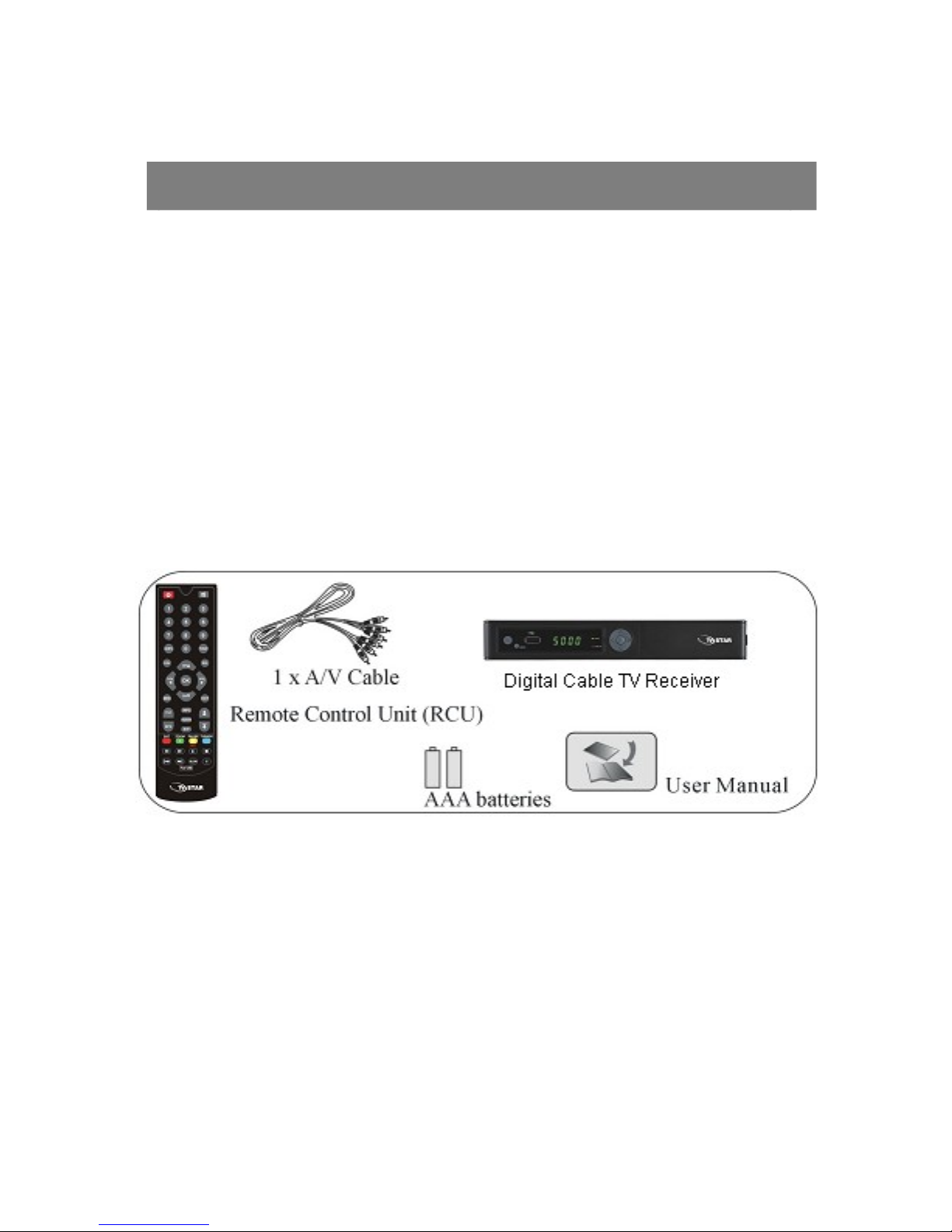
U pack the u it a d check to make sure that all of the followi g items are i cluded i
the packagi g.
1 x Remote Co trol U it (RCU)
1 x User Ma ual
2 x AAA batteries
1 x Digital Cable TV Receiver
1 x A/V Cable
We hope you e joy usi g your digital receiver!
7
Front Panel/ Rear Panel
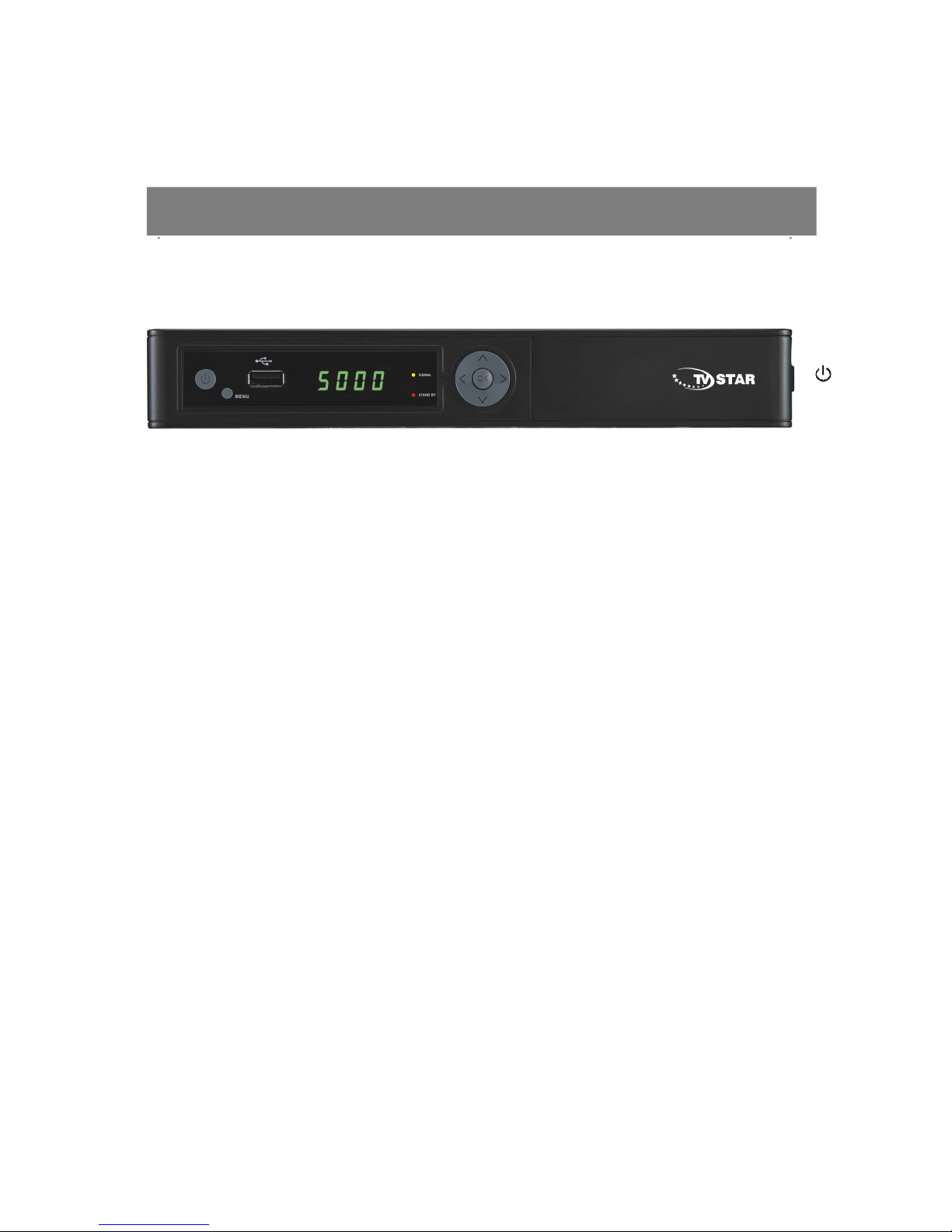
Front Panel
:
Press to switch betwee Operatio a d Sta dby modes.
CH: Cha ge cha els or items from top to bottom o the me us.
VOL: I crease or Decrease the volume of sou d.
OK: Press to proceed of co firmatio .
Dime sio : 250x 175x 38 (W x D x H )
8
Front Panel/ Rear Panel
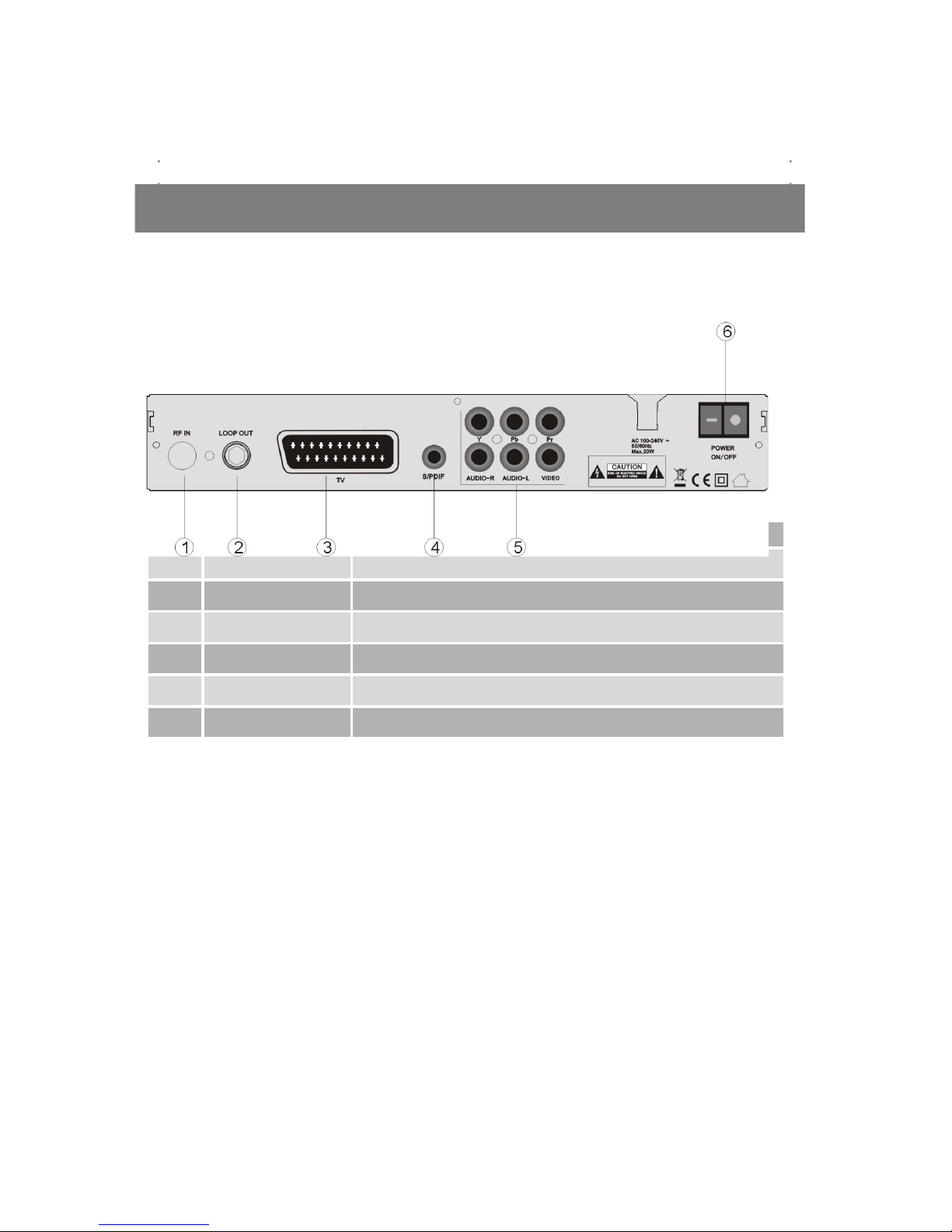
Rear Panel
No. Symbol Function
1RF IN Use to connect an antenna.
2LOOP OUTPUT Use it when connecting to another STB.
3TV SCART For the video/a dio inp t of the TV.
4S/PDIF Digital a dio o tp t.
5A/V RCA To connect the A dio/Video RCA o tp t to TV.
6POWER Power ON/OFF switch.
9

Remote Control Unit
10
Altri manuali per C101
2
Indice
Altri manuali TV Star Decoder


