
Akeeyo AKY-610 PRO Manuale utente
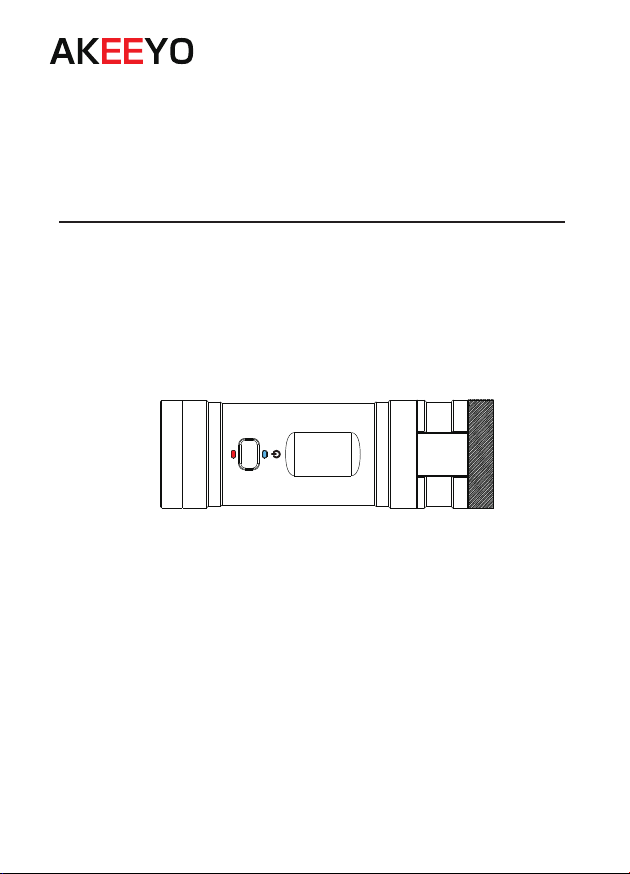
Bicycle/ Motorcycle recorder and sports camera
AKY-610 PRO
User's manual
Ver 1.01
Thanks for your purchase. please confirm this manual
Before use. If you have any problem, Please feel free
to contact customer service, we will reply within 24h.

Catalog
■ Safety instructions..................................................................................................1-2
■ Name of each part..................................................................................................3
■ Before use..............................................................................................................4
■ WiFi connection......................................................................................................5-7
■ System settings......................................................................................................8
■ Installation location.................................................................................................9
Handlebar...............................................................................................................9
Helmet....................................................................................................................10
Arm.........................................................................................................................10
■ About recording......................................................................................................11-13
■ About emergency recording...................................................................................14
■ About pictures........................................................................................................15
■ Play back recorded video/image............................................................................15-16
■ Factory settings......................................................................................................16
■ Specification...........................................................................................................17
■ Recording time.......................................................................................................17
■ Troubleshooting......................................................................................................18
■ Warranty.................................................................................................................19
Safety instructions
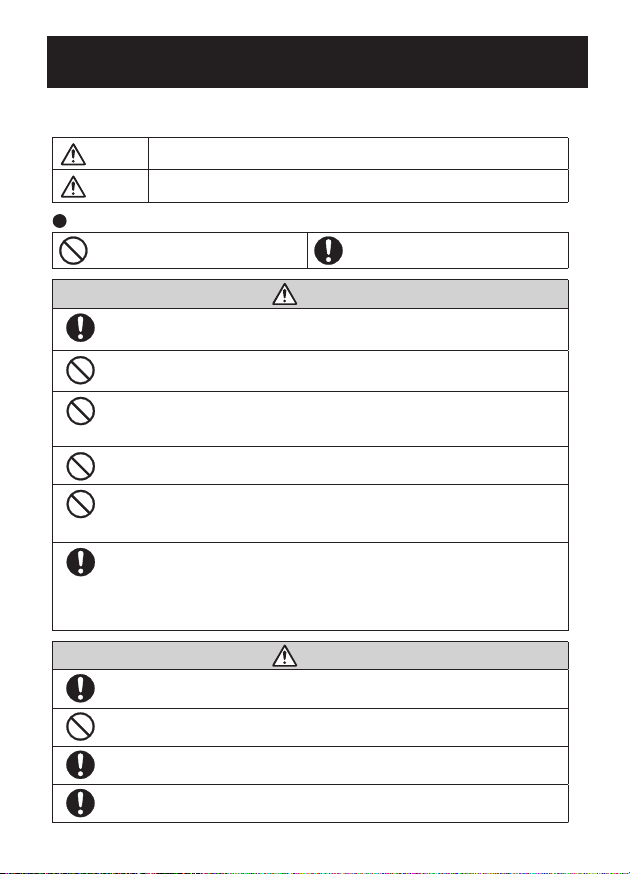
For safe and effective use, please use this product properly after reading this manual
and fully understanding the meaning.
Caution
Note
Improper use may result in death or accident.
Please use it properly according to this manual, otherwise it may
cause property damage.
The meaning of the icon
Indicates prohibited to do Indicates must comply
Caution
When using this product on the road, please observe the regulations of
each local government and road traffic laws.
Do not operate this product while driving a motorcycle or bicycle.
Be sure to park your vehicle in a safe place before operating the product.
Do not install it in a place that obstructs the view or interferes with driving.
Failure to do so will result in an accident or injury.
Do not disassemble or modify this product.
Failure to do so may result in electric shock, fire or burns.
Do not put metal objects, liquids such as water, flammable substances,
chemicals, etc. into this product.
Otherwise the circuit may be short-circuited and cause a fire.
If liquid leaking from the battery splashes in your eyes or on your skin,
please rinse it off with water. After rinsing, please consult an
ophthalmologist or dermatologist. In addition, the leaking liquid may remain
in this product, please consult customer service.
Caution
If this product emits any strange odor or noise, stop using it immediately.
Continued use may result in a short circuit and cause a fire.
Do not charge it in high temperature or leave it in a hot and humid place.
Otherwise, it may cause explosion, fire, electric shock, or host failure.
This product can be exposed to water and has a waterproof rating in
accordance with IP65, However, do not fully submerge in water.
When disposing of this product, please observe the regulations of your
local government.
1
Safety instructions
Caution
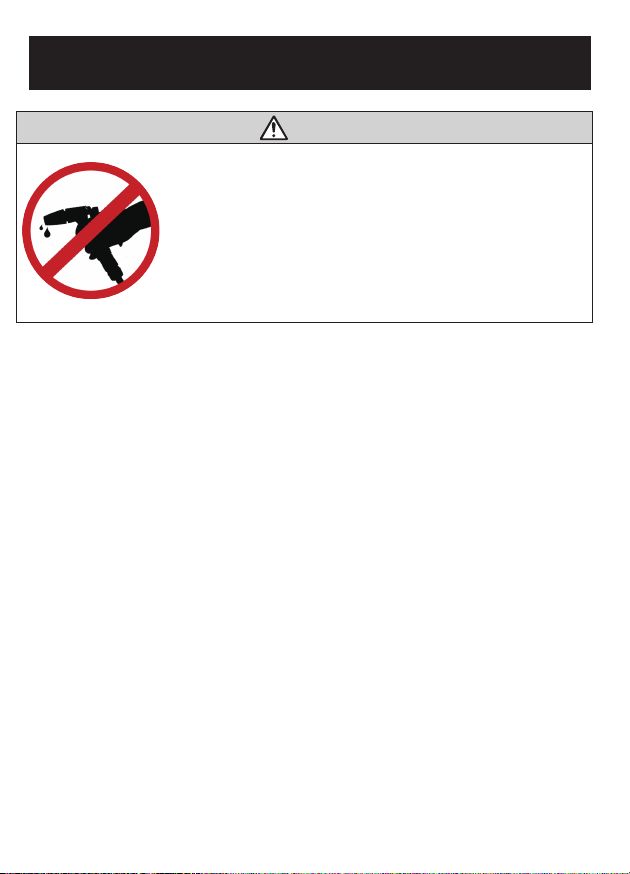
The main body is IP65 waterproof, but please do not use a
pressure washer, etc. to clean the body of the recorder.
When using a pressure washer to clean the motorcycle, if
water enters the car recorder, it may cause a malfunction
and is not covered by the warranty.
2
Name of each part
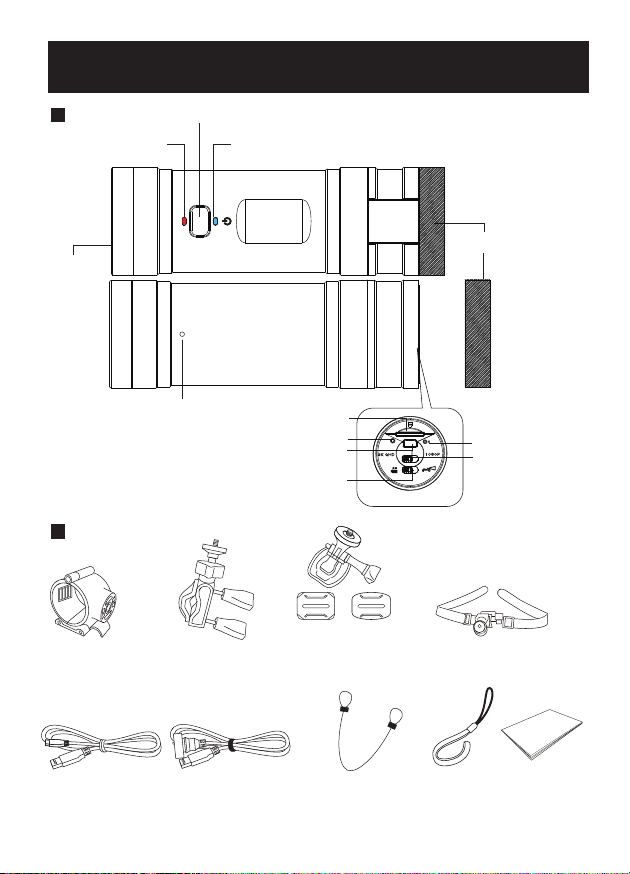
Host Record/ Power button
Red LED light Green LED light
Lens
Rear cover
Microphone
Reset button
1080p/ 2k
switch button
SD card slot
Charging indicator light
USB port
Mode switch button
Accessories
Bracket for host Bracket for
handlebar Double-sided tape
(2 types)
(For curved
surface) (For flat
surface) Velcro
USB charging cable Waterproof USB
charging cable for
continuous recording
Steel fall
prevention rope
Fall prevention
strap
Manual
3
Before use
(1) Charging the battery
Open the back cover and use the included cable to connect to the socket for charging.
Connect to an AC adapter (sold separately) or other external power source to charge.
※The indicator lights up when charging starts. It turns off when it is finished.
※If the computer current voltage is less than 5V/1A, charging may be slow.
※If the recorder is left for a long time, the battery may be depleted and the main unit
may not start (even if the power cord is connected). In this case, please charge the main
unit for 30 minutes or longer, i.e.,normal start-up.
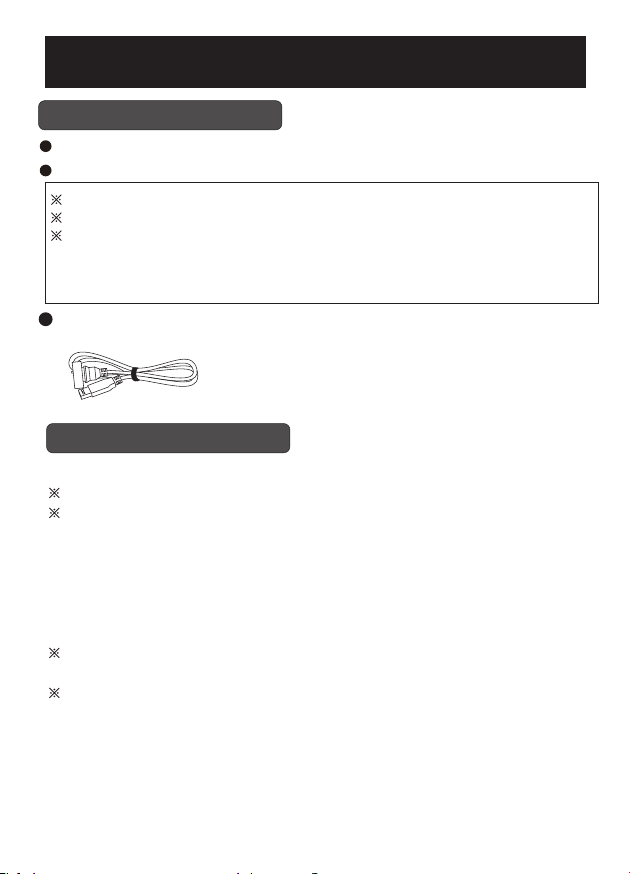
Use a waterproof USB charging cable for continuous recording. Connect the host to the
USB slot of motorcycle/ bicycle or power bank to charge while recording.
Waterproof USB charging cable
(2) Format the memory card
For the normal use and recording of this unit, the card must be formatted regularly.
※The memory card is sold separately.
※ Note: Formatting the card will erase all data, please backup in advance.
● Connect the card to the computer via a card reader.
● Select the removable device, and select "Format" from the pop-up menu of the right
mouse button.
● Select FAT32 as the file system and format it. After completing the above settings, the
card will be formatted correctly.
[Notice]
※ Please use 8GB to 128GB and Class 10 or higher speed card. If you use an unqualified
card, you may not be able to boot and record normally.
※ When setting, it cannot exceed the range value. If the value you set exceeds the range
value, you may not be able to start the device, and it is not covered by the warranty!
4
WIFI connection
AKY-610 PRO with built-in Wi-Fi can be connected to a smartphone and use a dedicated
player application to perform various operations on the smartphone, such as checking,
playing, saving, downloading and deleting recorded videos and photos.
● Download the app [Car_dvr] App
Please download in the Google Play Store / Apple Store.
● Wi-Fi connection
(1) Turn on the motorcycle recorder power (Wi-Fi automatically starts after turning it on),
and select the Wi-Fi with the following name in the Wi-Fi list of the smartphone to connect.
WIFI name: WIFI_610Pro_EA12 Password: 1234567890
※The last 4 digits of the WiFi name of each product are random, and the WiFi name of
each package is different.
Note: WIFI will only be displayed when the driving recorder is turned on.
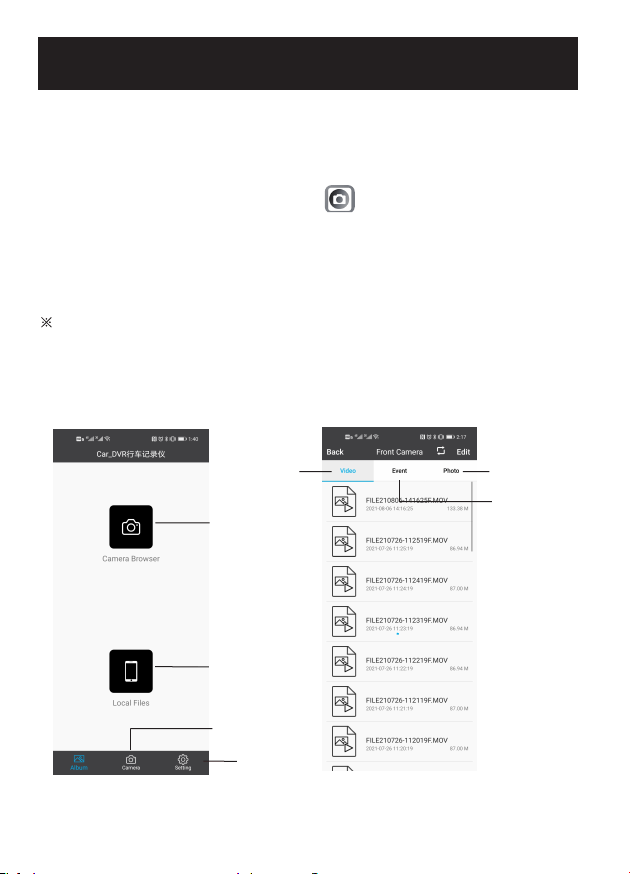
(2) Open the [Car_DVR] APP and enter the main interface. Touch the [Camera Browser]
button to enter the playback mode.
App interface
Image/video
playback
File saved on
your smartphone
Recording mode
Setting
Playback
Picture playback
Emergency video
playback
Continuous
recorded video
playback
5
WIFI connection
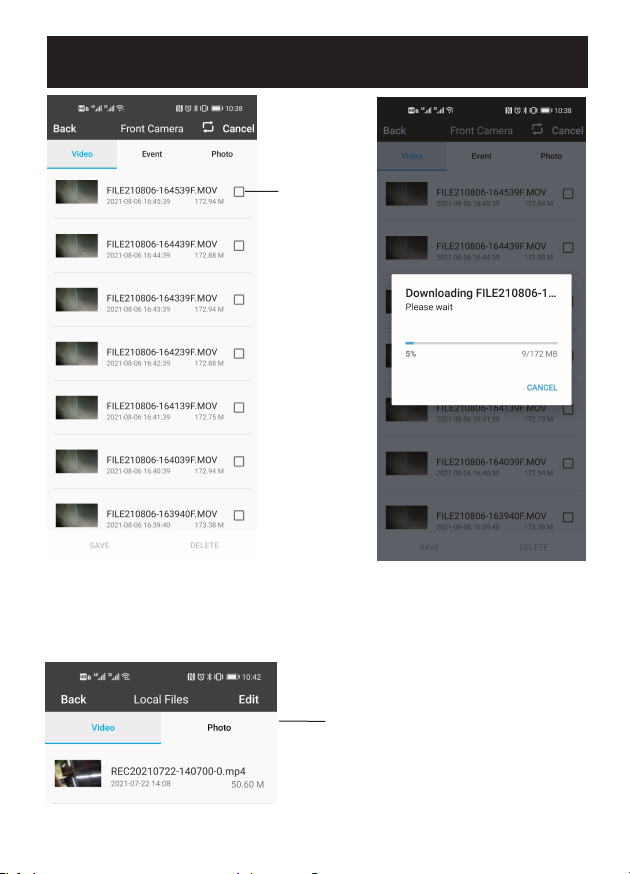
Select
Save to phone
Video Operation Interface
6
(3) Open the [Car_DVR] app and enter the main interface. Touch the [Local File] button
to check the files saved on your phone.
Save videos on your phone
WIFI connection
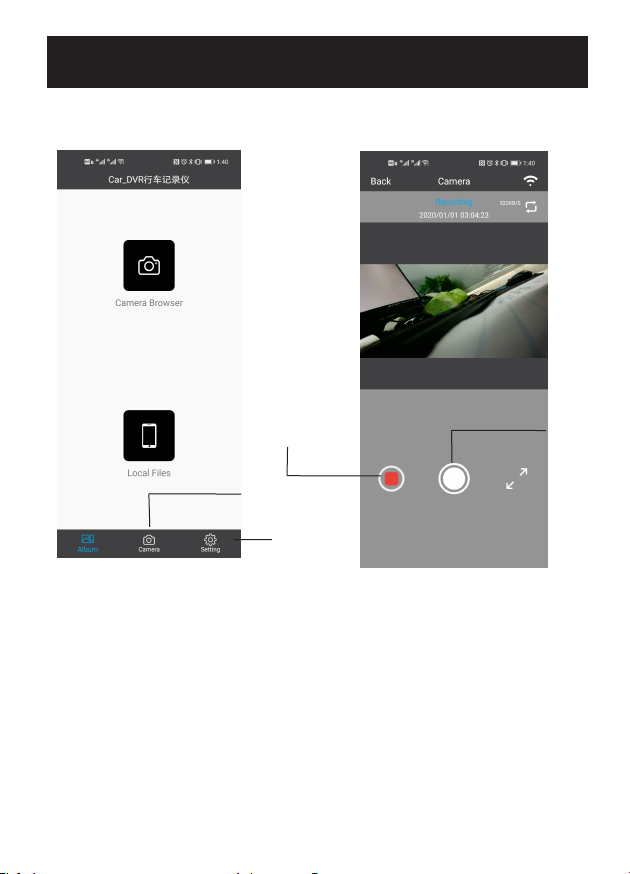
(4) Open the [Car_DVR] app and enter the main interface.
You can switch to recording mode by touching the [Camera] button.
APP interface
Setting
Recording mode
Video recording Photo shoot
Recording mode
7
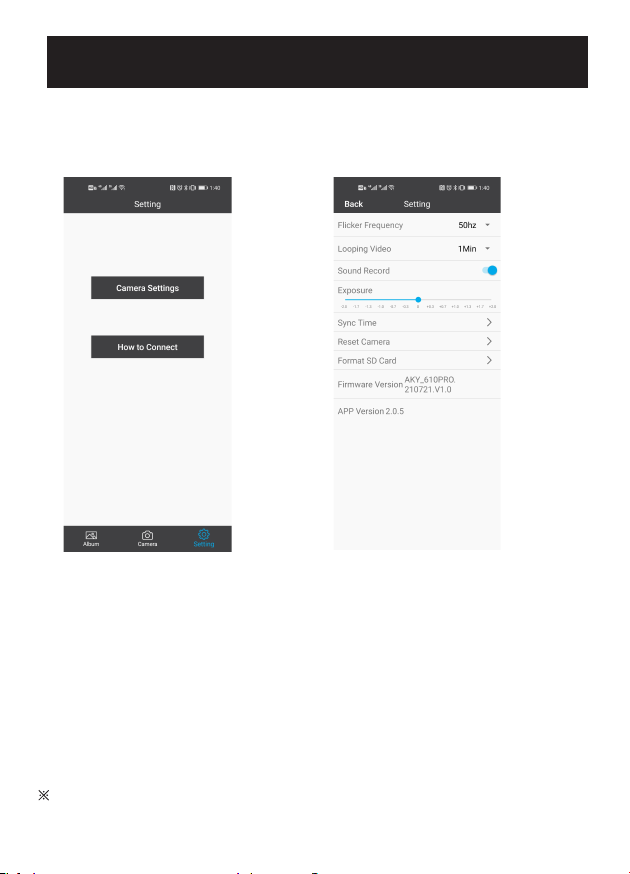
System settings
● After connecting to WiFi, set up the driving recorder through the smartphone app.
(1) Open the [Car-DVR] APP and enter the main interface.
(2) Touch the [Settings] button to switch to settings. Select "Camera Settings" to display
the setting items.
Setting Setting
Flicker frequency: 60Hz/50Hz (★)
Loop recording time setting: 1 minute (★) / 3 minutes / 5 minutes
Sound recording: On (★) / Off
Exposure correction: 0 (★) (default value recommended)
Time and date synchronization: The date and time of the driving recorder are automatically
synchronized with the phone.
Reset: Reset the driving recorder. After reset with APP, the host will restart automatically
and WIFI will be turned off. if APP can't reset, please press the reset button of the host with
a toothpick, etc. to reset.
Format SD card: Delete all data in SD card.
※The items marked with (★) are the factory default values.
8
Indice


