© American Time
8
SQA461RSxE Owner's Manual
Appendix Maintenance
Code Blue
Operation Installation Description
Clock/Timer Installation
The Digital Clock/Timer can be mounted to a single or double gang box. To install the Digital Clock/Timer, follow the
instructions below. Ensure that installation conforms to the National Electrical Code and local wiring codes.
CAUTION: Electric Shock Hazard! Ensure that NO electrical power is present on any wire before installation.
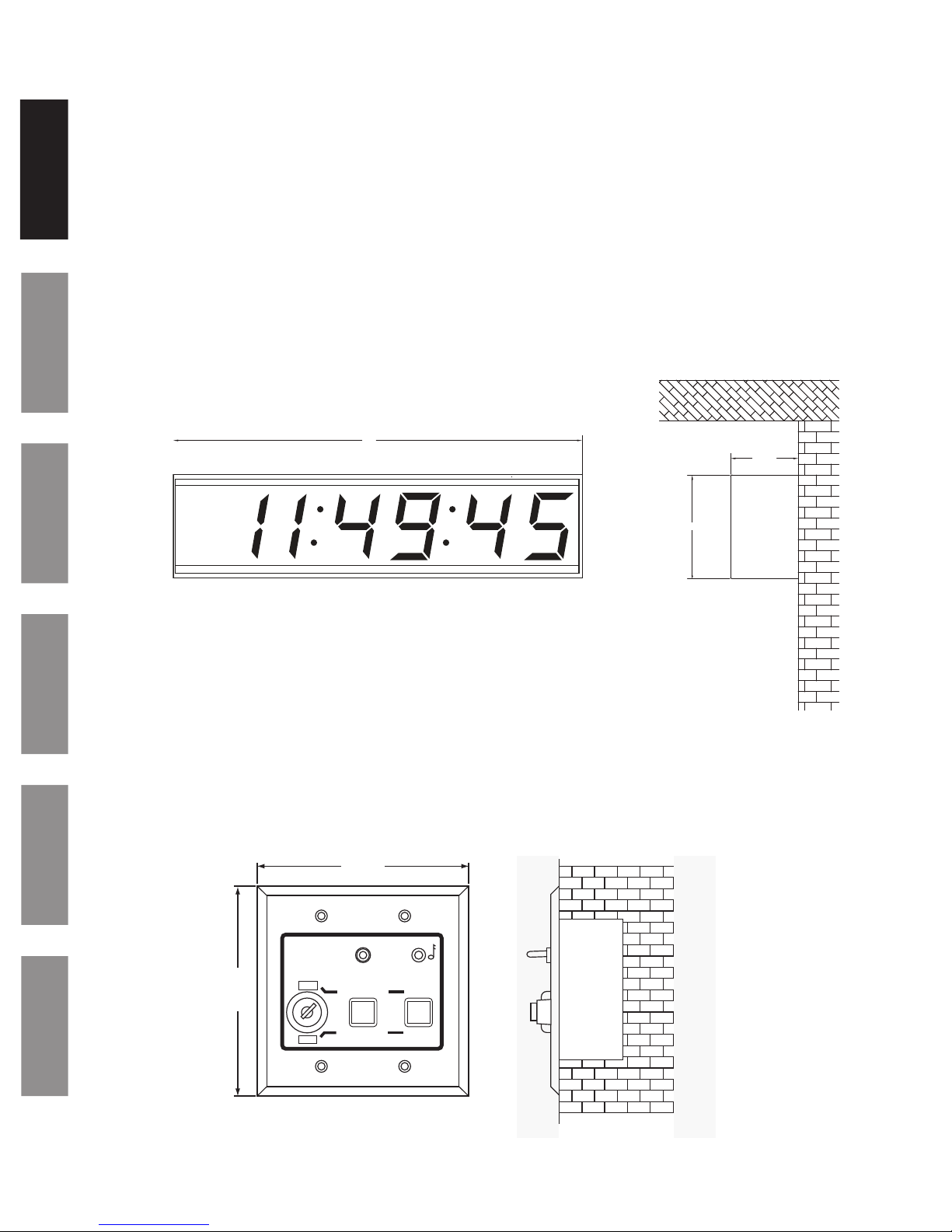
uRemove the 6-32 black screw on the top of the clock which secures the back mounting plate. Mount the back plate to
a single or double gang box. See Figure 2 on page 9.
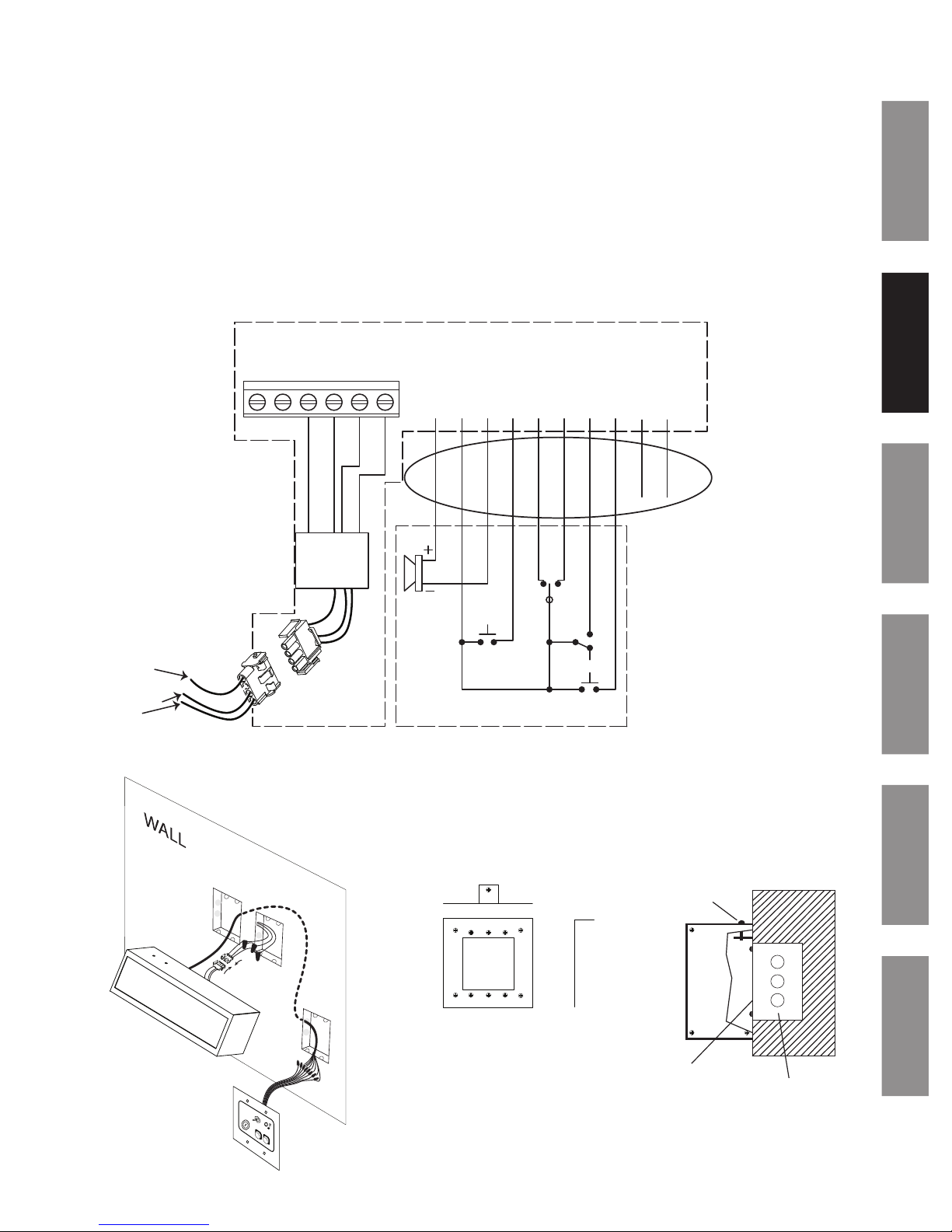
vMake electrical connections (hot, neutral, ground) to non-switched electrical circuit wiring using UL approved wire
nuts. Route eld wiring away from sharp projections, corners and internal components. For Molex, connect white to
neutral/common, black to positive/hot, green to ground and red to optional correction line if using a wired master.
Note: Voltage is set at the factory. See part number sufx reference.
120vac 50/60 Hz (SQA461RSAE and SQA461RSPE)
24vac 50/60 Hz (SQA461RSBE)
220vac 50/60Hz (SQA461RSKE)
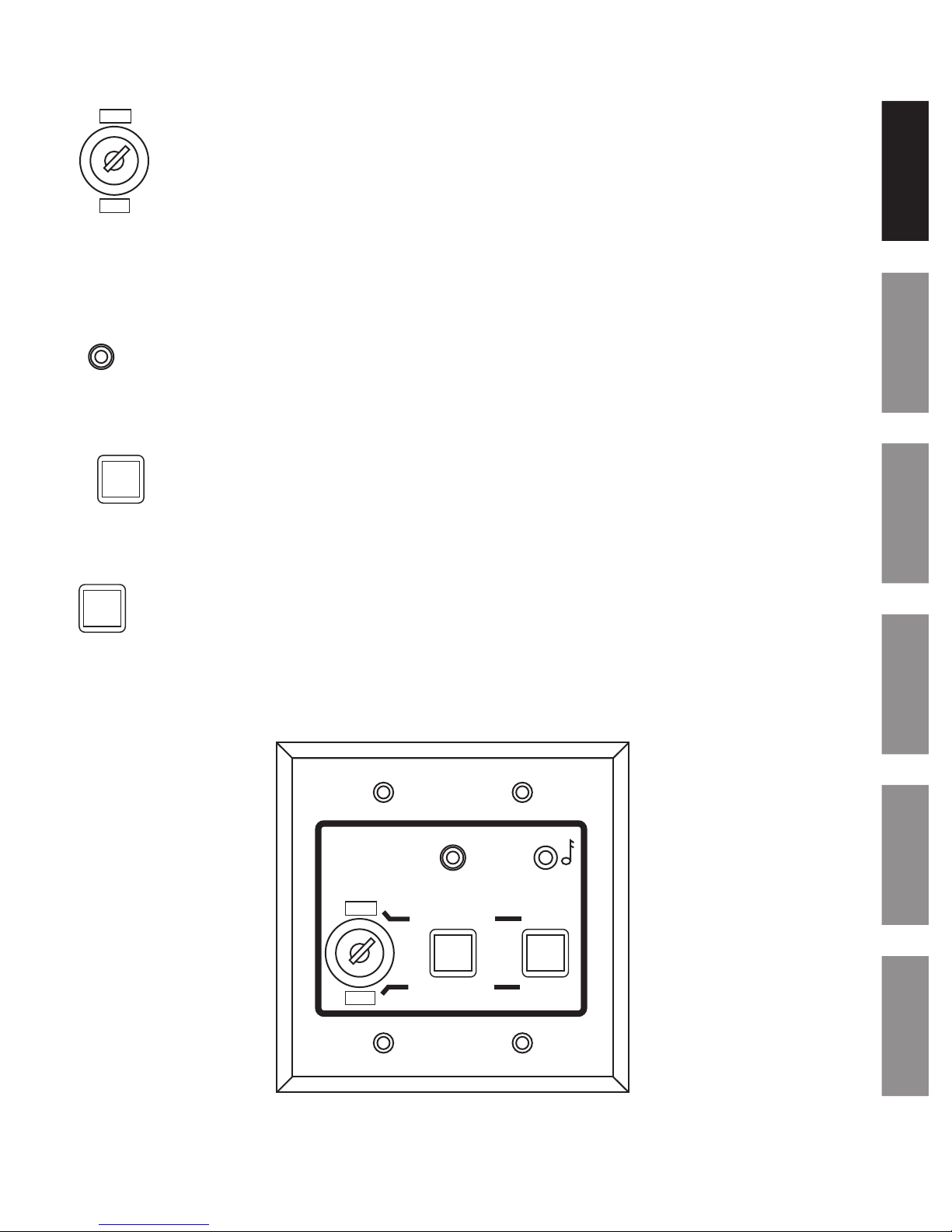
wPull the ten wires from the clock to the control station. Keep these ten wires separate from the high voltage wires.
See Figure 1 on page 9. Note: there are two wires (white and green) in the bundle that are not used.
xJoin the two Molex connectors together, placing excess wiring and Molex connectors into the gang box.
ySlide the clock onto the metal mounting bracket installed in Step 1 and reinsert 6-32 screw from the top of the clock
into the mounting bracket hole. See Figure 2 on page 9.
zConnect eld wiring interconnecting the Clock/Timer with the ATSTCS Control Station to the appropriate
terminals of the Digital Clock/Timer See wiring detail on next page.
Chassis ground MUST be connected to conduit/Earth ground to provide proper protection from electric shock.
CAUTION: Electric Shock Hazard! When making installation, route eld wiring away from sharp projections, corners, and
internal components.
Make sure the SiteSync IQ system controller and other equipment is set up and operational. Note: Clocks should
be installed within 24 hours of installing the system controller. After 24 hours, the system controller will enter Quiet
Mode. If your system controller has a keypad, pressing 3-5-7 will disable Quiet Mode for 6 hours
Apply power to the circuit and conrm correct operation.
Upon startup, the clock will ash the version number and then correct on the rst valid signal. This should take less
than one minute. If the clock is not updating, review the steps listed above and consult the SiteSync IQ Installation and
Operation Manual for additional troubleshooting assistance.