
AMO V30 Manuale utente
LASER
RANGEFINDER
АМО V30
User Manual

2 3

2 3
We recommend that you carefully read this
manual before using the device for the rst time.
Failure to comply with the recommendations
given in this manual may cause harm to the health of
the user or other people.
This product uses Class II laser radiation. It is
strictly forbidden to direct the laser beam into your
eyes or at people or animals. Keep the device out of
the reach of children.
Do not aim the beam at shiny or reective
surfaces (mirrors, etc.).
The rangender is intended for professional use
only. Do not give the device to untrained persons.
Improper handling of the instrument may
damage the instrument or aect measurement
accuracy.
Do not disassemble or repair the device yourself,
do not try to modify its design. If you have technical
problems, please contact your dealer or service.
A working device generates electromagnetic
radiation. Do not operate the device on airplanes,
near medical equipment, explosive or ammable
objects.
Do not dispose of the device and batteries with
household waste, dispose of them according to local
regulations.
4 5
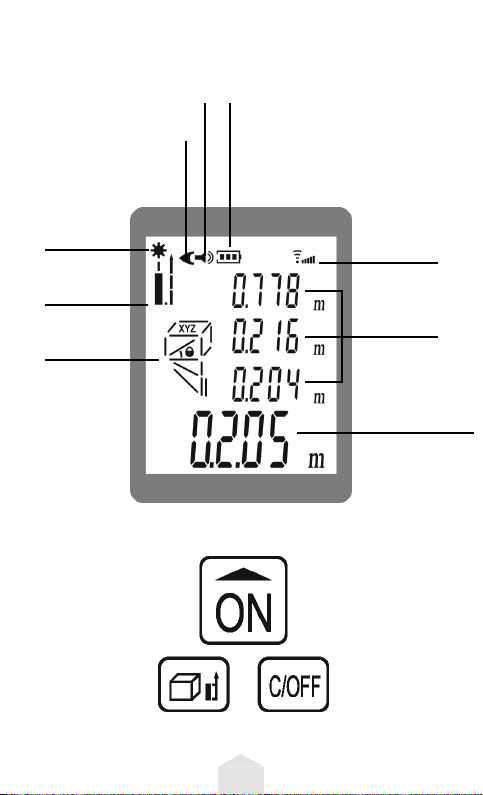
Laser on
Reference
point
Area/Volume/
Pythagoras
Measurements
Battery
indicator
Signal
strength
indicator
Auxiliary
screen
Main
screen
Sound on
Sound o
Clear/
Turn o
Turning on the device/
Switching on the Laser/
Measurement/Settings
Square/Volume/
Pythagorean
measurements/
Changing
the reference
point
1. Display and buttons
4 5
2. Installing and replacing batteries
Open the battery cover, insert two 1.5V AAA
batteries. Observe the polarity of the installation.
Then close the cover.
If you do not use the rangender for a long time,
remove the batteries to avoid battery leakage and
damage to the device.
3. Getting started
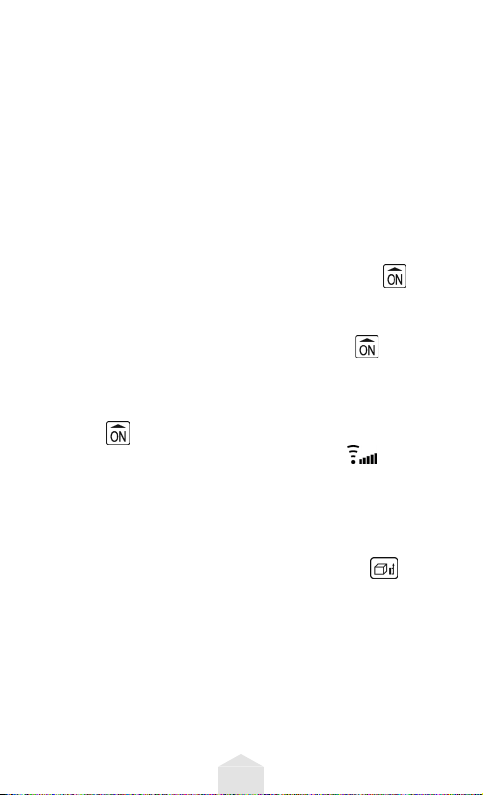
Turning on. To turn on, press button for
1second. The display backlight automatically turns
o after 15 seconds of inactivity of the device.
Measurements.When on, press button once to
turn on the laser. Press the same button again to take
the measurement. At the end of the measurement,
the laser will turn o automatically. Long press of
button will switch the device to continuous
distance measurement mode. Symbol on the
display shows the strength of the reected signal,
the fewer segments in this symbol - the weaker the
signal.
Change of measurement reference point. Long
(more than 2 seconds) pressing of button with
the device switched on switches the measurement
reference point. When the device is switched on, the
reference point is set by default - from the lower end
of the device, that is, the measurement result includes
the length of the device itself. When changing the
reference point to the front end of the instrument,
the result does not include the instrument length.
6 7
Turning o. Press button for 1 second to turn
o the EDM. The device turns o automatically after
45 seconds of inactivity.
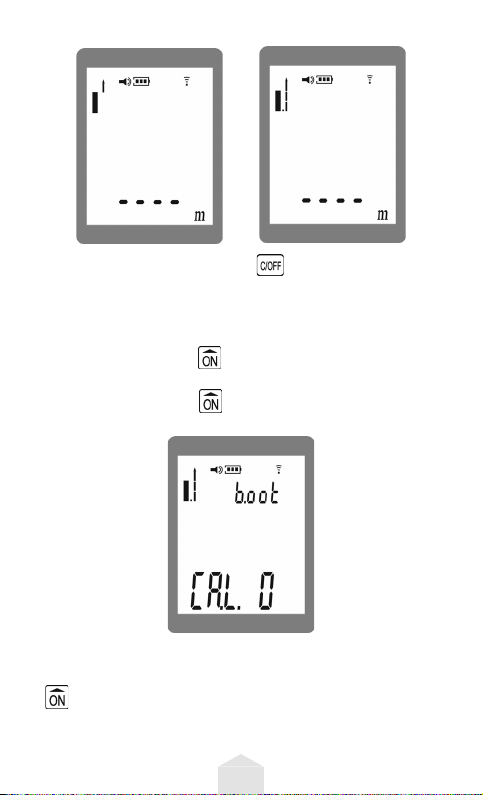
Instrument settings. Long (about 5 seconds)
pressing of button with the device turned o
starts the setup mode (see the gure below). Pressing
and holding button again for 1 second switches
the settings of dierent functions of the device.
1. In this mode, the measurement value can be
corrected within ±7 mm. A short press on button
adjusts the value.
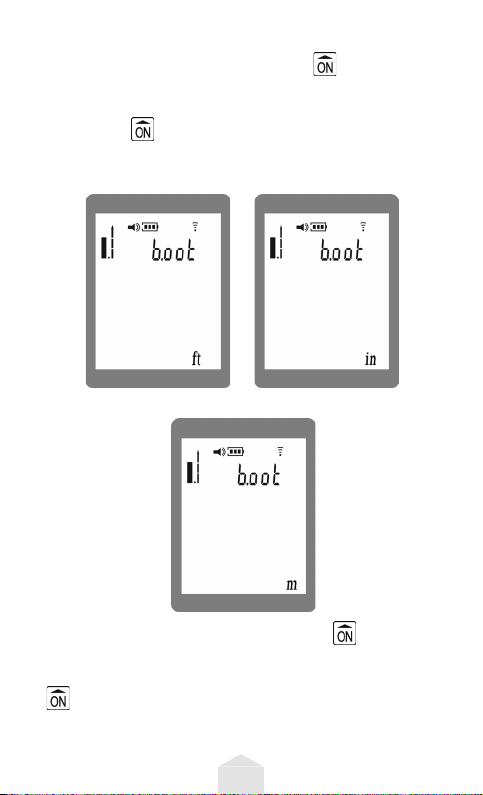
6 7
2. Pressing and holding button for 1 second
starts setting the units of measure (ft/inch/meter).
Select the required unit of measure by short pressing
the button .
ft inch
meter
3. Pressing and holding button again for
1second starts the sound setting. Select the mode
"mute" or "with sound" by short pressing the button
.
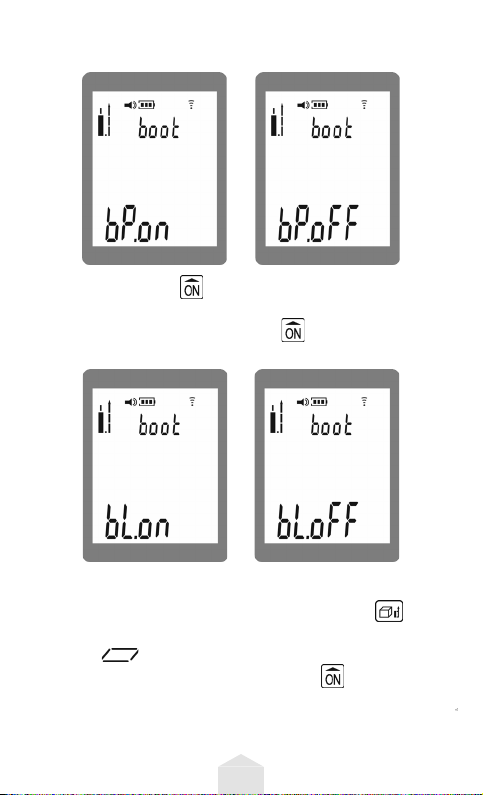
8 9
on o
4. Press button again for 1 second to adjust the
display backlight. Select "backlight" or "no backlight"
mode by short pressing button .
on o
Area measurement.
Turn on the device, briey press button , the
area measurement mode is started. The screen will
display – a rectangle with a ashing side. Select
the point of the aiming shape, press , to measure
the distance. The other side of the rectangle icon
will start ashing. Measure the second distance,
the device will calculate the area automatically. The

8 9
lengths of the sides will be reected on the sub
screen, the resulting area value - below on the main
screen.
Volume measurement.
Press button briey until icon is displayed
on the screen. The device has entered the volume
measurement mode. Take three measurements
(length, width, height), the device will automatically
calculate the volume - similar to the calculation of
the area from the previous paragraph of this manual.
Pythagoras measurements.
Press button briey until icon is displayed
on the screen. The device can carry out three types of
distance calculations according to the equation from
the Pythagorean theorem, the type of calculation
is indicated on the display: , or . Select
the desired mode by short pressing the button,
measure the lengths of two segments, the device will
automatically calculate the third value - similar to the
calculations in the previous paragraphs.
Attention: when taking measurements according
to Pythagoras, it must be remembered that in a
right-angled triangle, the leg is always shorter than
the hypotenuse. If the values are entered incorrectly,
the display will show the error message "D. E".

10 11
On-screen problem messages
and how to x them
Message Message
meaning
Solution
B. L Low battery Replace the battery
T. L Temperature
too low
Use the device only
within the permissible
temperature range.
T. H Temperature
too high
Use the device only
within the permissible
temperature range.
D. E Incorrect input of
the original value
Enter the correct value
Caring for the device
Protect the rangender from water, do not use or
store the device in high humidity. If necessary, wipe
the device gently with a damp soft cloth without
using any cleaning agents. The laser lenses and the
screen can be processed with optical products.
Indice
Altri manuali AMO Strumento di misura


