3
10020
2
10020
WARNINGS:
Follow these safety precautions in order to avoid damage and ensure caliper stays functions optimally.
• DO NOT get calipers wet. Avoid coming in contact with any liquids or excessive humidity.
• DO NOT leave calipers exposed to excessive heat or direct sunlight.
• DO NOT disassemble or tamper with this device.
• DO NOT expose to electromagnetic fields.
• DO NOT ever apply any voltage on any part of the caliper and never use an electric pen or permanent
damage may occur.
• Pull out the battery protector before use.
5. Buttons
--‘mm/inch’ is for metric and inch conversion
--‘ON/OFF’ button is to turn on or turn off display
--‘ZERO’ is to set the reading on display to be zero.
6. Zero Out Device before use - Caliper should be checked before each use to make sure that it is
properly zero set. The reading should be zero when the external jaws are closed, otherwise press ‘ZERO’
to set zero reading. Open and close the external jaws to verify if reading return to zero.
7. Always apply constant force on thumb wheel during measurement and zero setting.
8. Tighten locking screw to hold reading.
OPERATION: TROUBLE SHOOTING:
BATTERY REPLACEMENT & WARNINGS:
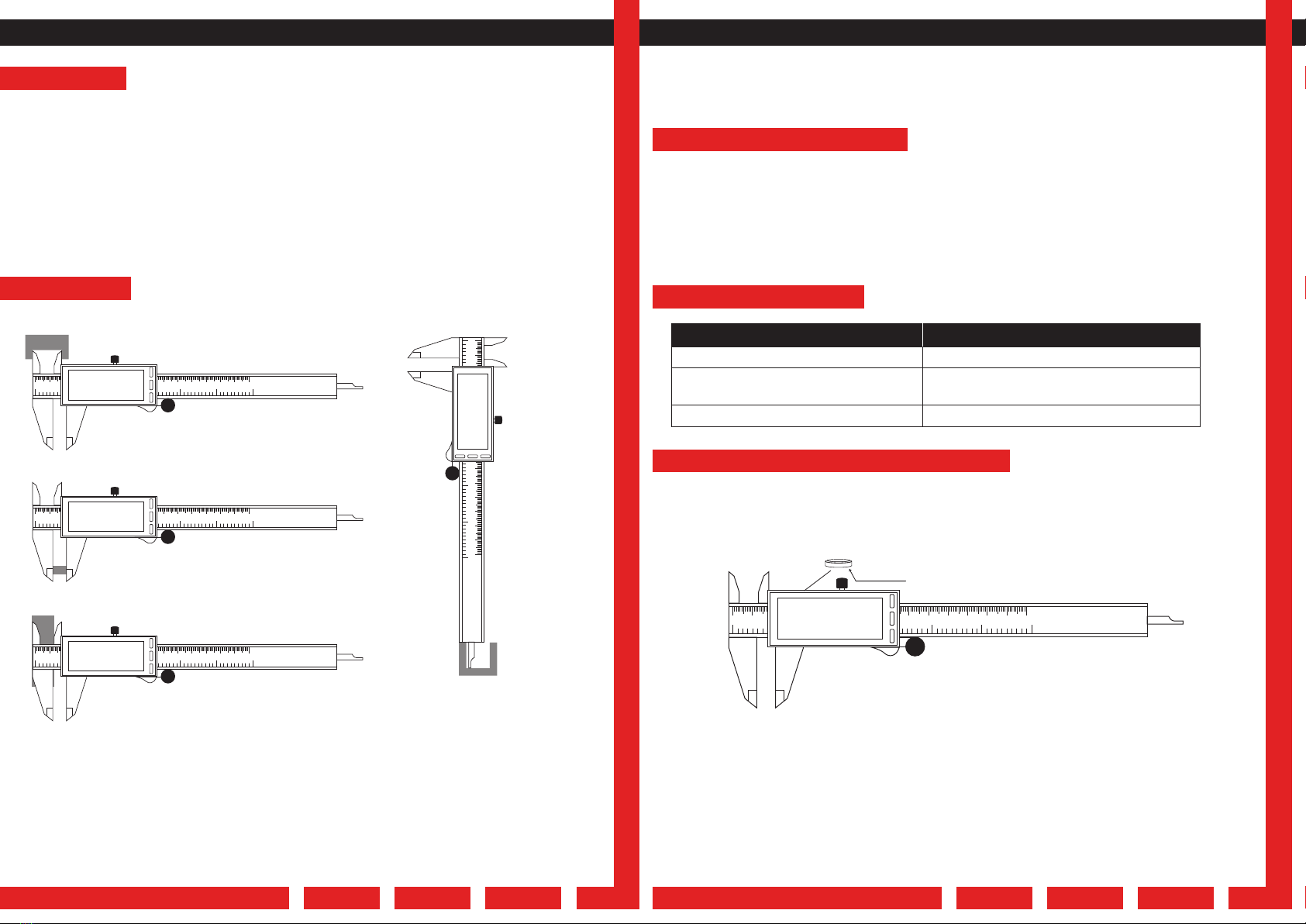
Turn calipers over LCD screen side facing down with the slider lock screw knob facing towards you.
Remove the small screw on the same side as the slider lock knob, using caution not to lose the screw.
Once screw is removed, the battery cover will be loose and the battery is easily removed. Insert the new
battery positive side facing up (+). Replace the cover and tighten the screw.
WARNIG: Follow all safety instructions below for handling and disposing of batteries.
• DO NOT Short circuit batteries.
• DO NOT keep batteries near excessive heat, fire or in direct sunlight.
• Remove batteries from device when not being used for long periods of time.
• NEVER handle leaking batteries and do not dismantle batteries.
• RECYCLE used devices and batteries via local electronics recycling facilities or means.
After each use wipe clean with a soft cloth. DO NOT use any solvents to clean the device. DO NOT
immerse in liquid of any kind.
If water damage causes the device to fail. Wipe off the liquid and make sure the are between the slide
and scale is completely dry. Rest the caliper by removing the battery for 1 min. Reinstall the battery and
turn on the device.
CARE AND MAINTENANCE:
4. Depth Distance Measurement1. Inner Distance Measurement
2. Outer Distance Measurement
3. Step Distance Measurement
Display does not show information
Digits are not displaying correctly on screen
Digits are flashing on screen
Check battery contact and battery health
Reset the Device – Remove the battery for 1 min
then reinstall and restart.
Battery is low. Replace Battery
Problem Action
010 20 30 40 50 60 70 80 90 100 110 120 130 140 150
1 2 3 4 5 6
mm
in
in/mm ON/OFF
mm
ZERO
8.0
010 20 30 40 50 60 70 80 90 100 110 120 130 140 150
1 2 3 4 5 6
mm
in
in/mm ON/OFF
mm
ZERO
8.0
010 20 30 40 50 60 70 80 90 100 110 120 130 140 150
1 2 3 4 5 6
mm
in
in/mm ON/OFF
mm
ZERO
8.0
010 20 30 40 50 60 70 80 90 100 110 120 130 140 150
1 2 3 4 5 6
mm
in
in/mm ON/OFF
mm
ZERO
8.0
010 20 30 40 50 60 70 80 90 100 110 120 130 140 150
1 2 3 4 5 6
mm
in
in/mm ON/OFF
mm
ZERO
8.0
battery


