
Autech Technology NanoPC Manuale utente

NanoPC
User’s Manual

Trademark:
All trademarks are the property of their respective owners.
Version:
User’s Manual V1.1 for NanoPC.
Symbol description:
Note: Refers to important information that can help you to use NanoPC better, and
tells you how to avoid problems.
Caution: Indicating a potential risk of hardware damage or physical injury may exist.
WEEE:
The use of this symbol indicates that this product may not be treated as household
waste. By ensuring this product is disposed of correctly, you will help prevent potential
negative consequences for the environment and human health, which could otherwise
be caused by inappropriate waste handling of this product. For more detailed informa-
tion about recycling of this product, please contact your local city ofce, your house-
hold waste disposal service or the shop where you purchased this product.
© All rights reserved.
All trade names are registered trademarks of respective manufacturers listed.
All images are for reference only, please refer to the physical product for specic features.
C
AUTIO
N

Before using this product, please read the below safety notice carefully, this will help to
extend the product’s lifecycle, and work normally.
■ When NanoPC is working, please make sure its ventilation system is working.
■
The power adapter is dissipating heat during normal use, please be sure not to cover
it and keep it away from your body to prevent discomfort or injury by heat exposure.
■ Please use the power adapter that comes with the product’s package, wrong power
adapter may damage your device.
■ Make sure all the peripherals are properly connected before using NanoPC.
■ This product should only be used in an environment with ambient temperatures
between 0°C and 40°C.
■ Always shut down the computer before installing or uninstalling the peripheral which
does not support hot plug.
■ Disconnect all peripherals before servicing or disassembling this equipment.
■ Please do not disassemble this product by yourself, any disassembly not approved
by the original manufacturer may result in malfunction, and void warranty.
■ Risk of explosion if battery is replaced by an incorrect type, please dispose of used
batteries according to the instructions.
C
AUTIO
N
Safety Notice:

Package Contents
NanoPC Seat Base VESA Mount
Power Adapter Power Cord Easy Guide, USB Flash Disk
Opening Tool
Mini COM to COM cable (Optional)
Screws, Magnet Rubber Foot,
Screws cover Mini PCIe Half Card Support

Introduction
1-1 Front Side View ...................................................................................................... 2
1-2 Back Side View....................................................................................................... 4
1-3 DDR3/DDR3L jumper ............................................................................................. 6
Placement and connecting
2-1 Placement of NanoPC ........................................................................................... 8
In Seat Base............................................................................................................. 8
On the desk .............................................................................................................. 8
Installing to Display................................................................................................... 9
2-2 Connection of NanoPC........................................................................................ 10
Connect display...................................................................................................... 10
Connect USB devices............................................................................................. 11
Connect network cable........................................................................................... 11
Connect power cord ............................................................................................... 12
Connect Point Of Sales .......................................................................................... 13
BIOS Setup
Enter BIOS Setup ....................................................................................................... 15
Main ............................................................................................................................ 17
F-center ...................................................................................................................... 18
Smart BIOS ............................................................................................................ 19
TABLE OF CONTENTS

Fox Intelligent Stepping.......................................................................................... 20
CPU Conguration.................................................................................................. 21
Advanced.................................................................................................................... 23
Trusted Computing ................................................................................................. 24
North Bridge ........................................................................................................... 25
TXE Subsystem...................................................................................................... 26
Onboard Device Conguration ............................................................................... 27
SATA Conguration ................................................................................................ 28
Super IO Conguration........................................................................................... 29
Network Stack Conguration.................................................................................. 30
Boot ............................................................................................................................ 31
CSM parameters ................................................................................................... 32
Power.......................................................................................................................... 33
Health ......................................................................................................................... 34
Security....................................................................................................................... 35
Save & Exit ................................................................................................................. 36
Install OS
4-1 Install Windows 8.1/Windows 8/Windows 7(64 bit) .............................................. 39
4-2 Install Drivers........................................................................................................ 43
Utility
Fox WINFLASH .......................................................................................................... 45
1. Local Update ...................................................................................................... 45
2. About & Help....................................................................................................... 47

■ Front Side View
■ Back Side View
■ DDR3/DDR3L jumper
Introduction

2
INTRODUCTION
1-1 Front Side View
1
2
3
4
5
6
3
INTRODUCTION
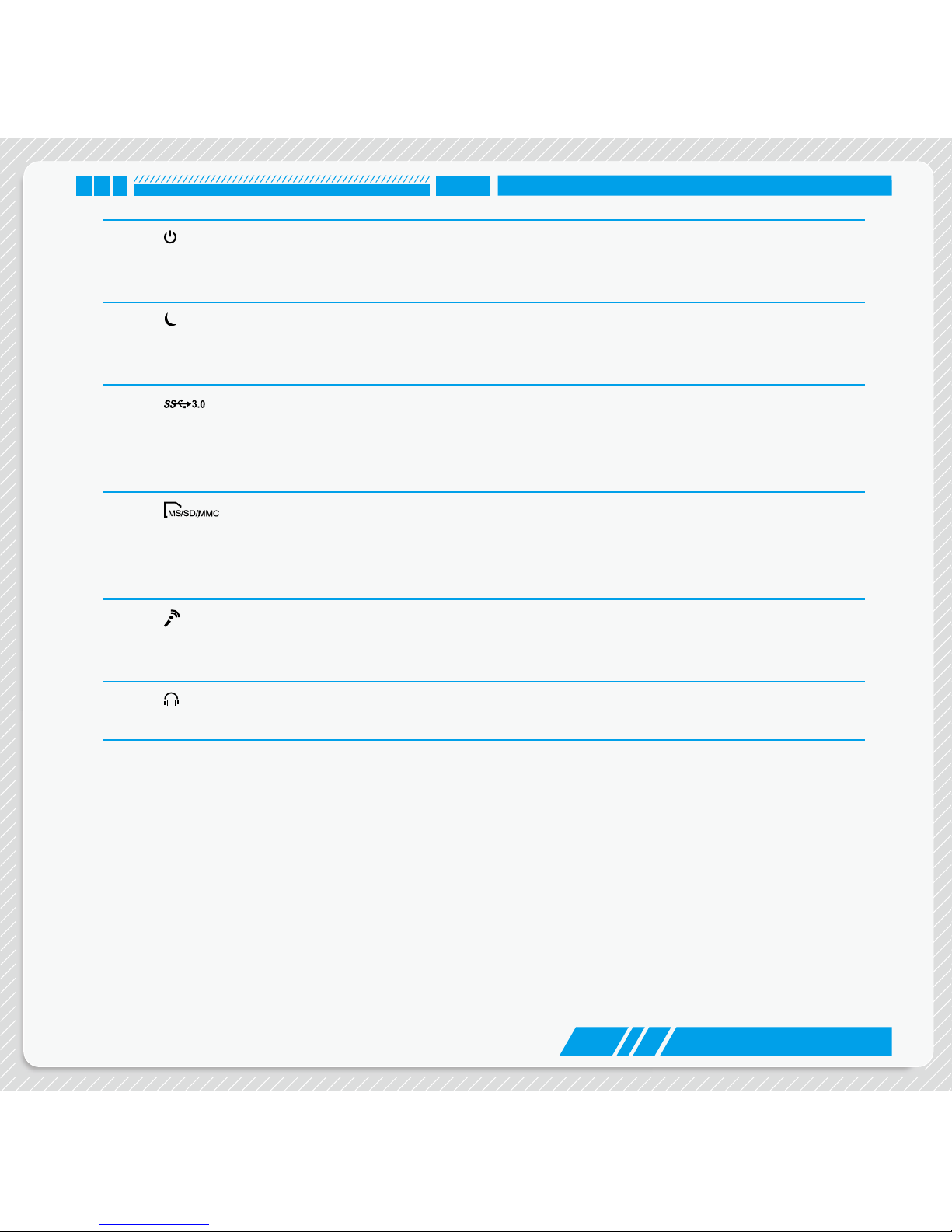
1Power button with Power indicator LED
Press to turn your NanoPC on or off, the LED can indicate your system
states.
2 Suspend Button
Enter suspend mode in operating system.
Clear CMOS : Press Suspend Button 10s in S5.
3 USB 3.0 port
This USB port supports the USB 3.0/2.0/1.0 specication. Use this port for
USB devices such as keyboard, mouse, USB printer, USB ash drives and
hard disk drives, etc.
4 Multi-Function card reader
This memory card reader supports MS/MS Pro SD/SDHC/SDXC/MMC
memory cards used in devices like digital cameras, mobile phones, Media
players and so on.
5Microphone
Connects to a microphone or playback devices with optical connectors
(3.5mm jack).
6Headphone
Connects to a headphone.

4
INTRODUCTION
1-2 Back Side View
2
1
3
4
6
5
7
8
Indice


