
Clas Ohlson 861 Manuale utente
EnglishSvenskaNorskSuomiDeutsch
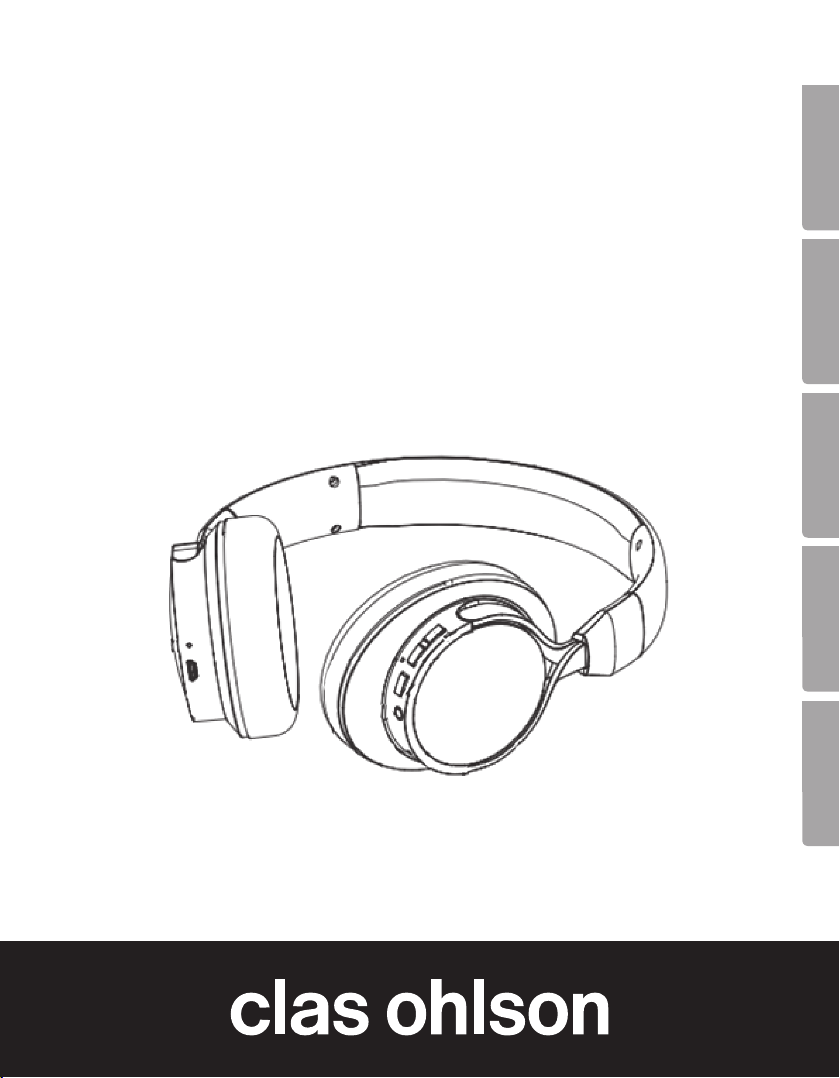
Wireless Headphones
with Microphone
Trådlösa hörlurar med mikrofon
Trådløst headset med mikrofon
Langattomat kuulokkeet, joissa mikrofoni
Funk-Kopfhörer mit Mikrofon
Art.no Model
38-7410 861 Ver. 20160405

2

3
English
Wireless Headphones with Microphone
Art.no 38-7410 Model 861
Please read theentire instruction manual before using theproduct and then save
it for future reference. Wereserve theright for any errors in text or images and any
necessary changes made to technicaldata. Intheevent of technical problems or other
queries, please contact our Customer Services (see address details on theback).
Things to consider:
• Other wireless equipment using thesame frequency band can reduce therange.
• Therange of all wireless equipment depends on thetype of obstacles located
between thetransmitter and thereceiver (e.g. aconcrete wall will interfere with
thesignal more than aplasterboard wall).
If you experience problems, try thefollowing:
• Turn off any other existing wireless equipment to check whether this is thecause
of theproblem.
• Reposition thewireless equipment, shorten thedistance between thetransmitter
and thereceiver or reduce thenumber of obstacles (walls, furniture,etc.)
betweenthem.
• Reattempt to establish aconnection between theheadphones and your external
device.
Safety
• Do not subject theheadphones to impacts, shocks, humidity, water, extreme
temperatures or dusty conditions.
• Check your local regulations regarding mobile phone use in combination with driving.
• Switch off both theheadphones and mobile phone in areas where you are
requested to do so, such as in hospitals, aircraft or explosive environments.
• Never attempt to repair, modify or disassemble theheadphones.

4
English
1
2
3 4 5 6 7 8
Buttons and functions
1. Charging indicator
2. Micro USB charging socket
3. LED
4. [AUX] External audio source input socket (3.5 mm)
5. Microphone
6. [ ] On/off button
7. [V+] Next track/increase volume
8. [V-] Previous track/decrease volume

5
English
Operating instructions
Charging
Charge thenew battery for 4 hours before firstuse. Subsequent charges will take
2–3hours.
1. Connect theincluded charge lead to thecharging socket (2) on theheadphones
and to acomputer or other USB charger.
2. TheLED indicator (1) will shine red while thebattery is charging and go out when
thebattery is fully charged.
Power on/off
Hold in [ ] for 3–5 seconds until theheadphones emit anaudible signal, refer to
theBluetooth connection sectionbelow. Dothesame to switch theheadphonesoff.
Bluetooth connection
1. Hold in [ ] for 8–10 seconds until theheadphones emit 2 audible signals and
theLED indicator flashes blue andred. Theheadphones are now detectable for
other Bluetooth devices.
2. Activate Bluetooth on thedevice that you intend to connect theheadphones to
(smartphone, tablet, laptop,etc.). Makesure that thedevices are no more than
1metreapart.
3. Theheadphones will appear on your device as 861, select them and pair them
with your device. Referto theinstruction manual of your device for further
clarification if you are unsure.
4. Theheadphones will emit anaudible signal and theLED indicator will shine
asteady blue once contact has been established.
Note: Ifyou are prompted to enter aPIN code on your device, you should enter 0000
(four zeroes). Certain devices may also require you to approve theconnection.
Dealing with anincomingcall
If you have connected amobile phone to theheadphones via Bluetooth and receive
acall whilst you are listening to music, theheadphones will emit aring signal and
themusic will be switched off automatically. Oncethecall has been ended, music
playback will be resumed (if your phone settings enable this).

6
English
• To answer acall: press [ ].
• To end acall: press [ ].
• To switch from theheadphones to amobilephone: press [ ] for about 2 seconds.
• To raise/lower thevolume during acall: hold in [V+] or [V- ].
Bluetooth music playback from external devices
• Play: [ ].
• Pause: [ ].
• To move forwards/backwards in your playlist: press [V+] or [V- ].
• To raise/lower thevolume: hold in [V+] or [V- ].
Music playback from external devices via the3.5mm socket
Connect a3.5 mm audio cable between your device and theaux input (4) on
theheadphones. Playback must then be controlled from theconnected external device.
Note: Youcannot control playback using thecontrols on theheadphones when
adevice is plugged into the3.5mm socket.
Voice activation
Note: Thisfunction only works via Bluetooth and if your phone has voice activation
capability.
Care and maintenance
• Use adry cloth to wipe theheadphones clean when needed.
• Always switch theheadphones off when they are not inuse.
• Fully charge thebuilt-in headphone battery at regular intervals (every other month)
if theheadphones are not to be used for alongtime.

7
English
Troubleshootingguide
Bluetooth
Theheadphones will
not switchon.
Thebattery might beflat. Recharge thebattery.
No sound from
theexternal device
connected via
Bluetooth.
• Check thevolume and play/pause status on both
theexternal device and headphones.
• Make sure that theBluetooth connection has been
properly established.
• Test theplayback of thefile on theBluetooth device on
its own to make sure it works before connecting it to
theheadphones.
• Try using anotherfile. Thefile may be incompatible or
damaged.
• Make sure that no other wireless devices are disrupting
thecurrent Bluetooth connection.
No sound from
theexternal device
connected via
the3.5mm socket.
• Check for sufficient volume level on theconnected
device and theheadphones. Checktheplay/pause
button on theconnected device.
• Check that thecable connecting thedevice and
theheadphones is undamaged and securely connected.
• Test theplayback of thefile on thedevice itself before
connecting it to theheadphones.
• Try using anotherfile. Thefile may be incompatible or
damaged.

8
English
Responsible disposal
This symbol indicates that this product should not be disposed of with
general householdwaste. Thisapplies throughout theentire EU. Inorder
to prevent any harm to theenvironment or health hazards caused by
incorrect waste disposal, theproduct must be handed in for recycling
so that thematerial can be disposed of in aresponsible manner.
Whenrecycling your product, take it to your local collection facility or
contact theplace of purchase. Theywill ensure that theproduct is
disposed of in anenvironmentally sound manner.
Specifications
Frequency range of headphones 16–24000Hz
Bluetooth version V4.1
Bluetooth protocol A2DP, AVRCP, HSP, HFP
Battery Lithium-polymer, rechargeable
Chargingport MicroUSB, 5V, 1A
Playback/talktime Approx 20 hours on medium volume
Standbytime Approx 300hours
Chargingtime 2–3 hours (except for aminimum
of 4 hours before initial use)
Bluetoothrange 10m
Weight 170g

9
Svenska
Trådlösa hörlurar med mikrofon
Art.nr 38-7410 Modell 861
Läs igenom hela bruksanvisningen före användning och spara den sedan för fram-
tidabruk. Vireserverar oss förev. text- och bildfel samt ändringar av tekniskadata.
Vidtekniska problem eller andra frågor, kontakta vår kundtjänst (se adressuppgifter
påbaksidan).
Tänk påatt:
• Annan trådlös utrustning på samma frekvensband kan påverka räckvidden negativt.
• Räckvidden på all trådlös utrustning påverkas av vilka hinder som finns mellan
sändaren och mottagaren (t.ex. dämpar enbetongvägg signalen avsevärt mer än
engipsvägg).
Vid funktionsproblem, prova följande lösningar:
• Stäng av övriga befintliga trådlösa utrustningar för att kontrollera om de kan vara
orsaken till problemet.
• Flytta den trådlösa utrustningen, förkorta avståndet eller minska antalet hinder
(väggar, möbleretc.) mellan sändaren och mottagaren.
• Gör om anslutningen mellan hörlurarna och din externaenhet.
Säkerhet
• Utsätt inte hörlurarna för slag, stötar, fukt, vatten, onormalt kalla/varma eller
dammiga förhållanden.
• Kontrollera lokala föreskrifter om användning av mobiltelefon ikombination med
bilkörning.
• Stäng av både hörlurarna och mobiltelefon när du vistas iutrymmen där du är
anmodad att stänga av mobiltelefonen,t.ex. på sjukhus, iflygplan eller områden
där det föreligger explosionsrisk.
• Försök aldrig reparera, modifiera eller ta isär hörlurarna.

10
Svenska
1
2
3 4 5 6 7 8
Knappar och funktioner
1. Laddindikator
2. Micro USB-ladduttag
3. Lysdiod
4. [AUX] Anslutning för ljudkälla (3,5 mm)
5. Mikrofon
6. [ ] På/av
7. [V+] Nästa spår/höja volymen
8. [V-] Föregående spår/sänka volymen
Indice
Lingue:
Altri manuali Clas Ohlson Cuffie

Clas Ohlson
Clas Ohlson 953 Manuale utente

Clas Ohlson
Clas Ohlson MH304 Manuale utente

Clas Ohlson
Clas Ohlson HP3080A-UK Manuale utente

Clas Ohlson
Clas Ohlson 40-9565 Manuale utente

Clas Ohlson
Clas Ohlson 897 Manuale utente

Clas Ohlson
Clas Ohlson SIGNATURE VT-B46 Manuale utente

Clas Ohlson
Clas Ohlson HP-1180 Manuale utente

Clas Ohlson
Clas Ohlson R2-WH Manuale utente

Clas Ohlson
Clas Ohlson R Manuale utente

Clas Ohlson
Clas Ohlson BTH002 Manuale utente


