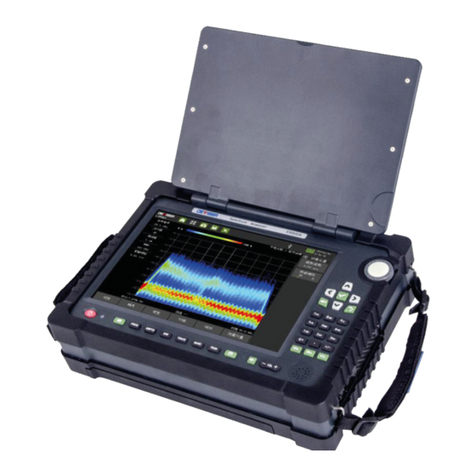
Deviser DS100 Manuale utente

Instruction Manual
DS100 Interference and Direction Analyzer
Ver: 1.0

Safety Requirement
Safety Level
This manual has the following conversions for presenting information.
WARNING: A warning marker alerts you any harmful matters that users should pay attention to the operation
method. Users must not do any operation or process before the condition of this marker is met, otherwise it
might cause personal injury.
CAUTION: A caution alerts you to any danger matters that users should pay attention to the operation method.
Users must not do any operation or process before the condition of this marker is met, otherwise it might
damage the device.
Before connecting to the power switch, please make sure that the voltage and currency of external AC-DC power
supply or the cigarette lighter meet the equipment requirements, otherwise it might damage the device or
adaptor.
Since there are multiple circuit joints in the device, and touching might cause personal injuries and device
damages, only trained maintenance personnel could remove the case and maintain the device.

Warranty
This instrument is guaranteed for a period of 2 years since the date of shipment, you can extend
the warranty for one year before maturity, the battery warranty for one year. Under warranty, any
fault which is not caused by improper use will be repaired for free.
Users must use and check the instrument according to the manual. If maintenance is needed,
please send back to our company our authorized maintenance stations.
Generally, in the warranty period all faults which are not caused by imporper use would be
repaired by our company free. Users need to pay for the freight and insurance to send the
product back. The freight sending the product back to users would pay by our company or
authorized maintenance stations.
The device would execute the programming command after installing all software and hardware
correctly. But we do not guarantee the operation continuity and absence of faults.
The guarantee is limited only to the instrument and does not involve any damage of equipment,
personnel and property caused by improper use of the instrument.

Limitation
The warranty is not applicable for the faults resulted by improper use or inadequate maintenance (including
software and interfaces), and unauthorized open of the instrument. Within the 2 years warranty period,
calibration, maintenance service and consultation shall be free. After the 2 years warranty period, you can extend
the warranty for one year before maturity, to extend the warranty period of one year you need pay 16% of Sales
price , fees for material and repair will be charged reasonably.
The following items are not under warranty:
①Damage caused by improper voltage or AC/DC currency input.
②Deformation or damage of panel, switches, devices and case as well as defects involving interval parts caused
by external mechanical force (shocking and dropping, etc.).
③Defects caused by unauthorized repair.
④When users pick up the device, please check it on the nail. If there is any damage, please contact with the
transport company. Only receivers (the person and department of receiving the product) has the right to ask for
compensation for the transportation damages.
⑤Defects caused by the instrument worked beyond the required technology specification.

All specifications and operations might change that we would not inform individually. For any other needs,
please ask our company.
Our company has all the copy rights. No copy, edition or translation are allowed without written approval.
All rights reserved.
Printed in CHINA. May. 2019.

DS100 Interference and Direction Analyzer User Manual
1
Contents
1 INSTRUMENT OVERVIEW.................................................................................................................
2 ABOUT INSTRUMENT.......................................................................................................................
2.1 INTERFACE.....................................................................................................................................
2.2 BUTTON PANEL..............................................................................................................................
2.3 SOFT BAG......................................................................................................................................
2.4 INTERACTIVE INTERFACE...................................................................................................................
3 MENU................................................................................................................................................
3.1 RX...............................................................................................................................................
3.2 SCAN...........................................................................................................................................
3.3 DISP............................................................................................................................................
3.4 CONF..........................................................................................................................................
3.5 FILE.............................................................................................................................................
4 FUNCTION.........................................................................................................................................
4.1 FFM............................................................................................................................................
4.2 FSCAN.........................................................................................................................................
4.3 MSCAN.......................................................................................................................................
4.4 PSCAN.........................................................................................................................................
4.5 HSCAN........................................................................................................................................
4.6 DPS.............................................................................................................................................
4.7 DIGITAL TRUNKING.........................................................................................................................
4.8 DIGITAL RADIO...............................................................................................................................
4.9 SS OUTDOOR.................................................................................................................................
5 FILE MANAGER..................................................................................................................................
6 TECHNICAL PARAMETERS.................................................................................................................

DS100 Interference and Direction Analyzer User Manual
2
1 Instrument overview
The DS100 Interference and Directional Analyzer is a handheld instrument designed for radio
monitoring with spectrum analysis, signal demodulation, interference troubleshooting, and
directional mode. With features such as rich functions, excellent performance and convenient
operation, it is an ideal instrument for field signal detection and analysis.
The instrument has built-in and integrated receiver, direction finder, cluster signal analyzer,road
measurement analyzer and other optional accessories. Users can also quickly deploy our
directional antennas to the roof and use the controller for concealed monitoring in the car.
2 About Instrument
2.1 Interface
Upper panel
①N-type antenna interface ②Serial/antenna data and control interface ③USB2.0 tablet
interface ④Headphone interface ⑤GPS antenna interface ⑥Volume knob
Fig.2-1 Upper panel
Left panel
1IF Output ②REF Input
Fig.2-2 Left panel

DS100 Interference and Direction Analyzer User Manual
3
Right panel
1USB2.0 interface ②100M LAN ③1000M LAN ④USB3.0 interface ⑤Power adapter
interface
Warning: only battery, adaptors and chargers from Deviser could be used.
Fig.2-3 Right panel

DS100 Interference and Direction Analyzer User Manual
4
2.2 Button Panel
1Function key②Digital key③Power button④Up and down key , wheel⑤Unit key⑥Lock
key⑦Storage key
Fig.2-4 Button panel
2.3 Soft Bag
DS100 can be stored in the instrument package when idle, and accessories and adapters can be
placed in the side pocket of the instrument package.
Fig.2-5 Instrument package

DS100 Interference and Direction Analyzer User Manual
5
2.4 Interactive Interface
1Parameter status display area②Markers and Lines status display area③Waveform and
measurement results④Parameter setting area
Fig.2-6 Interactive interface
3 Menu
3.1 RX
To set frequency, gain control, squelch level and other basic parameters.
Indice
Altri manuali Deviser Strumento di misura

Deviser
Deviser S30 Manuale utente

Deviser
Deviser E8900A Manuale utente

Deviser
Deviser DS2400Q Manuale utente

Deviser
Deviser DS2460Q Manuale utente

Deviser
Deviser DS2400B Manuale utente

Deviser
Deviser DS2002 Manuale utente

Deviser
Deviser SitePROFILER Manuale utente

Deviser
Deviser DS2400T Manuale utente

Deviser
Deviser DS2831 Manuale utente

Deviser
Deviser TC500 Manuale utente