HT iDM70 Manuale utente

Copyright HT ITALIA 2013 Release EN 1.00 - 02/12/2013
ENGLISH
User manual

iDM70
EN - 1
Table of contents
1.PRECAUTION AND SAFETY MEASURES………………….2
2.PREPARATION FOR USE…………………………………….4
2.1.Initial checks................................................................................4
2.2.Instrument power supply.............................................................4
2.3.Storage........................................................................................4
3.INSTRUMENT DESCRIPTION………………………………..5
3.1.Description of the controls...........................................................5
3.2.Display description ......................................................................6
3.3.General description of the instrument .........................................7
4.OPERATING INSTRUCTIONS………………………………..8
4.1.Initial operations and settings......................................................8
4.2.Setting of measuring reference...................................................8
4.3.Distance measurement .............................................................10
4.4.Continuous distance measurement...........................................10
4.5.Additions / subtractions of measures ........................................11
4.6.Area measurement....................................................................12
4.7.Volume measurement ...............................................................13
4.8.Indirect 2-point measurement....................................................14
4.9.Indirect 3-point measurement....................................................15
4.10.Measurement of tilt and distance ..............................................17
4.11.Operations with the memory .....................................................17
4.12.Distance measurement with thresholds....................................18
4.13.Distance measurement with timer.............................................19
4.14.Bluetooth connection.................................................................19
5.MEASURING CONDITIONS…………………………………20
6.REPLACING INTERNAL BATTERIES……………………...20
7.ERROR MESSAGES ON THE DISPLAY…………………..21
8.TECHNICAL SPECIFICATIONS…………………………….22
8.1.Technical characteristics...........................................................22
8.2.Reference standards.................................................................22
9.ACCESSORIES PROVIDED………………………………...22
10.SERVICE……………………………………………………….23
10.1.Warranty conditions...................................................................23

iDM70
EN - 2
1. PRECAUTION AND SAFETY MEASURES
The instrument has been designed in compliance with
the directives relevant to electronic measuring
instruments. For your safety and in order to prevent
damaging the instrument, please carefully follow the
procedures described in this manual and read all notes
preceded by the symbol with the utmost attention.
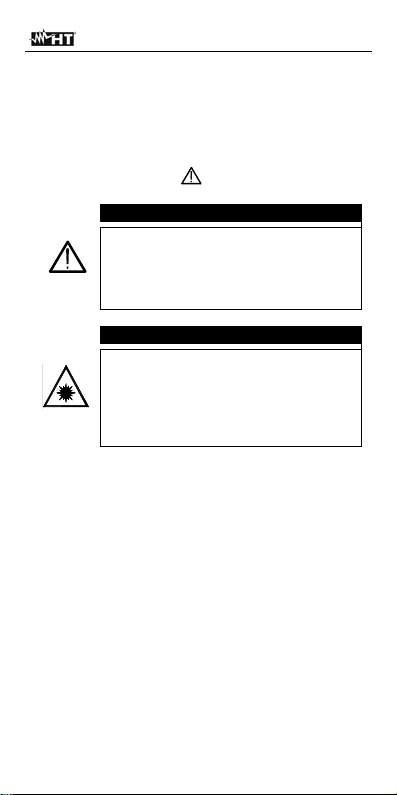
CAUTION
In case the instrument is used in a way
different from the one described in this
user manual, this could result in a
failure of the protections the instrument
is provided with.
CAUTION
When this symbol is displayed, the
instrument is not able to emit a laser
pointer. Always prevent the laser
from radiating to your eyes, in order
to prevent any injury. Class II laser
device compliant with EN 60825-1

iDM70
EN - 3
In this manual, and on the instrument, the following
symbols are used:
Warning: observe the instructions given in
this manual; improper use could damage
the instrument or its components.
Warning: always prevent the
laser from radiating to your eyes,
in order to prevent any injury.
The instrument and its
accessories must be collected
separately and correctly
disposed of in the appropriate
containers.

iDM70
EN - 4
2. PREPARATION FOR USE
2.1. Initial checks
Before shipping, the instrument has been checked
from an electric as well as mechanical point of view.
All possible precautions have been taken so that it is
delivered undamaged.
However, we recommend generally checking the
instrument in order to detect possible damage suffered
during transport. In case anomalies are found,
immediately contact the forwarding agent.
We also recommend checking that the packaging
contains all components indicated in § 9. In case of
discrepancy, please contact the Dealer.
In case the instrument should be returned, please
follow the instructions given in § 10.1
2.2. Instrument power supply
The instrument is supplied with two 1.5V AA LR06
batteries, included in the package. Battery life equals
about 8000 measurements. The “ “ symbol
flashes on the display when the battery is flat. Replace
the battery by following the instructions given in § 6
2.3. Storage
In order to guarantee precise measurement, after a
long storage time under extreme environmental
conditions, wait for the instrument to come back to
normal condition (see § 8.1). Given its simplicity, the
instrument does not need any periodic calibration

iDM70
EN - 5
3. INSTRUMENT DESCRIPTION
3.1. Description of the controls
Fig. 1: Instrument description
Caption Description
1 ON/MEAS key
2 Timer/Bluetooth key
3 Key for single/continuous distance
measurement
4 Area/Volume key
5 Air bubble level
6 Key for saving measurement results
7 “+” key
8 OFF/CLR key
9 Reference setting key
10 Tilt/Dimension key
11 Key for indirect distance measurement
12 “-” key
13 Backlight/Measuring unit key
14 ON/MEAS key

iDM70
EN - 6
3.2. Display description
Fig. 2: Description of the symbols at display
Caption Description
1 Active laser
2/3 Front/rear reference
4 Tripod reference
5 Instrument level + stand reference
6 , area, volume measurement
7 ,, ,indirect measures/tilt
8 Distance measurement with dimensions
9 Battery charge level
10 Distance measurement
11 Max and Min measurements in
continuous mode
12 Instrument error message
13 Memory for partial data saving
14 Bluetooth symbol
15 Active timer symbol
16 Tilt symbol
17 First measurement partial value display
18 Second measurement partial value
display
19 Third measurement partial value display
20 Last measurement value display and
result

iDM70
EN - 7
3.3. General description of the instrument
iDM70 has the following functions:
Direct measurement of distances expressed in
m/in/ft and ft+in
Measurement of area and volume
Indirect 2- and 3-point distance measurement
(Pitagora)
Distance measurement in continuous mode
Sum/difference of measured distance values
Measurement of tilt angle
Distance measurement with dimensions
Setting of measuring reference
Setting of timer for measurements
Connection to Bluetooth devices, iPhone, iPad,
iPod touch, Android via Meterbox APP
Activation of the laser pointer for measurement
Integrated air bubble level
Partial operations with use of internal memory (max
20 locations)
Display backlight
Activation of buzzer upon key pressing
The model is provided with a wide display, a
comfortable membrane keyboard with 13 function keys
and a class II laser pointer for a precise definition of
the application point.
The measurement of distance between two points
(with a measuring range from 5cm to 70m) is carried
out by reflection of the laser light from the surface hit
to the receiving sensor located in the upper part of the
instrument.
Measurement can be influenced by the brightness of
the environment in which it is performed and by the
type of surface hit by the laser pointer.

iDM70
EN - 8
4. OPERATING INSTRUCTIONS
4.1. Initial operations and settings
Press the key to switch on the instrument and
the laser pointer. Press and hold the key to
switch off the instrument.
Press the key to clear (CLR) the last datum
shown on the display.
Press the key to see the saved distance values.
Press the keys and at the same time to
delete the temporary memory's content. The value
“00” is shown on the display.
Press the key to activate/deactivate the
backlight of the display.
Press and hold the key to activate the section
for setting distance measuring units. Cyclically press
the key to select the options: “m”, “ft”, “in” and
“ft+in”
4.2. Setting of measuring reference
In order to perform correct measurements, it is
important to define beforehand the measuring
reference on the instrument by pressing the key.
Possible options are:
Top measurement is carried out by the upper
part of the instrument.
Bottom measurement is carried out by the lower
part of the instrument and therefore also the whole
instrument length is considered (default condition)
“Bottom” reference “Top” reference

iDM70
EN - 9
Tripod (see Fig. 2 – Pos. 4) Press and hold the
key for 2s. Measurement is carried out from the
hole where the tripod is inserted
Instrument + stand level The instrument is
provided with a stand which can be opened to
comfortably rest the unit on horizontal surfaces Fig.
3). With the stand at 90°, delicately move it to the
right and open it completely (see Fig. 4). In this
position, by resting the instrument on an angle or
step, it is automatically configured with the level
shown in Fig. 2 – Pos. 5). Move it delicately to the
right and turn the stand to close it on the instrument
Fig. 3: Distance measurement on sides and angles
Fig. 4: Stand opening for measurements on angles
Indice
Altri manuali HT Strumento di misura