
JONARD TOOLS ACM-1000 Manuale utente
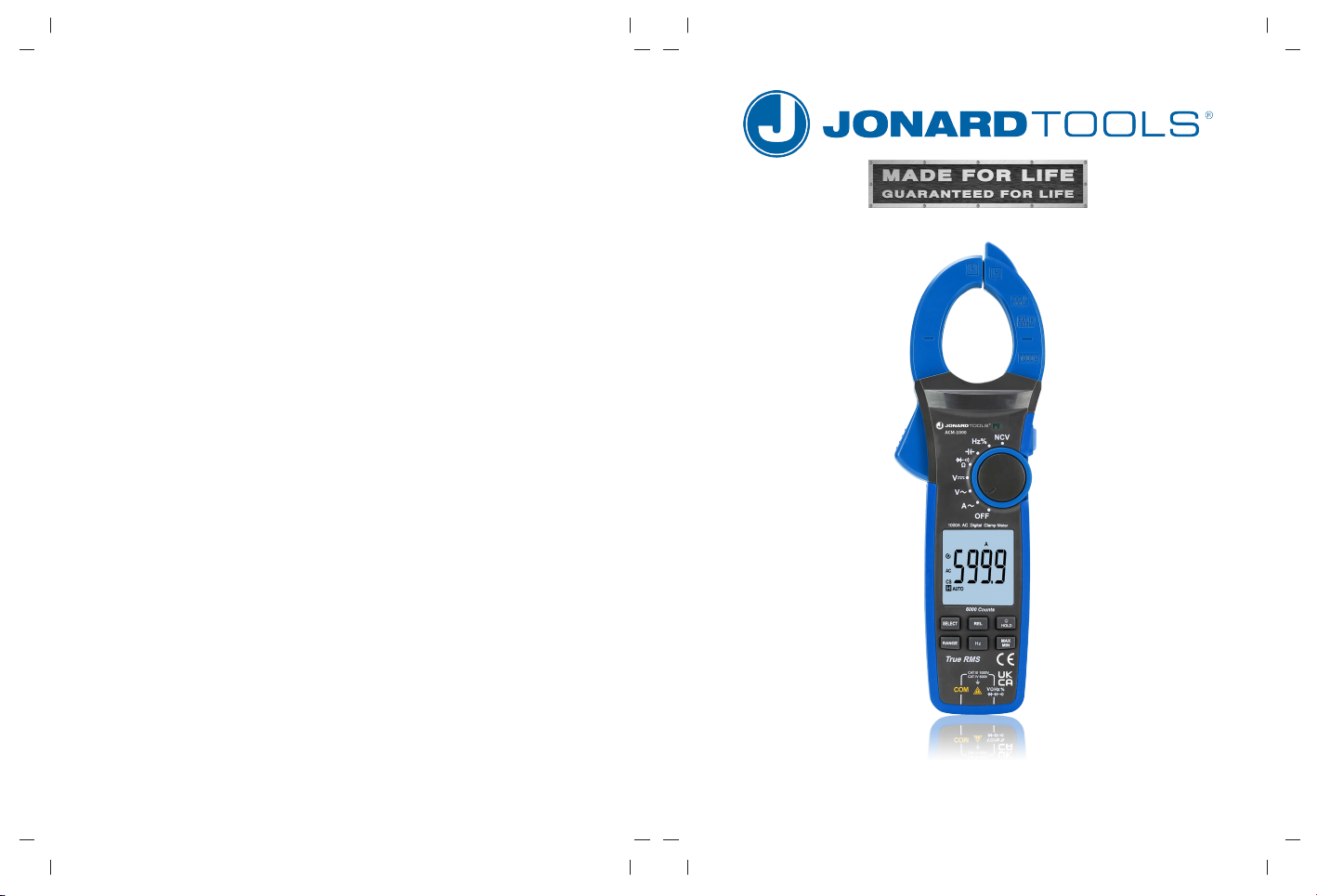
ACM-1000 Clamp Meter Instruction Manual

Preface
Thank you for purchasing the ACM-1000. In order to use this product
safely and correctly, please read this manual thoroughly, especially the Safety
Instructions
part.
After reading this manual, it is recommended to keep the manual at an easily
accessible place, preferably close to the device, for future reference.
Limited Warranty and Liability
Jonard guarantees that the product is free from any defect in material and
workmanship within one year from the purchase date. This warranty does not
apply to damages caused by accident, negligence, misuse, modification,
contamination or mishandling. The dealer shall not be entitled to give any other
warranty on behalf of Jonard. If you need warranty service within the warranty
period, please contact your seller directly.
Jonard will not be responsible for any special, indirect, incidental or subsequent
damage or loss caused by using this device.
I ACM-1000 Instruction Manual

3 4
I. Overview ------------------------------------------------------------------- 4
II. Accessories 4
III. Safety Instructions 5
IV. Electrical Symbols 6
V. External Structure 7
VI. LCD Display 8
VII. 11
VIII. Specifications 13
IX. Operating Instructions 22
X. Maintenance 38
---------------------------------------------------------------
-----------------------------------------------------
-----------------------------------------------------
------------------------------------------------------
------------------------------------------------------------
Function SwitchDial and Function Buttons --------------------
--------------------------------------------------------
-----------------------------------------------
------------------------------------------------------------
Table of Contents
Open the package box and take out the meter. Please double check whether
the following items are missing or damaged.
a) User manual ------------------------------------------------------------ 1 pc
b) Test leads ---------------------------------------------------------------- 1 pair
c) Hard case ----------------------------------------------------------------- 1 pc
d) 1.5V AAA batteries ---------------------------------------------------- 3 pcs
If any of the above is missing or damaged, please contact your supplier
immediately.
I. Overview
The ACM-1000 is a 6000-count handheld true RMS
clamp meter with auto range. This full scale overload protection meter contains
the following features:
AC/DC voltage, AC current, resistance, diode, continuity, capacitance, frequency,
duty ratio, data hold, MAX/MIN, relative
Flashlight, NCV, low battery indication, and auto power off
Warning:
Before using the meter, please read the Safety Instructions carefully.
II. Accessories
I ACM-1000 Instruction Manual
5 6
III. Safety Instructions
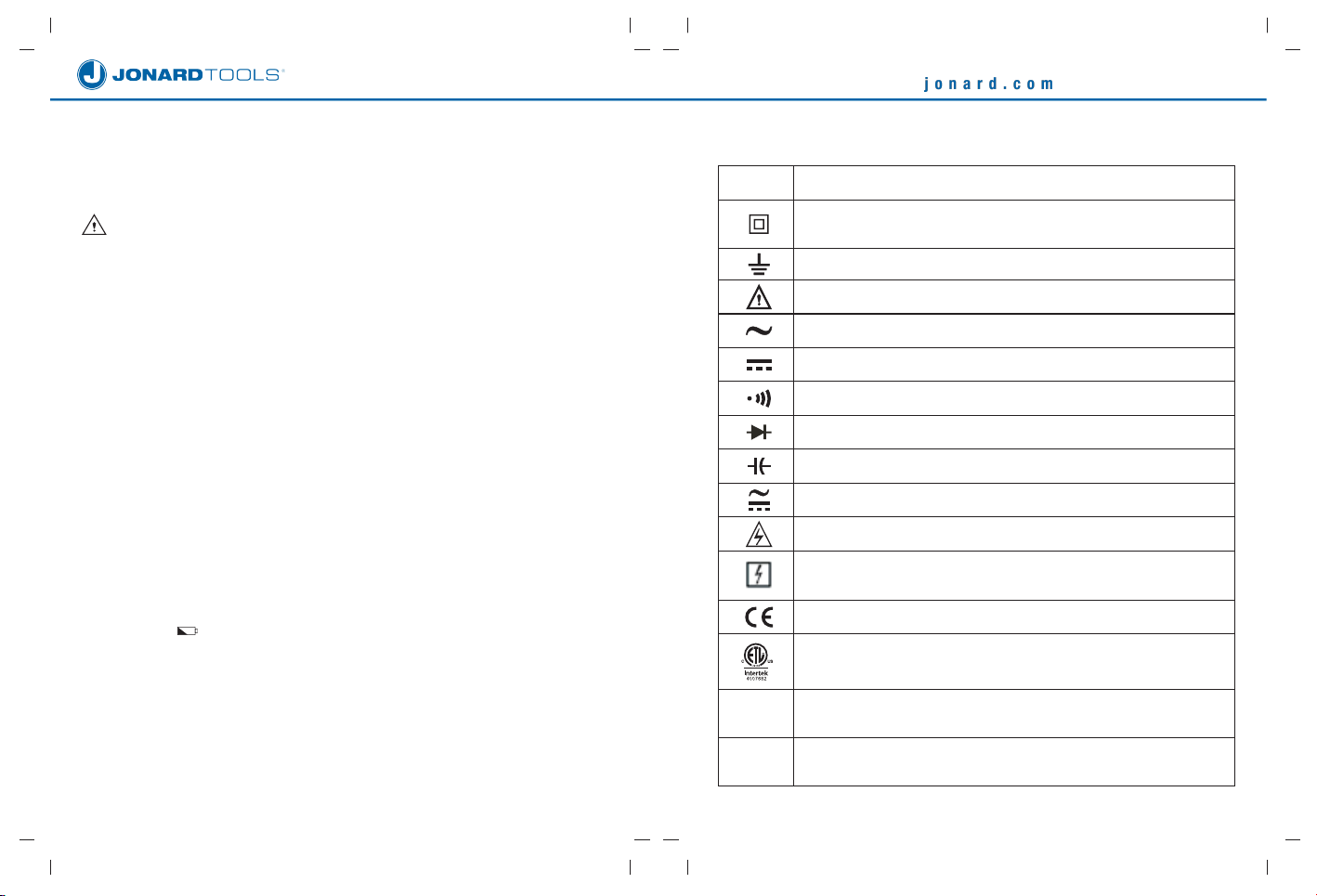
The meter is designed and manufactured according to UL STD 61010-1,
61010-2-032, 61010-2-033, safety standards, and conforms to CAT III 1000V,
CAT IV 600V, double insulation, and pollution degree 2.
Note: Before each use, verify meter operation by measuring a known
voltage. If the meter is used in a manner not specified by the manufacturer, the
protection provided by the equipment may not be guaranteed.
Description
Equipment protected throughout by DOUBLE INSULATION
or REINFORCED INSULATION
Earth (ground)
Warning or Caution
Alternating current
Direct current
Continuity buzzer
Diode
Capacitance
Alternating current or direct current
Caution, possibility of electric shock
Application around and removal from UNINSULATED
HAZARDOUS LIVE conductors is permitted.
Complies with European Union standards
Conforms to UL STD 61010-1, 61010-2-032, 61010-2-033, Certified
to CSA STD C22.2 No. 61010-1, 61010-2-032, 61010-2-033.
It is applicable to testing and measuring circuits connected to the
distribution part of the building's low-voltage MAINS installation.
It is applicable to testing and measuring circuits connected at
the source of the building’s low-voltage MAINS installation.
CAT IV
CAT III
Symbol
IV. Electrical Symbols
1. Before use, please check if there is any item which is damaged or behaving
abnormally. If any abnormal item (such as bare test lead, damaged meter
casing, broken LCD, etc.) is found, or if the meter is considered to be
malfunctioning, please do not continue to use the meter.
2. Do not use the meter if the rear cover or the battery cover is not completely
covered up, it may pose a shock hazard!
3. When using the meter, keep fingers behind the finger guards of the test leads,
and do not touch exposed wires, connectors, unused inputs, or circuits being
measured to prevent electric shock.
4. The function dial should be placed in the correct position before measurement.
5. Do not apply voltage over 1000V between any meter terminal and earth ground
to prevent electric shock or damage to the meter.
6. Use caution when working with voltage above AC 30Vrms, 42Vpeak or DC
60V. Such voltages pose a shock hazard.
7. Never input voltage or current which exceeds the specified limit. If the range
of the measured value is unknown, the maximum range should be selected.
8. Before measuring the resistance, diode and continuity , switch off the power
supply of the circuit, and fully discharge all capacitors to avoid inaccurate
measurement.
9. When the “ ” symbol appears on the LCD, please replace the batteries in
time to ensure measurement accuracy. If the meter is not in use for a long
time, please remove the batteries.
10.Do not change the internal circuit of the meter to avoid damage to the meter
and user!
11.Do not use or store the meter in high temperature, high humidity, flammable,
explosive or strong magnetic field environments.
12.Clean the meter casing with a soft cloth and mild detergent. Do not use
abrasives or solvents!
I ACM-1000 Instruction Manual

1. Clamp jaws
2. Hand guard
3. LED indicator light
4. Jaw opening trigger
5. Function dial
6. LCD display
7. Function button
8. NCV sensor
9. FLIGHT button
10. Flashlight LED light
11. Batter cover
12. Input jacks
7 8
1
23
45
6
7
8
9
10
11
V.. External Structure (Picture 1)
1
2
3
4
5
6
7
8 9 10
11 12 13 14
Picture 2
I ACM-1000 Instruction Manual
VI. LCD Display (Picture 2)
1.
2.
3.
4.
5.
6.
7.
8.
9.
10.
11.
12.
13.
14.
Low battery
Diode test
High voltage
Auto power off
AC signal
DC signal
Data hold
Relative value
Continuity test
Unit
Auto range
Max measurement
Min measurement
NCV
12
Picture 1
Ω
Hz
%
NCV
OFF
/
9 10
'HVFULSWLRQ
$& amperpage
$&
5HVLVWDQFHPHDVXUHPHQW
'LRGHWHVW
&RQWLQXLW\WHVW
&DSDFLWDQFHPHDVXUHPHQW
)UHTXHQF\PHDVXUHPHQW
'XW\UDWLRPHDVXUHPHQW
1RQFRQWDFW$&YROWDJHVHQVLQJ
3RZHURII
'LDO3RVLWLRQ
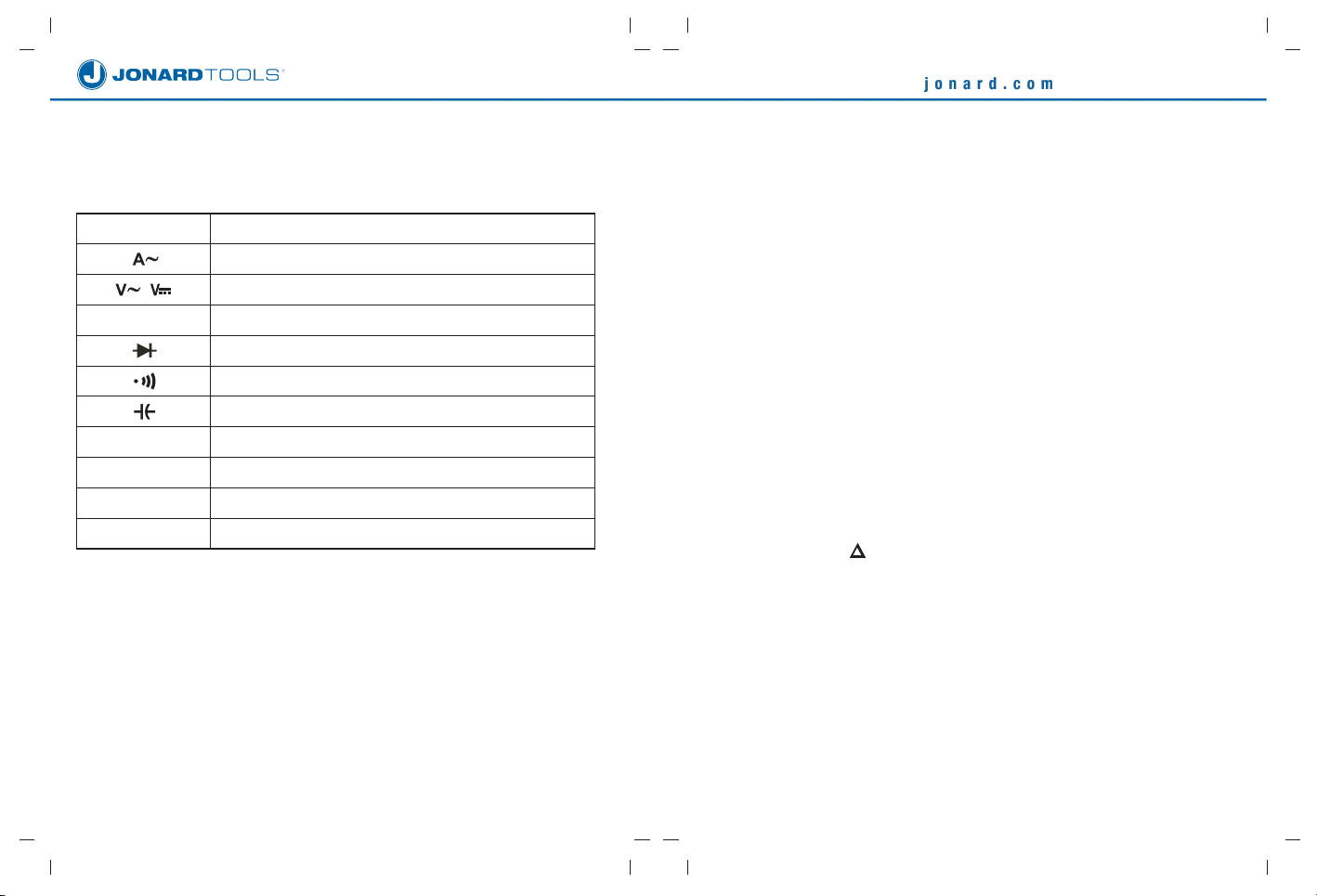
VII. Function Dial and Function Buttons
1. Function Dial
2. Function Buttons
Note:
Short press:SUHVVLQJDEXWWRQIRUOHVVWKDQV
Long press:SUHVVLQJDEXWWRQIRUPRUHWKDQV
I ACM-1000 Instruction Manual
1) SELECT Button
Short press:VZLWFKEHWZHHQIXQFWLRQVIRUHDFKGLDOSRVLWLRQ
Long press:HQDEOHGLVDEOHWKH/3)IXQFWLRQLQYROWDJHPRGH
2) HOLD/¤ Button
Short press:WXUQRQRIIGDWDKROG
Long press:WXUQRQRIIEDFNOLJKW
3) MAX/MIN Button
Short press:HQWHUPD[LPXPPLQLPXPPHDVXUHPHQWPRGHQRDXWRSRZHU
RIIIXQFWLRQLQWKLVPRGH
Long press:H[LWPD[LPXPPLQLPXPPHDVXUHPHQWPRGH2QO\YDOLGIRU$&9
'&9$&$ Ω, and &$3
4) REL or REL ZERO Button
Short press:HQWHUH[LWWKHUHODWLYHYDOXHPHDVXUHPHQWPRGH
/&'ZRXOGGLVSOD\³´
'LVSOD\HGYDOXH PHDVXUHGYDOXHUHIHUHQFHYDOXH
2QO\YDOLGIRU$&9'&9$&$Ω and CAP (in case of CAP, WKH5(/EXWWRQ LV
XVHGWRFOHDUWKHEDVH
5) RANGE Button
Short press:HQWHUWKHPDQXDOUDQJHPRGHDQGFKDQJHWKHUDQJH
Long press: /RQJSUHVVRUWXUQIXQFWLRQGLDOWRH[LWPDQXDOUDQJHPRGH 2QO\
YDOLGIRU$&9'&9$&$&$3 and Ω.

3. Electrical specifications
Accuracy:--------------------------------------- ± (a% of reading + b digits),
1 year calibration cycle
Ambient temperature:----------------------- 23°C±5°C
Ambient humidity:---------------------------- ≤80%RH
Note:
To ensure measurement accuracy, the operating temperature should be within
18°C~28°C and the fluctuation range should be within ±1°C. When the
temperature is <18°C or >28°C, add temperature coefficient error 0.1 x
(specified accuracy)/°C.
11 12
VIII. Specifications
1. General Specifications
Max display: ------------------------- 6000 counts
Polarity display: --------------------- Auto
Overload display: ------------------ “OL” or “-OL”
Low battery indication: ------------ “ ” is displayed.
Sampling rate: ---------------------- 3 times/s
Sensor type: ------------------------- Coil induction
Test position error: ---------------- If the source under test is not placed at the
center of the clamp jaws when measuring current,
±1.0% additional error in reading may be produced.
Jaw opening: ------------------------ 42mm
Battery: ------------------------------- 3×1.5V AAA
Auto power off: ---------------------- 15 minutes (can be disabled)
Dimensions: -------------------------- 272mm×81mm×43.5mm
Weight (including batteries): ----- About 492g
2. Environmental Specifications
Operating altitude:----------------------------- 2000m
Safety standards:-----------------------------
Pollution degree:------------------------------- 2
Storage temperature and humidity:------ -10°C~60°C (≤80%RH)
Electromagnetic compatibility:-------------- When RF=1V/m:
overall accuracy = specified accuracy
+ 5% of range
When RF>1V/m: not specified
6) Hz Button
Short press: enter/exit the frequency measurement mode.
7) LIGHT Button
Short press: turn on/off the flashlight.
UL STD 61010-1,61010-2-032,
61010-2-033
I ACM-1000 Instruction Manual
2. Function Buttons, con't
13 14
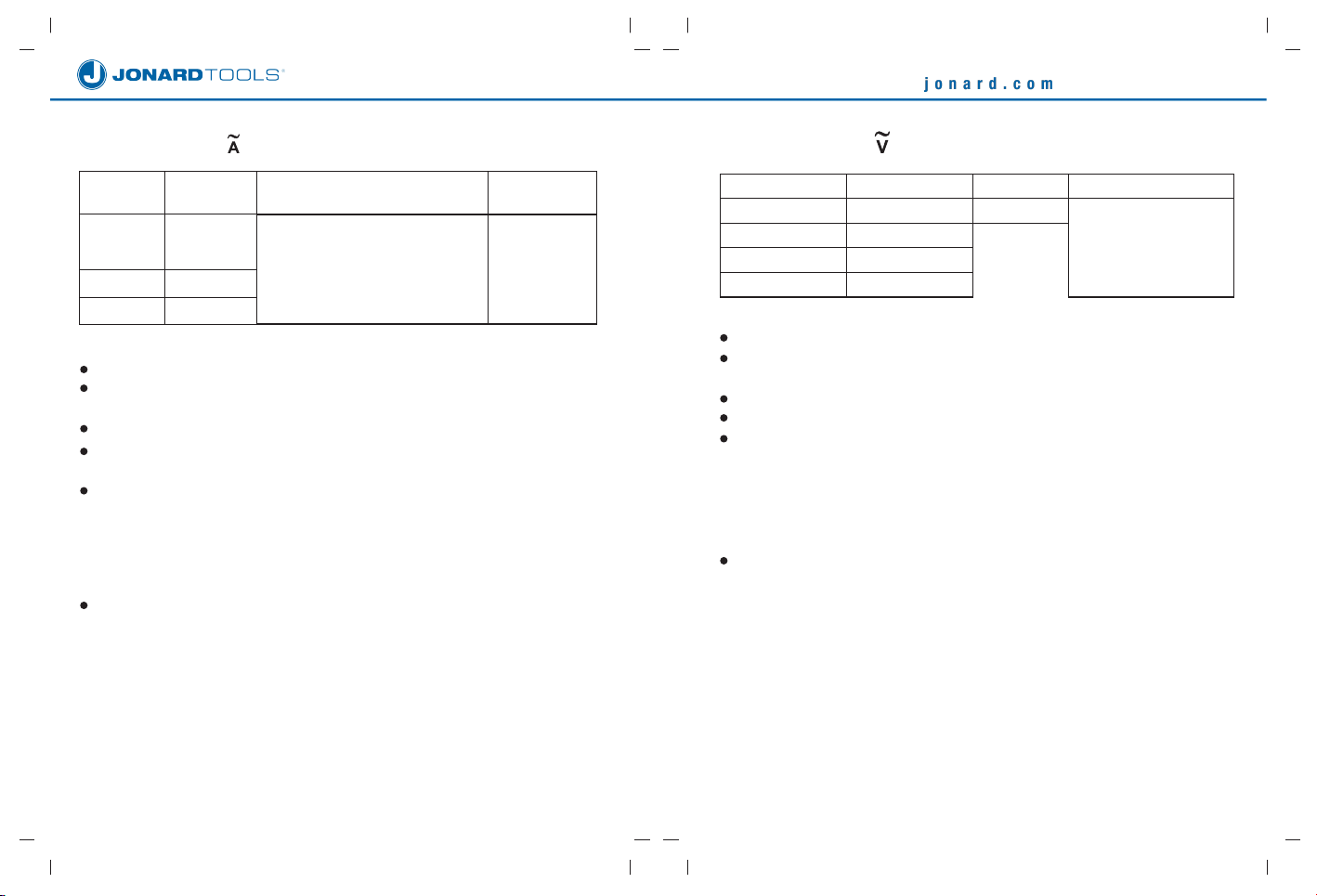
4 $&&XUUHQW
1000A
Range
60.00A
600.0A
1000A
Accuracy
± (2.0%+5)
Resolution
0.01A
0.1A
1A
Overload
Protection
Display: True RMS
Accuracy guarantee: 5%~100% of range. Open circuit allows least
significant digit ≤10.
Frequency response: 50Hz~60Hz
When the measured current is above 500A, the continuous measurement
time cannot exceed 60s.
The AC crest factor will reach 3.0 at 3000 counts while only reach ≤1.5 at
6000 counts. The additional error should be added according to the crest
factor of a non-sinusoidal wave are:
a) Add 4% when crest factor is 1~2
b) Add 5% when crest factor is 2~2.5
c) Add 7% when crest factor is 2.5~3
For current frequency monitoring, the resolution is 0.1Hz and accuracy
is ± (0.1%+3). The input amplitude should be ≥10% of range.
I ACM-1000 Instruction Manual
5$&9ROWDJH
Range Resolution Accuracy Overload Protection
6.000V
± (1.0%+8)
600.0V
1000V
0.001V
0.01V
0.1V
1V
± (1.2%+3)
± (1.0%+8)
Display: True RMS
Accuracy guarantee: 5%~100% of range. Short circuit allows least
significant digit ≤5.
Input impedance: ≥10MΩ
Frequency response: 40Hz~400Hz
The AC crest factor will reach 3.0 at 3000 counts while only reach ≤1.5 at
6000 counts. The additional error should be added according to the crest
factor of a non-sinusoidal wave are:
a) Add 4% when crest factor is 1~2
b) Add 5% when crest factor is 2~2.5
c) Add 7% when crest factor is 2.5~3
For voltage frequency monitoring, the resolution is 0.1Hz and accuracy
is± (0.1%+3). The input amplitude should be ≥10% of range.
1000V DC/AC
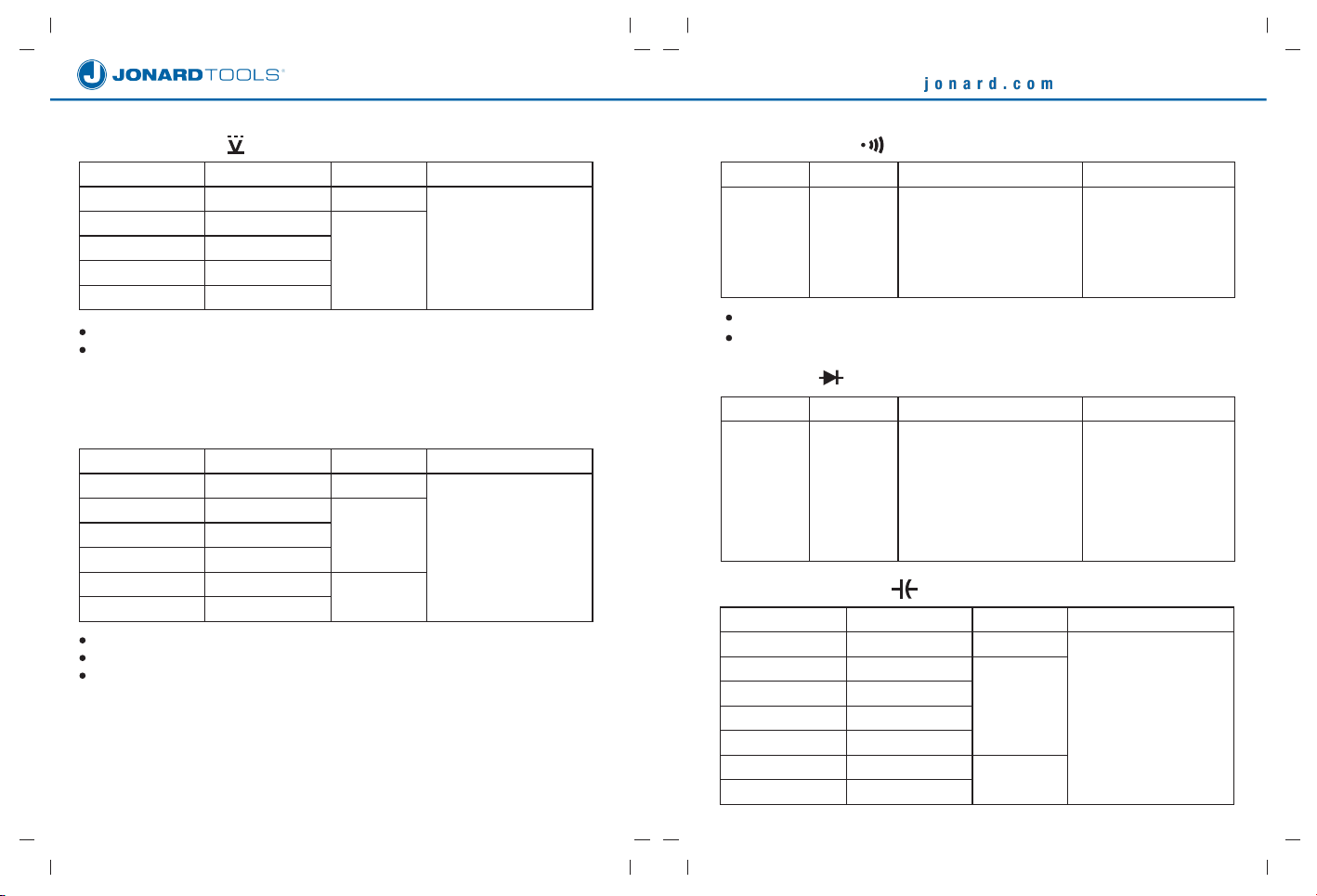
9)Diode ( )
10)Capacitance ( )
15 16
8)Continuity ( )
Range Resolution Accuracy Overload Protection
Open circuit: Resistance
≥70Ω, no beep
Well-connected circuit:
Resistance ≤30Ω,
consecutive beeps
600.0Ω 0.1Ω
Open circuit voltage: About 1V
Resistance value is between 30Ω and 70Ω, the Buzzer maybe beep
Range Resolution Accuracy Overload Protection
Open circuit voltage:
About 3V
Measurable PN junction:
Forward voltage drop ≤3V
For silicon PN junction,
the normal value is
generally about 0.5~0.8V.
6.000V 0.001V
Range Resolution Accuracy
± (4.0%+5)
± (10.0%+9)
Overload Protection
± (4.0%+25)
60.00nF
600.0nF
6.000μF
60.00μF
600.0μF
6.000mF
60.00mF
0.01nF
0.1nF
0.001μF
0.01μF
0.1μF
0.001mF
0.01mF
6)DC Voltage ( )
Range Resolution Accuracy
± (0.5%+5)
Overload Protection
600.0mV
6.000V
60.00V
600.0V
1000V
0.1mV
0.001V
0.01V
0.1V
1V
± (0.8%+3)
Input impedance: ≥10MΩ
Accuracy guarantee: 5%~100% of range. Short circuit allows least significant
digit ≤5.
7)Resistance (Ω)
Range Resolution Accuracy
± (1.0%+2)
± (2.0%+8)
Overload Protection
± (1.0%+3)
600.0Ω
6.000kΩ
60.00kΩ
600.0kΩ
6.000MΩ
60.00MΩ
0.1Ω
0.001kΩ
0.01kΩ
0.1kΩ
0.001MΩ
0.01MΩ
Measurement result = displayed value – resistance of shorted test leads
Open circuit voltage: About 1V
Accuracy guarantee: 5%~100% of range
1000V DC/AC
1000V DC/AC
1000V DC/AC
1000V DC/AC
1000V DC/AC
I ACM-1000 Instruction Manual
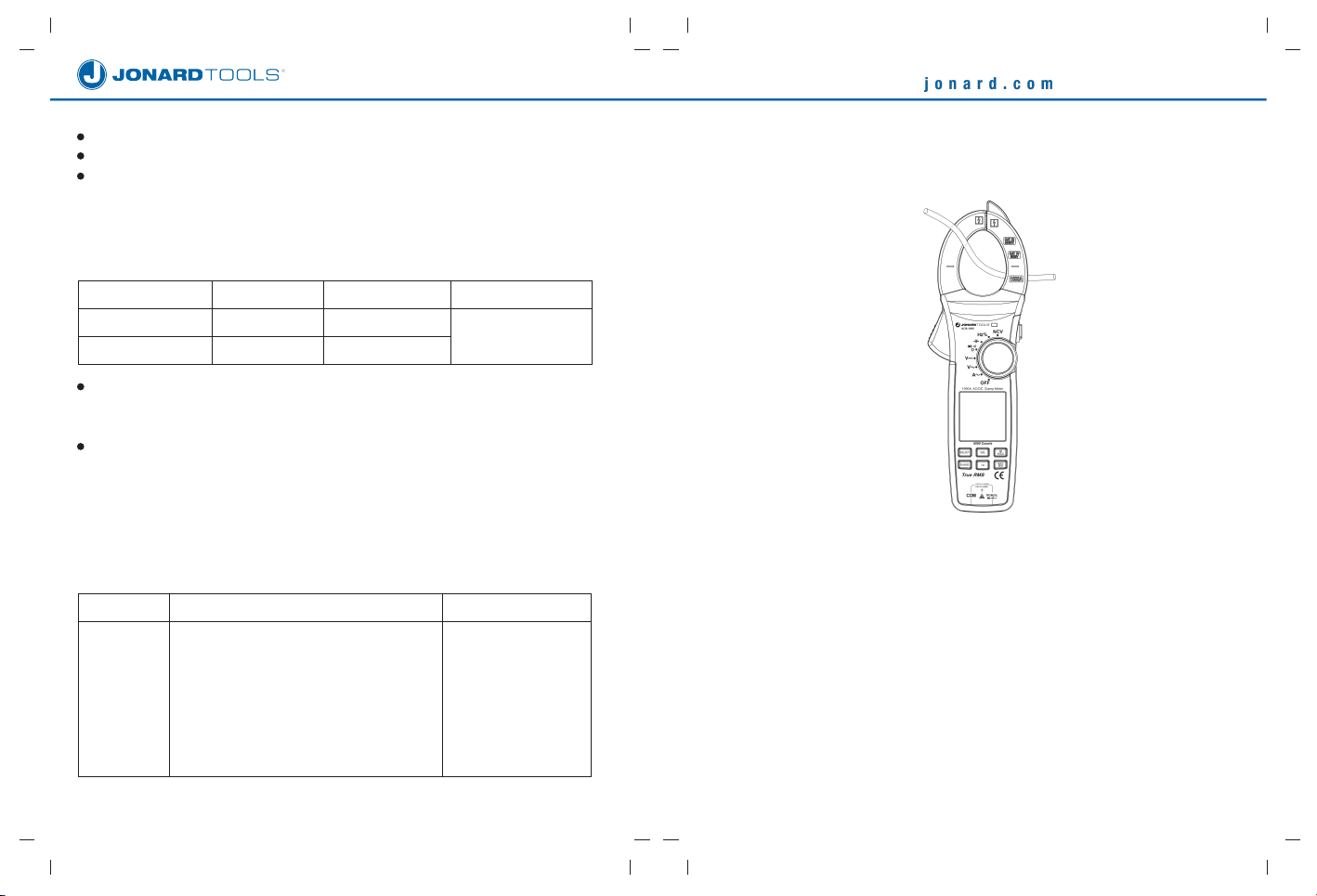
AC Current Measurement
1)
2)
Turn the function dial to A~ position.
Press the trigger to open clamp jaws and fully enclose one conductor (only
one conductor can be measured at a time). For optimum results, center the
conductor in the jaws.
Current Frequency Measurement
1) When the function dial is in the AC current position, short press the Hz button
to enter the frequency measurement mode.
2) Short press the Hz button again to exit the frequency measurement mode.
17 18
Measurement result = displayed value – capacitance of open-circuit test leads
For capacitance ≤1μF, it is recommended to use “REL” measurement mode.
Accuracy guarantee: 5%~100% of range
Range Resolution Accuracy
Overload Protection
Overload Protection
11)UHTXHQF\'XW\5DWLR+]
10Hz 1 MHZ~
10.0% 90.0%~
0.01Hz 1K Hz~
0.1%
±(0.1%+3)
±( )2.6%+7
Frequency input amplitude:
10Hz~100kHz: 250mVrms ≤ input amplitude ≤ 20Vrms
100kHz~1MHz: 600mVrms ≤ input amplitude ≤ 20Vrms
Duty ratio:
10%~90%: for square waves of 10Hz~1kHz
30%~70%: for square waves of 1kHz~10kHz
2Vpp≤ input amplitude ≤20Vpp
21RQFRQWDFW$&YROWDJHVHQVLQJ1&9
NCV
Range Accuracy
,; 2SHUDWLQJ,QVWUXFWLRQV
1. 5HODWHG0HDVXUHPHQWRI$&&XUUHQW3LFWXUH3
Picture 3
Bring the NCV sensor (upper tip) close
to a wire to start sensing. When no
voltage is sensed, the LCD displays
“EF”. As the intensity of the detected
voltage increases, more segments “—”
will be displayed, and higher frequently
occurs for buzzer and flashing LED.
1000V DC/AC
1000V DC/AC
I ACM-1000 Instruction Manual
Indice
Altri manuali JONARD TOOLS Strumento di misura

JONARD TOOLS
JONARD TOOLS FLS-50 Manuale utente

JONARD TOOLS
JONARD TOOLS FPM-55 Manuale utente

JONARD TOOLS
JONARD TOOLS PON-55 Manuale utente

JONARD TOOLS
JONARD TOOLS OTDR-1500 Manuale utente

JONARD TOOLS
JONARD TOOLS FPM-50 Manuale utente

JONARD TOOLS
JONARD TOOLS PON-55 Manuale utente

JONARD TOOLS
JONARD TOOLS PON-50 Manuale utente

JONARD TOOLS
JONARD TOOLS FPM-50a Manuale utente

JONARD TOOLS
JONARD TOOLS FLS-55 Manuale utente

JONARD TOOLS
JONARD TOOLS PON-55 Manuale utente


