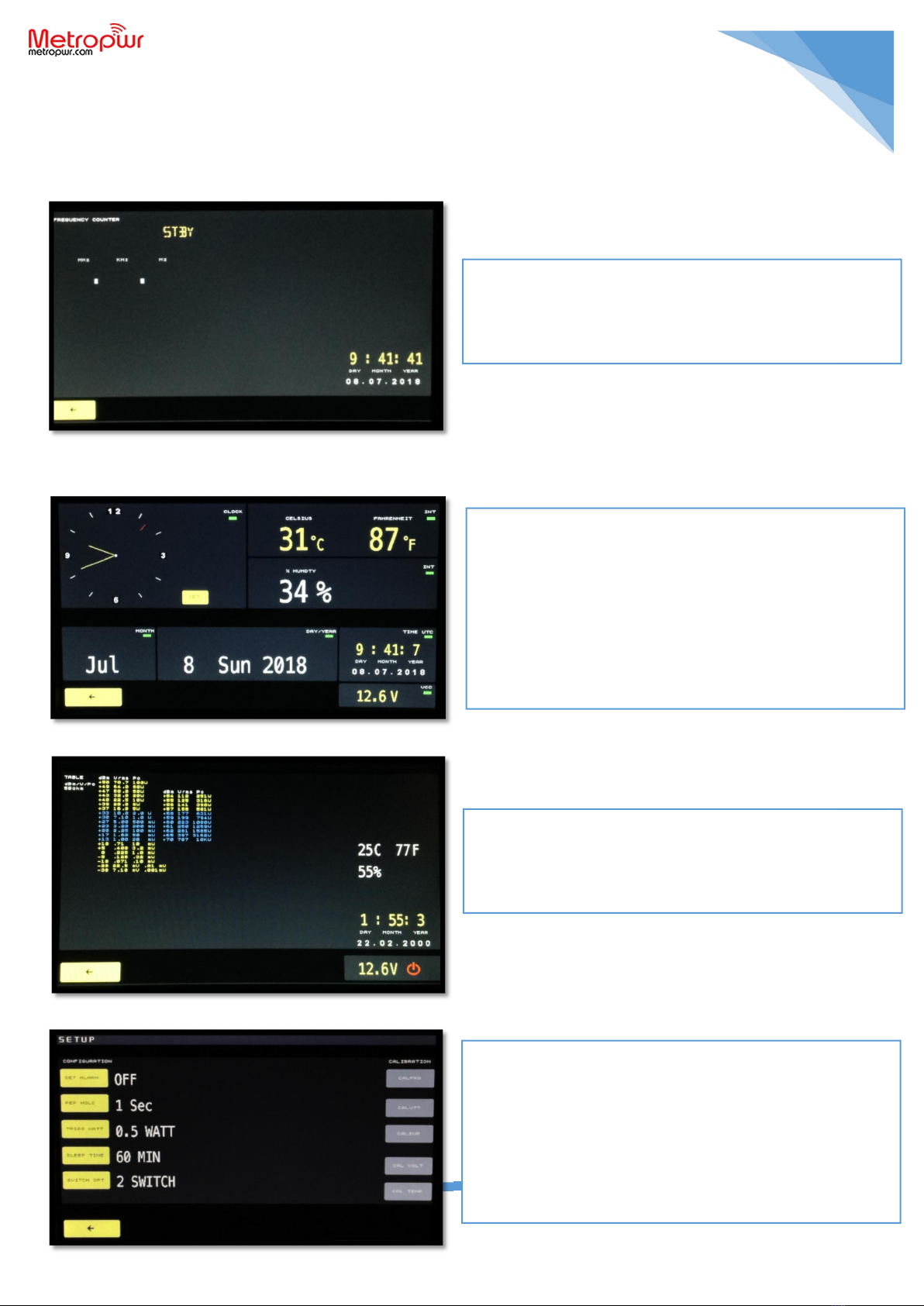
The instrument is entirely manageable through a modern touch screen user interface. Turning the
instrument on from the side ON / OFF switch displays the main menu and all the information on: Antenna
switch position SW / A - SW / B, date, time, temperature, internal humidity% supply voltage, operating
sensor and through the LEDs the operational status of the instrument. For total shutdown, the side ON /
OFF switch can be positioned in the low OFF position. By tapping the lower right icon you can place the
instrument in standby. In this case FX773/5 will always be powered but the display will be turned off and
the instrument will be in low absorption. In the case of an operator, the instrument will return online and
the backlight will be reactivated. The intervention threshold can be set from the setup menu between 0.5
/ 0.8 / 1 / 1.5 watts. In the event of disturbances from the antenna or other nearby radios, it is advisable
to increase this threshold. It is also possible to select an automatic standby threshold between
1/10/30/60 minutes or deactivate it, it is advisable to keep it low or 60 minutes maximum. Also in this
case, a simple operator ptt puts the instrument online. From the main menu you can also detect the
currently active sensor CH1 / CH2 and if you have antenna switches connected to which position SWA -
SWB is switched. The instrument has inside a frequency meter that measures the frequency and
operating band, in SSB could indicate non-stable values, in this case transmit in FM / AM / CW to detect
the exact operating frequency. The internal menus are shown below.
MENU WATTMETER: where it is possible to visualize the
Power PeP (peak), AVG (average), all paraments SWR, R,
Z, X, operating frequency, band, power supply
temperature / humidity internal date now select the
sensor and antenna switch.