Software Operation
3-3
3.3 VT/PT, CT Measurements & Parameter Setting
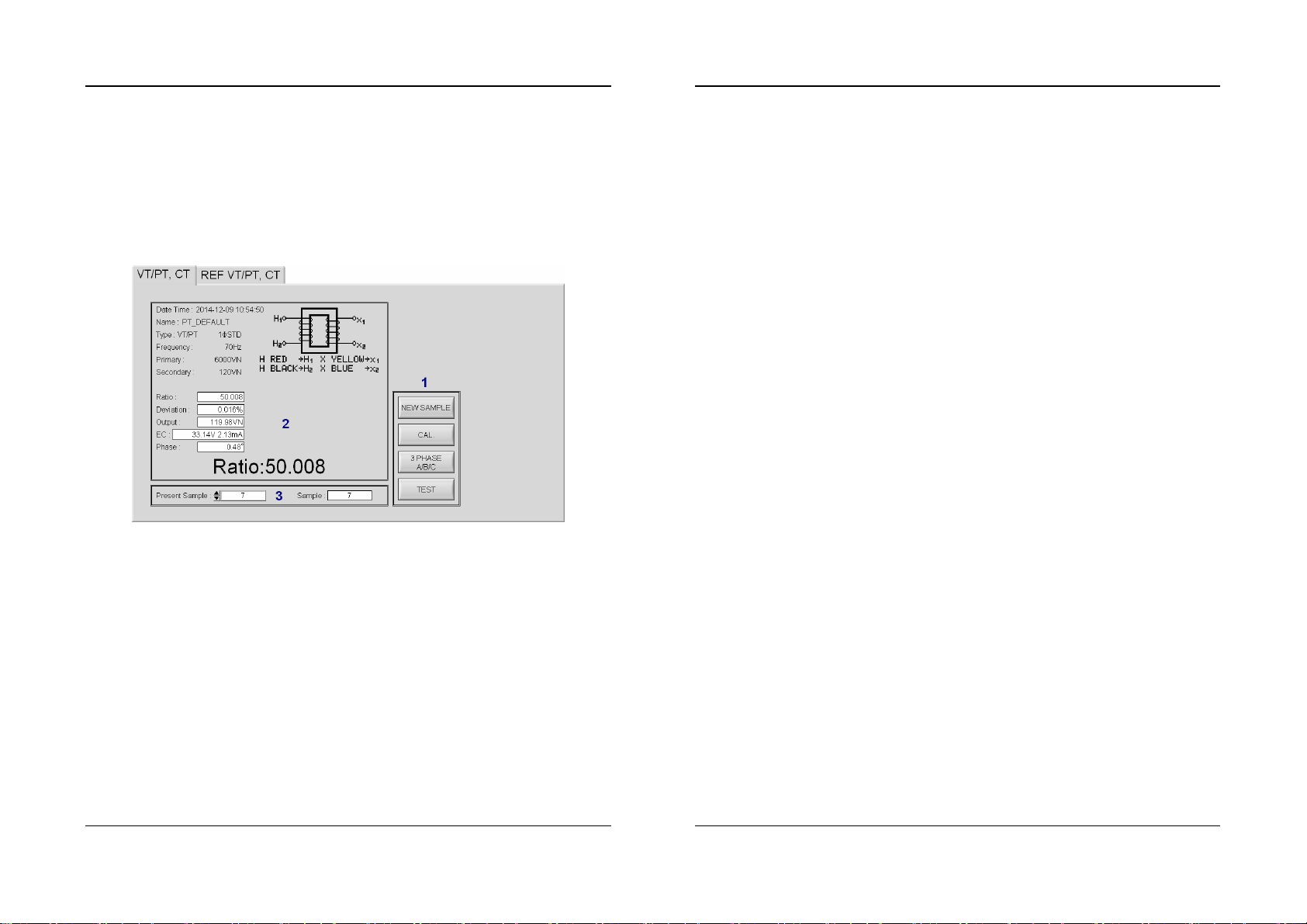
There are 2 pages - one is VT/PT, CT and the other is REF VT/PT, CT.
A. VT/PT, CT Measurements
First turn the switch of the Meter to VT/PT or CT range.
A.1 NEW SAMPLE, CAL., 3 PHASE A/B/C, TEST buttons
TEST: Press this button to make the Meter perform TEST function.
Then the measurement values from the Meter will be saved in the
Sample records in the software.
Software Operation
3-4
NEW SAMPLE: Press this button to create a new blank sample, then
perform TEST function to get new measurement values.
CAL.: press this button to make the Meter perform CAL. (Phase Angle
Calibration) function.
3 PHASE A/B/C: when measuring 3-phase transformer, press this
button to switch among A phase, B phase and C phase.
A.2 Sample Time, Parameters, Measurement Values
Date Time: Sample recording time.
Name, Type, Frequency, Primary, Secondary: These are
transformer parameters and winding connection type.
Ratio, Deviation, Output, EC, Phase: These are transformer
measurement values.
Please refer to the operation manual of “Transformer Turns Ratio
Meter” for the definitions of the above-mentioned Parameters and
measurement Values.
A.3 Sample Status
Present Sample: select the sample number which is being viewed.
Sample: the total sample numbers till now.