
Reed Instruments R2450SD Manuale utente
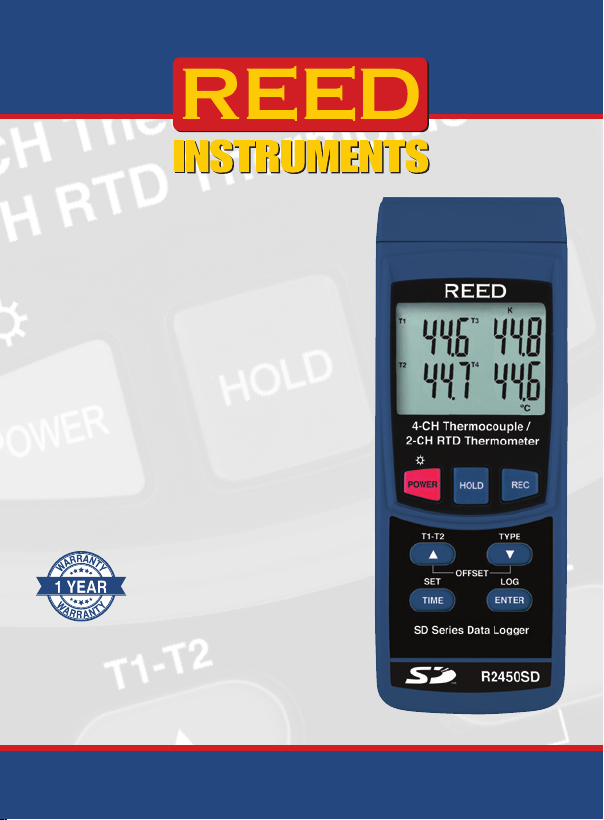
Data Logging
Thermometer
Instruction
Manual
R2450SD
REED Instruments

2
Table of Contents
Introduction ................................................................................................ 3
Product Quality........................................................................................... 3
Safety ......................................................................................................... 4
Features...................................................................................................... 4
Included...................................................................................................... 4
General Specications ............................................................................... 5
Range Specication ................................................................................... 6
Accuracy Specications..........................................................................6-7
Instrument Description ............................................................................... 8
Display Description .................................................................................... 9
Operating Instructions.........................................................................10-12
Power ON/OFF .................................................................................... 10
Temperature Modes ............................................................................. 10
Thermocouple Measurement Mode..................................................... 10
RTD (Pt100 Ohm) Measurement Mode................................................ 10
Measuring the Difference Between Two Measurements (T1-T2) ......... 11
Data Hold ............................................................................................. 11
Recording Maximum and Minimum Readings................................11-12
Backlight .............................................................................................. 12
Setup Mode.........................................................................................12-14
Setting the Time and Date (dAtE) ....................................................... 13
Setting the Data Logging Sampling Rate (SP-t) ................................. 13
Enabling/Disabling Auto Power Off (PoFF)......................................... 13
Enabling/Disabling the Beeper (bEEP) ..........................................13-14
Setting Data Decimal Format (dEC).................................................... 14
Formatting the SD Card (Sd F) ........................................................... 14
continued...
REED Instruments

3
Selecting the Temperature Unit of Measure (t-CF)............................. 14
Verify Set Time, Date and Sampling Rate........................................... 14
Data Logging.......................................................................................15-17
Data Recording Modes....................................................................... 15
Manual Data Logging Mode ............................................................... 15
Automatic Data Logging..................................................................... 16
Transferring Data from the SD Memory Card to a Computer........16-17
Thermocouple Probe Offset Adjustment.................................................. 17
RTD Probe Offset Adjustment.................................................................. 18
Data Stream Output ................................................................................. 19
3.5mm Terminal to RS-232 Serial Connection ................................... 19
Battery Replacement................................................................................ 20
Applications.............................................................................................. 20
Accessories and Replacement Parts ..................................................20-21
FAQ's........................................................................................................ 21
Product Care ............................................................................................ 21
Product Warranty ..................................................................................... 22
Product Disposal and Recycling .............................................................. 22
Product Support....................................................................................... 22
Introduction
Thank you for purchasing your REED R2450SD Data Logging Thermometer.
Please read the following instructions carefully before using your instrument.
By following the steps outlined in this manual your meter will provide years
of reliable service.
Product Quality
This product has been manufactured in an ISO9001 facility and has been
calibrated during the manufacturing process to meet the stated product
specications. If a certicate of calibration is required please contact the
nearest authorized REED distributor or authorized Service Center. Please
note an additional fee for this service will apply.
REED Instruments

4
Safety
Never attempt to repair or modify your instrument. Dismantling your
product, other than for the purpose of replacing batteries, may cause
damage that will not be covered under the manufacturer's warranty.
Servicing should only be provided by an authorized service center.
Features
Included
REED Instruments

5
General Specifications
Type: 4-Channel Thermocouple,
2-Channel RTD
Display: Quad Display, LCD
Backlit Display: Yes
Data Hold: Yes
Min: Yes
Yes
Datalogging Capabilities: Yes
Real-Time Clock and Date Stamp:
Yes
Tripod Mountable: Yes
Low Battery Indicator: Yes
Power Supply:
Product Certications: CE
Operating Humidity Range: Less than 85% RH
REED Instruments

6
Range Specifications
Thermocouple Range Resolution
Type T
Type E
Type R
Type S
RTD Range Resolution
Pt100 Ohm
Note:
Accuracy Specifications
Thermocouple Accuracy
continued...
REED Instruments

7
Type T
Type E
Type R
Type S
RTD Range
Pt100 Ohm
Note: Stated Thermocouple RTD accuracy values are specic to the
meter. The accuracy of the input probe should be considered when
calculating overall accuracy.
REED Instruments

8
Instrument Description
4-CH Thermocouple/
2-CH RTD Thermometer
SD Series Datalogger
T1-T2
TIME ENTER
OFFSET
SET LOG
TYPE
POWER HOLD REC
R2450SD
2
3
4
5
6
7
8
9
10
11
12
13
14
15
16
17
1.
4. LCD Display
5. HOLD Button
6. REC Button
TYPE Button
8. Button
13. Power Adapter Input
14. Tripod Mounting Screw
15. Battery Cover
17. SD Card Slot
REED Instruments

9
Display Description
3
10
11
1213141516
2. Temperature Measurement for T1 Thermocouple or PT1 RTD Channel
4. Temperature Measurement for T2 Thermocouple or PT2 RTD Channel
7. Data Logging Status Indicator
9. Temperature Measurement for T4 Thermocouple Channel
10. Temperature Measurement for T3 Thermocouple Channel
12. Thermocouple Input Type
14. Record Mode Indicator
15. Data Hold Indicator
16. Low Battery Indicator
REED Instruments

10
Operating Instructions
Power ON/OFF
1. To turn the meter on or off press and hold the POWER button for
2 seconds.
Note:
Temperature Modes
Thermocouple Measurement Mode
the top of the meter, identied as T1 through T4.
2. Once one or more thermocouples are connected press and hold the
TYPE
Continue to hold the TYPE button until the desired type appears on
the LCD and release to conrm selection.
3. The LCD will display the temperature values for the channels in use.
If an input jack is not in use or the measurement is out of temperature
RTD (Pt100 Ohm) Measurement Mode
jacks labeled PT1 & PT2.
2. Once one or two RTD probes are connected press and hold the
TYPE
is displayed on the LCD. Release the TYPE button to conrm
the selection.
3. The LCD will display the temperature values for the channels in use.
If an input jack is not in use or the measurement is out of
continued...
REED Instruments
Indice
Altri manuali Reed Instruments Termometro

Reed Instruments
Reed Instruments FS-200 Manuale utente

Reed Instruments
Reed Instruments R2000 Manuale utente

Reed Instruments
Reed Instruments R2340 Manuale utente

Reed Instruments
Reed Instruments SMART Series Manuale utente

Reed Instruments
Reed Instruments Smart Series Manuale utente

Reed Instruments
Reed Instruments R2400 Manuale utente

Reed Instruments
Reed Instruments R2330-NIST Manuale utente

Reed Instruments
Reed Instruments R2020 Manuale utente

Reed Instruments
Reed Instruments R2330 Manuale utente

Reed Instruments
Reed Instruments R2320 Manuale utente


