
SpinTouch RapidScreen PLUS Manuale utente
Quick Start Guide
In this Quick Start Guide, we're going to walk through how to set up the RapidScreen.
Right out of the box this unit will already be capable of scanning users and taking their
temperatures. Some changes may need to be made to the application based on your
individual requirements.
TABLE OF CONTENTS
Stand Assembly Instruction...............................................................................................2
Mouse Instruction................................................................................................................3
Temperature Adjustment SettIngs.....................................................................................4
Changing the Password......................................................................................................5
Exiting the Application........................................................................................................6
Starting the Application......................................................................................................6
Connecting the WiFi............................................................................................................7
Changing the Time Zone.....................................................................................................8
Adding Users to the Face Database..................................................................................9
Software Factory Reset……………...................................................................................10
Smart Pass Management Overview ……….....................................................................11
Connecting RapidScreen Kiosk to Smart Pass ....................................................12 & 13
Email Alert Setup ………………........................................................................................14

Mouse Instructions
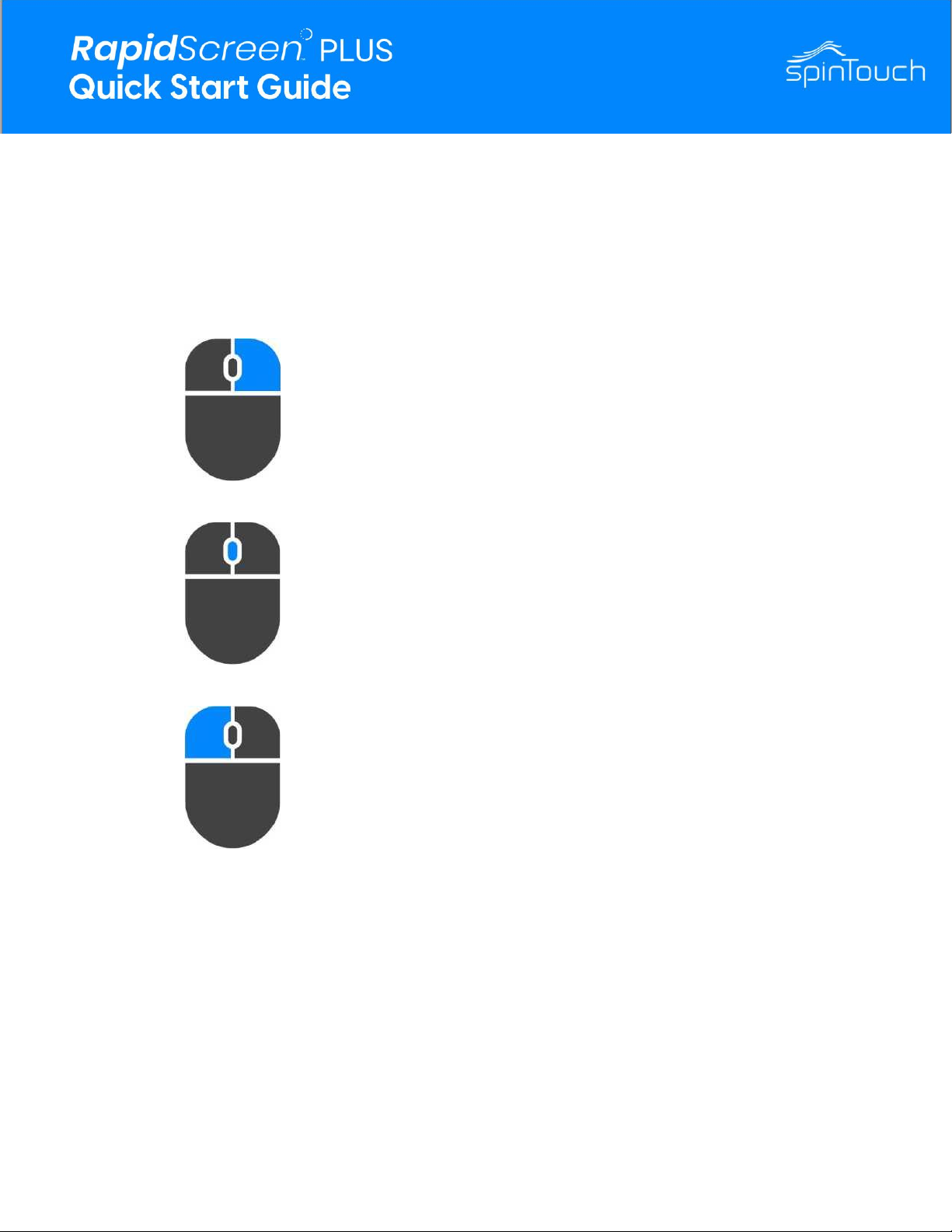
Right Mouse Button
The right mouse button can be used to exit a page or
go back. It can also be used to bring up the password
prompt to access the Android home screen.
Center Mouse Button
The center mouse button can be used to bring up the
password prompt to access the application settings.
Please note, the button must be clicked, not scrolled.
Left Mouse Button
The left mouse button is used to make selections.
3
NOTE: a 3-button wired mouse was included in your packaging.
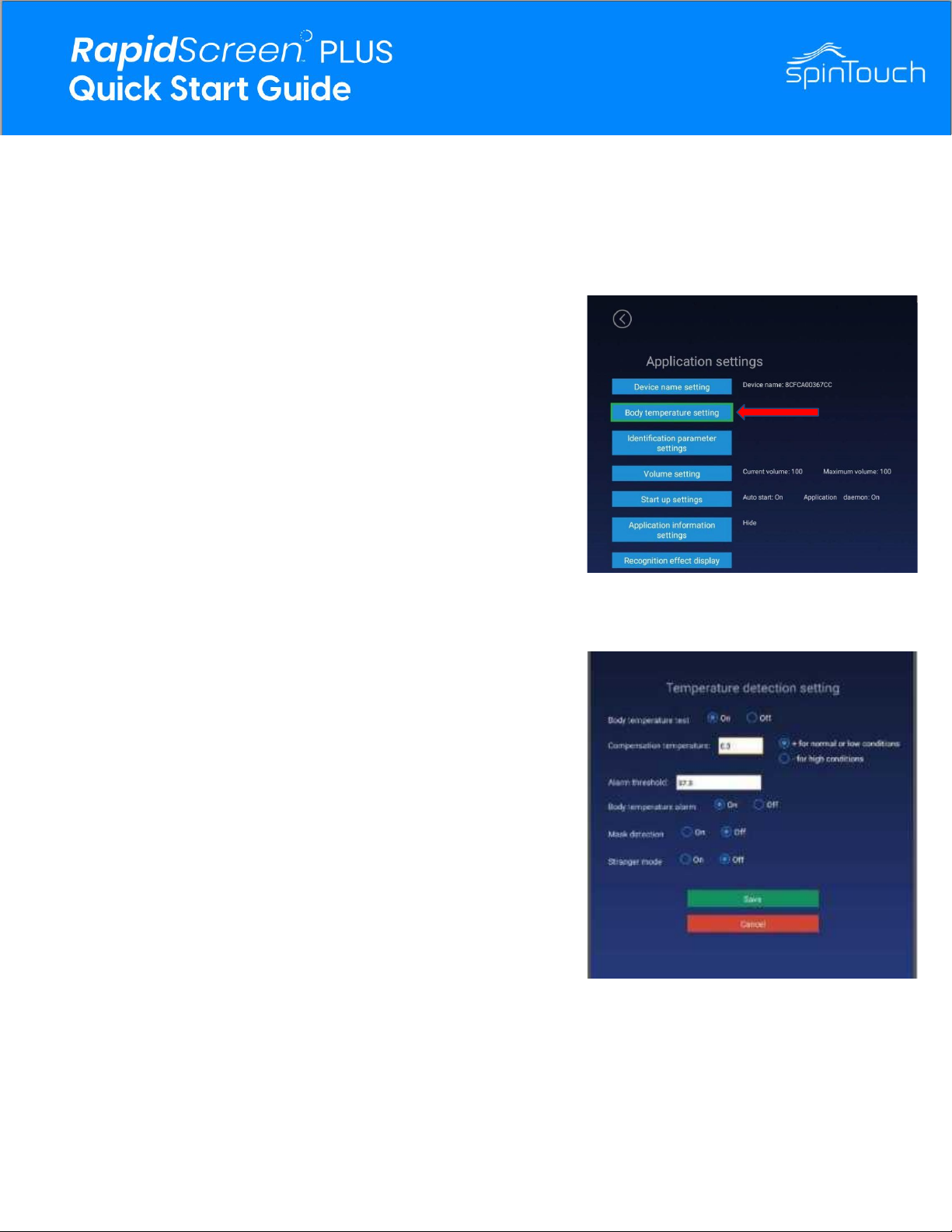
Body Temperature Test
Select off to disable the temperature reading feature
Compensation Temperature
(RECOMMENDED FOR MORE ACCURATE RESULTS)
This is to offset the read temperature, adjusting to environment
changes. ie, if your temperature is consistently below by -.5C,
set the compensation to +.5C.
Alarm Threshold
This is in Celsius. This is the value at which the alarm is
triggered. Users whose temperature passes this threshold will
trigger the alarm.
Body Temperature Alarm
This dictates whether or not the alarm will sound when a user
passes the temperature threshold.
Mask Detection
This will turn on or off the mask detection feature When users
check in without wearing a mask, they'll be denied entry even
with a normal temperature.
Stranger Mode
With the setting off, it will deny strangers access. Only allowing
registered facially recognized users to enter. Turning the
setting on will allow strangers to enter as well.
4
TEMPERATURE ADJUSTMENT SETTINGS
From the application home screen, press the middle mouse button, enter your password
(default: 123456), from the application menu, select the “Body Temperature Setting”
CHANGING THE PASSWORD
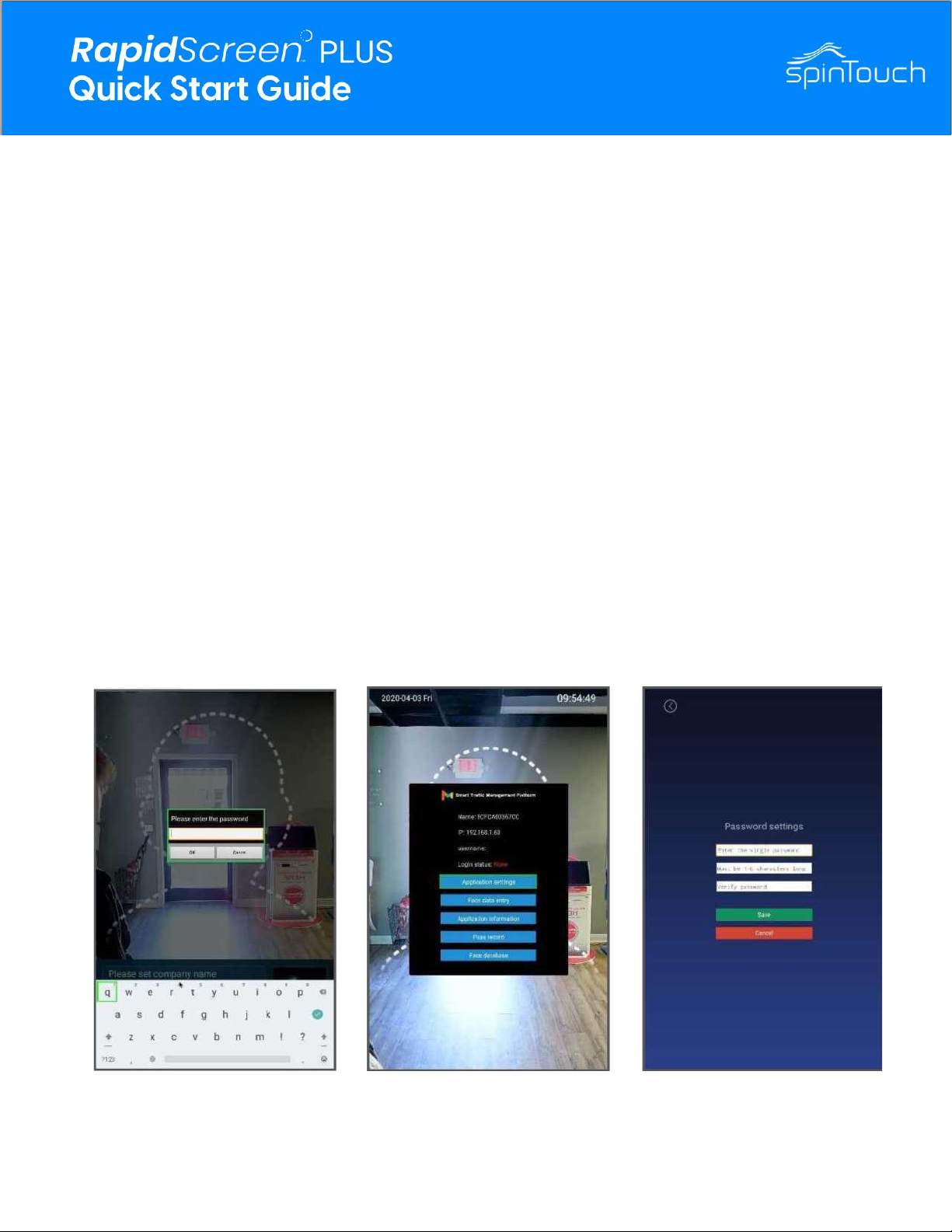
1. From within the application, press the middle mouse button to bring up a
password
2. Using a USB Keyboard, or the on-screen keyboard, enter the default
password “123456” and click OK.
3. From the submenu, click on Application Settings and then find Password Settings.
4. Enter the default password (123456) into the password field. In the following
field, enter your new password.
” Please note. Any new password must be under 6 characters long.
If password is ever lost, the RapidScreen device will need to be returned to factory
settings to be manually reformatted. See the table of contents on how to properly
complete this process.
5. Reconfirm by typing your new password into the last field, then then click save.
5
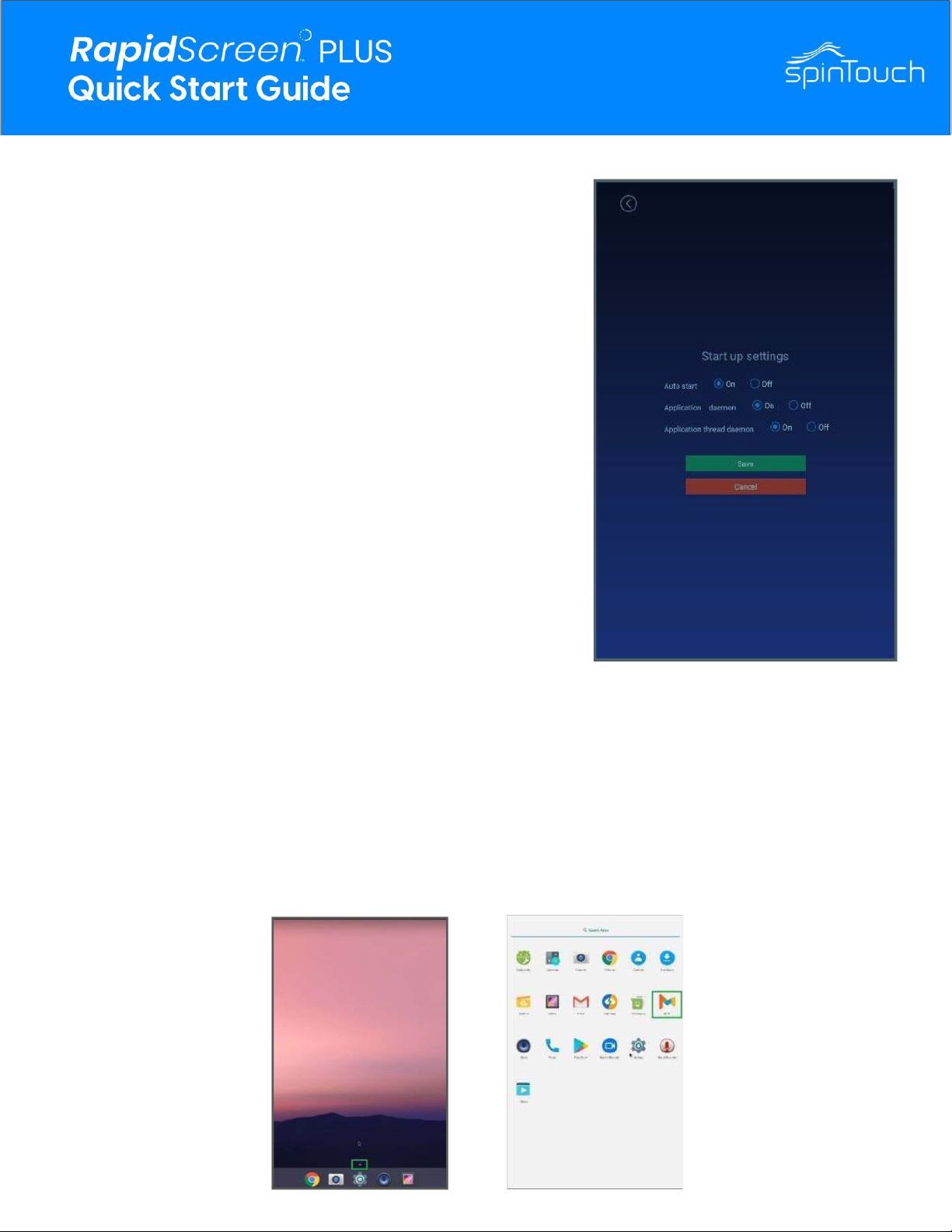
EXITING THE APPLICATION
1.
2.
3.
4.
5.
6.
On the application main screen, press the middle mouse button
to bring up the password prompt. Enter the password and
within the submenu, click on Application Settings. Find Start
Up Settings and change all three options to Off. Doing so will
prevent the application from restarting and interrupting your
work. Save changes and click the right mouse button unti back
on the application home screen. From here, press it a couple
more times to bring up a password prompt to exit the
application. Enter the password and click OK. This will take
you to the Android main screen.
STARTING THE APPLICATION
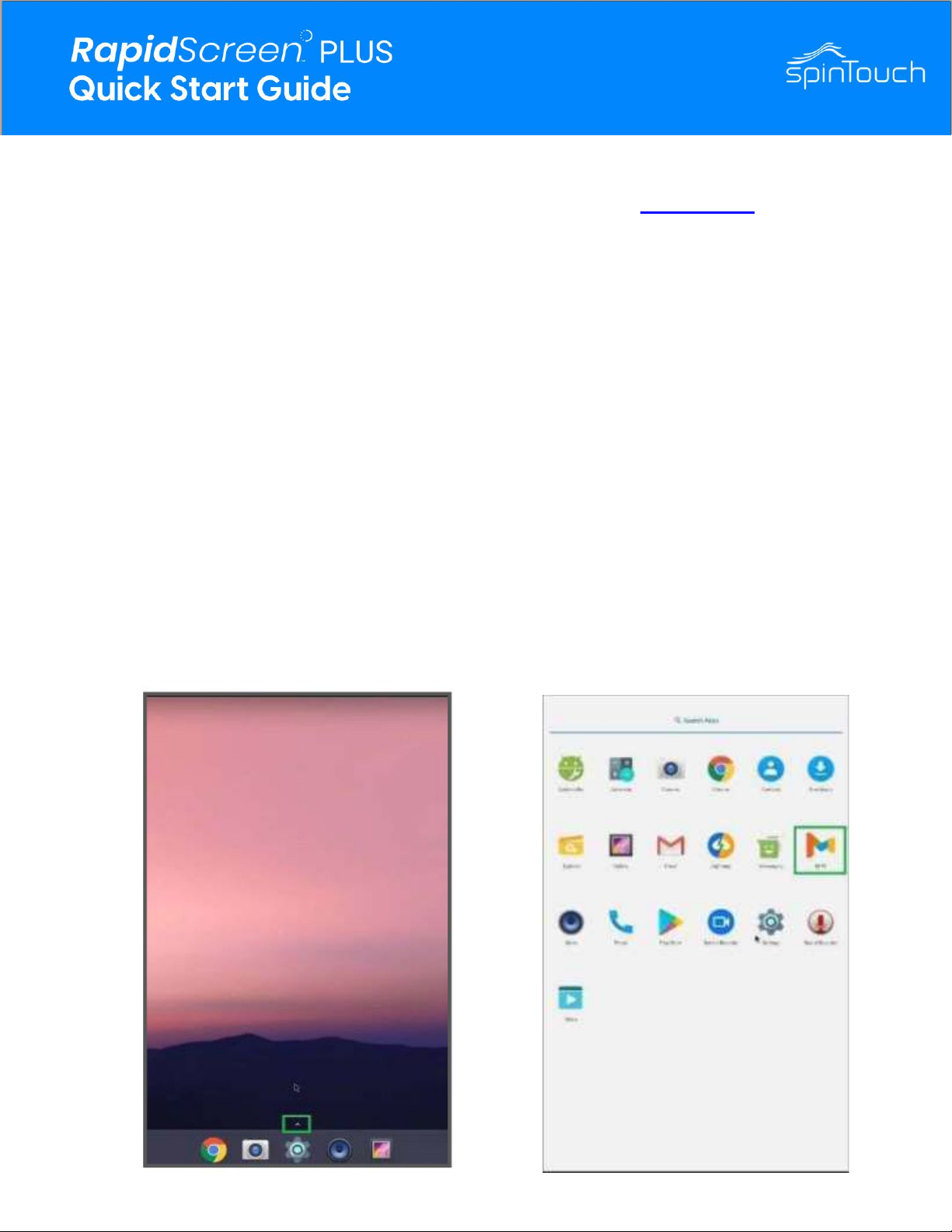
1. If you’ve made changes to the android device and need to start the application from
the android main screen, click on the small up arrow to bring up the list of apps.
2. Click on MIPS to start the application.
3. When the application loads, go back into the application settings and turn all Start
Up Settings back to ON.
6
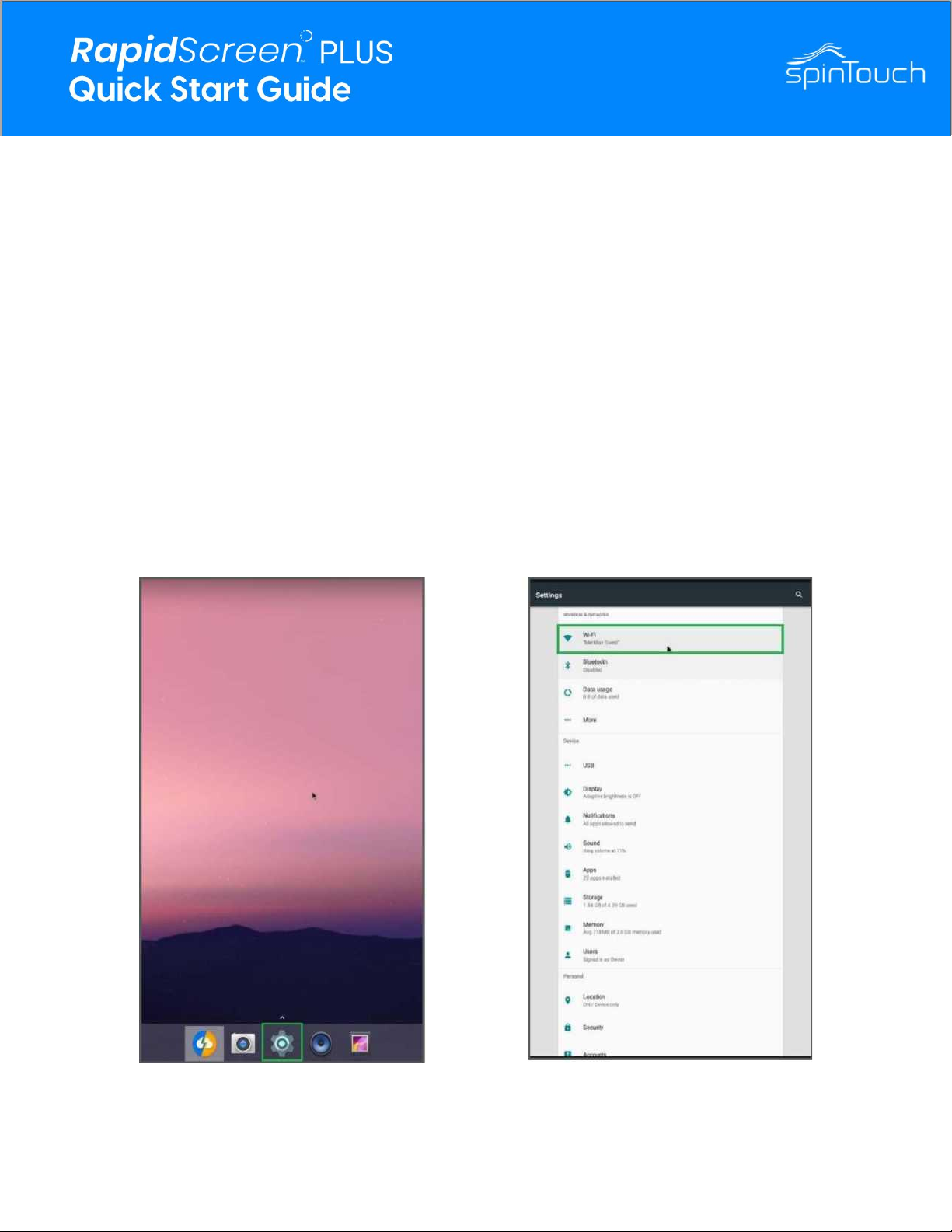
CONNECTING TO WIFI
1. After exiting the application, from the android main screen click on the gear icon at the
bottom of the screen. This will bring up the android settings for the device.
2. At the top, click on WiFi.
3. Select your WiFi network and enter the password when prompted.
4. After connecting to your desired WiFi network, press the right mouse
button to go back to the main screen and restart the application.
7
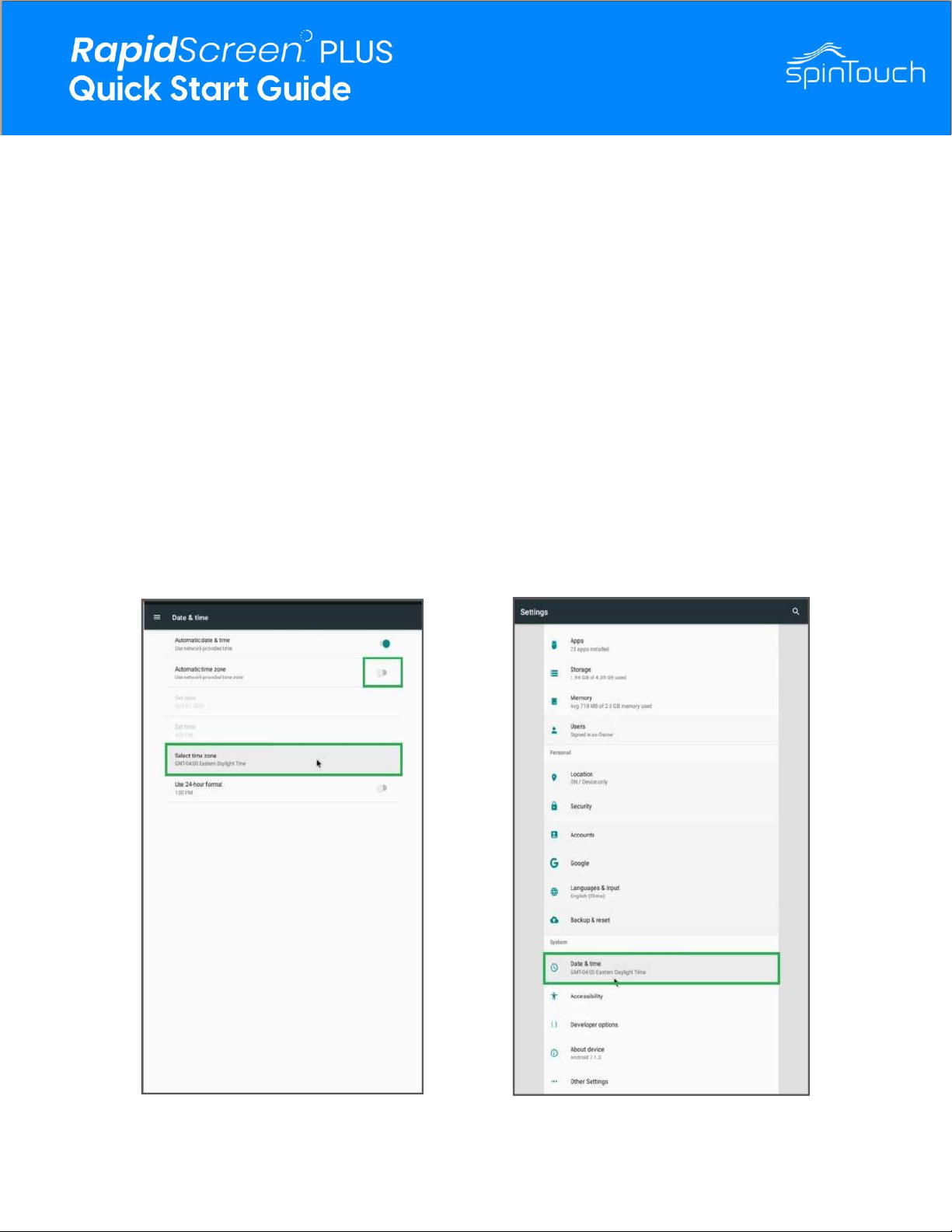
CHANGING THE TIME ZONE
1. Exit the application as shown earlier in this guide.
2. Click on the gear icon at the bottom of the android main screen and then scroll down
to find Date & Time.
3. After clicking Date & Time another menu will appear. Turn off the Automatic time
zone setting if not already done, then towards the bottom click on Select Time Zone.
4. Pick the appropriate location for your time zone and then click it.
5. Press the right mouse button to exit back to the android main screen and restart the
application.
8
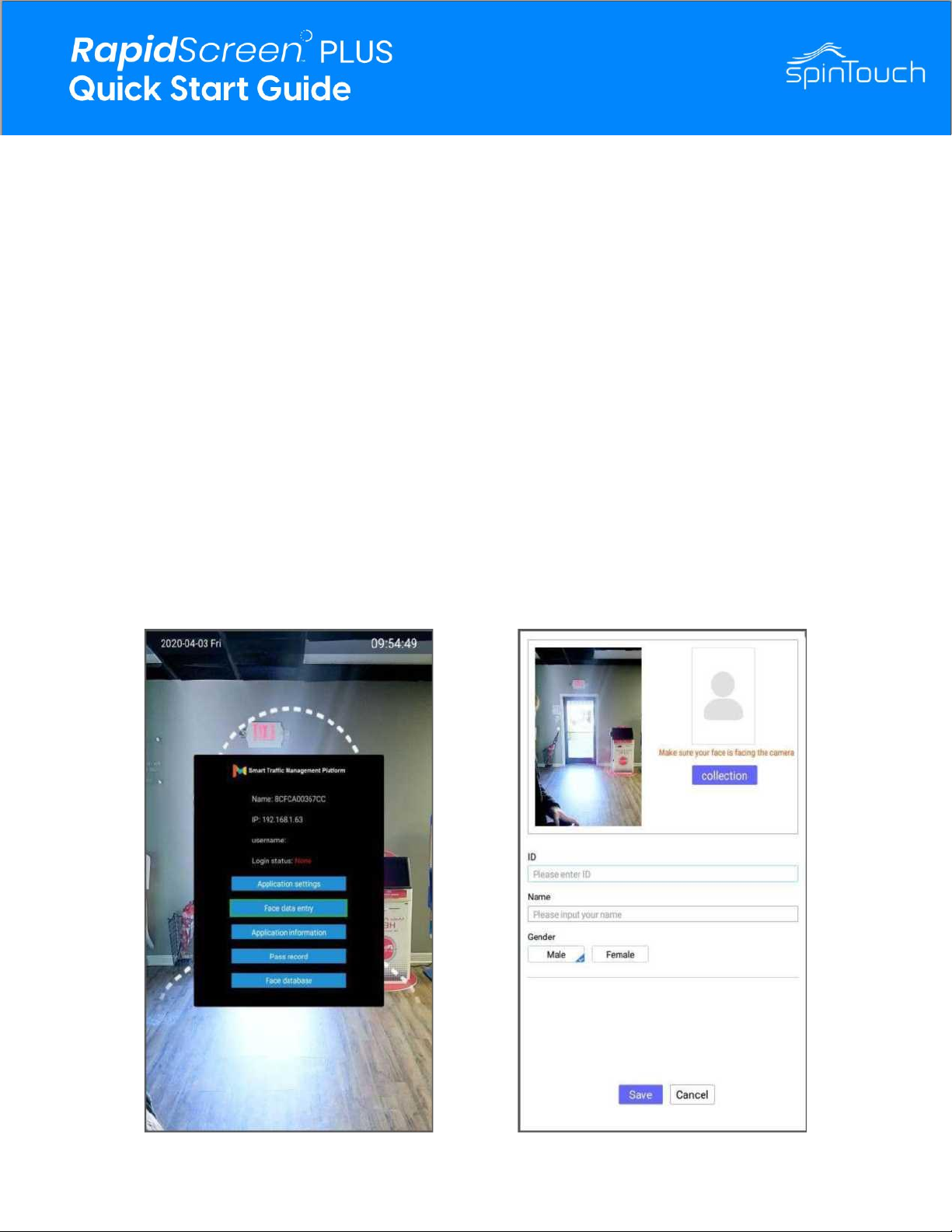
ADDING USERS TO THE FACE DATABASE
1. From the application main screen, press the middle button to bring up the
password prompt.
2. After entering the password click on Face Data Entry.
3. On the next screen, have the user you want to add stand in the camera field
of view.
4. With a blue square around their face, click on Collection.
5. You can then enter the desired ID, Name, and Gender fields.
6. Click on save, and when all users have been added press the right mouse button to
exit back to the application main screen.
9
FACTORY RESETTING THE SOFTWARE
1. Download the latest APK for the Rapidscreen Plus on our Support Page.
2. Navigate to the main menu of the Android device. You can do so by dragging the
bottom of the screen up with your mouse in order to pull up the shortcut menu for
Android.
3. Then navigate to settings menu (cog wheel icon). Click on Apps. Click on the MIPS
app.
4. Click on clear cached data or erase app data.
5. Select Uninstall App and follow the prompt.
6. Navigate to the main menu (You can repeat step 2).
7. Click on the small arrow to bring up the Apps window.
8. Select the explorer App.
9. Select USB storage.
10. Select the APK, and follow the install prompt.
11. Navigate back to apps window and select the MIPS app.
10
Indice
Altri manuali SpinTouch Strumento di misura


