Symmetricom SyncServer S100 Manuale utente

Chapter 1
S100 User Guide
SyncServer S100 User Guide
Installation, Configuration, and Operation
for the SyncServer S100 - OS Version 1.3
Part #: S100 User Guide, Rev. D, June 2005

2S100 User Guide – Rev. D – June 2005
1

1
S100 User Guide – Rev. D – June 2005 i
2
5
3
Table of Contents
Chapter 1
Introduction and Overview 1
Conventions Used 2
Product Details 3
Time Standards 3
Global Positioning System (GPS) 3
Stratum Levels 4
Time Synchronization and Business 4
How the S100 Solves the Problem 5
National Measurement Institutes 5
Special Safety Instructions 6
Lithium Battery Disposal Instructions 6
Electrical Safety Instructions 6
Chapter 2
S100 Technology 7
Overview 7
S100 Product Overview 7
Sources of Time 7
On the Network 7
Web-based Access 8
Time Distribution Model 9
How the S100 Works 9
S100 and Time Distribution 10
S100 and Client Software 10
S100 and NTP v4’s Security Features 10
S100 and the Global Positioning System 11
Chapter 3
Installation and Configuration 13
Overview 13
Getting Up and Running 13
Unpacking Your S100 13

ii S100 User Guide – Rev. D – June 2005
1
SyncServer S100
Your CD-ROM 15
Using the Software 16
PuTTY Folder Details 16
PUTTY.EXE 16
PSCP.EXE 16
PSFTP.EXE 17
PLINK.EXE 17
PAGEANT.EXE 17
PUTTYGEN.EXE 18
Installing Your S100 19
Rack Mounting 19
Primary Power Connection 19
Important Safety Instructions! 19
Making All Connections: An Overview 20
Setting Up the Hardware 21
On the S100 Front Panel 21
On the S100 Rear Panel 22
Installing the GPS Antenna 23
Choosing an Antenna Location 23
Installing the GPS antenna 24
Connecting the Rubidium Option 24
Establishing A Serial Connection 24
Setting Up the IP Address 26
Testing Network Functionality 28
Turning Off Your S100 29
How to Acquire Time 30
Logging On 30
Administrator Log-In 31
Next Step 32
The Configuration Wizard 32
Choose Your Time Source 33
GPS 35
NTP 42
Configuring NTP 45
IRIG-B (v.120,122,123) 45
Using SymmTime™ 49
Installing SymmTime 49
To Synchronize SymmTime: 51
Next: Use the Web-Based Interface 51
Chapter 4
The Web-Based Interface 53
Overview 53
Interface: Screen Reference 53

1
S100 User Guide – Rev. D – June 2005 iii
2
5
3
Logging In 54
Administrative Interface 54
Admin Interface: Base Menu 55
Administrative Menu: Expanded 56
System Status 57
Timing Configuration 57
NTP Relationships 58
NTP Time Source Test 60
NTP Dialup 60
NTP Restart 61
NTP Status 61
Advanced: ntp.conf 63
Advanced: Keys/Certificates 64
Timing Engine 65
Main Settings 65
Timecode Settings 66
GPS Information 67
GPS Health 67
GPS Signal Strength 68
GPS Time 69
GPS Position 69
Other Information 70
Engine Time 70
Clock Settings 70
Control Settings 71
Model Information 72
Networking 72
TCP/IP 72
ifconfig Output 74
Ping 74
Traceroute 75
Administration 76
Shutdown/Reboot 76
Admin Users 77
Restart Web Interface 77
Time Zone 78
System Log Configuration 78
SNMP Configuration 79
SNMP Edit 79
Alarms 80
Configuration Wizard 80
Logs 81
NTP Log 81
Boot Log 82
System Log 82
Config Log 83
HTTP Log 83
Help 84

iv S100 User Guide – Rev. D – June 2005
1
SyncServer S100
SyncServer Help 84
NTPD Help 84
Search NTPD Manual 84
Logging Off 85
Chapter 5
Operations & Time-Protocols 87
S100: Operations and Time Protocols 87
Sysplex Timer 87
Time Protocol (RFC 868) 89
Daytime Protocol (RFC 867) 89
Simple Network Time Protocol (RFC 2030) 90
Network Time Protocol (RFC 1305) 90
NTP Authentication 93
Authentication: NTP v3 93
Authentication: NTP v4 Autokey 94
Public Domain NTP Package 94
Typical NTP Configuration Considerations 94
Other NTP Considerations 95
Clients 95
Basic NTP Configuration 96
Peers 103
Security 103
ACTS Interface: Dial-up 103
ACTS Operation 104
SNMP (Simple Network Management Protocol) 104
Version 1 105
Version 3 106
Chapter 6
Frequently Asked Questions 109
Questions 109
How can we obtain NTP client software to use with the S100? 109
What are the main differences between SNTP and NTP clients? 109
Is there a way to get GPS time instead of UTC time from the S100? 109
What outputs are available on the S100? 109
How does the S100 handle Leap Second? 110
What signal strengths are required by the S100 receiver to start tracking? 110
How do I check versions of the software in the S100? 110
What is the maximum number of computers that can be networked to the
S100? 110

1
S100 User Guide – Rev. D – June 2005 v
2
5
3
How many satellites are necessary for me to operate the S100? 111
How do I know if the satellite signal strength is good? 111
What is the maximum antenna cable length for use with the S100? 111
What are the available antenna cable lengths and antenna requirements? 111
What are some guidelines for correctly cutting the cable, using splitters, and
using cable connectors? 111
How many NTP requests can be processed by the S100 each second? 112
Does the S100 support NTP v4? 112
Can the S100 utilize a certificate from an external CA? 112
How is the interface to the S100 secured? 112
What security functions are provided with the S100? 112
Does the S100 support any functions to restrict user access to NTP service?Can
the S100 set up clients' IP address to be connected? 112
What is the bandwidth utilization (TCP/IP) each time an NTP client gets a time
update from the NTP server? 112
Is NTP v4 compatible with Network Address Translation (NAT) gateways? 113
How does the S100 clock behave when a leap second is introduced? 113
How-to’s and Tips 113
How to install NTP v4 on a UNIX system 114
How to configure an NTP v4 client to connect to an NTP v4 server with the
autokey scheme 114
How to verify NTP v4 autokey client connectivity with an NTP v4 server 114
How to install your S100 114
How to get time using dial-up 114
How to get time using GPS 114
How to install your GPS antenna 115
How to acquire and install SymmTime™ 115
Use the quick “How to” guide 115
How to change the root password 115
How to get information about NTP 116
Solutions 116
The S100 does not respond to ping command 116
The S100 does not respond to NTP queries 116
I cannot establish a serial connection with the S100 116
My S100 won’t track satellites 117
Appendix A
S100 Specifications 119
S100 Data Sheet Specifications 119
Pin Descriptions 120


vi S100 User Guide – Rev. D – June 2005
1
SyncServer S100
Appendix B
Time Glossary 121
Appendix D
Customer Assistance 137
US Assistance Center 137
Customer Service 137
Technical Support 137
EMEA Assistance Center 137
Customer Service 138
Technical Support 138
Appendix C
Appendix E
Antenna Replacement 141
Index 143

1
S100 User Guide – Rev. D – June 2005 1
2
5
3
Chapter 1
Introduction and Overview
The S100 provides computers and network devices secure synchronization to UTC time
using Network Time Protocol (NTP). The S100 can use the Global Positioning System
(GPS), NIST's Automated Computer Time Service (ACTS), or another NTP server as a time
reference.
This User Guide describes the installation and operation of the S100. It is written for network
administrators familiar with network configuration and operations.
The chapters and appendices address topics including:
• Installation, configuration, and operation
• The User Interface
• How the S100 works
• FAQ and Solutions
Here are shortcuts to those sections that answer frequently-asked “how to” or “How do I...?”
questions.
How to... Go here for the answer
Acquire time “How to Acquire Time” on page 30
Choose and configure your time source “Choose Your Time Source” on
page 33
Determine the default User Name and
Password “Setting Up the IP Address” on
page 26
Get Technical Support “Appendix D” on page 137
Get time from ACTS dial-up “Dialup Settings dialog” on page 38
Get time from GPS “GPS” on page 35
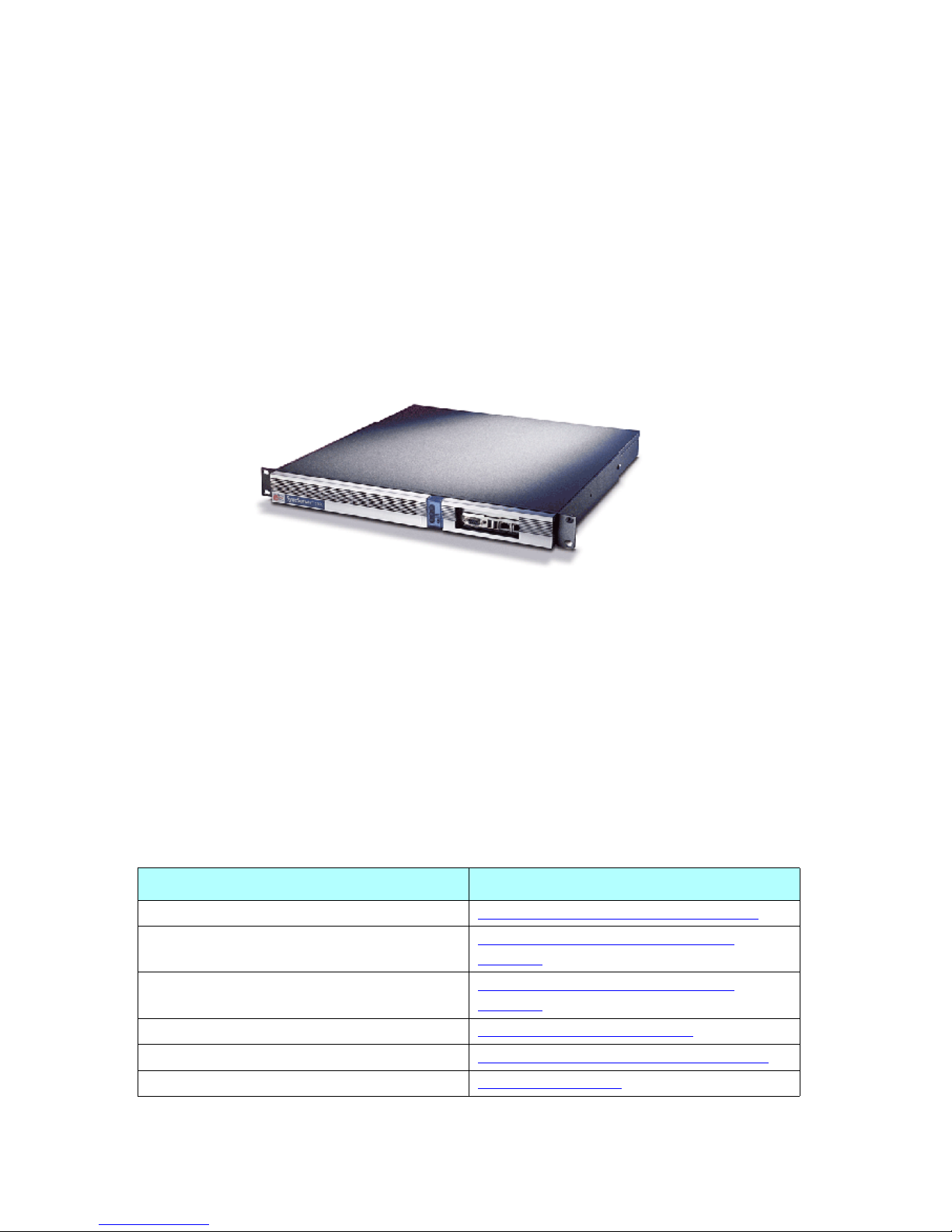
Figure 1-1: The S100

2S100 User Guide – Rev. D – June 2005
1
SyncServer S100
Conventions Used
The most common conventions used here are:
Install the GPS antenna “Installing the GPS Antenna” on
page 23
Install my S100 “Installing Your S100” on page 19
Install SymmTime “Installing SymmTime” on page 49
Learn how the S100 works “How the S100 Works” on page 9
Establish an IP address and other settings “Setting Up the IP Address” on
page 26
Set up the optimal operating environment for
my S100 “S100 Specifications” on page 119
Set up all hardware connections “Making All Connections: An
Overview” on page 20
Synchronize SymmTime “To Synchronize SymmTime:” on
page 51
Test for NTP functionality “Testing Network Functionality” on
page 28
Use the web-based interface “The Web-Based Interface” on page 53
Table 1: Type Conventions
Term Definition
Bold Boldface type is used for menu and
command names; field, tab, and button
labels; and special terms.
Courier The Courier typeface is used to
designate file names, folder names,
code, and URLs.
The warning symbol alerts the user to
information that if improperly usedcould
be harmful to people, equipment, or
data.
How to... Go here for the answer
Altri manuali per SyncServer S100
1
Indice
Altri manuali Symmetricom Server