able of Contents
Prepare and P an..........................................................................................................3
Layout and Insta ation Considerations.................................................................4
IPS230T/IPS260T Series Overview......................................................................5
Network Requirements..........................................................................................5
Ports and Connections.................................................................................................6
Mounting the TimeIPS System...................................................................................7
Power Backup.............................................................................................................7
Power-up and Determine IP Address..........................................................................8
Initia Login Using IP Address....................................................................................9
Network Troub eshooting..........................................................................................10
Accessing System Menu...........................................................................................11
Additiona Network Settings.....................................................................................12
Backups.....................................................................................................................13
Network Troub eshooting Your PC...........................................................................14
Network Settings in Windows.............................................................................15
Technica Support......................................................................................................16
System Specifications...............................................................................................16
Prepare and Plan
TimeIPS insta ations consist of one "master" server system and, optiona y, one or
more additiona network c ock "c ient" systems. Initia configuration and periodic
administration require a computer with a network connection and a web browser.
Optiona network c ocks can be connected on a LAN (Loca Area Network) or at
remote ocations connected on a WAN (Wide Area Network) via secure VPN
(Virtua Private Network). These c ocks can be ocated at any door or entrance to
your faci ity, or at any ocation that is convenient for your emp oyees to c ock in and
out. If this is your on y TimeIPS system, it wi be the master station and wi be
used by emp oyees to c ock-in and c ock-out.
We recommend a TimeIPS c ock at each emp oyee entrance to your faci ity and/or
in your centra break-room. Each c ock wi require an AC power out et and a
connection to your oca area network. The master station can be connected to any
ocation on your network (wa p ate jack, switch or hub).
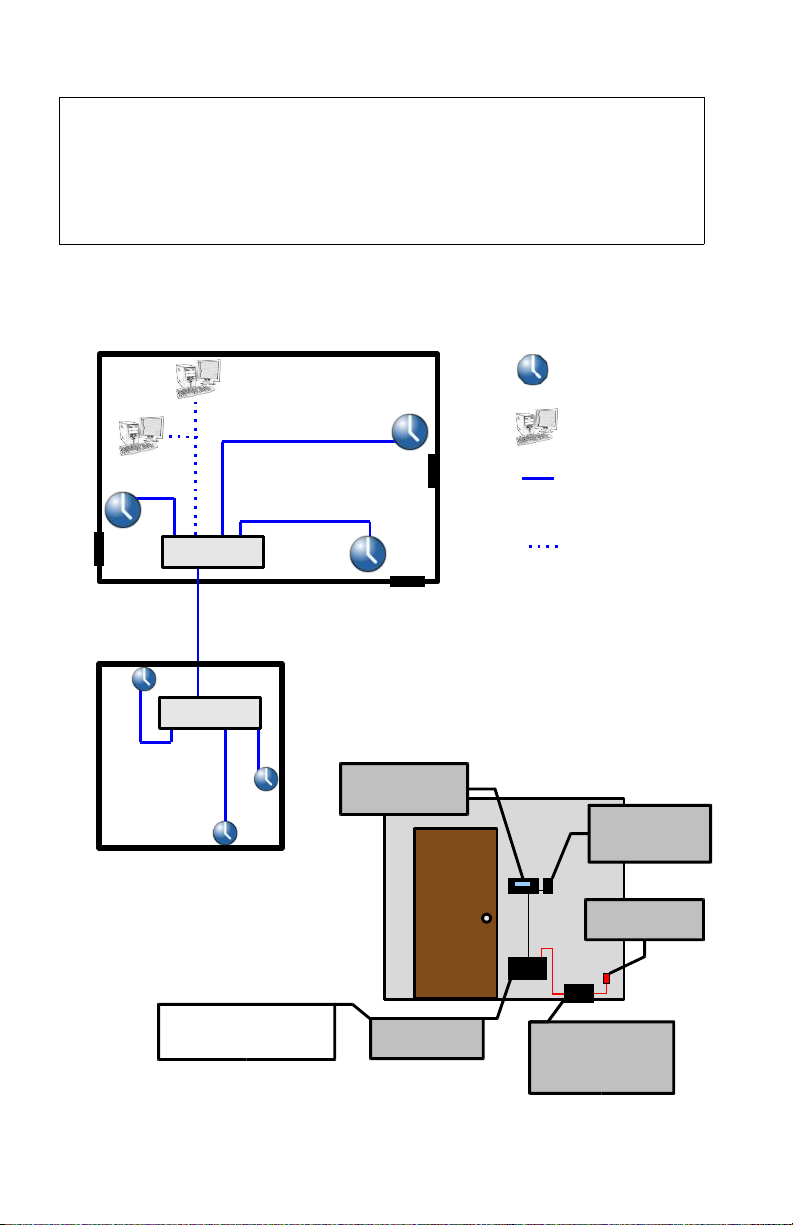
P ease examine the diagram on the next page to assist in p anning your TimeIPS
insta ation. Most insta ations wi have the first station at the main emp oyee
entrance. Additiona network c ocks can be added at any time to other entrances or
any ocation within your business.
TimeIPS http://support.timeips.com 316.264.1600 Page 3