Tribit FlyBuds C1 Pro Manuale utente

Model: BTHA2
True Wireless Earbuds
FlyBuds C1Pro

English User Manual
Benutzerhandbuch
Guide Utilisateur
Manual de Usuario
Manuale Utente
01
07
13
19
25
31
37
43

EN|01
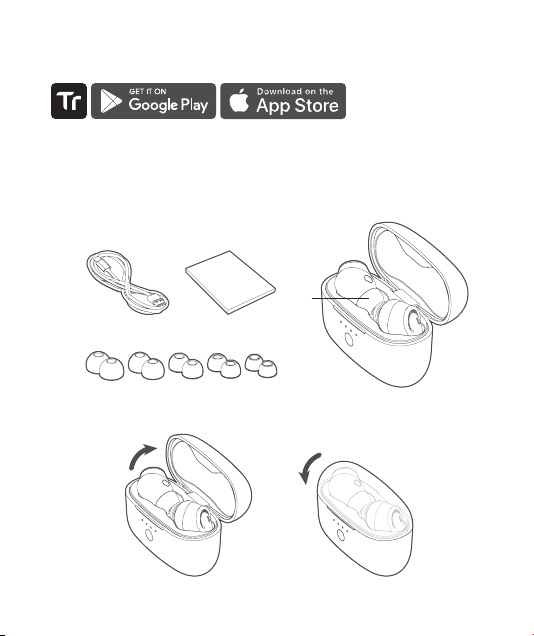
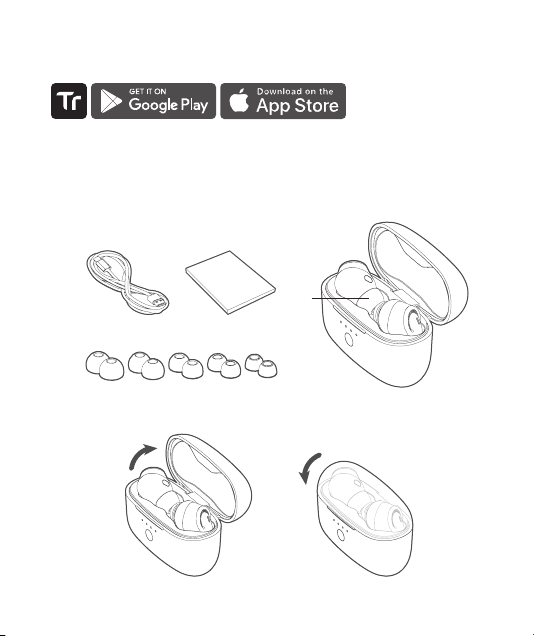
Package Contents
Power ON / Power OFF
Download and install the Tribit App from Google Play or App Store on your device,
setting of the earbuds, and so on.
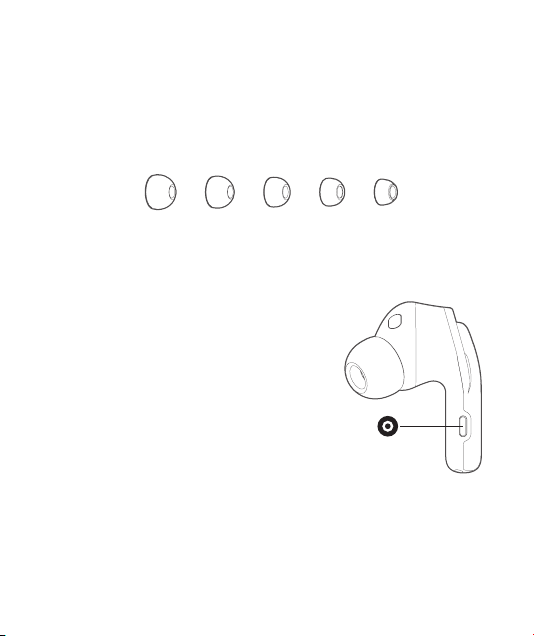
XL XSM M S
L

EN|02
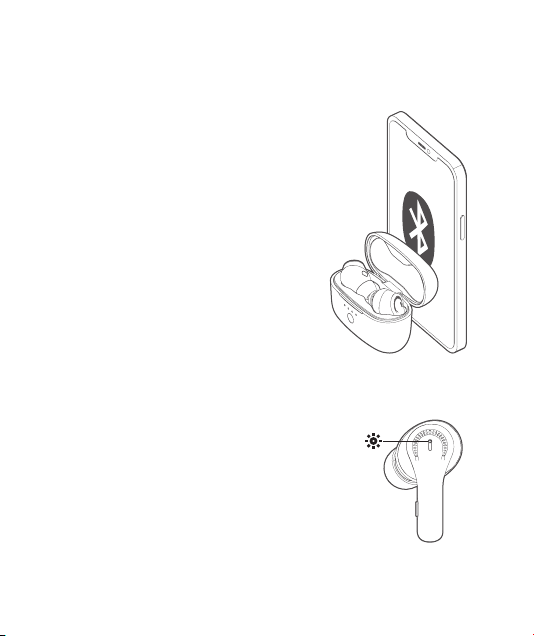
Bluetooth Connection Instructions
For the First Use
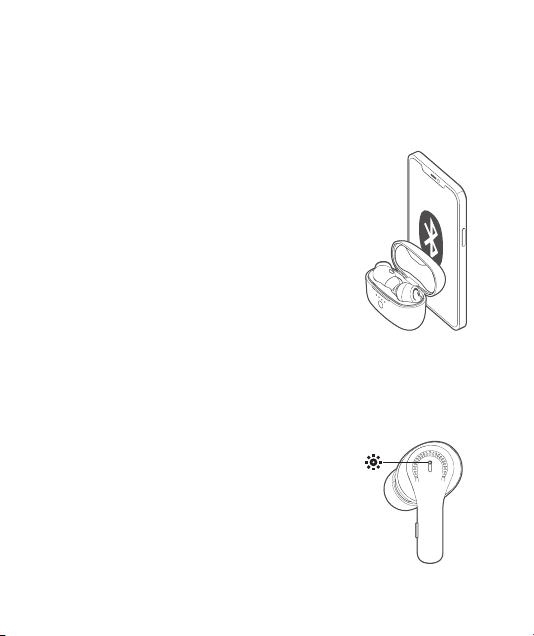
Turn on the earbuds, activate the Bluetooth
function on your device, and search for other
Bluetooth-enabled devices. Find the device name
“Tribit FlyBuds C1 Pro” to initiate the connection.
For the Non-First Use
Turn on the earbuds, and they will automatically
connect to the last connected device.
Connect the earbuds with other devices
Method 1: Disconnect the currently connected
Bluetooth device, and the earbuds will
automatically return to Bluetooth pairing mode.
Method 2: Put the earbuds back in the charging
case. Hold down the button on the charging
times, which indicates the earbuds are back to
Bluetooth pairing mode.
Power ON/OFF:
Bluetooth Pairing: The red and white indicators
Connection Successful:
Re-connecting: The white indicator breathes.
Low Battery:
Earbud Indicator Light Instruction

EN|03
Earbuds Wearing
Button Functionality
your ears.
Single-click: play/pause the music; answer/end a call
Double-click: previous track / reject an incoming call
Hold down for seconds: decrease the volume (in
working state)
Click 3 times: activate the voice assistant (in non-
conversation state)
Hold down for 2s: turn on the left earbud (in off
state)
Hold down for 10s:
state)
Single-click: play/pause the music; answer/end a call
Double-click: next track / reject an incoming call
Hold down for seconds: increase the volume (in
working state)
Click 3 times: switch modes
Hold down for 2s: turn on the right earbud (in off
state)
Hold down for 10s:
state)

EN|04
Charging the Earbuds
Put the earbuds back into the charging case, and close its cover to start charging. If the
are successfully being charged.
It takes about 90 minutes for earbuds to get fully charged.
Charging the Charging Case
The charging case indicator(s) will breathe during charging, and all 4 indicators will
Put the earbuds back into the charging case and hold down its button for 10 seconds
have been reset successfully.
device and search for earbuds again for re-connection.
Charging Instruction
Reset
1. Do not dismantle or modify the earbuds for any reason. Any resulting malfunction
won’t be covered by warranty.
2. Do not deliberately expose the earbuds to liquid because this may cause damages to
the earbuds, invalidating the warranty.
4. This product has a built-in lithium battery. Do not disassemble, hit, squeeze or throw
Mode Conversion

EN|05
Cautions
5. The FlyBuds C1 Pro earbuds contain small components. Please keep them away
from children to avoid accidental swallowing or other injuries.
6. It is recommended to not use the FlyBuds C1 Pro earbuds when driving. Although
it has an environmental monitoring mode, it is still illegal to do so in some regions.
Please check and abide by the local laws and regulations on the use of headphones.
Please stop listening immediately if you are distracted by the listening audio when
driving or engaging in any activity that requires full concentration.
7. The FlyBuds C1 Pro earbuds and the charging case contain magnets. The magnetic
other medical equipment, thus please keep a safe distance between your medical
equipment and the product.
8. These ear tips are added with antibacterial agents that have a certain inhibitory
ear infections. Please use a lint-free soft cloth to clean the FlyBuds C1 Pro earbuds
regularly.
1. The earbuds will sound lower than the actual volume in a noisy environment.
2. Long-term high-volume listening may cause permanent damages to your hearing.
computer. Only use an adapter that complies with the laws of your country/region,
and international and regional safety standards.
4. Using the FlyBuds C1 Pro earbuds in very dry seasons or regions may easily cause
static electricity accumulation, and you may feel a small amount of static electricity
discharge from the earbuds. To reduce the risk of electrostatic discharge, please avoid
using it in an extremely dry environment, or you can touch grounded, unpainted metal
objects to discharge static electricity before using the FlyBuds C1 Pro earbuds.
Working Frequency & Transmitting Power

EN|06
Battery Life and Charging Data Declaration
The battery life and charging time of the earbuds and the charging case come from
the ThousandShores Group’s Laboratory. ThousandShores Group reserves the right to
FCC Statement
IC Caution
user's authority to operate the equipment.
This equipment has been tested and found to comply with the limits for a Class B digital device, pursuant
to Part 15 of the FCC Rules. These limits are designed to provide reasonable protection against harmful
interference in a residential installation. This equipment generates uses and can radiate radio frequency
energy and, if not installed and used in accordance with the instructions, may cause harmful interference
to radio communications. However, there is no guarantee that interference will not occur in a particular
installation. If this equipment does cause harmful interference to radio or television reception, which can be
-- Reorient or relocate the receiving antenna.
-- Increase the separation between the equipment and receiver.
-- Consult the dealer or an experienced radio/TV technician for help
This device complies with part 15 of the FCC rules. Operation is subject to the following two conditions (1)
this device may not cause harmful interference, and (2) this device must accept any interference received,
including interference that may cause undesired operation.
This device complies with Industry Canada licence-exempt RSS standard(s).
This device must accept any interference, including interference that may cause undesired operation of the
device.
de brouillage, et (2) l'utilisateur de l'appareildoit accepter tout brouillageradioélectriquesubi, mêmesi le
brouillageest susceptible d'encompromettre le fonctionnement.

DE|07
Packungsinhalt
Einschalten/Ausschalten
Laden Sie die Tribit App von Google Play oder dem App Store herunter und installieren
XL XSM M S
L

DE|08
Anweisungen zur Herstellung der Bluetooth-
Verbindung
Einschalten/Ausschalten: Die weiße/rote Anzeigeleuchte
blinkt 1 Sekunde lang und schaltet sich dann aus.
Die weiße und rote Anzeigeleuchte
blinken abwechselnd.
Erfolgreicher Verbindungsaufbau: Die Anzeigeleuchte
schaltet sich aus.
Wiederherstellung der Verbindung: Die weiße Anzeige
Niedriger Batteriestand: Die roteAnzeigeleuchte blinkt
langsam.
Für die erste Nutzung
Funktion auf Ihrem Gerät und suchen Sie nach anderen
Bluetooth-fähigen Geräten. Finden Sie den Gerätenamen
"Tribit FlyBuds C1 Pro" zum Aufbau der Verbindung.
auto m atisch mit dem zuletzt verbundenen Gerät
verbunden.
Methode 1: Trennen Sie das aktuell verbundene Bluetooth-
Methode 2:
Ladeschale ein. Halten Sie die Taste an der Ladeschale 5
Sekunden lang gedrückt, bis die Anzeigen dreimal blinken.
Altri manuali per FlyBuds C1 Pro
1
Questo manuale è adatto per i seguenti modelli
1
Indice
Lingue:
Altri manuali Tribit Cuffie