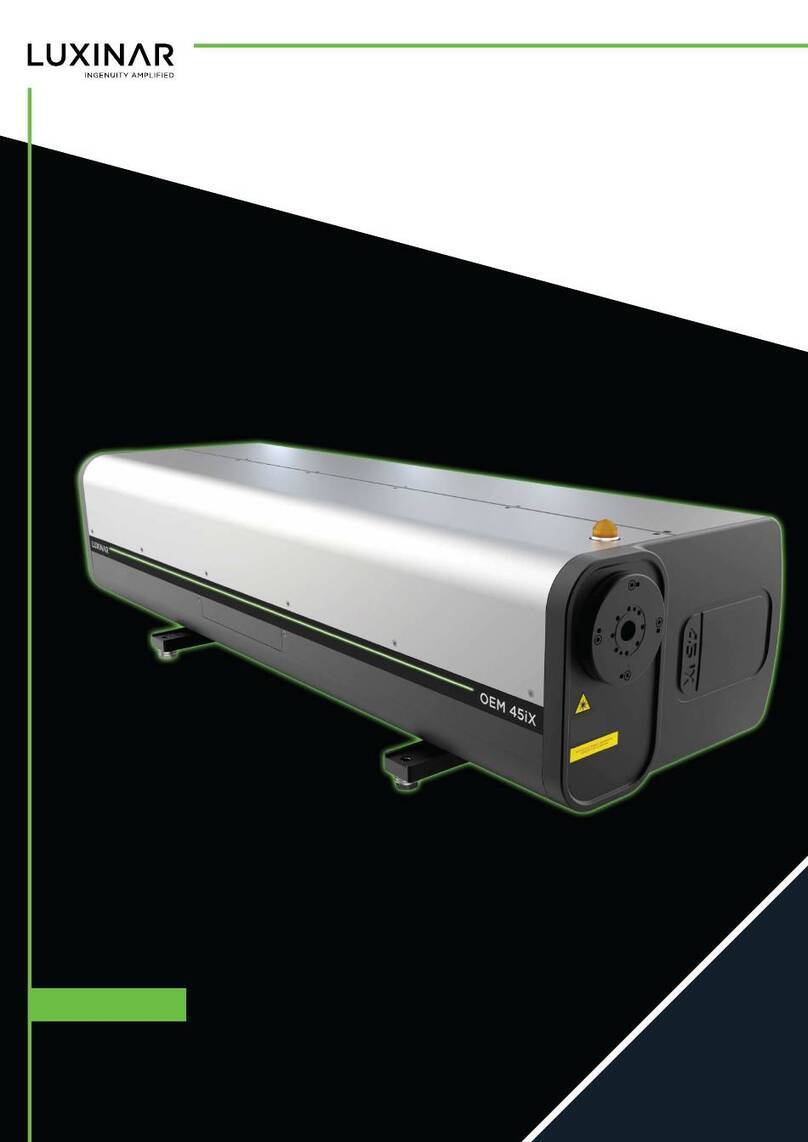
Luxinar MULTISCAN VS Manuale utente

USER MANUAL MULTISCAN® VS
CO2 laser marking system

© 2022 Luxinar Ltd. All rights reserved.
Revision history
1 31/10/2022 — CR 651949: Reorder and modularise content, create common modules, change to XML format.
2 08/11/2022 — CR 651940: UKCA marking and safety section updates.
3 10/07/2023 — CR 652279: Safety label updates.
This manual is copyrighted with all rights reserved. Under copyright laws, this manual may not be copied in
whole or part or reproduced in any other media without the express permission of Luxinar Ltd. Permitted
copies must carry the same proprietary and copyright notices as were affixed to the original. Under law,
copying includes translation into another language.
Please note that while every effort has been made to ensure that the data given in this document is accurate,
the information, figures, illustrations, tables, specifications and schematics contained herein are subject to
change without notice. Contact Luxinar Aftersales to verify that you have the latest version of this manual.
MULTISCAN is a registered trade mark (in the UK, EU and elsewhere) owned (in the UK, EU and elsewhere) by
Luxinar Ltd, and must not be used without permission from the owner.

Aftersales contact details
Luxinar Ltd
Meadow Road
Bridgehead Business Park
Kingston upon Hull
HU13 0DG
U.K.
Tel.: +44 (0) 1482 650088
www.luxinar.com
For Aftersales Service, contact: [email protected]
For Parts, contact: [email protected]
Luxinar GmbH (Germany)
Röntgenstrasse 6
21465 Reinbek
Germany
Tel.: +49 (0)40 883624-60
www.luxinar.com/de
Luxinar Ltd (Italy branch office)
Via Pavia 11/B
10098 Rivoli
Torino
Italy
Tel.: +39 (0)11 19118353
www.luxinar.com/it
Luxinar Ltd (Korea branch office)
#409, A-dong (Bundang Suji U-Tower)
767, Sinsu-ro, Suji-gu, Yongin-si, Gyeonggi-do
Republic of Korea 16827
Tel.: +82 (0)31 546 0861
www.luxinar.com/ko
Luxinar Laser Technology (Shanghai) Co., Ltd (China)
Room 02, 5th Floor, 8# Jiafeng Road
Shanghai Pilot Free Trade Zone
Shanghai, China
200131
Tel.: +86 21 6106 9917
www.luxinar.com/zh-CN
Luxinar Inc (USA)
51047 Celeste Dr
Shelby Township
MI 48315
USA
Tel.: +1 (0)586 291 2709
www.luxinar.com
Warranty shipments, returns and adjustments
Warranty claims must be made promptly and must be received by Luxinar Ltd during the applicable
warranty period.
Always identify the product, by both model number and serial number, when contacting Luxinar Aftersales.

If it becomes necessary to return a product for repair and/or adjustment, the instructions as to how and
where these products should be shipped must be obtained from Luxinar Aftersales.
Service and repair
Servicing or calibration of the system can only be carried out by trained Luxinar service engineers or
customers who have undertaken and passed a Luxinar approved service training course. Details of training
courses and servicing can be obtained from the local Luxinar Aftersales address.

Table of contents
Preface
Audience
How to use this manual
Admonitions
Connector labels and signal names
Marking and printing
1. Safety........................................................................................................................................................... 1
1.1. General safety information................................................................................................................. 1
1.2. Label locations.....................................................................................................................................1
1.3. Labels.................................................................................................................................................. 3
1.4. Maximum Permissible Exposure and Nominal Ocular Hazard Distance............................................. 5
1.5. Decommissioning and disposal........................................................................................................... 6
2. General Description..................................................................................................................................... 7
2.1. System overview................................................................................................................................. 7
2.2. Marking principles............................................................................................................................... 7
2.3. Typical production line installation..................................................................................................... 8
2.4. System components.......................................................................................................................... 11
2.5. Main cabinet..................................................................................................................................... 11
2.6. Articulated arm beam delivery system............................................................................................. 11
2.7. Scanning head................................................................................................................................... 12
2.8. Control panel..................................................................................................................................... 12
2.9. Specifications.................................................................................................................................... 13
2.9.1. Marking performance................................................................................................................ 13
2.9.2. External interface....................................................................................................................... 14
2.9.3. Dimensions................................................................................................................................. 14
2.9.4. Weights...................................................................................................................................... 14
2.9.5. External materials...................................................................................................................... 15
2.9.6. Electrical supply..........................................................................................................................15
2.9.7. Cooling system........................................................................................................................... 15
2.9.8. Optics purge gas......................................................................................................................... 16
2.9.9. Environmental specifications..................................................................................................... 16
2.9.10. Laser characteristics................................................................................................................. 17
2.9.11. Scanning head characteristics.................................................................................................. 17
3. Operation...................................................................................................................................................19
3.1. Preliminary checks............................................................................................................................ 20
3.2. Start-up............................................................................................................................................. 20
3.3. Shut-down......................................................................................................................................... 21
3.4. Manual restart after an emergency shut-down................................................................................ 21
3.4.1. Mains power failure................................................................................................................... 21
3.4.2. Remote interlock broken............................................................................................................21
4. Diagnostics and troubleshooting.............................................................................................................. 23
4.1. Status indicators................................................................................................................................ 23
5. Routine maintenance................................................................................................................................ 25
5.1. General information.......................................................................................................................... 25
5.2. General cleaning................................................................................................................................25
5.3. Cleaning the final focus lens..............................................................................................................25
5.4. Interlocks........................................................................................................................................... 26
5.5. Cooling system contamination.......................................................................................................... 26
5.6. Frost protection.................................................................................................................................27
5.7. Coolant replacement (all systems).................................................................................................... 27
5.8. Pre-ioniser fuse replacement............................................................................................................ 27
5.9. Compressed air supply...................................................................................................................... 27
906-0248-00 REV 3 i Table of contents

5.10. Fume extractor................................................................................................................................ 27
5.11. Product detectors............................................................................................................................28
6. Installation................................................................................................................................................. 29
6.1. Unpacking and preparation...............................................................................................................29
6.1.1. Delivery check............................................................................................................................ 29
6.1.2. Unpacking...................................................................................................................................29
6.2. Mechanical Installation..................................................................................................................... 31
6.3. Safety guarding................................................................................................................................. 32
6.4. Scanning head positioning................................................................................................................ 32
6.5. Lens focus adjustment...................................................................................................................... 33
6.6. Lens protection shroud..................................................................................................................... 33
6.6.1. Static marking.............................................................................................................................34
6.6.2. On-the-fly marking..................................................................................................................... 34
6.6.3. Window adjustment................................................................................................................... 34
6.7. Cooling system.................................................................................................................................. 36
6.7.1. Internal cooling circuit — all versions........................................................................................ 36
6.7.2. External cooling circuit — Liquid-cooled version....................................................................... 37
6.7.3. Suspended particle removal.......................................................................................................37
6.8. Electrical supply connections............................................................................................................ 37
6.8.1. Cable and connector.................................................................................................................. 37
6.8.2. Auxiliary transformer tap configurations................................................................................... 38
6.9. Lens protection air supply................................................................................................................. 39
6.10. Fume extractor................................................................................................................................ 39
7. Transport and recommissioning............................................................................................................... 41
7.1. Internal cooling circuit draining — all versions................................................................................. 41
7.2. External coolant draining — liquid cooled version............................................................................42
7.3. Final focus lens protection................................................................................................................ 42
8. Interfacing..................................................................................................................................................43
8.1. User interface board......................................................................................................................... 43
8.2. Interlocks and security...................................................................................................................... 44
8.3. Shutter status output, J12................................................................................................................. 47
8.4. Scanning head to main enclosure cable............................................................................................ 48
8.5. Product detector J20, J21.................................................................................................................. 48
8.5.1. Dual detector installation........................................................................................................... 49
8.6. Tacho (shaft encoder) J19................................................................................................................. 50
8.6.1. Calculation of friction wheel diameter.......................................................................................51
8.7. Detector status output, J13...............................................................................................................51
8.8. System enable and extractor fault, J18............................................................................................. 51
8.9. Com 1 RS232, J7................................................................................................................................ 52
8.10. Additional interface connections.................................................................................................... 52
8.11. Remote control panel (optional)..................................................................................................... 55
9. Software configuration..............................................................................................................................57
9.1. Service menu..................................................................................................................................... 57
9.2. PC options......................................................................................................................................... 59
9.2.1. Print Screen Configuration......................................................................................................... 60
9.3. Galvo options.................................................................................................................................... 61
9.4. Setup I/O........................................................................................................................................... 62
Appendix A. Dimensional drawings.............................................................................................................. 65
Appendix B. Calculations for laser safety glasses selection......................................................................... 73
Table of contents ii 906-0248-00 REV 3

Preface
Audience
This manual should be read by all personnel who install or operate the MULTISCAN® VS laser.
Important!
Read this manual carefully before operating the power supply for the first time. Pay special
attention to the Safety chapter.
The MULTISCAN® VS is designed and sold for use in Original Equipment Manufacturer (OEM) systems
and is not to be used as a stand-alone laser. The OEM is responsible for compliance with all applicable
safety regulations.
How to use this manual
The following conventions are used in this manual.
Admonitions
The use of controls, replacement parts, adjustments, or procedures other than those specified within
this manual may result in exposure to any of these hazards.
• Laser hazards
• Electrical hazards
• Environmental hazards
• Mechanical hazards.
The degree of seriousness of the hazard is indicated by the use of the following signal words:
DANGER
Indicates an imminent hazard which, if not avoided, is extremely likely to result in death or serious
injury.
WARNING
Indicates a potentially hazardous situation which, if not avoided, could result in death or serious
injury.
CAUTION
Indicates a potentially hazardous situation which, if not avoided, may result in minor or moderate
injury. It is also used to alert the user against unsafe working practices and potential damage to the
equipment.
Connector labels and signal names
Connector labels and signal names are shown in bold serif font to aid identification.
For example; RF Enable, external interlock
Marking and printing
This manual uses the terms "mark" and "marking" to describe the process of using a focussed laser
beam to change the visible state of a surface. Graphical User Interface (GUI) windows within the system
software and supplementary documentation may also describe this process as "print" or "printing".
These terms have the same meaning in this context.
906-0248-00 REV 3 iii Preface

Preface iv 906-0248-00 REV 3

1. Safety
1.1. General safety information
It is strongly recommended that any personnel who are involved with the installation, operation or
maintenance of this laser equipment should first read and fully understand the contents of this manual
and Safety manual 906-0251-xx.
If there are any questions or doubts on any of the safety aspects of the equipment, then do not hesitate
to contact your nearest Luxinar Aftersales office or distributor for advice before proceeding.
The installation, operation, maintenance and repair of this laser equipment must only be carried out by
Luxinar service personnel or trained staff who have received correct instruction concerning the hazards
associated with this particular equipment.
Important!
All safety critical instructions contained within this document are framed with a border and
identified by CAUTION, WARNING or DANGER depending on the severity of the risk involved. In
addition, the safety symbol indicates that care should be taken when working with or on the
laser equipment.
Luxinar does not accept liability for any damage or injury howsoever caused or arising.
The symbol given below is also used on the equipment and indicates that the user should refer to the
OEM equipment operator’s manual for more information on the safe operation or installation of the
equipment.
1.2. Label locations
The labels shown on the following drawing are fitted to the equipment in the locations specified and
must not be removed or defaced. Immediately replace any missing labels.
906-0248-00 REV 3 1 1. Safety

1
6
7
9
10
Figure 1 - Main cabinet left and rear internal view
2
9
10
8
Figure 2 - Main cabinet rear
1. Safety 2 906-0248-00 REV 3
Indice
Altri manuali Luxinar Strumento di misura