
MEGABRAS MAR83s Manuale utente
2023-09-29
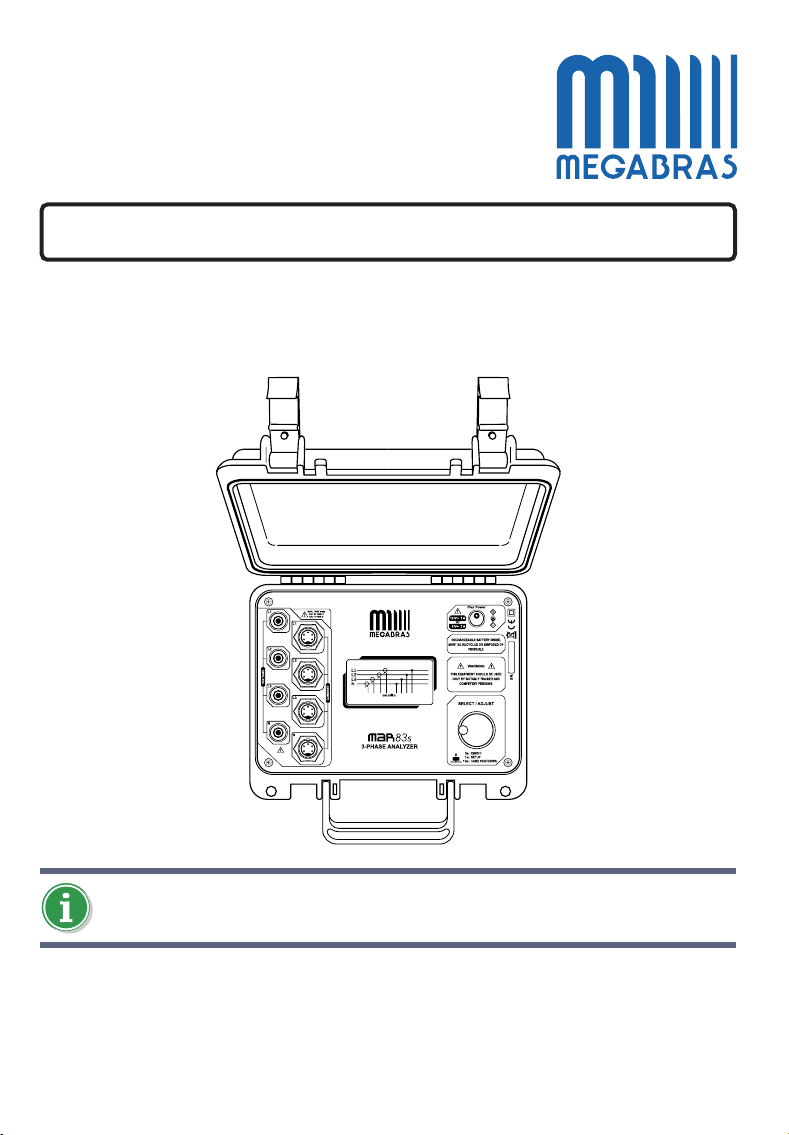
MAR83s
Three-phase power quality analyzer
User manual
Parts of this manual may differ from your equipment, depending on your country,
hardware version and / or rmware and are subject to change without prior notice.
© 2023 MEGABRAS.
All rights reserved
2
Content
Safety information ............................................................................................................ 3
Symbols used on the equipment ........................................................................................ 4
Measurement Categories .................................................................................................. 4
1. Description ................................................................................................................... 5
2. Control Panel ................................................................................................................ 6
3. Flex Power battery charger ..................................................................................... 7
4. Turning on the MAR83s ................................................................................................. 8
5. Setting the instrument ................................................................................................... 8
5.1. Access the conguration menu .............................................................................. 9
5.2. Change language .................................................................................................. 9
5.3. Change display contrast ........................................................................................ 9
5.4. Selecting the measurement mode .........................................................................10
6. Connection of current sensors ......................................................................................11
7. Connection diagrams ...................................................................................................12
8. Performing measurements ...........................................................................................13
9. Auto off .......................................................................................................................16
10. Maintenance ..............................................................................................................16
11. Technical service .......................................................................................................16
12. Technical specications .............................................................................................17
13. Warranty ....................................................................................................................19
3
MAR83s
Safety information
The MAR83s power quality analyzer was developed and produced in accordance with IEC 61010-1,
has CAT III 1000 V, CAT IV 600 V. Please read the safety precautions carefully to avoid personal
injury and damage to the instrument or any other product connected to it.
zReview the manual before using the instrument and its accessories
zRead all instructions carefully
zDo not use the instrument near explosive gases, vapors, or humid environments.
zUse the instrument only as specied in this manual or the protection provided by it may be
impaired
zUse only current clamps, test leads, and adapters provided by the manufacturer or specied
by the manufacturer as suitable for the instrument
zBefore use, inspect the instrument, power leads, test leads, and all accessories for
mechanical damage, looking for cracks in insulation or areas with exposed conductor. Never
use damaged accessories and contact technical support
zWhen in doubt about the correct operation of the instrument, try to measure a known voltage
zRemove test leads, cables, clips and accessories that are not in use
zDo not touch in places with voltage > 30 Vac RMS or 60 Vdc
zDo not use the instrument to measure voltages greater than the indicated limit near the
terminals, observing and respecting the measurement category for which it was designed
zDo not use with voltages higher than the nominal values of the voltage test leads or current
clamps
zUse current sensors (D-type clamps) only for measurements on insulated cables
zSpecial attention when connecting or removing Rogowski coils (exible)
zAlways use personal protective equipment
zDo not insert metallic objects into the connectors
zUse only the power supply recommended by the manufacturer
4
THIS EQUIPMENT MUST BE OPERATED ONLY BY QUALIFIED PERSONS, DULY TRAINED,
RIGOROUSLY APPLYING THE PERTINENT SAFETY REGULATIONS.
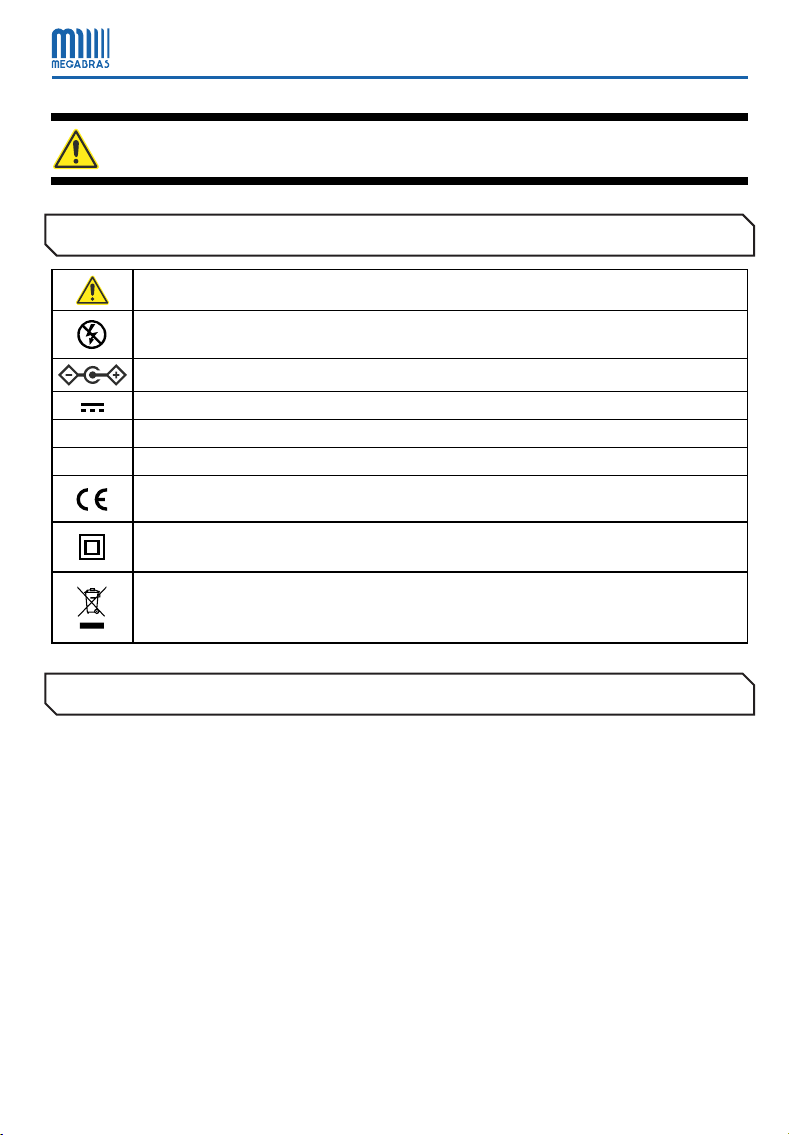
Symbols used on the equipment
Attention, refer to the user manual
Do not apply around uninsulated dangerous live conductors, or that could cause electric shock,
electric burns or electric arc
Connector polarity indication
DC - Direct current
CAT III Measuring category III
CAT IV Measuring category IV
The equipment complies with the current guidelines of the EU
Double insulation: symbol indicates that the equipment is classified as Class II (double
insulated)
The rubbish bin with a line through it means that in the European Union, the product must
undergo selective disposal for the recycling of electric and electronic material, in compliance
with Directive WEEE 2002/96/EC
Measurement Categories
CAT II
Corresponds to measurements taken on circuits directly connected to low-voltage installations.
CAT III
Corresponds to measurements on building installations.
CAT IV
Corresponds to measurements taken at the source of low-voltage installations.
5
MAR83s
1. Description
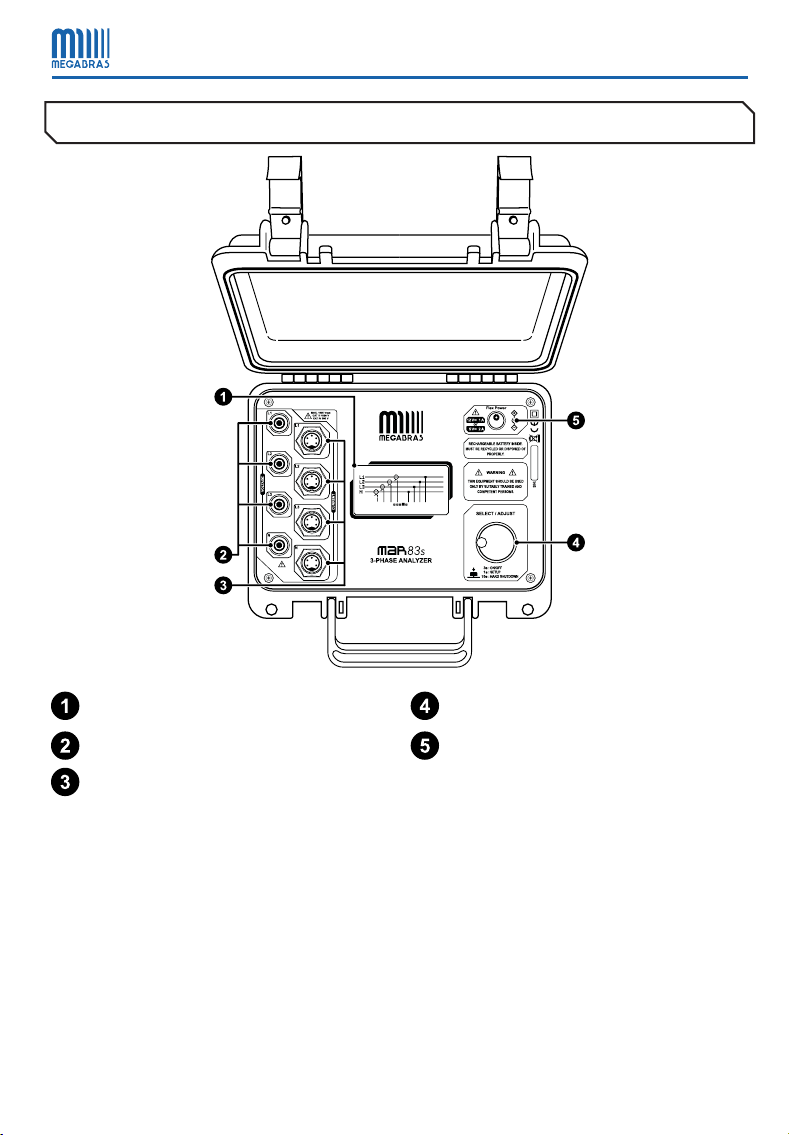
MAR83s energy analyzers are programmable measuring instruments that measure and calculate
the main electrical parameters of industrial networks: voltage, current, frequency, active and
reactive power, power factor, Total Harmonic Distortion (THD), neutral current and sequence of
phases, in balanced / unbalanced single-phase or three-phase networks.
The equipment has an automatic detection system of the type and range of the current transducer
(clamp or Rogowski coil) that is being used, facilitating the measurement and preventing the
operator from making mistakes when determining the appropriate constant.
It is a robust and light equipment, very easy to transport and operate. For technicians and those
who carry out electrical maintenance tasks will nd in the MAR83s the most suitable auxiliary to
check the quality of electrical energy, as well as for the development of reactive compensation
systems and harmonics in consumption.
6
2. Control Panel
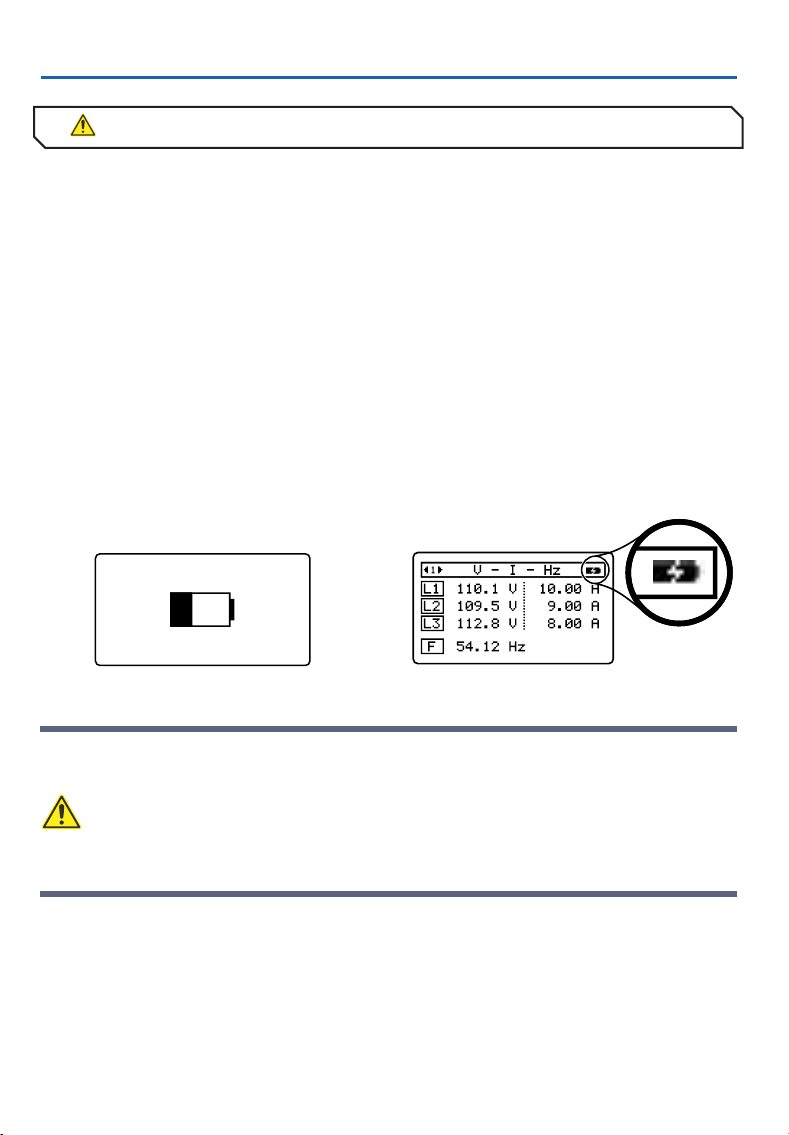
Display Rotary selector
Voltage inputs Power supply input
Current inputs
7
MAR83s
3. Flex Power battery charger
The MAR83s has a Flex Power battery charging system. This system allows the use of any power
supply between 5 V and 12 V as long as the output power is at least 10 W.
It is recommended to run a full charge cycle before using the instrument for the rst time. A full
charge cycle can take up to 5 hours.
No damage will occur if the power supply remains connected to the instrument for long periods
of time. The instrument automatically interrupts the charging process when the battery is fully
charged.
Before starting the charging procedure, check if the voltage and frequency of the AC adapter is
compatible with the mains supply.
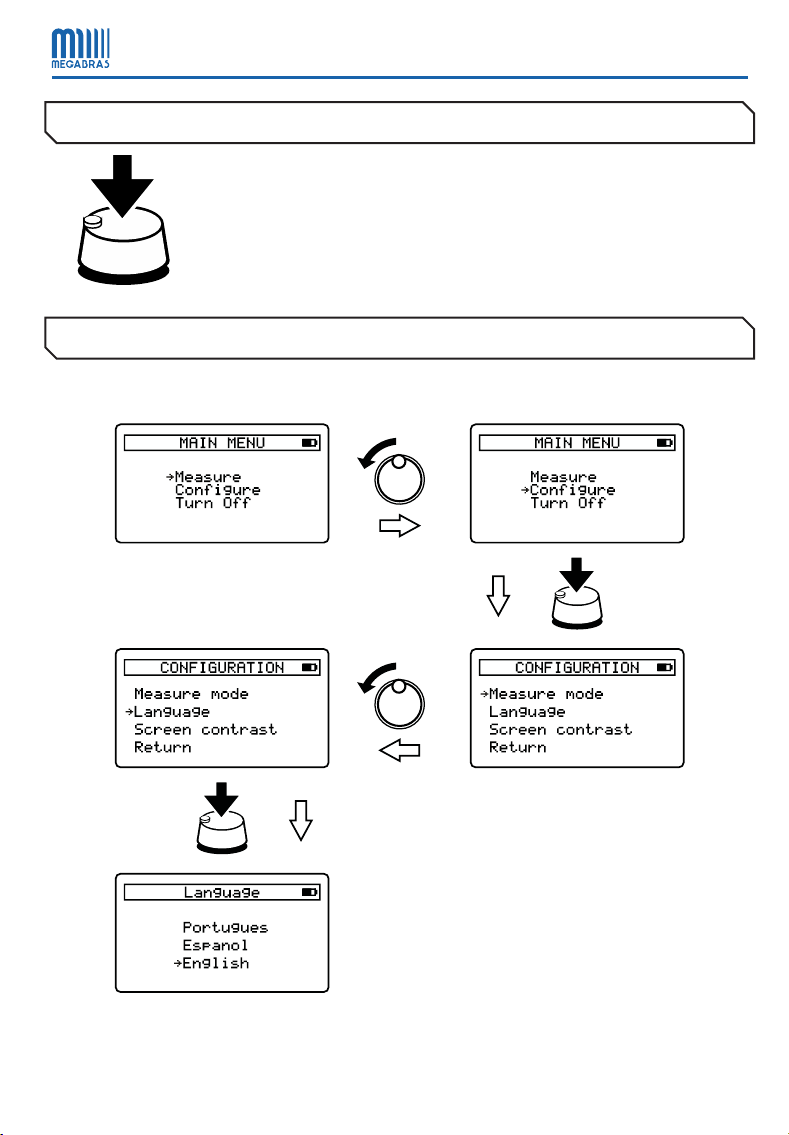
Instrument off Instrument on
zUse only the AC adapter recommended by the manufacturer. The use of another AC
adapter may compromise the correct operation of the equipment and the safety of
the users
zTo avoid depleting the battery capacity, perform a full discharge and recharge cycle at
least twice a year
8
4. Turning on the MAR83s
ON / OFF: Press and hold the selector for 3 seconds.
HARD SHUTDOWN: Press and hold the selector for 10 seconds.
5. Setting the instrument
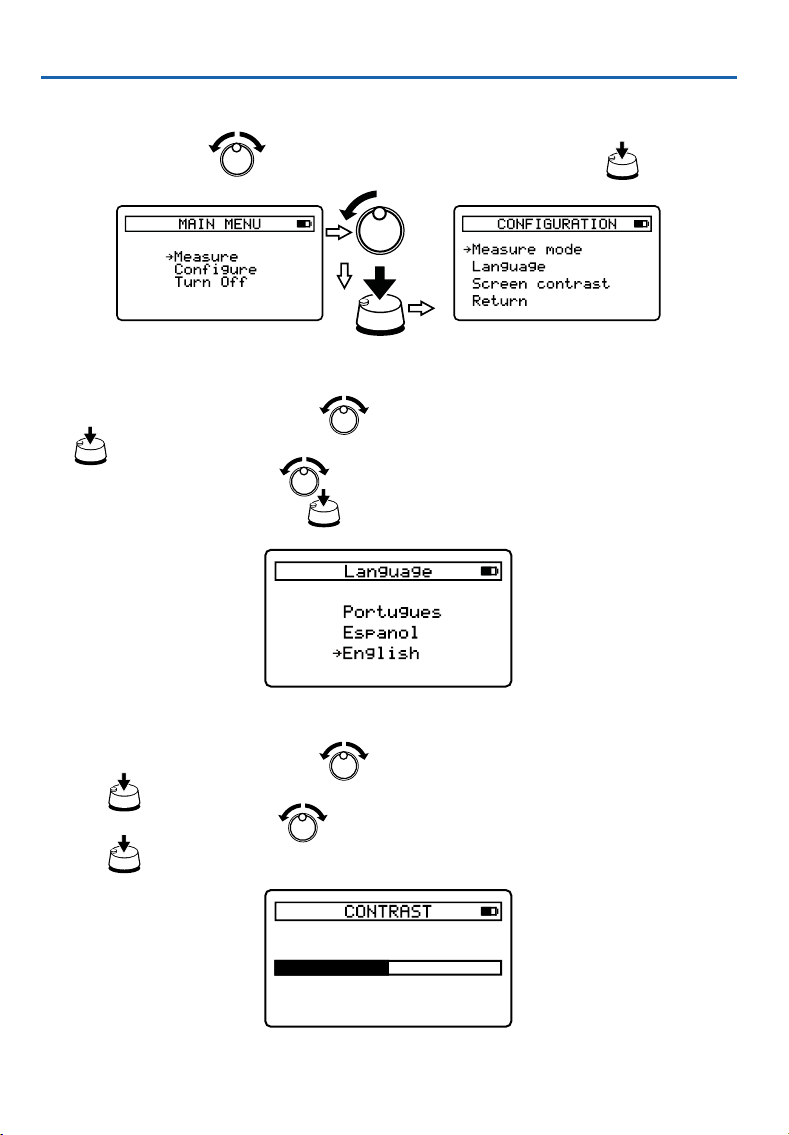
All operation / conguration of the MAR83s is done via the rotary selector.
9
MAR83s
5.1. Access the conguration menu
In the MAIN MENU, use to select the Congure option and conrm with .
5.2. Change language
zIn the CONFIGURATION menu, use to select the Language option and conrm with
zIn the LANGUAGE menu, use to select one of the three available options: Portuguese,
Spanish or English. Conrm with
5.3. Change display contrast
zIn the CONFIGURATION menu, use to select the option Screen contrast and conrm
with
zIn the CONTRAST menu, use to adjust the contrast level of the display and conrm
with
10
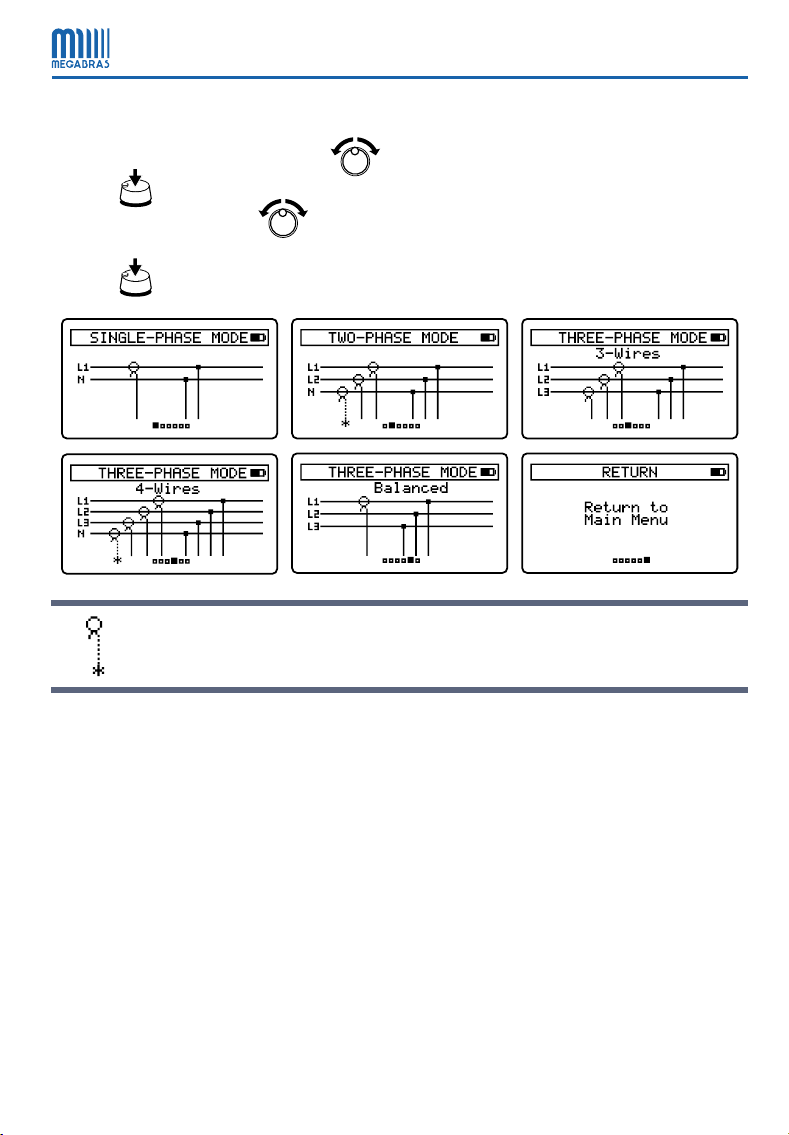
5.4. Selecting the measurement mode
zIn the CONFIGURATION menu, use to select the Measure mode option and conrm
with
zIn MEASURE MODE, use to select one of the available modes: Single-Phase, Two-
Phase, Three-Phase 3-Wire, Three-Phase 4-Wire or Three-Phase with Balanced Load. Conrm
with
Current sensors marked with an asterisk may or may not be used in the respective
measurement modes.
Indice
Altri manuali MEGABRAS Strumento di misura


