
Microtech SUB-MICRON 1250511006 Manuale utente
MICROTECH
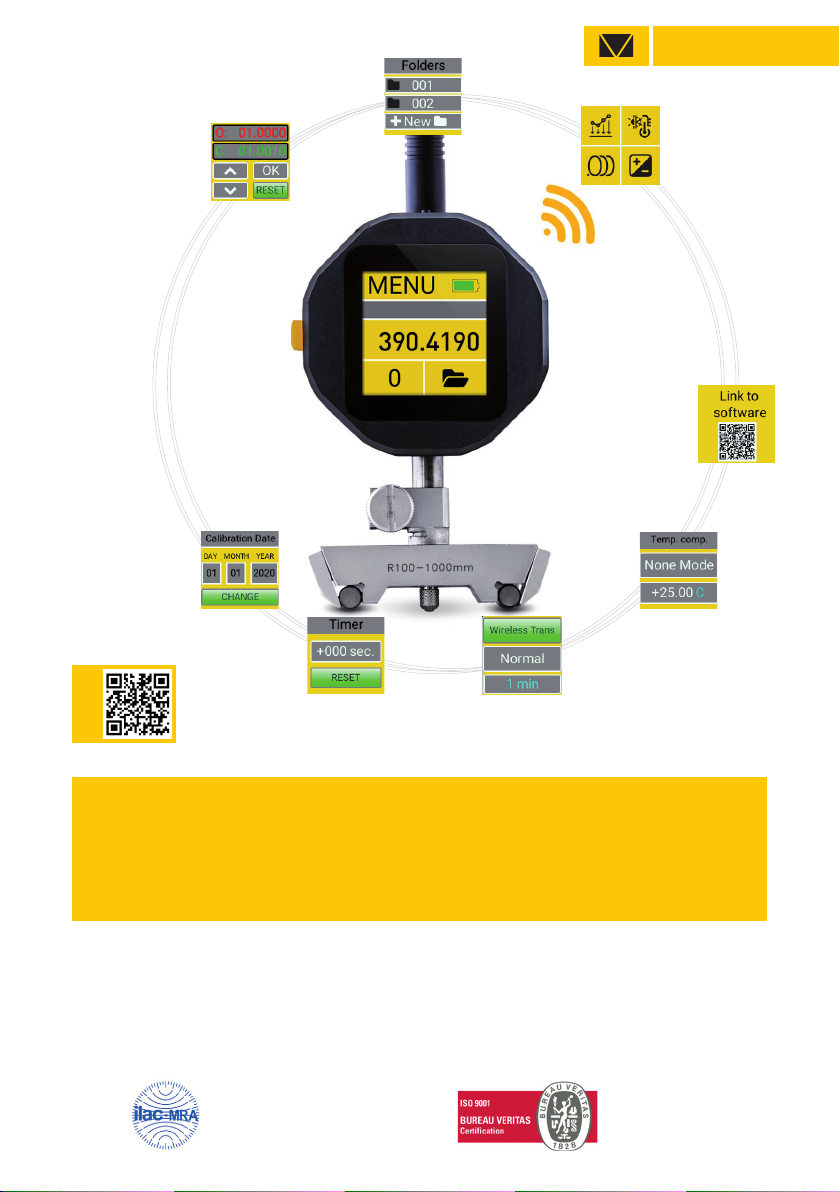
SUB-MICRON INTELLIGENT
COMPUTERIZED INDICATOR
Calibration ISO 17025:2017 ISO 9001:2015
USER MANUAL
VIDEO
MICROTECH SPECIFICATION
VIDEO
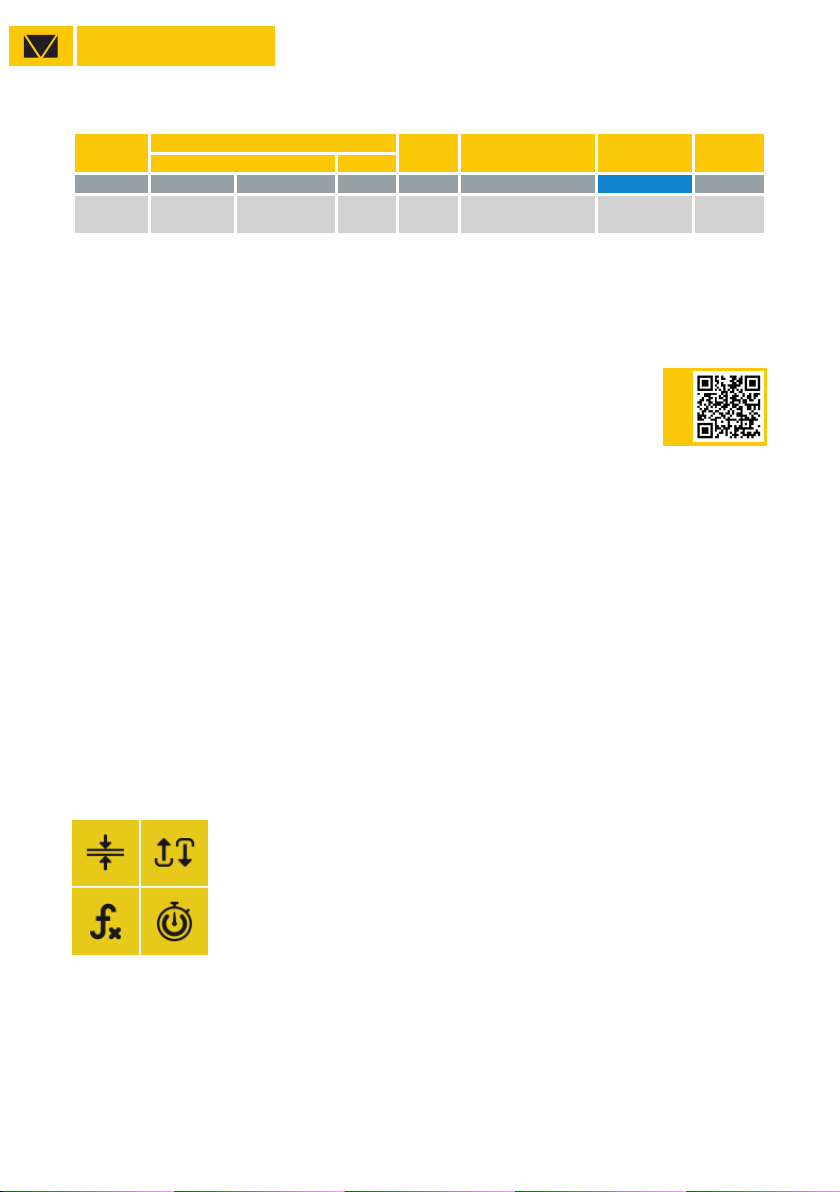
Item No
Radius Resolution Indication Data output Calibration
Range Type
mm inch
μ
mWireless ISO17025
1250511006 100-1000 4-40” external 1 computerized MICS system
with 1,54” touchscreen max 50 m +
For using Radius gauge mode select Radius in FORMULA sub menu
MICROTECH
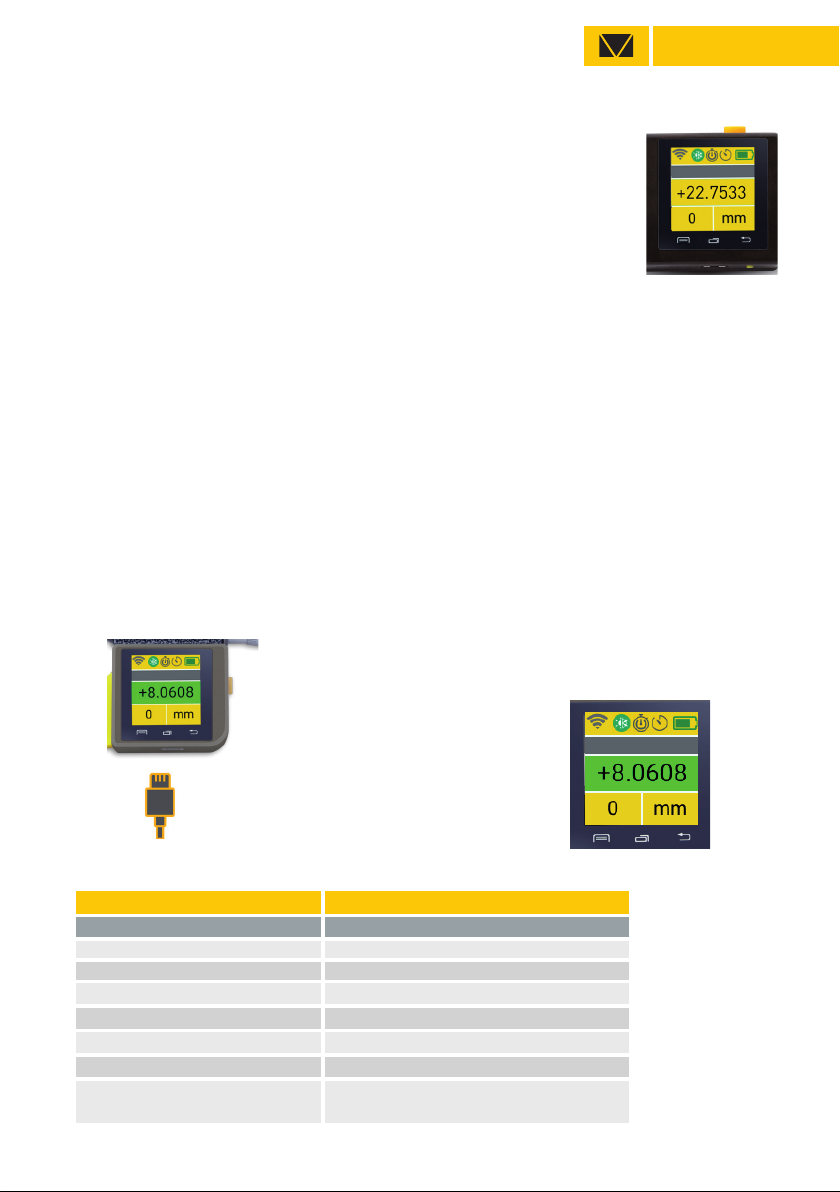
Clean the oil from the measuring rod and measuring anvil.
For recharging indicator (Li-Pol rechargeable battery) connect it with standard USB cable to
charger device
Turn on instrument by pressing ON button (1 sec).
For zero setting, press the ZERO button on Touchscreen.
Save measuring data to internal indicator memory with touch data on screen or by button push
(necessery activating throw menu). You can view saved data throw menu or send throw Wireless
connection to Windows PC, Android or iOS devices.
SWITCH ON DEVICE - button push (1 sec)
SWITCH OFF DEVICE - auto switch off (configurating throw DISPLAY SETTING menu)
- button push (3 sec)
For charging connect USB cable Charging process indicating
on Battery status
(switch on device)
BUILT-IN BATTERY - rechargeable Li-Pol battery
Parameters
LED display color 1,5 inch
Power supply Rechargeable Li-Pol battery
Lifetime >80h (Medium brightness)
Charging port micro-USB
Case material Aluminium
Buttons Switch, Reset
Wireless data transfer 10m without external antenna
50m with external antenna (from set)
MAIN INFO
CHARGING

MICROTECH
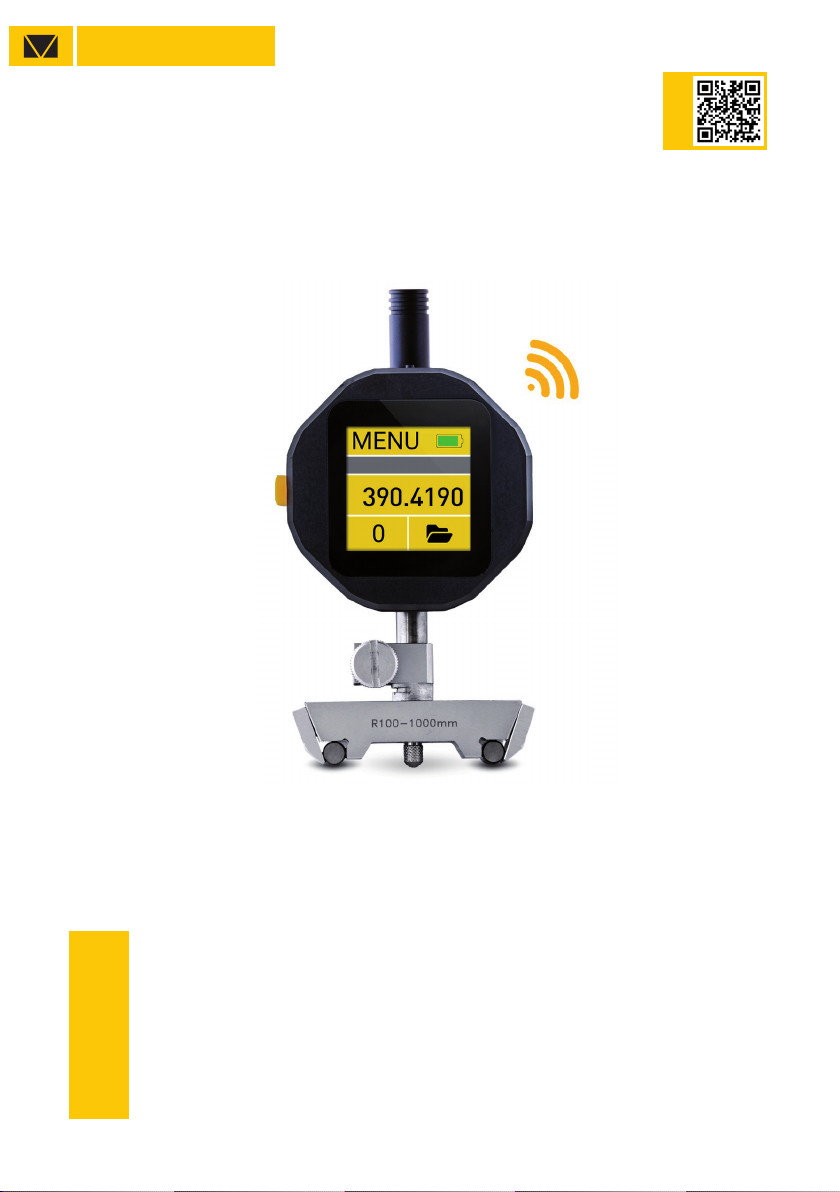
MAIN MENU
LIMITS
color Go/NoGo
MAX/MIN
indicating max or min value
FORMULA MODE
Ax2+Bx+C
TIMER MODE
saving or transfer data on timer
ERROR COMPENSATION
mathematical correction
TEMPERATURE COMPENSATION
manual correction 4 materials
RESOLUTION
selected up to 0.0001mm
AXIS MODE
normal or inverted
WIRELESS
modes of data transmition
USB
USB connection configuration
DEVICE SETTING
autostart, reset, password
SCREEN SETTING
screen rotation, brightness
SOFTWARE
link to download app
MEMORY SETTING
folder configuration
DEVICE INFO
service info about device
MEMORY MANAGER
folders system
transfering data from memory to PC
color indication Go/NoGo mm/inch
conversion
functions status
CALIBRATION STATUS
calibration date control
ZERO setting
Battery status
MENU NAVIGATION
MICROTECH
DOWNLOAD
DOWNLOAD
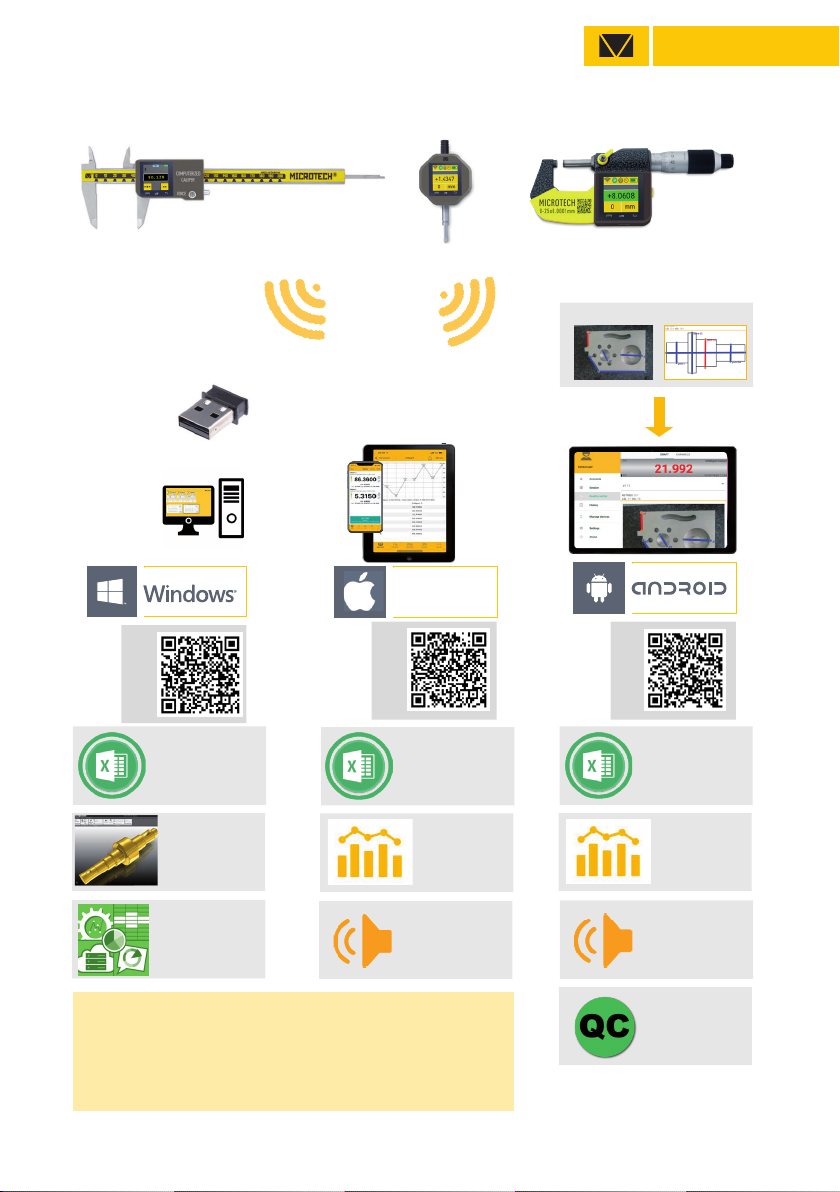
TRANSFER DATA TO
EXCEL OR OTHER
TABLE EDITORS
TRANSFER DATA TO
CAD, SPC OR OTHER
SOFTWARE
IMPORT FROM FILE OR CAMERA
SAVING
GRAPH
QUALITY
CONTROL
RESULTS
VOICE
MODE
SAVING DATA
TO XLS. CSV
FORMATS
WIRELESS CONNECTION
USB-dONgLE
SAVING DATA
TO XLS. CSV
FORMATS
SAVING DATA
TO XLS. CSV
FORMATS
SAVING
GRAPH
VOICE
MODE
iOS
up to 50m
DATA TRANSFER DISTANCE FOR INTELLIGENT INSTRUMENTS
•All MICROTECH Intelligent instruments has internal memory.
You can collect data to memory and when it will be neccesary
transfer all data to the peripheral device with no data loosing.
•It’s possible transfer data, like in Wireless instruments up to 15 m
or up 50 m with external antenna
•USB port can be used to transfer data directly to Windows PC
DOWNLOAD
CONNECTION
MICROTECH
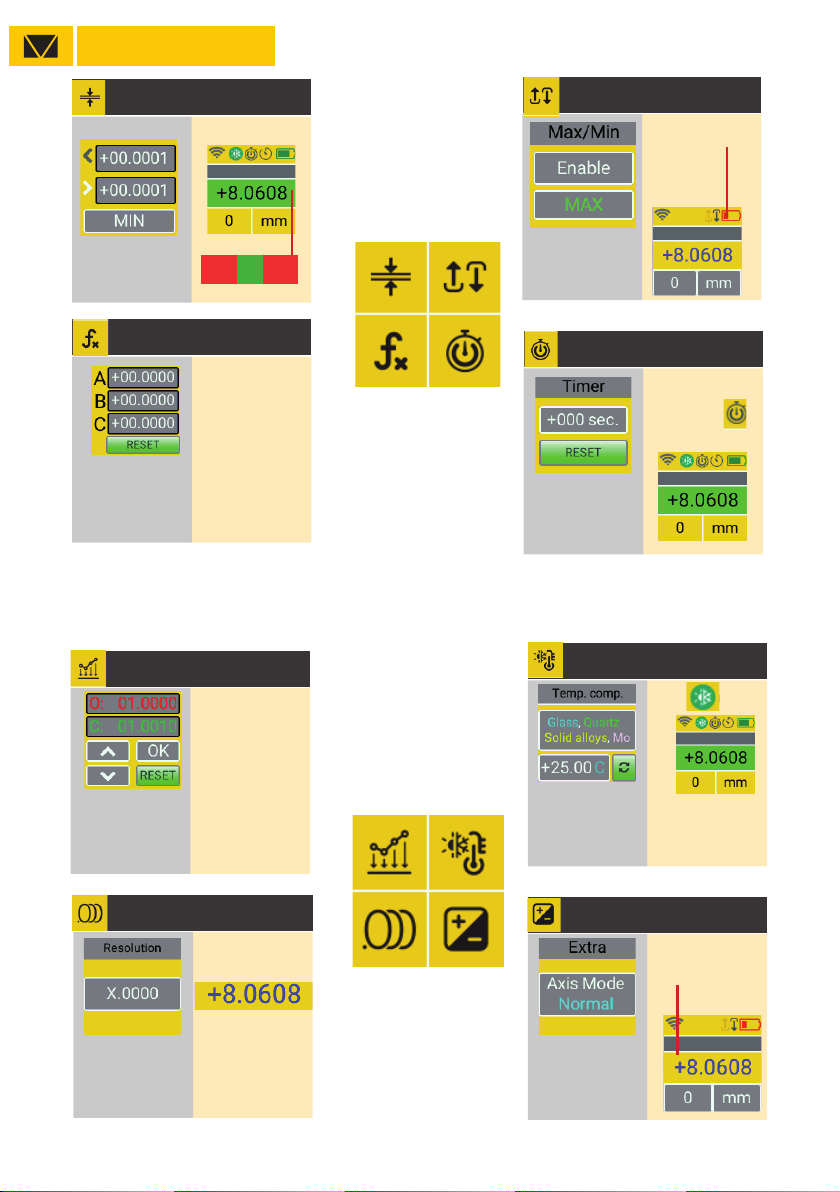
LIMITS GO/NOGO
MAX - NoGo over MAX value
MIN - NoGo over MIN value
RANGE - selecting GO range
NONE - No active mode
MENU SETTING MAIN SCREEN Status indication
on main screen
FORMULA
Avialable Formulas:
-Ax2+Bx+C
-Radius (for indicators)
-Sphere (for indicators)
TIMER
Saving or transfer data
by Timer
Select timer period
For disactive - reset to zero
Timer indicatiion on
main screen
EXAMPLES:
- for value x2 -
B=2
- set PRESET 100mm
C=100
- square value
A=1
Go
NoGoNoGo
MATH. ERROR COMPENSATION TEMPERATURE COMPENSATION
RESOLUTION EXTRA (Axis mode)
Selecting instrument
resolution Selecting normal or
inverted axis mode
Re-calculation value to calibration conditions 20C
7 types of materilas for selection
Manual temperature setting
Use up&down button to update actual value (green)
to correct value.
For compensation correction - push OK.
After points correction computerized instrument
will recalculate values according corrected points
+/- value indication
FUNCTIONS
MAX/MIN
ENABLE/DISABLE mode
indicating MAX dvalue
indicating MIN value
Red value
- actual value on instrument
Green value
- compensated value

MICROTECH
EXTRA (Axis mode)
FUNCTIONS FUNCTIONS
WIRELESS CONNECTION USB CONNECTION
PIN DISPLAY SETTING
Rotation 0, 90, 180, 270
Sleep mode
Brightness level
WIRELESS status
MEMORY MANAGER SETTINGS LINK TO SOFTWARE
CALIBRATION DATE DEVICE INFO
Saving or transfer data by Timer
Select timer period
For disactive - reset to zero
Information about firmware version
and MAC adress for easy connection
Link to page with MDS Software download
- for Android, iOS, Windows
- Free and Pro versions
- Standard / Folder mode
In Folder mode possible to set qty values
in each folder.
Free Software for Windows, Android, iOS
MICROTECH
Change without prior notice
Edition: M1029_0520
MICROTECH
innovative measuring instruments
61001, Kharkiv, Ukraine, str. Rustaveli, 39
tel.: +38 (057) 739-03-50
www.microtech.ua
VIDEO
Indice
Altri manuali Microtech Strumento di misura

Microtech
Microtech 120125131 Manuale utente

Microtech
Microtech 110180027 Manuale utente
Microtech
Microtech e-DIAGNOSTIC Manuale utente

Microtech
Microtech 14109805 Series Manuale utente

Microtech
Microtech 1106500258 Manuale utente

Microtech
Microtech 110184008 Manuale utente

Microtech
Microtech 110180254 Manuale utente

Microtech
Microtech 120126131 Manuale utente

Microtech
Microtech 110181027 Manuale utente


