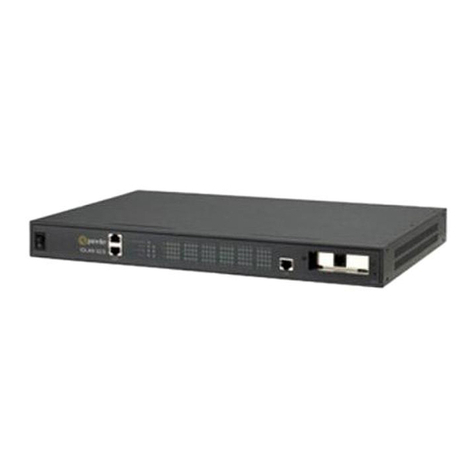
IOLAN DS1 G/DS1T G/SDS1 G/SDS1T G Hardware Installation Guide 8
Connecting the Serial / Console Port
The IOLAN can be fully configured and managed from the console port. The IOLAN is set
in the factory to serial (up position). Unless you plan to attach a console to the IOLAN,
leave the dip switch in the serial position. If this DIP switch is set to the down position,
then the serial port is in console mode. In console mode, the port provides access to the
IOLAN management function using the industry standard CLI command set. See the
IOLAN Command Line Interface Reference Guide.
Console Port Mode
Depending on the model, the console port will be a DB9M connector, a RJ45 connector
or a DB25 connector. See Appendix D - Cabling and Connectors for information on cabling
requirements.
1. Power off the IOLAN and set the console switch to the down position.
2. Connect the power and allow the IOLAN to complete the boot up sequence.
3. Depending on your IOLAN model, connect an DB9, RJ45 or DB25 cable directly from
the IOLAN to the COM port on your PC.
4. Choose Start > Control Panel > Systems or equivalent on the Windows Operating
System you are using.
5. Click the Hardware tab and choose Device Manager, Expand the Ports (COM & LPT)
section. This will expand the drop down to show the number of com ports on your
system. Connect the cable to one of these ports (probably COM1 or COM2).
6. Start an terminal‐emulation program (such as Putty or SecureCRT) on the COM port
where you have connected the cable PC.
7. Configure this COM port within the terminal emulation program with the following
parameters:
• 9600 baud
• 8 data bits
• 1 stop bit
•No parity
• None (flow control)
8. Connect power to the unit as described in Connecting Power to the IOLAN.
9. The PC will display the loot‐loader sequence
Serial Port Mode
Serial mode is used when the IOLAN acts as a communication sever, or anytime you are
not connecting directly to the IOLAN to configure it. You can connect directly to the
IOLAN in serial mode, but the IOLAN will not display all the messages/information you
will get in Console mode. See the IOLAN User’s Guide for more information on the serial
port.