
Rhopoint ID Manuale utente
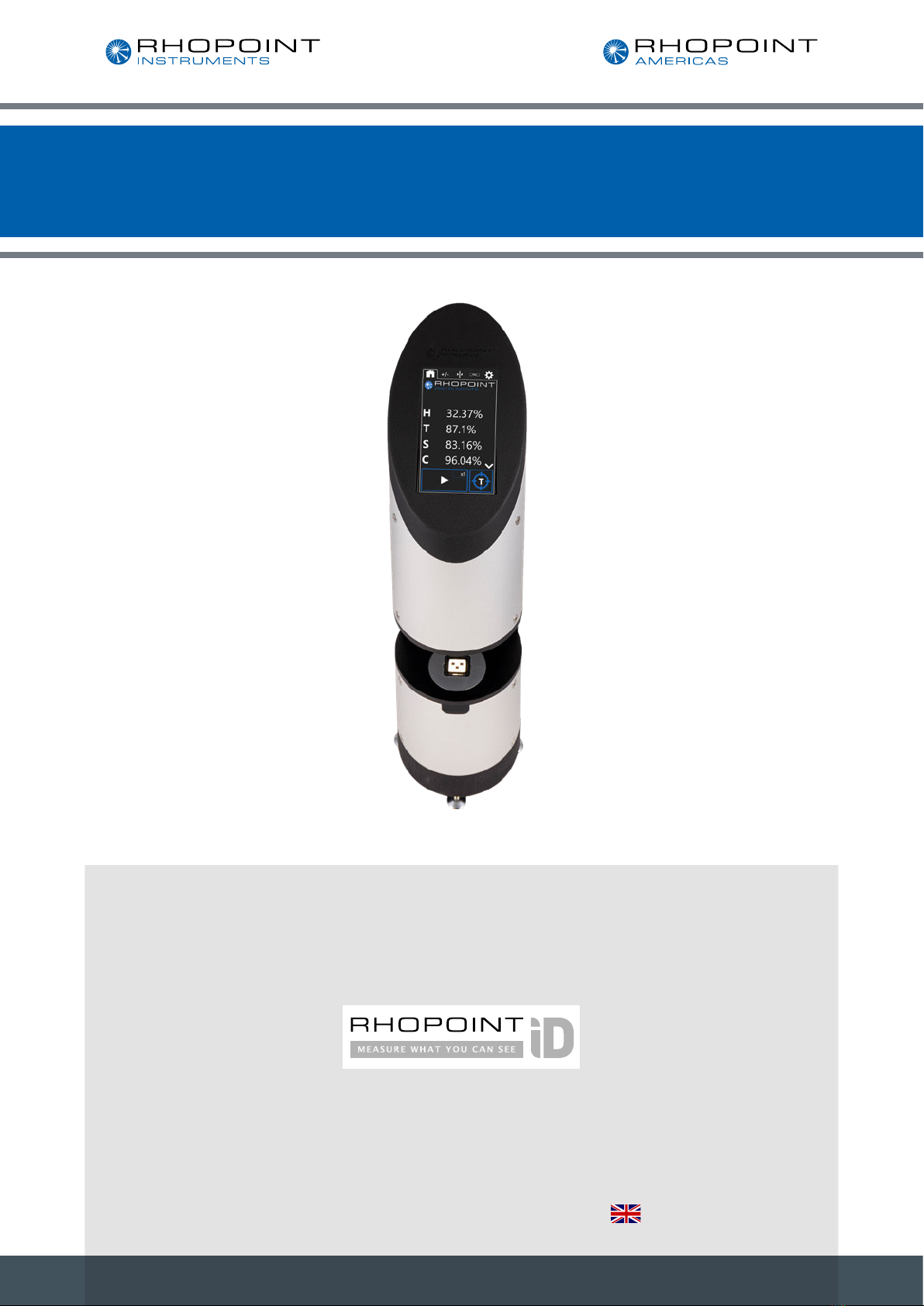
Imaging Transmission Appearance Meter
Rhopoint ID
Operating Instructions
Thank you for purchasing this Rhopoint product.
Please read these instructions carefully before operating this product and retain them for future
reference. The images shown in this manual are for illustrative purposes only.
Manufactured by Rhopoint Instruments in the United Kingdom

2
Rhopoint ID Imaging Transmission Appearance Meter
This instruction manual contains important information about the setup and use of
the Rhopoint ID Imaging Transmission Appearance Meter. It is therefore essential
that the contents be read before powering up and using the instrument.
If this instrument is passed to other users you must ensure that the instruction manual is supplied with the
instrument. If you have any questions or require additional information about this product, please contact the
Rhopoint Authorised Distributor for your region.
The technology and components used in the device are based on state-of-the art optic and electronics. As part
of Rhopoint Instruments commitment to continually improving the technologies used in their products, they
reserve the right to change information included in this document without prior notice.
© Copyright 2020 Rhopoint Instruments Ltd. All Rights Reserved.
Rhopoint is a registered trademark or trademark of Rhopoint Instruments Ltd in the UK and other countries.
Other product and company names mentioned herein may be trademarks of their respective owner.
No portion of the software, documentation or other accompanying materials may be translated, modified,
reproduced, copied or otherwise duplicated (with the exception of a backup copy), or distributed to a third
party, without prior written authorisation from Rhopoint Instruments Ltd.

3
Rhopoint ID Imaging Transmission Appearance Meter
Contents
1Storage and Handling 5
2About the Rhopoint ID Imaging Transmission Appearance Meter 6
3Measurement Technology 6
4Measurement Parameters 7
5Accessories 9
6Optional Accessories 9
7Functional Overview 10
8Measurement Screen Icons 11
9Power 13
10 Switching the Unit On/Off 13
11 Warming up the Unit 13
12 Keeping the Instrument Clean 14
13 Taring the Unit 14
14 Measuring ASTM Haze, Sharpness, Clarity, and Waviness with the
Rhopoint IDTX
16
15 Rhopoint ID Transmission Analysis Software 17
16 Measuring the Checking Standard 17
17 Taking an In-Contact Measurement 18
18 Assessing Distance Dependency or Matching End Use Applications 19
19 Measuring ASTM Haze & Sharpness 20
20 Starting a Measurement - Single Reading 20
21 Starting a Measurement - Multipoint Average 21
22 Pass / Fail Tab 23
23 Alignment Tab 25
24 Connection Tab 26
25 SettingsTab 28
26 Rhopoint ID-L Transmission Appearance Analysis Software 31
27 Connecting the Instrument to the PC 32
28 Using the IDTX Software on Multiple Screens 33

4
Rhopoint ID Imaging Transmission Appearance Meter
30 Setting Up the Connection 34
31 Navigating the ID Software 38
32 ID Results Table 39
33 IDTX Software - Live-view and Captured Images 50
35 IDTX Software -Visual Analysis of Results: Sharpness 53
36 IDTX Software -Visual Analysis of Results: Haze 54
37 IDTX Software - Visual Analysis of Results: Waviness 55
38 Notes 55
5
Rhopoint ID Imaging Transmission Appearance Meter
Storage and Handling
To ensure safe and reliable operation of this instrument it should be placed on a rigid, flat, level
surface.
Prevent exposure of the instrument to direct sunlight
Do not place the instrument near electromagnetic fields or in an environment with excessive
vibrations.
The instrument’s metal body and touchscreen are resistant to a variety of solvents; however, the
recommended cleaning method is by using a soft damp cloth.
Only use approved accessories and spare parts. All spare parts are available from Rhopoint
Instruments Ltd and approved distributors.
Do not attempt to open the instrument. There are no user serviceable parts inside. Please contact
Rhopoint Instrument or an approved distributor for your service requirements

6
Rhopoint ID Imaging Transmission Appearance Meter
About the Rhopoint ID Imaging Transmission
Appearance Meter
The Rhopoint ID Imaging Transmission Appearance Meter (IDTX) quantifies the transmission appearance of
transparent, semi-transparent and translucent samples such as plastic, films, glass and liquids.
The instrument uses a high specification camera to take images of a specially designed target graticule
through the sample to be analysed.
These images are analysed using digital imaging techniques to quantify the appearance qualities of the
material in metrics that are highly correlated to human visual perception.
The images can then be analysed using the optional viewer software to compare the transmission
characteristics of materials in conditions that replicate the final use of the material.
Uniquely the instrument can quantify the see-through quality of a sample in contact with an object or at
variable viewing distances up to 45mm.
Measurement Technology
A backlit, high accuracy, reference target graticule functions as the viewed object, creating a highly defined
pattern of light intensities with optimally sharp transitions between the backlit and masked areas.
A sample placed in direct contact (or at the desired separation) with the graticule is photographically imaged
and analysed to quantify the reduction in sharpness of the backlit-to-masked (i.e. light-to-dark) transitions of
the graticule compared with its reference image.
At a separation distance of 7.86mm (referred to as 8mm) the instrument measures transmission haze by
calculating the reduction of contrast in black and white areas of the target graticule.

7
Rhopoint ID Imaging Transmission Appearance Meter
Measurement Parameters
Haze: Certain transparent materials exhibit an optical property known as haze; light scattered during
transmission through the material causes any object viewed through it to have less contrast and appear grey
and milky.
• When materials with high haze are observed the material becomes visually intrusive and the viewed
object becomes less distinct.
• Samples with low haze have better transmission contrast and are much less visually intrusive, the viewed
object has high contrast.
The Rhopoint IDTX measures Haze at any distance, however at 8mm distance using the supplied haze spacer
the results conform to specifications written for traditional sphere instrument which comply to ASTMD1003.
Inter-instrument Haze agreement between traditional sphere instruments and Rhopoint ID for commercial
plastic films (0-30 HU, <1000 µm) has been verified as <0.5% H (SD).
Inter-instrument Haze agreement between traditional sphere instruments and Rhopoint ID for transparent
plastic materials (0-30 HU, <6mm) has been verified as <1.5% H (SD).
Sharpness: Quantifies any reduction in the optical sharpness of an object viewed through the tested material.
Poor optical sharpness is often caused by surface roughness or irregularities in the material.
This optical effect is observed as an increase in blurriness when viewing an object through the sample.
Sharpness values are expressed as a percentage (0-100%), 100% represents a material with perfect
sharpness.
Many materials have optical properties where the amount of blurriness is dependent on the distance between
the material and the viewed object.
Anisotropic Sharpness: the process of extruding materials can cause marked optical differences in the
direction of extrusion and orthogonal to that direction. These differences can appear as a increased blurring
in a single direction or feint lines in the material. The Rhopoint ID software quantifies this effect as sharpness-
this can be expressed as an average S or in horizontal SH or vertical Sv directions.
Clarity: Quantifies the blurriness of an object when viewed through a material, results are proportionate with
Sharpness, but measurement scale is compressed and measurement resolution is reduced.
Clarity is a scale used by traditional haze and clarity meters, when measured using the 8mm adaptor plate
Rhopoint ID Clarity measurements conform to specifications written for these meters.
Inter-instrument Clarity agreement between Rhopoint ID and traditional sphere instruments for commercial
plastic films (<1000µm) is typically <0.4% C (SD).

8
Rhopoint ID Imaging Transmission Appearance Meter
Inter-instrument Clarity agreement between traditional sphere instruments and Rhopoint ID for thick
transparent plastic materials (<6mm) is typically <0.5% C (SD).
Waviness: this is an optical effect caused by large structures (0.1-2mm) on the surface of the material. If the
structure is homogeneous it is often described as orange peel- the surface resembles the peel of an orange.
If the effect is anisotropic visible lines can often be seen when looking through the material.
Unlike sharpness these larger structures can cause dynamic distortion when the film is moved over a target
image/object which has straight edges- the edges appear to distort and wave as the material is moved.
Waviness measures the visible distortion of the ID graticule edges through the material- W is the standard
deviation of the edge deformation in µm.
Waviness homogeneity is assessed by comparing W (average waviness) with WH (horizontal waviness) and
Wv (vertical waviness) using Rhopoint ID software.
Transmission: The Rhopoint ID measures Transmission in three ways:
Visible transmission (narrow angle scatter), this is what the camera sees.
Diffuse transmission (Wide angle scatter) and is what the camera doesn’t see due to being scattered
away from the observer.
Total transmission is a calculation of Visible and Diffuse Transmission with correlation to other haze meters.
The amount of light transmitted to the camera is dependent on the ID of the sample and the separation
distance.
Visible transmission is correlated to the perceived intensity of light reflected from a viewed object when
viewed through the sample.
Distance Dependence: The Rhopoint IDTX-L (see note) can quantify this relationship between distance and
optical performance by measuring in contact or at defined separation distances.
The ability of the IDTX-L to measure at definable separation distances means that the suitability of materials
for applications with different air gaps can be directly compared.
Thin films and plastic materials often demonstrate a reduction in sharpness and increase in haze which peak
with a separation distance of 2-4mm between the sample and material.
Rhopoint instruments offer bespoke adaptor plates or 3D CAD models for local manufacture of 3-D printed
plates.

9
Rhopoint ID Imaging Transmission Appearance Meter
Accessories
The instrument is supplied as a standard package complete with all accessories required to power and
operate the unit.
• RHOPOINT IDTX Imaging Transmission Appearance Meter
• Calibration certificate
• 1 x checking standards
• IDTX Haze 8mm spacer
• 5mm spacer
• DC power supply and mains cable (UK, EU & US)
• USB with operating manual
• Cleaning cloth
• USB 2 to LAN adaptor
• LAN cable
• USB with operating manual and software
Optional Accessories
Distance haze measurement pack (B3100-001): 2 x 5mm spacers and 5 x 2mm spacers
Abrasion tester (B3100-002)
Wet sample adaptor (B3100-003)
Indice
Altri manuali Rhopoint Strumento di misura

Rhopoint
Rhopoint NOVO-GLOSS Flex 60 Manuale utente

Rhopoint
Rhopoint NOVO-GLOSS IQ Manuale utente

Rhopoint
Rhopoint Optimap PSD Manuale utente

Rhopoint
Rhopoint Hanatek Novo-Haze TX Manuale utente

Rhopoint
Rhopoint NOVO-SHADE DUO Manuale utente

Rhopoint
Rhopoint NOVO-GLOSS Manuale utente

Rhopoint
Rhopoint IQ 20/60 Manuale utente

Rhopoint
Rhopoint Optimap3 PSD Manuale utente

Rhopoint
Rhopoint NOVO-GLOSS 60 Manuale utente

Rhopoint
Rhopoint Novo-Gloss 20/60/75 Manuale utente


