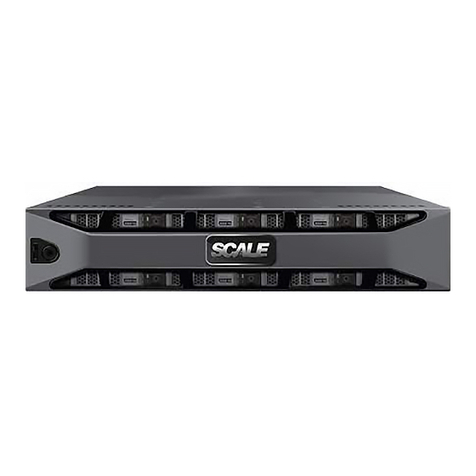
Scale Computing HC3 2100 Series Manuale utente

Onboarding – 2100 Series
Welcome!
Thank you for your recent Scale Computing HC3 purchase! We are excited to have
you as a customer and look forward to making sure you are satisfied with every part of
your experience with Scale Computing.
Scale Computing aims to provide you with an informative and productive introduction to
your new HC3 solution. In this effort, every installation is paired with an experienced
installation specialist to assist you from the initial unboxing to the creation of your first
HC3 VM.
Let’s get started!
How to Contact Scale Computing
Standard Support Hours
● General – Monday through Friday 8 AM to 8 PM EDST
● Installation Scheduling – Monday through Friday 9 AM to 6 PM EDST
● Services Scheduling – Monday through Friday 9 AM to 6 PM EDST
● Email ScaleCare Support for assistance Monday through Friday from 8 AM to 8
PM EDST at [email protected].
● ScaleCare Support is available for critical issues 24/7/365 by phone at
1-877-SCALE-59 (1-877-722-5359) in the US and 0808 234 06 99 in Europe.

Telephone support is recommended for the fastest response on priority issues
and the only response after standard support hours.
Product Overview
These are the entry level HC3 systems. The HC2100 Series includes the HC2100 and
HC2150.
Hardware Specifications
HC2100
Base Model Description
Upgrade Options
CPU
Intel E5-2603v4
6 Cores
6 Threads
1.7GHz
Intel E5-2620v4
8 Cores
16 Threads
2.1GHz / 3GHz
RAM
64GB DDR4
128GB DDR4
Networking
4 x 10GbE NICs
2 Public NICs bonded active/passive
2 Private NICs bonded active/passive
4 x 10GbE NICs
2 Public NICs bonded
active/passive
2 Private NICs bonded
active/passive

Storage
NL-SAS (7200 RPM)
4TB (4 x 1TB) RAW Capacity
NL-SAS (7200 RPM)
8TB (4 x 2TB) RAW
Capacity
16TB (4 x 4TB) RAW
Capacity
32TB (4 x 8TB) RAW
Capacity
Rack
1U Height
1.7″ (43mm) H x 17.2″ (437mm) W x
19.85″ (503mm) D
N/A
Power
2 x 400W Power Supply Units
N/A
Certifications
UL/CB
CE
FCC
N/A
Miscellaneous
Rack Rails
Power Cables
Bezel
Quick Start Reference
N/A
HC2150
Base Model Description
Upgrade Options
CPU
Intel E5-2620v4
8 Cores
16 Threads
2.1GHz / 3GHz
Intel E5-2640v4
10 Cores
20 Threads
2.4GHz / 3GHz

RAM
64GB DDR4
128GB DDR4
Networking
4 x 1GbE NICs
2 Public NICs bonded active/passive
2 Private NICs bonded active/passive
4 x 10GbE NICs
2 Public NICs bonded
active/passive
2 Private NICs bonded
active/passive
Storage
NL-SAS (7200 RPM)
3TB (3 x 1TB) RAW Capacity
SSD
480GB (1 x 480GB) RAW Capacity
NL-SAS (7200 RPM)
8TB (4 x 2TB) RAW
Capacity
16TB (4 x 4TB) RAW
Capacity
32TB (4 x 8TB) RAW
Capacity
Rack
1U Height
1.7″ (43mm) H x 17.2″ (437mm) W x
19.85″ (503mm) D
N/A
Power
2 x 400W Power Supply Units
N/A
Certifications
UL/CB
CE
FCC
N/A
Miscellaneous
Rack Rails
Power Cables
Bezel
Quick Start Reference
N/A

Power Specifications
● * These power charts are approximate and may vary by 10 to 15 Watts
depending on various upgrades and options.
HC2100 / HC2150*
Watts
270
Max Potential Amps
390.2
Btu/hr
921.3
Max Potential BTU/hr
1331.5
Power Supply Btu/hr
1194.2
Amps
2.5
Decibels
6.9
Weight (lbs)
42.5
Software Overview
● The uniqueness of the Scale Computing solution is its patented HyperCore
Software, also known as HC3 Software. All HC3 features and software updates
are included at no additional cost to you. HC3 Software is ready to deploy
straight out of the box with no additional licensing or installation needed. HC3
Software continuously monitors all virtual machines as well as software and

hardware components. This allows it to detect and automatically respond to
common infrastructure events while maintaining operational simplicity through
highly intelligent software automation and architecture simplification.
Software Details
●General
○ Web browser-based GUI, email, and syslog notifications
○ Automatic VM failover in a node failure scenario
○ Automatic data restriping in the event of a failed disk
○ Self-monitoring and self-healing
○ Non-disruptive software upgrades
○ No single point of failure
○ Mix and match nodes
○ Scale up to 8 nodes in a system, no downtime required
●Features
○ HC3 VM Import and Export between HC3 Systems
○ HC3 to HC3 System VM Replication
○ VM Snapshot Scheduling
○ Bulk VM actions
○ VM Cloning
○ Non-disruptive VM live migration between nodes
○ VM and System performance monitoring
Preparing For Your Installation
General

● Take a few minutes to familiarize yourself with the available Scale Computing
onboarding documentation. The HC3 System Installation Guide provides more
detailed processes if needed, such as creating a new Portal account, port
requirements for various HC3 system features, and additional best practices.
○ HC3 System Onboarding Guide
● Ensure you have access to the Scale Computing Customer and/or Partner
Portal. Credentials should be emailed to all users on the account within 24 hours
of product shipment. If you haven’t received credentials within that time frame
you can sign up manually by selecting “New User?” under the appropriate Portal
from this link: https://www.scalecomputing.com/support/login/
○ When you first log into the Scale Computing Portal, be sure to fill out your
“My Profile” information from the top navigation bar. The selected
timezone will help determine scheduling availability.
● Schedule your installation and any purchased or included services on the Scale
Computing Portal. You’ll find these items under “Support -> Services” in the top
navigation bar. Click the “Schedule Services” link to schedule your installation
and/or professional services.
●“NOTE: Any purchased professional services, such as the Premium
Installation Service, the Networking Configuration Service, or the Switch
Configuration Service, will only allow scheduling in their proper order. This
means pre-installation services, such as the Networking Configuration
Service, will be required to be scheduled and completed before the
Installation can be scheduled in the Portal.”
○ All networking related services are reliant on using a switch from the
recommended switch list in the Networking Guidelines.
Rack Installation

● Watch this 2 minute video for step-by-step assistance in racking your HC5150D
node. And yes, it’s really that easy. As a note, this node is intended to be a two
person carry, so make sure to have someone to assist you during the racking
process!
Networking
●General
○ Review the HC3 Networking Guidelines and Recommendations for details
on switch requirements, recommended switches and cables, and
networking best practices.
●Public and Private System Networks
○ The HC3 system has two distinct physical networks in which it
participates. A public network provides a path to allow access to the HC3
web interface as well as access to VMs running on the system and is
known as the LAN network. A private network, known as the Backplane
network, is used for intra-system communication. This includes critical
system operations such as the mirroring of data blocks for redundancy
between the nodes. It is critical that the Backplane network is isolated to a
single HC3 system only (physically or through VLANs) to ensure system
stability and performance.
○ There are two NICs for both the LAN and Backplane network. These two
ports are bonded in an active/passive configuration. The “0” ports will
always be primary and the “1” ports will be secondary.
○ Below are the NIC layouts for the 1 GbE and 10 GbE HC2100 Series
hardware configurations.

■ Rear 1 GbE view of the HC2100 Series node:
○
■ Rear 10 GbE view of the HC2100 Series node:
○
■Network and Switch Configuration Recommendations
■ Two interconnected (or stacked) switches are recommended
for a full high availability configuration of the HC3 system.
Below is an example of the ideal high availability
configuration.

■
■ The Spanning Tree Protocol (STP) is a network protocol that
ensures a loop-free topology for bridged local area networks
(LANs). STP allows a network design to include spare
(redundant) links to provide automatic backup paths via STP
without the need for manual intervention. When STP is
enabled, the protocol monitors the participating ports/
VLANs. Should there be a change in topology (a port goes
active or a port goes down) STP blocks traffic on
participating ports until the network topology is determined.
Scale Computing recommends disabling STP on the LAN
and Backplane ports. If STP is required then Rapid STP is
recommended.
■ Flow control is useful for managing the data rates between
two links. It helps prevent a fast sending connection from
overwhelming a slower receiving connection and causing
Questo manuale è adatto per i seguenti modelli
2
Indice
Altri manuali Scale Computing Server